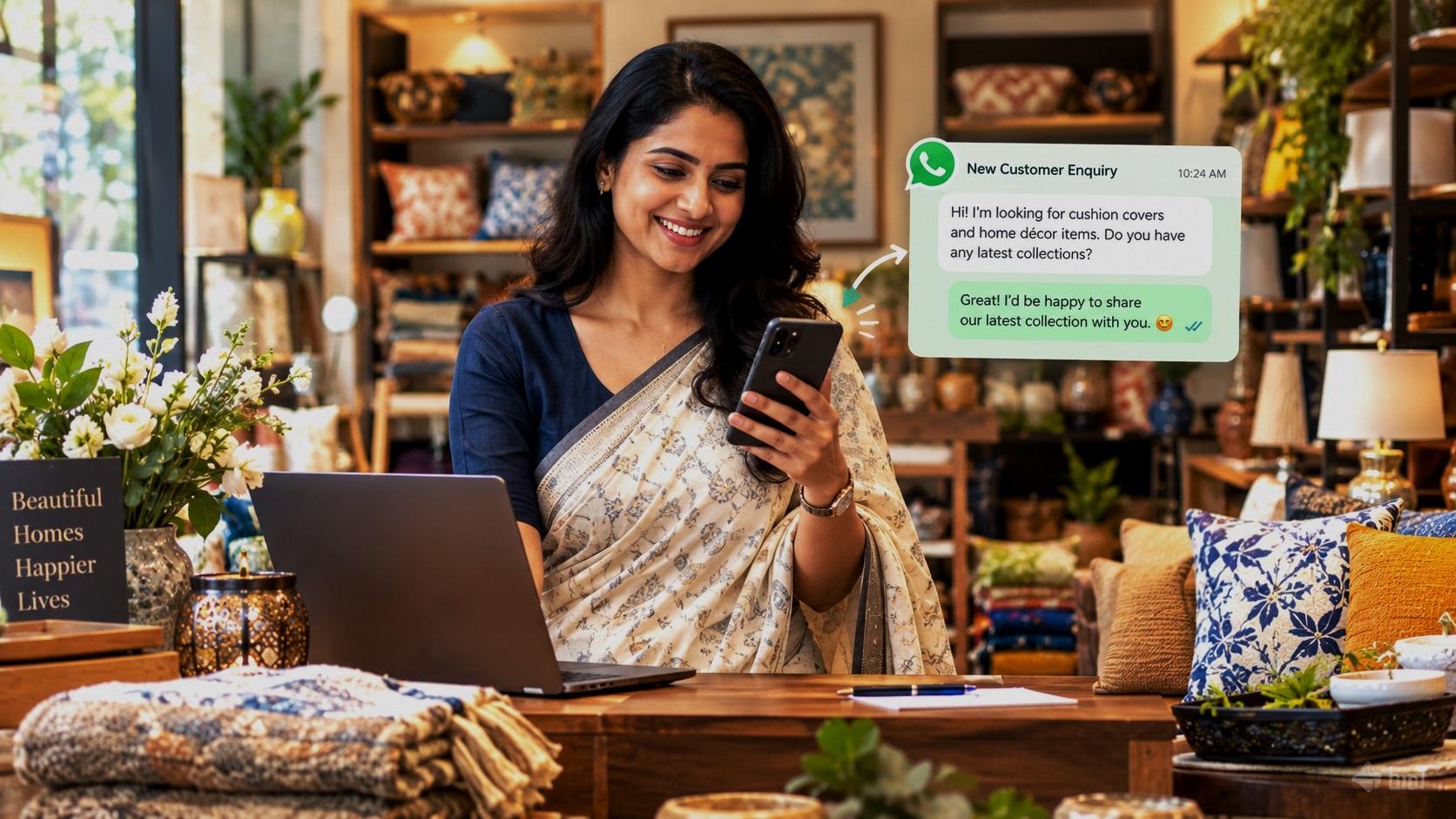
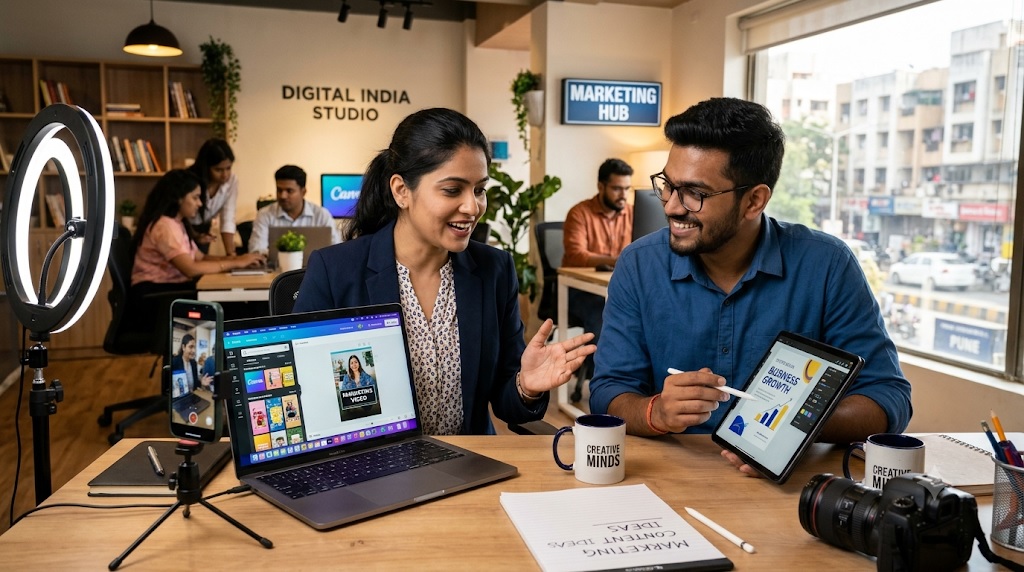
You don’t need a big marketing budget, a professional designer or an advertising agency to promote your business online. You can create attractive posters, product images, promotional videos and social media posts using free tools available online.
Whether you run a restaurant, coaching centre, boutique, salon, grocery store, playschool, travel agency, fitness centre or any other local business in India, good marketing content can help you reach more people, showcase what you offer and attract potential customers.
The best part? You can do much of this yourself, even if you have never designed a poster or edited a video before.
This guide explains how to create business marketing content from scratch, which free tools to use, what to post on social media, how to make promotional videos and how to build a simple content marketing routine that works for a local business.
1. Understand What Business Marketing Content Is
Business marketing content is anything you create and share to tell people about your business, products, services, offers or expertise.
It helps potential customers understand what you sell, why they should choose your business and how they can contact you.
For example:
- A restaurant can share pictures of its popular dishes, menu highlights and special offers.
- A coaching centre can create posters announcing new batches, courses and admission dates.
- A beauty salon can publish service details, festive offers and customer testimonials.
- A clothing boutique can showcase new arrivals, collections and styling ideas.
- A real estate agent can create short videos featuring properties available for sale or rent.
- A playschool can share information about activities, facilities and admissions.
Marketing content does not always have to be an advertisement. Useful information, practical tips, product demonstrations, customer feedback and behind-the-scenes videos can also attract attention.
Why Is Marketing Content Important for Local Businesses?
Most customers research businesses online before making a purchase or visiting a shop. They may check photographs, services, prices, reviews, social media pages and business information before contacting you.
Regularly publishing useful and attractive content can help you:
- Make more people aware of your business.
- Showcase your products and services.
- Build trust with potential customers.
- Keep existing customers informed.
- Generate enquiries through WhatsApp, phone calls and social media.
- Promote seasonal offers and new products.
- Give people reasons to visit your shop or website.
The objective is not simply to get likes and followers. Your content should help people take the next step towards becoming customers.
2. Start With a Simple Business Marketing Plan
Before opening a design application or recording a video, decide what you want your content to achieve.
Creating random posters and social media posts without a clear purpose can waste time. A simple plan makes your marketing more effective.
Step 1: Identify Your Target Customers
Think about the people most likely to purchase your products or services.
Ask yourself:
- Who are my potential customers?
- What age group do they belong to?
- Where do they live?
- What problems do they want to solve?
- What information do they need before buying?
- Which social media platforms do they use?
For example, a tuition centre in Delhi may target parents looking for tutors for Classes 6 to 12. A local bakery may target families, office workers and people looking for birthday cakes.
Understanding your audience helps you create content that speaks directly to their needs.
Step 2: Decide What You Want to Promote
Make a list of the things you want customers to know about your business.
These could include:
- Your main products and services.
- Popular or best-selling products.
- New arrivals.
- Special offers and discounts.
- Business location and contact details.
- Customer reviews and testimonials.
- Your experience and expertise.
- Special events and seasonal promotions.
You do not need to promote everything at once. Focus on one product, service or message in each piece of content.
Step 3: Choose Your Main Marketing Platforms
You don’t have to be active on every social media platform.
Start with the platforms that are most useful for your customers.
Google Business Profile: Useful for local businesses that want to appear in Google Search and Google Maps. You can share business updates, photographs, offers and other information.
Instagram: Particularly useful for product photographs, reels, promotional videos, stories and visual content.
Facebook: Useful for reaching local communities, sharing business updates, promoting offers and connecting with customers.
YouTube: Suitable for tutorials, product demonstrations, educational videos, customer stories and detailed business introductions.
WhatsApp Business: Useful for sharing product catalogues, business updates, offers and responding directly to enquiries.
LinkedIn: Useful for professional services, consultants, training companies, B2B businesses and business networking.
Start with two or three platforms and publish consistently rather than creating accounts everywhere and leaving them inactive.
3. Best Free Tools to Create Business Marketing Content
You don’t need expensive software to create professional-looking marketing material. Several free tools offer templates and simple editing features that beginners can use.
Here are some useful options for Indian business owners.
1. Canva – Create Posters, Flyers, Banners and Social Media Posts
Canva is one of the easiest design tools for beginners.
It offers ready-made templates that you can customise with your own photographs, business name, colours, text and contact details.
<PRIVATE_PERSON>Canva can help you create:</PRIVATE_PERSON>
- Promotional posters.
- Instagram and Facebook posts.
- Festival greeting designs.
- Product advertisements.
- Business flyers and brochures.
- Sale and discount announcements.
- YouTube thumbnails.
- Business presentations.
- Menus and price lists.
How to Create a Promotional Poster Using Canva
- Open Canva and create a free account.
- Search for a suitable design, such as a restaurant poster, sale announcement or business promotion.
- Select a free template.
- Replace the sample photographs with your own product or business images.
- Add your business name and promotional message.
- Include your phone number, location or WhatsApp contact.
- Check the spelling and layout.
- Download the finished design.
You can reuse the same design style for future promotions by changing the photographs, offers and text.
Free plan: Canva offers a useful collection of free templates and design features. Some premium templates, photographs and elements require a paid plan. Choose free elements when creating designs without a subscription.
2. Adobe Express – Create Professional Marketing Designs
Adobe Express is another beginner-friendly design tool.
It offers templates and editing features for creating marketing graphics, social media posts and short videos.
You can use it to create:
- Business advertisements.
- Promotional graphics.
- Instagram stories.
- Facebook posts.
- Posters and flyers.
- Video content.
- Branded social media designs.
Its ready-made layouts can help small businesses create consistent marketing material without hiring a designer.
The free plan provides useful design features, although some premium assets and functions require payment.
3. Microsoft Designer – Create Images and Marketing Graphics
Microsoft Designer helps users create visual content using templates and AI-assisted design features.
It can be useful when you need ideas for promotional graphics or want to create designs without starting from scratch.
You can use it for:
- Social media graphics.
- Promotional images.
- Business announcements.
- Event posters.
- Product promotion designs.
Check which features are available under the free offering, as access and usage limits can change.
4. CapCut – Edit Promotional Videos
CapCut is a popular video editing tool that can help small businesses create short promotional videos.
You can combine photographs, video clips, text, music and transitions to create engaging content.
Use it to make:
- Product demonstration videos.
- Restaurant food videos.
- Shop walkthroughs.
- Customer testimonial videos.
- Before-and-after presentations.
- Promotional reels.
- Short business introduction videos.
The free version offers useful editing features, but some effects, templates and tools may require payment. Check the availability of features in your region and on your device.
5. VN Video Editor – Create Simple Business Videos
VN Video Editor is another useful option for beginners who want to edit videos on their phones.
You can use it to:
- Combine multiple video clips.
- Add text and subtitles.
- Include background music.
- Adjust video speed.
- Create short promotional videos.
- Edit vertical videos for social media.
It is particularly useful for businesses that want to create content using a smartphone rather than a computer.
6. Google Photos – Organise and Improve Business Photographs
Google Photos can help you store, organise and make basic edits to photographs.
For a small business, this is useful because you may regularly take pictures of products, services, events, staff and customers.
You can use its editing features to improve brightness, crop photographs and make simple adjustments.
Keep your original photographs organised in separate albums so you can find them easily when creating new marketing material.
7. ChatGPT – Generate Marketing Ideas and Content
Creating the design is only one part of marketing. You also need interesting headlines, captions, promotional messages and ideas.
ChatGPT can help you develop these quickly.
You can use it to:
- Write promotional captions.
- Generate catchy poster headlines.
- Create festival marketing messages.
- Write product descriptions.
- Prepare social media content calendars.
- Suggest video topics.
- Create short advertisement scripts.
- Rewrite complicated business information in simple language.
For example, instead of struggling to write a restaurant advertisement, you can ask ChatGPT to create five catchy promotional headlines for a family restaurant offering North Indian food in Jaipur.
Give it details about your business, target customers, location and offer. The more specific your instructions, the more useful the suggestions will be.
Always check the final content for accuracy before publishing.
4. How to Create Attractive Business Posters and Promotional Images
Posters and images are among the easiest ways to promote a local business online.
A well-designed poster can communicate an offer, introduce a product or announce a new service within seconds.
However, an attractive design alone is not enough. Your poster must clearly communicate what you are offering and tell people what to do next.
What Should a Business Poster Include?
A good promotional poster should contain:
1. A clear headline
Use a short headline that immediately communicates your message.
Examples:
- Grand Opening – New Store in Jaipur!
- Fresh Cakes for Every Celebration.
- Admissions Open for 2027–28.
- Flat 20% Off on Selected Products.
- Book Your Free Consultation Today.
2. A good photograph
Use an actual photograph of your product, shop, service or business whenever possible.
Original photographs make your business look genuine and help customers understand what you offer.
3. A short description
Explain the offer or service in one or two sentences.
Avoid filling the poster with too much information.
4. Contact details
Include your business phone number, WhatsApp number or other preferred contact method.
5. A clear call to action
Tell customers what you want them to do.
Examples:
- Call Now.
- Book Your Appointment.
- Visit Our Store.
- Enquire on WhatsApp.
- Register Today.
Poster Design Tips for Beginners
You don’t need advanced design skills to create attractive promotional graphics.
Follow these simple rules:
- Use two or three colours that match your business identity.
- Choose easy-to-read fonts.
- Make the headline larger than the supporting text.
- Use high-quality photographs.
- Keep enough empty space around the text.
- Avoid using too many decorative elements.
- Make your business name visible.
- Ensure contact details are readable on mobile screens.
Recommended Poster Sizes
Different platforms use different image formats. Choose the right dimensions before creating your design.
| Content Type | Recommended Dimensions |
|---|---|
| Instagram square post | 1080 × 1080 pixels |
| Instagram portrait post | 1080 × 1350 pixels |
| Instagram Story/Reel | 1080 × 1920 pixels |
| Facebook landscape post | 1200 × 630 pixels |
| YouTube thumbnail | 1280 × 720 pixels |
| WhatsApp Status | 1080 × 1920 pixels |
Platform specifications can change, so check the latest requirements when necessary.
5. How to Take Professional-Looking Product and Business Photographs Using Your Phone
You don’t need an expensive camera to create good marketing photographs.
A modern smartphone is usually sufficient for most small business requirements.
The key is to take clear, well-lit photographs that show your products and services accurately.
Simple Photography Tips for Business Owners
Use natural light: Take photographs near a window or in an outdoor area with good lighting. Avoid harsh direct sunlight that creates unwanted shadows.
Keep the background clean: Remove unnecessary objects that distract from the product.
Clean your camera lens: Even a small fingerprint can make photographs look blurry.
Use different angles: Take photographs from the front, side and close-up positions to show important details.
Show the actual product: Avoid using photographs that misrepresent what customers will receive.
Keep the subject in focus: Make sure the product or service is clearly visible.
Avoid excessive filters: Customers should be able to see what your business actually offers.
What Photographs Should Different Businesses Take?
| Business Type | Photographs to Create |
|---|---|
| Restaurant | Food, menu items, dining area, kitchen and ambience |
| Boutique | New collections, outfits, fabrics and accessories |
| Salon | Interiors, services, equipment and work samples |
| Coaching Centre | Classrooms, teaching facilities, study material and activities |
| Playschool | Classrooms, learning areas, activities and facilities |
| Bakery | Cakes, pastries, breads and customised orders |
| Fitness Centre | Equipment, workout areas and training sessions |
| Retail Shop | Products, new arrivals, displays and special offers |
| Hotel | Rooms, reception, dining area and facilities |
| Travel Agency | Tour packages, destinations and travel experiences |
Create a collection of photographs for your business. You can use these repeatedly for different promotional campaigns.
6. How to Create Promotional Videos for Your Business
Videos are an excellent way to show customers what your business offers.
A photograph can show a product, but a video can demonstrate how it works, how it is made or how customers can use it.
You don’t need to create long videos or hire a professional video production team.
Short, informative videos recorded using your smartphone can be enough to introduce your business and attract attention.
Types of Business Videos You Can Create
1. Business Introduction Video
Introduce your business, explain what you offer and tell viewers where they can find you.
For example, a salon owner can create a 30-second video showing the salon interior, services and location.
2. Product Demonstration Video
Show how your product works, what makes it useful and how customers can benefit from it.
This works particularly well for electronics shops, boutiques, home furnishing stores, bakeries and other retail businesses.
3. Behind-the-Scenes Video
Show customers what happens behind the scenes.
A bakery can show how cakes are prepared. A restaurant can showcase food preparation. A boutique can show how a new collection is selected or displayed.
Such videos help customers understand the effort and care that go into your products and services.
4. Customer Testimonial Video
With the customer’s permission, record a short video explaining their experience with your business.
Genuine customer feedback can help build trust among potential buyers.
5. Special Offer Video
Announce discounts, seasonal offers, festive promotions and limited-period deals.
Make sure the offer details and validity are clearly mentioned.
6. Educational Videos
Share useful information related to your products or services.
For example:
- A dentist can explain simple dental hygiene tips.
- A fitness trainer can demonstrate basic exercises.
- A tutor can explain a difficult concept.
- A travel agent can share travel planning tips.
- A home appliance dealer can explain product maintenance.
Useful videos can help establish your business as a knowledgeable and reliable choice.
How to Make a Short Promotional Video
Follow this simple process:
- Decide what you want the video to communicate.
- Write a short script or prepare three or four talking points.
- Clean your smartphone camera lens.
- Record in a well-lit location.
- Keep the camera steady.
- Speak clearly and naturally.
- Edit unnecessary pauses and mistakes.
- Add captions or text where useful.
- Include your business name and contact information.
- End with a clear call to action.
An Easy 30-Second Video Script for a Local Business
You can use this simple structure:
First 5 seconds: Introduce the business or grab attention.
Example: Looking for fresh, delicious cakes in Jaipur?
Next 10 seconds: Show your products or services.
Example: We prepare customised birthday cakes, celebration cakes and delicious desserts using quality ingredients.
Next 10 seconds: Explain why customers should choose you.
Example: Choose from a variety of flavours and designs to make every celebration special.
Last 5 seconds: Tell customers what to do.
Example: Visit our bakery or contact us on WhatsApp to place your order.
This simple format can be adapted for almost any local business.
7. How to Write Engaging Social Media Posts for Your Business
A social media post is more than a photograph with a caption.
It should attract attention, communicate something useful and encourage people to interact with your business.
You don’t have to write long paragraphs. In most cases, a short, clear message works better.
The Four Parts of an Effective Social Media Post
1. Attention-Grabbing Opening
Start with a question, interesting statement or customer benefit.
Examples:
- Looking for the perfect birthday cake?
- Need a reliable home tutor in your area?
- Planning a family holiday?
- Want to give your home a fresh new look?
2. Useful Information
Explain what you offer and why it matters.
Mention the product, service, features or benefits that make your business worth considering.
3. Location or Business Details
For local businesses, location matters.
Mention your neighbourhood, city or service area when relevant.
For example, a boutique in Rohini should mention Rohini and Delhi in suitable promotional posts.
4. Call to Action
Encourage people to contact you, visit your shop, book an appointment or enquire about your products.
Social Media Post Examples for Indian Businesses
Here are some examples you can adapt for your own business.
Restaurant
Looking for delicious North Indian food in Jaipur?
Enjoy freshly prepared meals, family dining and your favourite dishes at our restaurant.
Visit us today or contact us for reservations.
Coaching Centre
Admissions Open for New Batches!
Looking for expert tuition for Classes 9 to 12? Join our coaching centre for focused learning, regular practice and exam preparation.
Enquire today for batch details.
Boutique
New Collection Now Available!
Explore our latest collection of stylish ethnic wear, festive outfits and everyday fashion.
Visit our boutique to find your favourite styles.
Beauty Salon
Time for a Fresh New Look?
Explore professional hair, skin and beauty services at our salon.
Book your appointment today.
Bakery
Make Every Celebration Sweeter!
Order customised birthday cakes, anniversary cakes and delicious desserts for your special occasions.
Contact us to discuss your requirements.
These examples can be customised with your business name, location, products and contact details.
8. How to Create Different Types of Content for Different Social Media Platforms
One of the biggest mistakes small businesses make is creating one type of content and sharing it everywhere without considering the platform.
Different platforms serve different purposes. You can use the same basic idea but adjust its format and presentation.
Instagram is highly visual, making it suitable for photographs, short videos, reels and stories.
Content ideas:
- Product photographs.
- New arrivals.
- Short promotional reels.
- Customer testimonials.
- Behind-the-scenes videos.
- Festival offers.
- Before-and-after presentations.
Use clear captions and relevant hashtags. Add your location when promoting a local service or shop.
Facebook is useful for connecting with local customers and communities.
Content ideas:
- Business introduction posts.
- Product announcements.
- Special offers.
- Customer feedback.
- Local events.
- Useful business updates.
- Photographs and videos.
You can also participate in relevant local Facebook groups, provided their rules allow business promotion. Avoid repeatedly posting advertisements where they are not welcome.
WhatsApp Business
WhatsApp is particularly useful for direct communication with customers.
You can use it to:
- Create a business profile.
- Display products through a catalogue.
- Share updates through Status.
- Respond to enquiries.
- Send order information.
- Share appointment details.
- Communicate special offers with customers who have agreed to receive them.
Keep your business description, timings, address and contact details updated.
YouTube
YouTube is useful for businesses that can educate, demonstrate or explain something through videos.
Content ideas:
- Product demonstrations.
- Tutorials.
- Business introductions.
- Customer experiences.
- Educational videos.
- Frequently asked questions.
- Detailed service explanations.
You can also create YouTube Shorts to share short promotional and informational videos.
Google Business Profile
For local businesses, Google Business Profile is an important part of online marketing.
It helps customers discover your business when they search for relevant products or services in your area.
Keep your profile updated with:
- Correct business name.
- Address and location.
- Phone number.
- Opening hours.
- Website details.
- Product and service information.
- Good-quality business photographs.
- Customer reviews.
You can also publish updates and offers using the available profile features.
Remember that a social media presence and a Google Business Profile serve different purposes. Use both to improve your business visibility.
9. Use AI Tools to Create Business Marketing Content Faster
Artificial intelligence tools can help small businesses save time when preparing promotional content.
You don’t need to be an expert in writing, design or marketing to use them.
AI tools can help generate ideas, prepare drafts, suggest headlines and assist with visual content.
What Can You Create Using AI?
You can use AI tools to generate:
- Promotional headlines.
- Social media captions.
- Product descriptions.
- Advertisement ideas.
- Video scripts.
- Festival marketing messages.
- Business introductions.
- Frequently asked questions.
- Content calendars.
- Design concepts.
Useful AI Prompts for Business Owners
Here are some practical prompts you can copy and use.
For promotional posters:
“Suggest five catchy promotional headlines for my bakery in Pune. I want to advertise customised birthday cakes and attract local customers.”
For social media captions:
“Write three short, engaging Instagram captions for my clothing boutique in Delhi promoting our new festive collection. Include a clear call to action.”
For video scripts:
“Create a 30-second promotional video script for my coaching centre in Jaipur offering Maths and Science tuition for Classes 9 to 12. Use simple language and focus on the benefits for parents and students.”
For festival marketing:
“Suggest ten promotional content ideas for my restaurant during Diwali. Include poster ideas, short video concepts and social media captions.”
For a monthly content calendar:
“Create a 30-day social media content calendar for my salon in Mumbai. Include educational posts, service promotions, customer engagement ideas and special offers.”
Important: Always Check AI-Generated Content
AI can save time, but it does not automatically know the correct details of your business.
Before publishing, check:
- Product names and prices.
- Service descriptions.
- Contact information.
- Offer validity.
- Business address.
- Spelling and grammar.
- Accuracy of claims.
Use AI as a marketing assistant, not as a replacement for your knowledge of your business and customers.
10. Create a Monthly Content Calendar for Your Business
You don’t need to publish something new every day to maintain an online presence.
A simple content calendar helps you plan your marketing activities in advance.
It also prevents you from repeatedly posting the same type of advertisement.
Here is a practical weekly plan that you can repeat and customise.
A Simple 7-Day Social Media Content Plan
| Day | Content Type | Example |
|---|---|---|
| Monday | Product or service promotion | Highlight your best-selling product |
| Tuesday | Educational content | Share a useful tip related to your business |
| Wednesday | Business photographs | Showcase your shop, products or services |
| Thursday | Customer feedback | Share a genuine customer testimonial |
| Friday | Promotional offer | Announce a special offer or discount |
| Saturday | Short video | Show a product demonstration or behind-the-scenes activity |
| Sunday | Business introduction | Share your story, experience or business values |
You can reduce this to three or four posts per week if you have limited time.
The important thing is to maintain a regular presence and publish content that customers find useful.
Monthly Content Ideas for Indian Businesses
Plan your content around events, seasons and occasions that are relevant to your customers.
Examples include:
- New Year promotions.
- Republic Day offers.
- Valentine’s Day campaigns.
- Holi promotions.
- Summer product collections.
- School admission announcements.
- Independence Day offers.
- Raksha Bandhan promotions.
- Ganesh Chaturthi campaigns.
- Navratri and Durga Puja promotions.
- Diwali campaigns.
- Christmas and New Year offers.
You can also create content around local fairs, exhibitions, community events and important occasions in your city.
Don’t promote every festival just for the sake of posting. Choose occasions that make sense for your business and customers.
11. How to Create Multiple Marketing Posts From One Idea
One of the easiest ways to save time is to reuse your original content in different formats.
You don’t have to come up with a completely new idea every day.
For example, imagine you own a restaurant and want to promote a popular dish.
You can turn that single idea into several pieces of content.
One product photograph can become:
- An Instagram post.
- A Facebook post.
- A WhatsApp Status update.
- A Google Business Profile photograph.
- A promotional poster.
One short video can become:
- An Instagram Reel.
- A Facebook Reel.
- A YouTube Short.
- A WhatsApp Status video.
One customer review can become:
- A testimonial graphic.
- A Facebook post.
- An Instagram Story.
- A customer feedback section on your website.
One educational topic can become:
- A short social media tip.
- A promotional poster.
- A short video.
- A detailed blog article.
- A series of smaller posts.
This approach is called content repurposing. It helps you get more value from the photographs, videos and ideas you already have.
Always make sure you have permission to reuse customer photographs, videos and testimonials.
12. How to Promote Your Business Locally Through Content
Creating marketing material is only half the job. You also need to make sure that the right people see it.
For local businesses, reaching potential customers in the surrounding area is particularly important.
A shop in Delhi does not necessarily need followers from every part of India. It needs customers who can visit the shop or use its services.
Use Location-Specific Keywords
Include your city, neighbourhood and service area in relevant content.
For example:
- Best Bakery in Rohini, Delhi.
- Maths Tuition Classes in Noida.
- Beauty Salon in Indirapuram, Ghaziabad.
- Family Restaurant in Karol Bagh, Delhi.
- Home Tutor in South Kolkata.
Location-specific content helps people understand where your business operates.
Use Relevant Local Hashtags
Hashtags can help categorise your social media content.
Examples:
- #DelhiBusiness
- #Rohini
- #NoidaBusiness
- #JaipurShopping
- #MumbaiSalon
- #KolkataRestaurants
Use a small number of relevant hashtags rather than filling every post with unrelated ones.
Encourage Customers to Share Your Content
Your existing customers can help introduce your business to new people.
Encourage satisfied customers to share your promotional posts, recommend your business and leave honest reviews.
You can also create referral offers if they make commercial sense for your business.
List Your Business on Online Business Directories
Social media is not the only place where customers discover local businesses.
Online business directories and local listing platforms can provide another opportunity to showcase your business.
A business listing can help customers find essential information such as:
- Business name.
- Products and services.
- Location.
- Contact details.
- Website.
- Photographs.
- Google Business Profile.
Choose genuine platforms that offer useful business information and opportunities for customer enquiries.
HotList.in is one such platform where Indian businesses can create a business presence and showcase their products and services to potential customers. Businesses can also display their Google Business Profile link, website and WhatsApp contact through the available listing features.
For local business owners, combining business listings with social media marketing, Google visibility and direct customer communication can create more opportunities to generate enquiries.
13. Common Marketing Content Mistakes You Should Avoid
Even attractive marketing content may fail to generate enquiries if it does not communicate the right message.
Avoid these common mistakes.
1. Posting Only Advertisements
If every post says “Buy Now”, “Visit Us” or “Call Today”, people may lose interest.
Mix promotional content with useful information, tips, demonstrations and customer experiences.
2. Using Too Much Text
A poster is not a brochure.
Keep the main message short and readable. Share additional information in the caption or description.
3. Using Poor-Quality Photographs
Blurry, dark or misleading photographs can make a business appear unprofessional.
Use clear, genuine photographs of your products, premises and services.
4. Ignoring Contact Details
A customer may like your product but may not know how to contact you.
Make sure your phone number, WhatsApp contact, address or other relevant enquiry details are easy to find.
5. Using the Same Content Everywhere
You can reuse your ideas, but adapt the format for different platforms.
A detailed Facebook post may need a shorter Instagram caption. A product photograph may need a vertical layout for WhatsApp Status.
6. Copying Competitors
You can study how other businesses promote themselves, but your content should reflect your own products, services and strengths.
Original photographs and genuine information help your business stand out.
7. Making Unverified Claims
Avoid exaggerated statements such as “India’s No. 1” or “Guaranteed Results” unless you can substantiate them.
Be honest about your products, services, offers and business experience.
8. Forgetting to Update Old Offers
Remove or update promotional material when an offer expires or a product becomes unavailable.
Outdated information can disappoint customers and damage trust.
9. Ignoring Customer Enquiries
Marketing is not complete when someone likes or comments on your post.
Respond to genuine enquiries promptly and provide clear information about your products and services.
10. Expecting Immediate Results
Online marketing takes time.
A few social media posts may not immediately generate customers. Focus on consistent publishing, useful content, accurate business information and good customer service.
14. How to Measure Whether Your Marketing Content Is Working
Don’t judge your marketing success only by the number of likes or followers.
The real question is whether your content is helping your business attract potential customers.
Track a few simple measurements every month.
| What to Measure | What It Tells You |
|---|---|
| Reach | How many people saw your content |
| Impressions | How many times your content was displayed |
| Engagement | Likes, comments, shares and saves |
| Profile visits | How many people checked your business profile |
| Website visits | How many people visited your website |
| WhatsApp enquiries | How many people contacted you |
| Phone calls | How many potential customers called |
| Bookings or orders | How many enquiries converted into business |
You can find many of these measurements in the analytics sections of social media platforms and Google Business Profile.
Identify Your Best-Performing Content
After a month, look at your posts and identify which ones generated the most useful response.
For example:
- Did product photographs attract more attention?
- Did short videos generate more enquiries?
- Did festival offers result in more sales?
- Did customer testimonials improve engagement?
- Did location-based posts attract nearby customers?
Create more content around the topics and formats that work.
Also remember that a post with fewer likes may still generate valuable phone calls or sales. Measure business results, not just social media popularity.
15. A Practical 30-Day Marketing Action Plan for Small Businesses
If you are new to online marketing, the easiest way to begin is to follow a simple 30-day plan.
You don’t need to do everything at once. Complete one small task at a time.
Week 1: Prepare Your Marketing Material
Day 1: Identify your target customers and decide what you want to promote.
Day 2: Select two or three social media platforms.
Day 3: Take photographs of your shop, products and services.
Day 4: Create your first business introduction poster using Canva.
Day 5: Prepare a short description of your business.
Day 6: Create three promotional captions using ChatGPT.
Day 7: Organise your photographs, posters and content ideas.
Week 2: Start Publishing
Day 8: Publish your business introduction post.
Day 9: Share photographs of your best-selling product or main service.
Day 10: Create a poster announcing a product or service.
Day 11: Share a useful tip related to your business.
Day 12: Record a short business introduction video.
Day 13: Publish a genuine customer testimonial, with permission.
Day 14: Share a business update on WhatsApp.
Week 3: Improve Your Local Visibility
Day 15: Check your Google Business Profile information.
Day 16: Upload recent photographs to your business profile.
Day 17: Publish a location-specific social media post.
Day 18: Share a product demonstration or service video.
Day 19: Create a special promotional offer.
Day 20: Share your business content with interested customers.
Day 21: Explore relevant online business directories.
Week 4: Build Consistency and Review Results
Day 22: Create another product or service poster.
Day 23: Publish an educational post.
Day 24: Record a short behind-the-scenes video.
Day 25: Share a customer review.
Day 26: Create a festival or seasonal promotional graphic.
Day 27: Repurpose your best-performing content.
Day 28: Publish another business introduction or promotional post.
Day 29: Check your social media and Google Business Profile insights.
Day 30: Identify what worked and prepare your next month’s content calendar.
At the end of 30 days, you will have a collection of photographs, promotional designs, videos and social media posts that you can continue using and improving.
16. How Much Does It Cost to Create Business Marketing Content?
One of the biggest advantages of using free marketing tools is that you can get started without spending money on expensive software.
Here is an approximate overview of the basic requirements.
| Marketing Requirement | Free Tool Options |
|---|---|
| Posters and flyers | Canva, Adobe Express |
| Social media graphics | Canva, Microsoft Designer |
| Product photographs | Smartphone, Google Photos |
| Video editing | VN Video Editor, CapCut |
| Marketing captions | ChatGPT |
| Content ideas | ChatGPT |
| Video scripts | ChatGPT |
| Social media publishing | Individual social media platforms |
| Customer communication | WhatsApp Business |
| Local business visibility | Google Business Profile |
The basic tools can be used without purchasing a subscription, although some offer premium features, usage limits or paid upgrades.
You may eventually decide to pay for professional design services, advanced editing software or advertising. However, these are not necessary to start creating and publishing business marketing content.
What About Copyright and Commercial Usage?
This is important for every business owner.
Before using a photograph, video, music track, font or graphic in a commercial advertisement, check its licensing terms.
Keep these points in mind:
- Use photographs taken by you or images you have permission to use.
- Check whether free design elements are permitted for commercial use.
- Avoid copying photographs from Google Images or other businesses’ social media accounts.
- Check music licensing before using audio in promotional videos.
- Do not use customer photographs or testimonials without permission.
- Check the commercial usage terms of AI-generated images and designs.
- Keep copies of important licences and permissions where applicable.
Free does not always mean copyright-free or unrestricted commercial use.
17. The Best Marketing Strategy: Combine Free Tools With Consistent Promotion
Creating posters, photographs, videos and social media posts is a great starting point, but effective business marketing requires more than designing attractive content.
You need to make your business easy to discover, provide useful information and give potential customers a convenient way to contact you.
A practical online marketing strategy for an Indian local business should combine several activities.
1. Create useful content: Share product photographs, promotional graphics, short videos and customer information.
2. Maintain your social media presence: Publish regularly on platforms used by your target customers.
3. Keep your Google Business Profile updated: Make sure customers can find accurate business information, photographs and contact details.
4. Use WhatsApp for enquiries: Make it easy for interested customers to ask questions and discuss purchases.
5. Build your online business presence: Create a business website or list your business on relevant online directories.
6. Encourage genuine customer reviews: Positive customer experiences can help build trust and influence purchasing decisions.
7. Track enquiries and sales: Identify which marketing activities bring actual customers to your business.
The objective is to create multiple opportunities for customers to discover your business rather than depending entirely on one social media platform.
Promoting Your Business Online Without Spending a Fortune
Creating business marketing content is no longer something that only professional designers and marketing agencies can do.
With free tools such as Canva, Adobe Express, CapCut, VN Video Editor and ChatGPT, Indian business owners can create attractive posters, product photographs, promotional videos and engaging social media posts themselves.
Start with your smartphone, a few genuine business photographs and a clear idea of what you want customers to know.
Create simple promotional content, share useful information, highlight your products and services, and maintain an active online presence.
Most importantly, don’t spend all your time trying to make every poster or video perfect. Focus on creating content that answers customer questions, communicates real value and encourages people to contact your business.
Combine regular content creation with Google Business Profile, WhatsApp, social media and online business listings to improve your local visibility and generate more enquiries.
You don’t need a big marketing budget to get started. You need the right message, useful tools and the consistency to keep promoting your business.
Related Posts
A Beginner’s Guide to Google Ads, Facebook & Instagram Ads
25 Creative Social Media Post Ideas for Small Businesses in India
How to Promote Your Local Business on Quora, Reddit & Facebook Groups
25 YouTube Video Ideas for Local Businesses in India to Attract More Customers