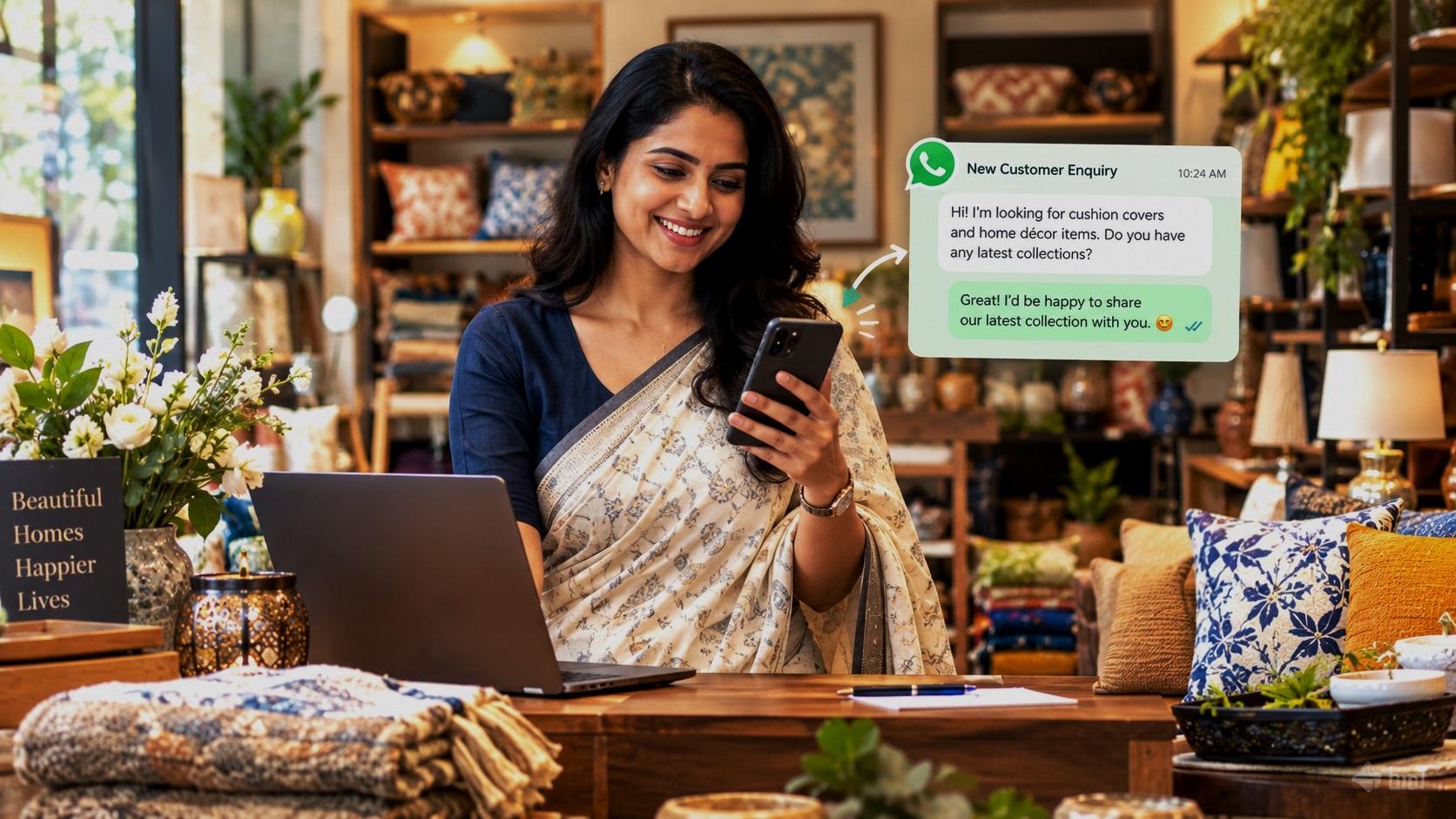
Imagine a potential customer searching for a restaurant, coaching centre, beauty parlour, hotel, doctor, or home tutor in your city. They find your business online, like what you offer, and want to know more. But they cannot find an easy way to contact you.
They move on to another business.
This happens every day to businesses that have products and services worth buying but make it difficult for customers to get in touch.
Now imagine that the same customer finds your business, clicks a WhatsApp button, and sends a message asking about your prices, availability, services, or location. You can respond directly, answer questions, share details, and turn that conversation into a sale.
That is the power of WhatsApp marketing for local businesses.
For Indian business owners, WhatsApp offers a simple way to connect with potential customers without requiring them to fill out lengthy forms, make phone calls, or navigate complicated websites.
However, simply displaying your WhatsApp number online is not enough. You need to make your business visible, give customers a reason to contact you, and make the enquiry process as easy as possible.
In this guide, we will explore 15 practical ways to get more WhatsApp enquiries for your business, whether you run a shop, restaurant, coaching centre, clinic, hotel, salon, tuition service, or any other local business.
Why WhatsApp Enquiries Matter for Local Businesses
Before exploring the strategies, it helps to understand why WhatsApp is such a valuable business communication channel.
1. Customers Can Contact You Easily
Many customers prefer sending a quick message instead of making a phone call. They may want to ask about prices, check whether a product is available, book an appointment, or understand which service suits their needs.
WhatsApp allows them to do this with just a few taps.
2. You Can Answer Questions Before Customers Make a Decision
Customers often have questions before they spend money. They may want to know your fees, opening hours, service options, delivery arrangements, or appointment availability.
Answering these questions promptly helps customers make informed decisions.
3. You Can Connect Directly With Potential Customers
WhatsApp allows you to communicate directly with people who are interested in your products or services. You can explain your offerings, share relevant information, and discuss their requirements without relying entirely on third-party lead generation platforms.
4. You Can Turn Online Visibility Into Business Opportunities
Your business may appear in Google searches, social media posts, online directories, or local recommendations. Adding a clear WhatsApp contact option gives interested customers a convenient next step.
The objective is simple: help more potential customers discover your business and make it easier for them to enquire.
15 Ways to Get More WhatsApp Enquiries for Your Business
1. Create a Complete and Professional Google Business Profile
When people search online for a local business, Google is often one of the first places they look.
They may search for phrases such as “best salon near me”, “coaching centres in Noida”, “restaurants in Karol Bagh”, or “AC repair service in Pune”.
Your Google Business Profile helps your business appear in relevant local search results and on Google Maps.
What Should You Do?
Make sure your profile includes:
- Your correct business name.
- The right business category.
- Your complete address or service area, where applicable.
- An accurate phone number.
- Updated opening hours.
- A clear description of your products and services.
- Good-quality photographs of your business.
- Your website and available contact options.
Keep your information accurate and update it whenever something changes.
How Does This Help You Get More WhatsApp Enquiries?
A customer who discovers your business through Google may want to ask a question before visiting. Make sure your business website or another appropriate online business page provides a clear WhatsApp contact option.
You can also use eligible Google Business Profile features to direct customers to your website or other contact channels, depending on the features currently available to your profile.
The more convenient you make it for customers to contact you, the fewer opportunities you lose because of unnecessary effort.
Pro tip: Do not create multiple Google Business Profiles for the same business just to increase visibility. Maintain one accurate profile for each eligible business location.
2. Add a WhatsApp Button to Your Website
If you have a business website, make it easy for visitors to start a WhatsApp conversation.
A customer might visit your website, browse your services, and decide to ask a question. If they have to search for your phone number or copy it into WhatsApp, some will leave without contacting you.
A WhatsApp button removes that extra effort.
Where Should You Place the Button?
Consider adding it to:
- Your homepage.
- Product and service pages.
- Contact page.
- Pricing and packages page.
- Appointment or booking page.
- Individual location or branch pages.
For mobile visitors, a well-designed floating WhatsApp button can make contacting you particularly convenient.
What Should the Button Say?
Avoid using vague labels that do not tell visitors what happens next.
Use clear messages such as:
- Enquire on WhatsApp.
- Ask About Prices.
- Check Availability.
- Book an Appointment.
- Get a Free Consultation, if genuinely offered.
- Chat With Our Team.
Choose wording that matches the service you provide.
For example, a coaching centre could use “Ask About Course Fees”, while a hotel could use “Check Room Availability”.
The more relevant the button is to the customer’s needs, the more useful it becomes.
3. Create a Business Listing on HotList.in
Your website is useful, but not every small business has one. Even businesses with websites need additional ways to get discovered online.
This is where an online business listing can help.
HotList.in helps businesses build an online presence through business listings that can showcase their details and direct potential customers to available contact channels.
How Can a HotList Listing Help?
A well-maintained business listing can help you:
- Present your business information online.
- Showcase the products or services you offer.
- Give potential customers another way to discover your business.
- Direct visitors to your Google Business Profile.
- Make it easier for interested customers to reach your website or WhatsApp, where these options are included in your listing.
For businesses using HotList’s paid listing option, a WhatsApp button can provide a direct route for potential customers to start a conversation.
Make Your Listing Useful to Customers
Do not simply enter your business name and phone number and expect enquiries to follow.
Include a clear description of your services, the locations you serve, your important offerings, and the information customers usually need before contacting you.
For example, a coaching centre should mention the classes, subjects, boards, and courses it offers. A beauty parlour should describe its main services. A hotel should explain its location, accommodation options, and important facilities.
The goal is to help customers understand what you offer and give them a clear reason to contact you.
A free listing can be a useful starting point for building your online presence. Businesses looking for additional contact and promotional features can explore the paid listing option on HotList.in.
4. Use WhatsApp Business Instead of Treating WhatsApp Only as a Personal App
If you use WhatsApp to manage customer enquiries, the WhatsApp Business app can help you present a more professional image and organise conversations.
It is designed for businesses and includes features that can make everyday communication easier.
Set Up Your Business Profile Properly
Add the following details:
- Business name.
- Business category.
- Short business description.
- Address or service area, where appropriate.
- Business hours.
- Email address.
- Website, if available.
Customers should be able to understand who you are and what you do without asking basic questions.
Use the Product or Service Catalogue
If the feature is suitable for your business, create a catalogue of products or services.
A boutique could display clothing collections. A bakery could showcase cakes and other products. A salon could list its treatments. A tutor could share information about available classes.
Include accurate descriptions and prices where appropriate.
Set Up Useful Automated Messages
A greeting message can acknowledge a new enquiry. An away message can tell customers when you will respond.
You can also use labels to organise conversations, such as:
- New enquiry.
- Follow-up required.
- Appointment booked.
- Payment pending.
- Order completed.
These simple steps help you manage enquiries more efficiently, particularly when several customers contact you every day.
5. Create a Direct WhatsApp Click-to-Chat Link
One of the easiest ways to generate more WhatsApp enquiries is to give customers a link that opens a conversation with your business.
This is called a WhatsApp click-to-chat link.
Instead of asking customers to save your number, open WhatsApp, and find your account, you allow them to start a conversation directly.
How to Create Your Link
Use the following format:
Replace the Xs with your WhatsApp phone number, including India’s country code, 91.
Enter the number without the plus sign, spaces, brackets, or hyphens. Use the appropriate country code and number format for your business.
For example, if your Indian business number is 9876543210, the link would be:
Use your own business number when creating your actual link.
Add a Pre-Filled Message
You can make the process even easier by creating a link with a pre-filled message.
For example, a coaching centre could prepare a message such as:
“Hello, I would like to know more about your courses and fees.”
A restaurant might use:
“Hello, I would like to enquire about your menu and table reservations.”
The customer can edit the message before sending it.
Where Can You Use the Link?
Add your click-to-chat link to:
- Your website.
- Your HotList business listing, where the WhatsApp option is available.
- Your social media profiles.
- Your digital business cards.
- Your promotional posters.
- Your email signature.
- Your advertisements.
- Your customer communication materials.
Always test the link on a mobile phone before sharing it widely.
6. Optimise Your Social Media Profiles for WhatsApp Enquiries
Social media can help customers discover your business, but visibility alone does not guarantee enquiries.
Your profiles should make it obvious what you offer and how customers can contact you.
Improve Your Instagram and Facebook Profiles
Use a clear business name, an informative description, and an accurate location or service area.
Explain your main offering rather than using only a slogan.
For example, instead of writing “Your beauty, our passion”, a salon could write:
“Beauty salon in Rohini offering haircuts, styling, facials and bridal services. Message us on WhatsApp for appointments.”
This tells visitors what the business does, where it operates, and how to get in touch.
Give Every Relevant Post a Clear Next Step
When you publish a product, service, offer, or useful tip, explain what interested customers should do next.
Examples include:
- Message us on WhatsApp for prices.
- Contact us on WhatsApp to check availability.
- Send us a message to discuss your requirements.
- Enquire on WhatsApp for course details.
Where the social platform allows direct messaging links, use them.
Do not assume that every person who sees your post knows how to contact you.
7. Publish Content That Answers Customers’ Questions
Many businesses publish photographs and promotional messages but overlook a simple opportunity: answering the questions customers ask before making a purchase.
Useful content attracts people who are already interested in what you offer and gives them a reason to start a conversation.
What Should You Post?
Choose topics based on your industry.
For coaching centres:
- Which classes and subjects do you teach?
- What is your admission process?
- Do you offer online classes?
- How can parents enquire about fees?
For restaurants and cafés:
- What are your popular dishes?
- Do you offer takeaway or home delivery?
- Can customers book tables?
- Are group bookings available?
For salons and beauty parlours:
- Which treatments do you offer?
- What services are suitable for a particular occasion?
- How can customers book an appointment?
- What packages are currently available?
For retailers:
- What products are available?
- How can customers check sizes or colours?
- Do you offer delivery?
- How can customers enquire about a particular item?
Turn Helpful Content Into Enquiries
End relevant posts with a natural invitation.
For example:
“Looking for the right course for your child? Message us on WhatsApp with the class and subject, and our team will help you understand the available options.”
This works better than repeatedly posting “Contact us now” without giving customers a reason to respond.
Your content should answer a question, solve a problem, or help someone make a decision.
8. Share Real Customer Reviews and Testimonials
Customers often want reassurance before choosing a local business.
They may compare several coaching centres, salons, restaurants, repair services, or other providers before deciding whom to contact.
Genuine customer feedback can help build that confidence.
How to Use Reviews Effectively
With appropriate customer permission, you can share:
- A genuine written testimonial.
- Feedback about your service.
- A customer’s experience with your product.
- A permitted review screenshot.
- A case study showing how you helped solve a problem.
You can also encourage satisfied customers to leave honest reviews on suitable review platforms.
Never buy fake reviews, invent testimonials, or promise rewards in exchange for positive reviews.
Connect Reviews to WhatsApp
After sharing a genuine testimonial, invite interested people to ask questions.
For example:
“Parents appreciate knowing what to expect before enrolling their children. Have questions about our classes? Message us on WhatsApp to learn more.”
The testimonial establishes credibility, while the WhatsApp option provides a convenient next step.
9. Use Local SEO to Reach Customers in Your Area
If you run a local business, attracting people from the right location is often more valuable than reaching a large audience across the country.
A restaurant in Jaipur needs customers who can visit or order from Jaipur. A tuition centre in Noida needs enquiries from parents looking for suitable classes in or around its service area.
Local SEO helps improve your chances of appearing when people search for relevant products and services in a specific location.
Use Location-Specific Keywords Naturally
Think about the phrases your potential customers might search for.
Examples include:
- Best coaching centre in Noida.
- Beauty parlour in Rohini.
- Family restaurant in Karol Bagh.
- Home tutor in South Delhi.
- Diagnostic centre in Pune.
- Wedding photographer in Jaipur.
- Laptop repair service in Lucknow.
Use relevant phrases naturally in your website headings, service descriptions, business listings, and other appropriate online content.
Avoid stuffing the same location keyword into every sentence.
Create Useful Location Pages
If your business genuinely serves multiple areas, you can create dedicated pages explaining the services available in each location.
Each page should contain useful, location-specific information rather than simply replacing one city name with another.
Include your services, contact details, relevant local information, and a WhatsApp enquiry option.
Why does this matter?
A visitor searching for a specific service in a specific area is more likely to be a relevant potential customer than someone who has no connection to your location.
Better targeting can help you attract more useful enquiries, not merely more messages.
10. Run Targeted WhatsApp Click-to-Chat Ads
If you have a marketing budget, paid advertising can help you reach potential customers and encourage them to start WhatsApp conversations.
Depending on the available campaign objectives and account eligibility, Meta advertising tools can be used to create campaigns that direct people to WhatsApp.
Start With a Specific Audience
Do not begin by advertising to everyone.
Identify the people most likely to need your product or service.
Examples:
- A coaching centre can target relevant parents and students in its service area.
- A restaurant can focus on people within a practical delivery or visiting radius.
- A wedding photographer can target people interested in wedding-related services in relevant locations.
- A home improvement business can focus on customers in the areas it serves.
Audience targeting options and availability can change, so review the settings offered when creating your campaign.
Write an Advertisement That Encourages Enquiries
A useful advertisement should communicate three things:
- What you offer.
- Who it is for.
- What the customer should do next.
For example:
“Looking for Maths tuition for Classes 9–12? Explore our available learning options and message us on WhatsApp to discuss classes and fees.”
Use an appropriate image or video, a clear offer, and a direct call to action.
Measure Results Before Increasing Your Budget
Do not judge a campaign only by impressions, clicks, or the number of messages.
Track:
- Total advertising spend.
- Number of genuine enquiries.
- Cost per genuine enquiry.
- Number of customers who make a purchase.
- Revenue generated from the campaign.
A campaign generating 100 irrelevant messages may be less valuable than one generating 15 enquiries from people who are ready to buy.
Start with a manageable budget, test different messages, and invest more only when the results justify it.
11. Offer a Useful Reason to Contact You
Customers are more likely to enquire when they know what they will gain from starting a conversation.
A vague invitation to “Contact us for more information” may not give them enough motivation.
Instead, offer a clear and relevant next step.
Examples for Different Businesses
Coaching centres: Ask about courses, batches, class schedules, or admission requirements.
Hotels: Enquire about room availability, facilities, and booking options.
Restaurants: Ask about the menu, group reservations, or catering services.
Salons: Check appointment availability or ask about suitable treatments.
Retail shops: Enquire about product availability, sizes, colours, or delivery.
Service providers: Explain the problem you need help with and ask about the next steps.
Make Sure Your Offer Is Genuine
You can offer a free consultation, product demonstration, introductory session, or estimate if your business genuinely provides it.
Do not advertise a free service that is actually conditional on an undisclosed payment.
The purpose is to reduce uncertainty and help the customer take the first step, not to mislead them.
12. Use QR Codes to Bring Customers to WhatsApp
A WhatsApp QR code allows people to start a conversation by scanning a code with their phone.
It is especially useful for businesses that interact with customers offline and want to make it easier for them to contact the business later.
Where Can You Display Your QR Code?
Consider using it on:
- Shop counters.
- Product packaging.
- Printed brochures.
- Business cards.
- Restaurant menus.
- Reception desks.
- Event stalls.
- Bills and invoices.
- Product displays.
For example, a retailer could display a QR code with the message “Scan to enquire about product availability”.
A restaurant could use “Scan to contact us for reservations or catering enquiries”.
Make the Purpose Clear
A QR code without an explanation may be ignored.
Tell customers what happens when they scan it.
Use a short instruction such as “Scan to enquire on WhatsApp” or “Scan to ask about our services”.
Test the code on different phones before printing it on large quantities of material.
Also, make sure the code opens your intended business conversation rather than an unrelated page.
13. Respond Quickly and Professionally to Every Genuine Enquiry
Getting a WhatsApp message is only the beginning.
If a potential customer sends an enquiry and receives no response for several hours, they may contact another business.
Your response time and the quality of your conversation can influence whether an enquiry becomes a sale.
A Simple WhatsApp Enquiry Process
Follow these steps:
Step 1: Acknowledge the message.
Let the customer know you have received their enquiry.
Step 2: Understand what they need.
Ask one or two relevant questions rather than sending a long list of questions immediately.
Step 3: Provide a useful answer.
Share the requested price, service details, availability, or next steps.
Step 4: Help them make a decision.
Explain suitable options without pressuring them.
Step 5: Agree on the next action.
This could be booking an appointment, arranging a visit, placing an order, or scheduling a follow-up.
Example of a Good First Response
“Hello! Thank you for contacting us. We would be happy to help. Could you please tell us which service you are interested in? We will share the relevant details with you.”
Personalise your response according to the enquiry. Do not send the same generic message to every customer regardless of what they asked.
What If You Cannot Reply Immediately?
Set up an appropriate away message explaining when the customer can expect a response.
For example:
“Thank you for messaging us. Our business hours are 10 AM to 7 PM. We have received your message and will respond during business hours.”
Only promise a response time that you can realistically meet.
14. Follow Up With Interested Customers Without Spamming Them
Not every customer makes a purchase during the first conversation.
Someone may ask about fees, compare options, discuss the decision with family, or wait until a more convenient time.
A polite follow-up can help you reconnect with a person who has shown genuine interest.
When Should You Follow Up?
The timing depends on the type of enquiry and what you discussed.
For example:
- A customer comparing service packages may appreciate a follow-up after a day or two.
- A person asking about a course may need time to discuss the decision with family.
- A customer who requested a quotation may need clarification before proceeding.
Agree on a suitable follow-up time when possible.
Example of a Polite Follow-Up Message
“Hello! I am following up on your enquiry about our services. Please let us know if you need any additional information. We would be happy to help you explore the available options.”
Keep the message relevant to the original conversation.
If the customer is not interested, asks you to stop messaging, or does not want further contact, respect that preference.
Do not repeatedly message people who have not agreed to receive follow-ups. Follow applicable WhatsApp policies, privacy requirements, and Indian regulations.
The objective is to help interested customers make a decision, not to pressure them into buying.
15. Track Your Enquiries and Improve What Works
Many business owners try different marketing methods but never measure which ones generate actual customers.
They may post regularly on social media, pay for advertisements, or create online listings without knowing where their best enquiries originate.
You can improve your results by tracking a few simple numbers.
What Should You Measure?
Start with these five metrics:
1. Number of WhatsApp enquiries
Count the genuine customer enquiries received during a week or month.
2. Source of each enquiry
Record whether the customer found you through Google, your website, HotList.in, social media, paid advertising, a QR code, or a customer referral.
You can ask customers how they discovered your business.
3. Quality of enquiries
Record whether the person is genuinely interested in your product or service and falls within your target market.
4. Number of enquiries converted into customers
Track how many people who contacted you eventually booked a service, placed an order, or made a purchase.
5. Cost per customer acquired
If you spend money on advertising or promotion, calculate how much it costs to acquire a paying customer.
A Simple Example
Suppose your business receives 60 WhatsApp enquiries in one month.
Of these, 20 people make a purchase.
Your enquiry-to-customer conversion rate is:
20 ÷ 60 × 100 = 33.3%
If you spent ₹6,000 on marketing and all 20 customers came from that campaign, your marketing cost per acquired customer would be:
₹6,000 ÷ 20 = ₹300 per customer.
These calculations help you judge whether your marketing is producing commercially useful results.
The numbers in this example are illustrative, not an industry benchmark.
Use the Results to Improve Your Strategy
If Google generates relevant enquiries consistently, improve your local search presence.
If a particular social media post generates many useful conversations, create more content around that topic.
If advertisements generate messages but few purchases, review the targeting, offer, pricing, and quality of your conversations.
If people regularly ask questions that your listing does not answer, improve the listing.
Measure what produces customers, not just what produces clicks.
How to Turn More WhatsApp Enquiries Into Paying Customers
Getting more messages is useful, but the real objective is to grow your business.
Here are five additional principles that can help you turn enquiries into sales.
Make Your Prices and Services Easy to Understand
When appropriate, provide clear pricing, package details, service descriptions, and important conditions.
If prices vary according to the customer’s requirements, explain what determines the final cost.
Avoid forcing customers to send multiple messages just to understand the basic options available.
Build Trust Before Asking for a Sale
Share genuine reviews, relevant experience, examples of your work, or accurate information about your business.
Answer questions honestly. If you cannot provide a particular service, explain that clearly instead of making promises you cannot keep.
Trust is especially important when customers are comparing several local businesses.
Keep Your Communication Personal
Use the customer’s name when appropriate and respond to the question they actually asked.
A person enquiring about a particular product should receive information about that product, not an unrelated promotional message.
Make the Next Step Simple
Once the customer has enough information, explain what they need to do to proceed.
For example, they might book an appointment, visit your shop, confirm an order, or schedule a consultation.
Do not leave interested customers wondering how to move forward.
Respect Customer Privacy
Use customer information responsibly. Obtain appropriate permission before sending marketing messages, avoid adding people to groups without their consent, and respect requests to stop receiving communications.
A good customer relationship is more valuable than an unwanted message.
Common Mistakes That Reduce WhatsApp Enquiries
Even businesses with a good online presence can lose potential customers through avoidable mistakes.
1. Hiding Your Contact Information
If customers have to search several pages to find your WhatsApp number, some will leave.
Make the contact option visible on relevant pages and promotional materials.
2. Using an Incomplete Online Business Profile
A listing with little information, outdated hours, poor photographs, or an unclear description gives customers fewer reasons to enquire.
Keep your business information accurate and useful.
3. Posting Without a Clear Call to Action
A promotional post may attract attention but still generate few enquiries if customers do not know what to do next.
Include a relevant next step whenever appropriate.
4. Responding Too Late
Customers often contact multiple businesses while comparing options.
Set up a reliable process to check and respond to enquiries during your working hours.
5. Sending the Same Message to Everyone
Unrelated promotional messages can annoy customers and reduce trust.
Keep your communication relevant to the person’s interests and consent.
6. Focusing Only on the Number of Messages
A large number of messages does not necessarily mean more revenue.
Track the quality of enquiries and the number that become paying customers.
7. Depending on Only One Marketing Channel
Do not rely entirely on Instagram, Google, paid advertisements, or any single online platform.
Build a presence across suitable channels so that customers have several legitimate ways to discover your business.
A Practical 30-Day Plan to Get More WhatsApp Enquiries
You do not need to implement all 15 strategies in a single day.
Start with the basics, build a consistent routine, and measure the results.
Week 1: Fix the Basics
Focus on making your business easy to find and contact.
- Complete and update your Google Business Profile.
- Set up your WhatsApp Business profile.
- Create and test your click-to-chat link.
- Add a WhatsApp button to your website, if available.
- Review your HotList.in business listing or create one if appropriate.
Goal: Make it easy for potential customers to understand your business and contact you.
Week 2: Improve Your Online Visibility
Focus on reaching more relevant customers.
- Update your social media profiles.
- Publish useful posts about your products and services.
- Share genuine customer reviews with permission.
- Use relevant local keywords in your online content.
- Add a clear WhatsApp call to action to suitable promotional posts.
Goal: Give potential customers more opportunities to discover your business.
Week 3: Actively Generate Enquiries
Introduce additional ways to encourage customer conversations.
- Create a QR code linked to your WhatsApp chat.
- Display it at your business premises.
- Test a relevant offer or consultation, if suitable.
- Consider a small, targeted WhatsApp click-to-chat advertising campaign.
- Respond promptly to every genuine enquiry.
Goal: Encourage interested people to start conversations and make it easy for them to proceed.
Week 4: Measure and Improve
Review your results and identify what is working.
- Count the genuine enquiries received.
- Record where those enquiries originated.
- Follow up appropriately with interested customers.
- Calculate how many enquiries became sales.
- Identify which marketing activities deserve more attention.
Goal: Build a repeatable system for generating relevant enquiries and acquiring customers.
At the end of 30 days, you should have a clearer understanding of which activities help your business attract customers. Continue improving the methods that produce worthwhile results.
Which WhatsApp Marketing Strategies Should Different Businesses Prioritise?
Every business has different customers, buying decisions, and budgets. Start with the methods most relevant to your industry.
Hotels and Restaurants
Prioritise a complete Google Business Profile, accurate location details, attractive and genuine photographs, a clear menu or description of facilities, and an easy WhatsApp enquiry or reservation option.
Use WhatsApp to answer questions about availability, bookings, group reservations, and other relevant services.
Coaching Centres and Tuition Providers
Focus on local SEO, educational content, a detailed description of courses, and easy access to admission enquiries.
Help parents understand which classes, subjects, boards, and learning options you offer.
Retail Shops and Boutiques
Use social media to showcase products, maintain an organised catalogue where suitable, and provide a WhatsApp contact option for enquiries about sizes, colours, availability, and delivery.
Salons and Beauty Parlours
Make your service menu, location, business hours, and appointment process easy to find.
Use WhatsApp to answer questions about treatments, packages, and appointment availability.
Clinics and Diagnostic Centres
Maintain accurate business information, communicate available services clearly, and provide appropriate contact and appointment options.
Protect patient privacy and handle sensitive information responsibly. Avoid making misleading medical claims or sharing confidential patient details in promotional material.
Home Services and Repair Businesses
Explain the services you provide, the areas you cover, and how customers can request assistance.
Use WhatsApp to understand the customer’s requirements and arrange an appropriate next step.
Travel Agencies and Event Businesses
Showcase relevant packages, services, and examples of your work. Make it easy for customers to enquire about dates, availability, pricing, and customised requirements.
The best strategy is the one that helps the right customer find your business, understand your offer, and contact you with minimal effort.
Frequently Asked Questions
1. How Can I Get More WhatsApp Enquiries for My Business for Free?
Start by improving your Google Business Profile, setting up WhatsApp Business, sharing useful content on your social media accounts, adding your WhatsApp link to your online profiles, and creating a business listing on relevant platforms.
These methods can help you improve visibility and make it easier for interested customers to contact you without paying for advertisements. Results depend on your industry, location, competition, and the quality of your online presence.
2. How Can I Create a WhatsApp Link for My Business?
Use the click-to-chat format https://wa.me/91XXXXXXXXXX, replacing the Xs with your Indian business number and using the correct international number format.
You can then share the link on your website, business listings, social media profiles, and promotional materials.
3. Can WhatsApp Help a Small Local Business Get More Customers?
Yes. WhatsApp can help small businesses answer enquiries, explain their services, share product information, arrange appointments, and communicate with interested customers.
However, WhatsApp works best as part of a broader marketing strategy that also helps people discover your business.
4. Should I Use WhatsApp Business for Customer Enquiries?
For most small businesses that manage customer conversations through WhatsApp, the WhatsApp Business app is worth considering.
Its business profile, catalogue, greeting messages, away messages, and labels can help you manage enquiries more professionally.
5. Do I Need a Website to Get WhatsApp Enquiries?
No. You can share your WhatsApp link through social media, eligible online business listings, QR codes, and other promotional channels.
A website can provide additional information and help customers discover your business through search engines, but it is not the only way to generate enquiries.
6. How Much Should I Spend on WhatsApp Advertising?
There is no single budget that works for every business.
Start with an amount you can afford to test, target a relevant audience, and monitor the cost of genuine enquiries and paying customers. Increase your budget only when your results indicate that the campaign is commercially worthwhile.
7. How Quickly Can I Start Receiving More Enquiries?
You can begin receiving messages as soon as customers discover your WhatsApp link and decide to contact you.
However, improvements in organic search visibility and consistent customer acquisition can take time. Your results will depend on your location, competition, reputation, offer, and marketing efforts.
8. How Can HotList.in Help My Business Get WhatsApp Enquiries?
HotList.in provides an additional online channel for businesses to present their details and improve their visibility.
A business listing can help customers learn about your offerings and access available contact options. HotList’s paid listing option includes a WhatsApp button, along with additional listing and promotional features.
For businesses that want to make their services easier to discover online and give potential customers a direct way to enquire, a business listing can be one part of a wider marketing strategy.
Make It Easy for Customers to Contact Your Business
Getting more WhatsApp enquiries does not necessarily require an expensive marketing campaign.
Start by making your business easy to discover on Google and other relevant online platforms. Explain your products and services clearly. Add a convenient WhatsApp contact option. Publish content that answers customer questions, respond promptly, and follow up respectfully with people who have shown genuine interest.
Most importantly, track the enquiries that turn into actual business.
If you want more customers to discover your business online, consider creating or improving your listing on HotList.in. A well-presented business listing, combined with a convenient WhatsApp contact option, can give potential customers another way to find you and get in touch.
Your next customer may already be searching for a business like yours. Make sure they can find you, understand what you offer, and contact you easily.
Related Posts
25 Free Ways to Promote Your Business Online in India
20 Websites Where You Can List Your Business for Free
15 Ways to Get Customers Without Paying for Ads
10 Best Online Directories for Indian Businesses
20 Free Marketing Tools Every Small Business Should Know
10 Ways to Promote a New Business Locally
15 Lead Generation Ideas for Service-Based Businesses