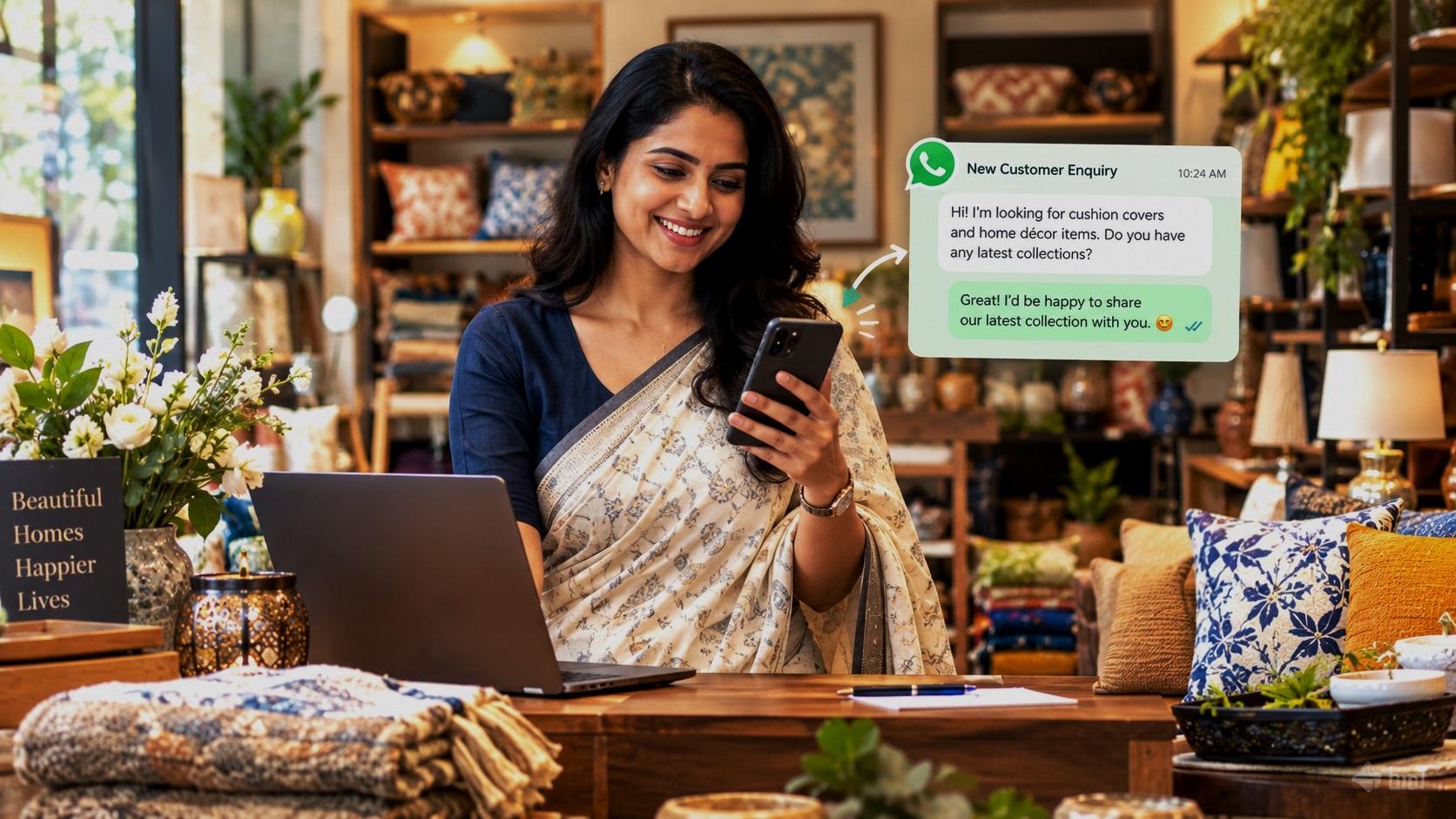
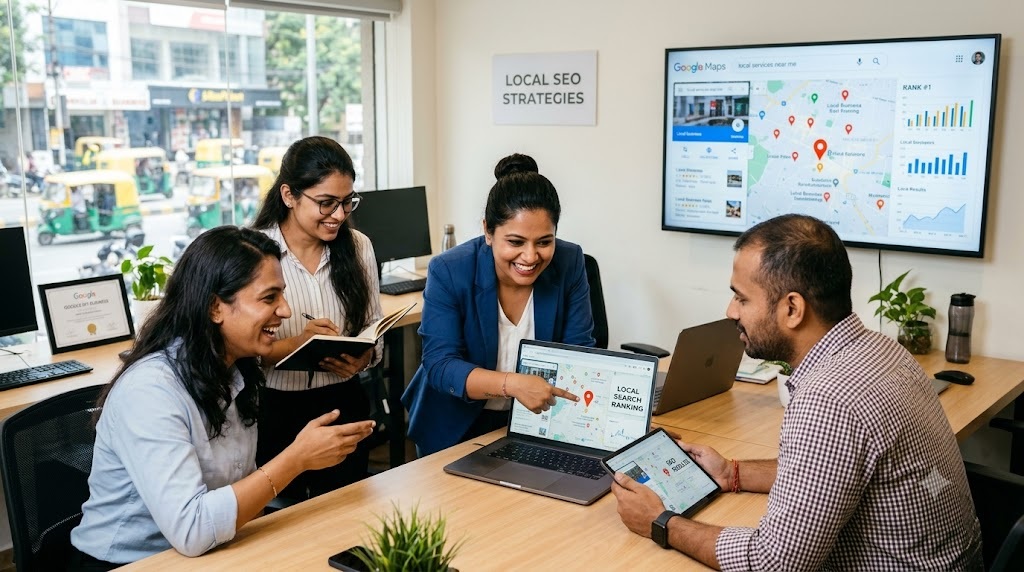
If you own a shop, restaurant, coaching centre, salon, clinic, hotel, diagnostic centre or any other local business in India, your next customer could be searching for you on Google Maps right now.
Someone in Delhi might search for “best dentist near me.” A parent in Noida might look for “IAS coaching institute near me.” A customer in Jaipur might search for “best sweet shop in Jaipur.”
Google displays local businesses that it considers relevant to the search, helpful to the customer and located in the right area. If your business appears prominently, potential customers can discover your location, check your reviews, call you, visit your website or ask for directions.
But if your competitors appear before you, customers may contact them instead.
The good news is that you do not need a huge advertising budget to improve your local visibility. You need an accurate Google Business Profile, a well-managed online presence, genuine customer reviews, useful business information and a consistent effort to promote your business locally.
This ultimate guide explains how Google Maps rankings work, how Indian business owners can improve their visibility, which mistakes to avoid and how to turn online searches into real enquiries and sales.
1. Understand How Google Maps Ranking Works
Before trying to improve your ranking, it is important to understand what Google considers when showing local businesses.
Google’s local search system primarily considers three factors.
Relevance: Does Your Business Match the Search?
Relevance measures how closely your business matches what someone is looking for.
For example, if a customer searches for “vegetarian restaurant in South Delhi,” Google will look for businesses that offer vegetarian food and are relevant to that location and search.
Your business category, services, description, products and other profile details help Google understand what you offer.
What you should do: Describe your actual services clearly and choose the most appropriate business category. Do not add unrelated keywords simply to attract more searches.
Distance: How Close Is Your Business?
Distance refers to how far your business is from the searcher or the location specified in the search.
A bakery in Karol Bagh may appear prominently for a customer searching nearby but may not rank as highly for someone searching in Dwarka.
You cannot control where every customer searches from. However, you can make sure your business address or service area is accurate.
Prominence: How Well-Known Is Your Business Online?
Prominence reflects how established and recognised your business appears to be.
Google may consider factors such as reviews, links from other websites and other information about your business across the web.
A business with a complete profile, genuine reviews and a strong online presence may have an advantage over a similar business with very little information available.
Can You Guarantee the Number One Position on Google Maps?
No. Nobody can guarantee that your business will always rank first on Google Maps.
Rankings change depending on the search term, the customer’s location, competition and other factors. A business may rank well for one service but poorly for another.
Your goal should be to improve your visibility for the searches that matter to your business and convert that visibility into enquiries, visits and sales.
2. Create and Optimise Your Google Business Profile
Your Google Business Profile is one of the most important tools for local online promotion. It allows your business to appear on Google Search and Google Maps.
If you have not created one, start by checking whether Google already has a listing for your business. Claim an existing profile if appropriate, or create a new one if necessary.
Follow Google’s verification process to establish that you are authorised to manage the business.
Choose the Correct Primary Business Category
Your primary category tells Google what your business mainly does.
For example:
- A business primarily offering IAS coaching should select the most suitable coaching or educational category available.
- A business providing dental treatment should select the appropriate dentist category.
- A business selling medicines should choose the relevant pharmacy category.
- A restaurant should select the category that accurately describes its establishment.
Choose the closest accurate category rather than a broad category that does not describe your main activity.
Should You Add More Categories?
Yes, when they genuinely describe other important activities of your business. However, avoid adding categories simply because they are popular or might attract more searches.
Accurate categorisation helps Google understand your business without misleading potential customers.
Enter Your Business Name Correctly
Use the real-world name your business consistently uses on its signage, website, official materials and customer communications.
Do not add extra keywords, locations, phone numbers or promotional phrases to your business name unless they are genuinely part of its established name.
For example, if your business is called Sunrise Dental Clinic, do not rename it “Sunrise Dental Clinic Best Dentist Cheap Dental Treatment Delhi” merely to target more searches.
Keyword stuffing can violate Google’s guidelines and may lead to profile restrictions.
Keep Your Address and Contact Details Accurate
Customers should be able to find and contact you without confusion.
Check that your profile contains:
- Your correct business address, if you serve customers at that location.
- A working business phone number.
- Your official website, if available.
- Accurate opening and closing times.
- Correct holiday hours and temporary closures.
- Your genuine service areas, where applicable.
If you operate from home and visit customers instead of receiving them at your address, follow Google’s rules for service-area businesses. Do not display a residential address that should be hidden under those rules.
Consistency is important. Your business name, address and phone number should be accurate wherever they are published online.
Write a Useful Business Description
Your business description should tell potential customers what you offer, who you serve and what makes your business worth considering.
For example, a coaching centre might explain the classes it teaches, the competitive exams it covers, the student groups it serves and its teaching approach.
A salon might describe its hair, skin and beauty services, its location and the types of customers it serves.
Use natural language. Mention important services and relevant locations where they fit naturally, but do not fill the description with repeated keywords.
Your description should help a customer decide whether your business meets their needs.
3. Add Complete and Detailed Business Information
A half-completed profile leaves customers with unanswered questions. They may choose a competitor simply because that competitor provides clearer information.
List Your Products and Services
Add the products or services your business actually provides.
A restaurant can list its menu items and relevant offerings. A salon can describe its haircuts, styling and beauty treatments. A coaching institute can list the subjects, classes and examinations it covers.
Where appropriate, include useful details such as:
- Service descriptions.
- Product names.
- Pricing or price ranges, when practical.
- Available options.
- Relevant service conditions.
Accurate information helps customers understand what to expect before contacting you.
Keep Your Opening Hours Updated
Incorrect opening hours can cost you customers and damage trust.
Update your hours when your schedule changes. Add special hours for public holidays, festivals and other occasions when your business operates differently.
For Indian businesses, this is particularly important around Diwali, Holi, Eid, Durga Puja, regional festivals and other local holidays.
Use the Features Relevant to Your Business
Depending on your business category and eligibility, your Google Business Profile may support features such as appointments, booking links, menus, product information, messaging or other customer actions.
Use the features that genuinely help customers take the next step.
For example, a clinic may benefit from an appointment link, while a restaurant may benefit from a menu. A service business may find a website link useful for explaining its offerings.
Not every feature is available to every business or in every region.
4. Upload High-Quality Photos and Videos
Customers often compare businesses visually before making a decision.
A restaurant with clear pictures of its food and dining area gives customers a better idea of what to expect. A boutique can showcase its products, while a fitness centre can display its equipment and facilities.
Which Photos Should You Upload?
Choose genuine, clear and recent photographs of your business.
Useful examples include:
- Exterior photos: Help customers recognise the building and entrance.
- Interior photos: Show the premises, seating, facilities or workspace.
- Product photos: Display the actual products you sell.
- Service photos: Show your team performing genuine business activities.
- Team photos: Introduce the people customers will interact with.
- Work samples: Demonstrate the quality of your services, where appropriate.
Use good lighting and avoid blurry, heavily edited or misleading images.
How Often Should You Add New Photos?
There is no universal posting frequency that guarantees higher rankings. However, keeping your visual information current helps customers see that your business is active and accurately represented.
For example, a restaurant could update its photos when it introduces a new menu. A retailer could showcase new products, while a hotel could update photographs after renovating its rooms.
Do not upload repetitive images merely to increase the number of photos.
5. Get More Genuine Google Reviews
Customer reviews are valuable because they help prospective customers evaluate your business before contacting you.
They can also contribute to your local prominence. However, the number of reviews alone does not guarantee a higher ranking.
Ask Satisfied Customers for Reviews
Make it easy for genuine customers to share their experiences.
You can request reviews after completing a service, delivering a product or helping a customer solve a problem.
For example, a salon could ask a customer for feedback after an appointment. A coaching centre could invite parents to share their genuine experience of its services.
Send customers your official Google review link or QR code where available.
A simple request might say:
“Thank you for choosing our business. If you have a moment, we would appreciate an honest Google review about your experience. Your feedback helps us improve and helps other customers make informed decisions.”
Never Buy Reviews or Offer Rewards for Positive Feedback
Avoid buying reviews, posting fake reviews, asking staff to pose as customers or offering discounts in exchange for positive ratings.
Do not selectively ask only customers you expect to leave favourable reviews if this amounts to review gating. Invite genuine feedback without manipulating the outcome.
Fake or incentivised reviews can undermine trust and violate Google’s policies.
Respond to Positive and Negative Reviews
A thoughtful response shows that you pay attention to customer feedback.
For positive reviews, thank the customer and mention something relevant to their experience.
For negative reviews, remain professional. Acknowledge the concern, explain what you can do to address it and invite the customer to discuss the matter privately when appropriate.
For example:
“Thank you for sharing your feedback. We are sorry that your experience did not meet expectations. Please contact our team so we can understand the issue and work towards resolving it.”
Do not argue publicly, reveal private customer information or make promises you cannot keep.
What If You Receive a Fake or Abusive Review?
Report a review through the appropriate Google process if it violates Google’s policies. Provide any relevant evidence and avoid retaliating against the reviewer.
A negative review is not automatically a policy violation simply because you disagree with it.
6. Use Local Keywords to Reach the Right Customers
Local keyword research helps you understand the terms customers use when searching for businesses like yours.
The goal is not to insert as many keywords as possible. It is to understand customer intent and make your business information useful for relevant searches.
Identify the Searches Your Customers Make
Think about three types of searches.
Service-Based Searches
These describe what the customer wants.
Examples:
- AC repair service.
- Bridal makeup artist.
- Class 10 Maths tuition.
- Dental clinic.
- Website development services.
Location-Based Searches
These specify an area.
Examples:
- AC repair in Noida.
- Bridal makeup artist in South Delhi.
- Class 10 Maths tutor in Gurgaon.
- Dental clinic in Jaipur.
Near-Me Searches
These indicate that the customer wants a nearby option.
Examples:
- Bakery near me.
- Gym near me.
- Diagnostic centre near me.
- Restaurant near me.
You do not need to add the words “near me” repeatedly to your profile. Google can use the searcher’s location and other context when determining relevant local results.
How to Find Useful Local Keywords
Start with the services that generate the most revenue or enquiries for your business.
Then consider:
- The main service or product customers want.
- The neighbourhoods, localities or cities you genuinely serve.
- Related services customers commonly need.
- Questions customers ask before purchasing.
- Search terms that lead to meaningful enquiries rather than irrelevant traffic.
For example, a coaching institute in Sector 15, Noida, might focus its website content on IAS coaching, UPSC preparation and its actual location rather than trying to rank for every education-related term.
Use these insights to improve your website pages, service descriptions and business content naturally.
7. Build a Website That Supports Your Google Maps Visibility
A Google Business Profile is important, but it should not be your entire online presence.
A website gives you more control over how you explain your services, answer customer questions and convert visitors into enquiries.
It also gives search engines additional information about your business.
Create Dedicated Pages for Important Services
If your business offers several services, consider creating a separate page for each major service.
For example, a digital marketing agency might have individual pages for SEO services, website development and social media marketing.
A coaching institute might create pages for UPSC preparation, SSC coaching and individual courses it genuinely offers.
Each page should explain the service, who it is for, how it works, what customers can expect and how to enquire.
Avoid creating dozens of nearly identical pages with only the locality name changed. Each page should provide genuine value to people searching in that area.
Create Useful Location Pages
If your business genuinely serves multiple locations, explain your services in the context of those locations.
A home tuition provider serving several areas of Delhi NCR, for example, could explain which areas it covers, the classes it teaches and whether it offers online or in-person tuition.
Do not claim to have physical offices in locations where you have none. Do not create misleading pages solely to capture local search traffic.
Make Your Website Mobile-Friendly
Many customers discover local businesses using their phones.
Your website should load reasonably quickly, display properly on smaller screens and make important information easy to find.
Check that visitors can easily:
- Read your business details.
- Understand your services.
- Tap your phone number to call.
- Open WhatsApp, if you offer it.
- Find your address or service area.
- Submit an enquiry form.
- Navigate to relevant pages.
A slow or confusing mobile website can waste the opportunity created by a good local search position.
Add Clear Calls to Action
Every important page should guide customers towards a useful next step.
Depending on your business, this could be:
- Call Now.
- Request a Quote.
- Book an Appointment.
- Enquire on WhatsApp.
- Visit Our Store.
- View Products and Services.
Make sure these actions work correctly and that your team responds to enquiries promptly.
Use Local Business Structured Data Where Appropriate
Structured data is a way of providing search engines with organised information about your business.
Appropriate LocalBusiness or more specific business schema may help search engines understand details such as your business name, address, phone number and opening hours.
Use accurate information that matches your visible website content. Validate the implementation and do not assume that adding schema automatically improves rankings or guarantees enhanced search results.
8. Keep Your Business Information Consistent Across the Internet
Your business details may appear on your website, social media profiles, local directories, industry websites and other platforms.
When these details are accurate and consistent, customers can identify your business more easily.
Check Your Name, Address and Phone Number
Review your main online profiles to ensure that your business information is correct.
Pay particular attention to:
- Business name.
- Address and locality.
- Phone number.
- Website URL.
- Opening hours.
- Main services.
If you move premises or change your phone number, update your important profiles promptly.
Older listings with incorrect contact details can send customers to the wrong place or make it harder for them to reach you.
List Your Business on Relevant Local Directories
Local business directories can help customers discover your business beyond Google Maps.
Choose credible directories that are relevant to your industry, city or target audience.
For example, a hotel may benefit from suitable hospitality and travel platforms, while a tuition provider may find education directories more relevant.
Prioritise directories that offer useful business information and genuine discovery opportunities rather than submitting your details to hundreds of low-quality websites.
How HotList.in Can Help Your Business Get Discovered
Your online visibility does not have to depend on a single platform.
HotList.in provides Indian businesses with an additional way to showcase their services and help potential customers discover them online.
A business listing can give customers another place to learn about your business and find the information needed to contact you.
Depending on the listing plan, HotList.in can also help connect your business profile with your Google Business Profile, website and WhatsApp, while providing promotional support through HotList.in and social networks.
For local business owners, the practical benefit is having another online channel through which potential customers can discover their services and move towards making an enquiry.
The key is to maintain accurate information and make it easy for customers to take action.
9. Use Social Media to Strengthen Your Local Presence
Social media can help customers discover your business, learn about your offerings and stay informed about updates.
Although social media activity is not a direct Google Maps ranking guarantee, it can support your broader marketing efforts by generating awareness, website visits and enquiries.
Choose Platforms That Suit Your Business
You do not need to maintain every social media platform.
Choose the channels that your customers use and that suit your type of business.
- Instagram: Useful for restaurants, boutiques, salons, cafés, bakeries and visually appealing products.
- Facebook: Useful for community-oriented businesses, local offers, events and customer engagement.
- LinkedIn: Useful for professional services, B2B companies, consultants and business networking.
- YouTube: Useful for demonstrations, educational videos, tutorials and detailed service explanations.
- WhatsApp Business: Useful for customer communication, enquiries, product information and follow-ups.
Keep your business name and contact details accurate across your profiles.
Publish Content That Helps Customers
Avoid making every post a sales pitch.
Share information that helps people understand your business and make informed decisions.
A restaurant could introduce popular dishes. A coaching centre could share study tips. A salon could explain haircare routines. A retailer could demonstrate how to use its products.
Include your location where relevant, and make sure customers know how to contact you.
Promote Your Business Listing
When you publish a business profile on HotList.in or another relevant directory, share that listing through your social media channels and customer communications.
This gives people another way to discover your services and find your contact information.
Always use the correct listing URL and check that it opens properly on mobile devices.
10. Use Google Business Profile Posts and Updates
Where available in your profile, Google Business Profile posts and updates can help communicate useful information to customers who find your business on Google.
You can use them to announce offers, share news, promote events or highlight relevant products and services.
What Should You Post?
Consider sharing:
- New products or services.
- Seasonal offers with clear terms.
- Upcoming events.
- Important business announcements.
- New menus or service options.
- Useful information about your business.
For example, a bakery could announce its festive gift boxes before Diwali. A coaching institute could share details of an upcoming batch. A hotel could highlight a new facility.
Use clear text, genuine photographs and a relevant call to action.
Keep the information current and remove or update expired offers where appropriate.
Important: Posts are a communication tool, not a guaranteed ranking shortcut. Their main value is helping potential customers understand what your business offers and encouraging them to take the next step.
11. Make It Easy for Customers to Contact You
Visibility is only useful when it leads to meaningful customer action.
A business may receive profile views without generating enough calls or enquiries if customers cannot quickly find the information they need.
Offer Clear Contact Options
Make your phone number, website, address and available enquiry channels easy to find.
If you use WhatsApp for business, provide a working link and respond within a reasonable time.
If customers need appointments, explain how to book them.
If you sell products, give clear information about availability, pricing and delivery wherever possible.
Respond Quickly to Enquiries
A customer searching for a nearby business may contact several providers before making a decision.
If your business responds promptly while a competitor takes hours to reply, you may have an advantage.
Set up a simple process to manage incoming calls, website forms and WhatsApp messages.
For example, record the customer’s name, enquiry, date, source and follow-up status. This makes it easier to track potential sales and prevents enquiries from being forgotten.
Track Which Enquiries Become Customers
Do not measure success only by the number of calls or messages.
Also track how many enquiries become appointments, store visits, bookings or sales.
This helps you identify which services and marketing channels generate the most value.
12. Understand Your Google Business Profile Performance
You cannot improve what you never measure.
Google Business Profile provides performance information for eligible profiles, although the available metrics and reporting options can change.
Use the data to understand how customers discover and interact with your business.
Important Metrics to Monitor
Search Terms
Where available, review the searches that helped customers find your profile.
These can reveal which services or customer needs are associated with your business.
Calls
Monitor calls attributed to your profile where reporting is available.
Compare trends over time and consider whether changes in customer demand, seasonality or your marketing activity may explain them.
Website Clicks
Track visits from your business profile to your website.
Use website analytics to understand what visitors do after arriving, such as viewing service pages or submitting enquiry forms.
Direction Requests
For businesses that receive customers at a physical location, direction requests can indicate interest in visiting your premises.
However, a request does not necessarily mean that the customer arrived or made a purchase.
Bookings and Other Customer Actions
Where supported, review bookings and other available interactions.
Compare these figures with your own records so you can understand which enquiries turn into actual business.
Track Website Traffic Properly
Use Google Analytics or another suitable analytics tool to understand website visits and conversions.
Where practical, use consistent campaign tracking parameters for links you control, such as links in promotional campaigns or directory listings. This can help you distinguish traffic sources.
Avoid assuming that every website visit or enquiry came directly from Google Maps unless your tracking supports that conclusion.
Check Rankings From More Than One Location
Local rankings can vary across neighbourhoods, even within the same city.
A business in Gurugram may appear prominently for searches nearby but less prominently for people searching from another part of Delhi NCR.
Check your visibility for important services and relevant locations. Use consistent search terms and compare results over time.
Do not rely entirely on a single search from your own phone to judge your overall local ranking.
13. Common Google Maps SEO Mistakes to Avoid
Many business owners spend time trying to improve their rankings but unknowingly make mistakes that weaken their online presence.
Keyword Stuffing the Business Name
Adding service names, city names and promotional terms to your business name can violate Google’s guidelines if those terms are not part of the real-world name.
Use the correct business name and optimise the other profile fields appropriately.
Creating Duplicate Business Profiles
Do not create multiple profiles for the same business at the same location simply to occupy more space in search results.
Follow Google’s rules for legitimate business locations and departments. Resolve duplicate profiles through the appropriate process.
Buying Fake Reviews
Fake reviews can damage credibility and violate Google’s policies.
Build reviews through genuine customer experiences and honest requests for feedback.
Using Incorrect Business Addresses
Never use a virtual office, residential address or other location in a way that misrepresents where your business operates or violates Google’s eligibility rules.
If you serve customers at their locations, configure your service-area profile correctly.
Ignoring Negative Reviews
Leaving customer complaints unanswered can create a poor impression.
Respond professionally, investigate genuine problems and improve your service where needed.
Neglecting Your Website
A complete Google Business Profile cannot compensate for a website that contains outdated details, broken links or unclear service information.
Keep both your profile and website accurate.
Expecting Instant Results
Local SEO takes time, and results vary by industry, competition, location and the quality of your online presence.
Avoid agencies or individuals promising guaranteed rankings within a fixed number of days.
Focusing on Rankings Instead of Customers
A top position is not valuable if it attracts irrelevant visitors or fails to generate enquiries.
Focus on the searches your customers actually make, the services they need and the actions that lead to sales.
14. A Practical 30-Day Google Maps SEO Plan for Indian Businesses
You do not have to complete everything at once. Use this four-week plan to establish the basics and build a consistent local marketing routine.
Week 1: Fix the Fundamentals
Goal: Make your business information accurate and complete.
- Claim or verify your Google Business Profile, where required.
- Check your primary category and relevant additional categories.
- Correct your name, address, phone number and hours.
- Add a useful business description.
- Review your services and available profile features.
- Check your website and contact links.
By the end of the week, customers should be able to understand what your business offers and how to contact you.
Week 2: Improve Trust and Presentation
Goal: Help customers evaluate your business.
- Upload genuine, high-quality photos.
- Add useful products or service information.
- Ask recent customers for honest reviews.
- Respond to existing reviews.
- Check your business details on important online platforms.
- Fix outdated contact information where necessary.
Focus on accuracy and customer confidence rather than trying to complete every task in a single day.
Week 3: Strengthen Your Online Presence
Goal: Reach more relevant local customers.
- Improve the main service pages on your website.
- Add useful location information where appropriate.
- Publish relevant business updates.
- Share useful content on suitable social media channels.
- Create or improve your listing on relevant directories, including HotList.in.
- Ensure that customers can call, visit your website or enquire easily.
Choose activities that fit your budget, industry and available time.
Week 4: Measure and Improve
Goal: Identify what is working.
- Review available Google Business Profile performance data.
- Check website visits and enquiry numbers.
- Monitor calls, bookings and customer visits where possible.
- Identify the services generating the most enquiries.
- Review customer feedback for recurring issues.
- Plan the next month’s updates and promotional activities.
Use the results to prioritise the changes that are most likely to improve customer experience and business outcomes.
Your Ongoing Weekly Routine
After the first month, spend a little time each week maintaining your online presence.
Check for new reviews, respond to enquiries, update important information, share useful business content and review your results periodically.
Consistency is more sustainable than making a large number of changes once and then abandoning your profile.
15. Google Maps SEO Tips for Different Types of Indian Businesses
The same fundamentals apply to most businesses, but the best way to attract customers depends on what you sell and whom you serve.
Retail Shops and Local Stores
Keep your business hours, location and contact details accurate. Add genuine product photos, explain your main product categories and make it easy for customers to check availability.
Use local promotions and relevant directory listings to reach shoppers looking for nearby stores.
Restaurants, Cafés and Bakeries
Use clear photographs of your food, menu and premises. Keep opening hours and menu information current.
Encourage genuine reviews, respond to customer feedback and make booking, ordering or visiting information easy to find where applicable.
Coaching Centres and Tuition Providers
Explain the classes, subjects, boards, courses and examinations you actually cover.
Publish useful educational content on your website and social media. Help parents understand your teaching approach, location, available learning options and enquiry process.
Salons, Spas and Beauty Businesses
Showcase genuine examples of your services, maintain accurate hours and make appointment details easy to access.
Respond to reviews professionally and clearly explain the treatments or services you provide.
Clinics, Diagnostic Centres and Pharmacies
Ensure that your location, hours, contact details and services are accurate.
Give customers clear information about appointments, available facilities and the services you provide. Follow all applicable rules on advertising, privacy and professional claims.
Hotels and Guest Houses
Keep your property details, photographs, facilities, contact information and booking options current.
Make sure customers can understand the accommodation you offer and how to make a reservation.
Home-Service Businesses
For plumbers, electricians, repair technicians and other businesses that travel to customers, configure your service area accurately.
Explain the services you provide, the areas you cover and how customers can request a visit or estimate.
Professional and B2B Service Providers
For consultants, accountants, digital marketing agencies and other professional service businesses, focus on clear service pages, relevant credentials, accurate contact details and useful information that answers customer questions.
If your business is not eligible for a Google Business Profile because it does not meet Google’s requirements, focus on your website, professional directories and other legitimate online marketing channels instead.
16. Should You Hire a Local SEO Agency?
You can manage many Google Business Profile tasks yourself. However, professional assistance may be useful if you have limited time, face strong local competition or need help with technical website optimisation.
Before hiring an agency, ask what work it will actually perform.
A reliable provider should be able to explain its approach to profile optimisation, website improvements, local content, review management and performance measurement.
Ask for clear reporting and realistic expectations.
Be cautious of providers who promise guaranteed first-place rankings, offer fake reviews or suggest adding misleading keywords to your business name.
You should retain ownership and control of your Google Business Profile and website. Give third parties only the access they need.
If you hire an agency, focus on measurable outcomes such as qualified enquiries, calls, bookings and sales, not just ranking screenshots.
17. Frequently Asked Questions About Google Maps SEO
How long does it take to rank higher on Google Maps?
There is no fixed timeline. Some profile improvements can help customers immediately by making information more useful, while changes in search visibility may take longer. The timeframe depends on your starting position, competition, location and the work required.
Is a Google Business Profile free?
Creating and managing a Google Business Profile is free for eligible businesses. You do not need to pay Google simply to create an ordinary business profile.
You may still choose to invest in website development, professional photography, local SEO or advertising.
Do Google reviews improve Maps rankings?
Reviews contribute to local prominence, and positive ratings can help customers evaluate your business. However, reviews do not guarantee higher rankings. Genuine feedback, professional responses and strong customer service are more sustainable than attempts to manipulate ratings.
Do I need a website to rank on Google Maps?
A website is not always required to have a Google Business Profile or appear on Google Maps. However, a well-maintained website can strengthen your online presence, provide detailed service information and help convert visitors into customers.
Can I rank on Google Maps without an office?
Some businesses that visit customers at their locations can qualify as service-area businesses. They must follow Google’s eligibility and address-display rules. An online-only business without an eligible in-person customer interaction generally cannot qualify for a Google Business Profile simply because it has a website.
Do I need to add my city name to every service description?
No. Use locations naturally where they help customers understand your service area. Repeating city names or keywords unnecessarily can make your content less useful.
Do social media posts improve Google Maps rankings?
Social media can support brand awareness, customer engagement and website traffic, but posting regularly is not a guaranteed direct ranking factor. Focus on useful content and genuine customer engagement.
Is it necessary to pay for Google advertising to rank on Maps?
No. Organic local search visibility and paid advertising are different. You can improve your Google Business Profile and local online presence without running ads, although advertising may be useful for some businesses.
What should I do if my competitor ranks above me?
Compare the relevance and completeness of both businesses’ information, the accuracy of your categories, the quality of your website, genuine customer reviews and the usefulness of your service information.
Remember that distance also affects local results. A competitor closer to the searcher may appear above you even if you have a well-maintained profile.
Do not copy competitors’ names, reviews or content. Improve your own business information and customer experience.
Turn Google Maps Visibility into More Local Business
Ranking higher on Google Maps is not about finding one secret trick. It is about making your business easy to understand, easy to find and worth contacting.
Start with an accurate Google Business Profile. Add useful service information and genuine photos. Build customer trust through honest reviews. Strengthen your website, maintain consistent business details and use relevant online directories and social media to expand your reach.
Then measure what matters: calls, enquiries, bookings, visits and sales.
For Indian business owners, the opportunity is significant. Customers are already searching online for nearby shops, services, professionals and businesses. A strong local online presence helps your business compete for that attention without relying entirely on expensive advertising.
Start improving your Google Maps presence today, and make it easier for your next local customer to discover your business.
Alongside Google Business Profile and your website, consider listing your business on HotList.in to give potential customers another way to discover your services and contact you.
The aim is simple: improve your visibility, earn customer trust and turn online discovery into real business growth.
Related Posts
How to Get More Customers for Your Small Business in India
How to Promote Your Business Online for Free in India: 10 Practical Ways
How to Get More Customers from Your Google Business Profile
Effective Ways to Generate Online Customer Leads for Your Local Business in India