
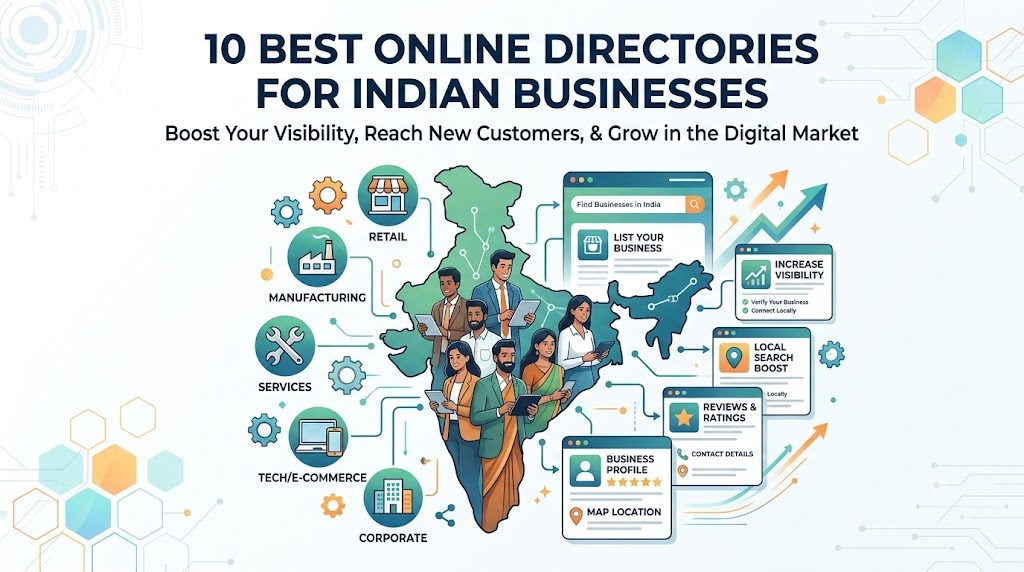
If you own a shop, restaurant, coaching centre, hotel, salon, clinic, diagnostic centre, travel agency or any other local business in India, one question matters: How can more customers discover your business online without spending a fortune on advertising?
One practical answer is to list your business on the right online directories.
Think about how people find businesses today. Someone searches for a restaurant near their office, a parent looks for a coaching centre in their city, or a homeowner searches for a reliable electrician. These customers are already looking for a product or service. Your business needs to be visible when they search.
That is where online business directories come in.
A well-maintained listing can help potential customers discover your business, check your services, view your location, read reviews and contact you. Some platforms also provide opportunities to receive enquiries from people looking for what you offer.
However, you do not need to register on hundreds of websites. You need the right platforms, accurate business information and a clear plan to turn visibility into enquiries.
This guide explains the 10 best online directories and business discovery platforms for Indian businesses, what each one offers, who should use it and how to get more value from your listings.
What Is an Online Business Directory?
An online business directory is a website or platform where businesses can create profiles containing information such as:
-
Business name, category and location
-
Products and services offered
-
Contact number, address and opening hours
-
Website and social media links
-
Customer reviews, ratings and photographs
Customers use these platforms to find businesses based on their needs, location or industry.
For example, a person searching for a dentist in Delhi may discover a clinic through Google Maps or a healthcare directory. Someone looking for a wholesale packaging supplier may find potential vendors on a B2B marketplace such as IndiaMART.
Why Should Indian Businesses Get Listed Online?
A business listing can serve as an additional point of discovery beyond your shop, website or social media pages.
The main benefits include:
-
Greater online visibility: Give customers more opportunities to discover your business.
-
Local customer discovery: Help people find businesses serving their city or neighbourhood.
-
Direct enquiries: Make it easier for interested customers to call, visit your website or contact you.
-
Customer trust: Present consistent business details, genuine photographs and authentic reviews.
-
Affordable promotion: Start with free listing options where available before investing in paid advertising.
Remember that a listing does not guarantee better Google rankings or a fixed number of enquiries. Results depend on your category, location, competition, profile quality and customer demand.
10 Best Online Directories for Indian Businesses
The platforms below serve different purposes. Some help local customers discover nearby businesses, others connect suppliers with buyers, and a few specialise in particular industries.
The best choice depends on what you sell, where you operate and how customers usually find you.
1. Google Business Profile – Best for Local Visibility on Google
Website: https://business.google.com/
If your business serves customers in a particular city, neighbourhood or service area, start here.
Google Business Profile helps eligible businesses appear on Google Search and Google Maps. Customers can find your location, contact details, opening hours, photographs, reviews and other relevant information.
Who should use it?
-
Restaurants, cafés, hotels and retail shops
-
Coaching centres, schools and tuition providers
-
Doctors, clinics and diagnostic centres
-
Salons, gyms, repair services and other local businesses
How to get the best results
-
Claim or create your profile and complete the verification process.
-
Choose the most accurate primary business category.
-
Add your address or eligible service area, phone number and opening hours.
-
Upload genuine photographs of your premises, products, team or services.
-
Encourage satisfied customers to leave honest reviews and respond professionally.
Cost: Creating a Business Profile is free for eligible businesses. Optional advertising is separate.
HotList tip: Use your Google Business Profile as your main local discovery listing, then add your verified Google Business link to other relevant business directories. This helps customers cross-check your business information.
2. Justdial – Best for General Local Business Searches
Website: https://www.justdial.com/
It can be worth considering if you operate a restaurant, hotel, clinic, salon, coaching centre, repair service or retail outlet.
Who should use it?
Businesses that want to reach customers searching for local providers, especially in cities and towns where directory-based searches are relevant.
How to get the best results
-
Search for your business name and phone number before creating a new listing.
-
Claim or correct an existing profile if one is already available.
-
Check your category, address, contact number and business hours.
-
Use real photographs and clear descriptions of your services.
-
Track how many genuine calls and enquiries come from the platform.
Cost: Basic listing and paid promotional options may be available. Confirm the current terms directly with Justdial.
Important: Before purchasing a lead package or advertising plan, ask about the total cost, duration, lead-sharing arrangements and what happens if the enquiries are irrelevant.
3. Sulekha – Best for Service-Based Businesses
Website: https://www.sulekha.com/
Sulekha focuses on connecting customers with service providers. It can be useful when people are actively searching for someone to solve a problem or deliver a particular service.
For example, a family may look for a tutor, a homeowner may need a repair professional, or a business may require an event service provider.
Who should use it?
-
Tutors, coaching providers and training centres
-
Home repair and maintenance businesses
-
Interior designers and event service providers
-
Consultants and other service professionals
How to get the best results
Describe your services precisely rather than using a generic business description. Explain the locations you cover, the types of customers you serve and what makes your service suitable for them.
Cost: Listing and lead-generation arrangements can vary. Check which features are included and whether paid leads are shared with other providers.
Best approach: Measure the number of relevant enquiries and actual paying customers, not simply the number of leads received.
4. IndiaMART – Best for Manufacturers, Wholesalers and Suppliers
Website: https://www.indiamart.com/
If your business sells products to other businesses, IndiaMART deserves serious consideration.
Unlike a directory focused mainly on nearby shops and services, IndiaMART is a B2B marketplace. Buyers can search for products, compare suppliers and submit enquiries.
Who should use it?
-
Manufacturers and factories
-
Wholesalers and distributors
-
Industrial equipment suppliers
-
Packaging, textile and building-material businesses
-
Bulk product sellers and traders
How to get the best results
-
Add clear product names and specifications.
-
Upload genuine product photographs.
-
State relevant sizes, materials, variants and minimum order quantities.
-
Explain whether you supply locally, nationally or internationally.
-
Respond quickly to genuine buyer enquiries.
Cost: Free and paid options may differ by features and visibility. Verify current pricing before subscribing.
Who may not need it? A neighbourhood café or salon that mainly serves walk-in customers may get more value from local search platforms than a B2B marketplace.
5. TradeIndia – Best for B2B Trade and Export-Oriented Businesses
Website: https://www.tradeindia.com/
TradeIndia is another platform to consider if your business supplies products to other companies, retailers, distributors or international buyers.
It is particularly relevant to businesses that need to showcase a catalogue rather than simply display a shop address.
Who should use it?
-
Exporters and importers
-
Manufacturers and industrial suppliers
-
Bulk traders and distributors
-
Businesses supplying machinery, textiles, chemicals or other commercial products
How to get the best results
Create a detailed supplier profile, organise products into relevant categories and provide accurate specifications. Include your business credentials and clear contact information where appropriate.
Cost: Check current free and paid membership terms directly with the platform.
IndiaMART or TradeIndia? Compare both against your product category, enquiry quality and overall acquisition cost. You do not need to pay for both automatically.
6. Bing Places for Business – Best for Additional Search Visibility
Website: https://www.bingplaces.com/
Google is not the only search engine customers use. Bing Places allows eligible business owners to add or manage their business information for Bing search and maps. The service is free.
Who should use it?
Almost any eligible local business that wants another source of search visibility.
How to get the best results
-
Claim an existing listing or create a new one.
-
Keep your business name, address, phone number and website consistent with your other profiles.
-
Add accurate business categories and opening hours.
-
Review the listing periodically for outdated information.
Cost: Free.
Why it matters: This is a sensible additional listing to maintain, especially because it does not require purchasing a paid lead package.
7. Apple Business Connect – Best for Apple Maps Discovery
Website: https://businessconnect.apple.com/
Apple Business Connect lets businesses manage how their information appears across Apple services, including Apple Maps. Depending on the available features, businesses can customise their place cards, add photographs and update location details.
Who should use it?
Retail shops, restaurants, hotels, clinics and other eligible businesses with locations customers may search for on Apple devices.
How to get the best results
Add your correct business location, contact details, opening hours, logo and suitable photographs. If you operate several branches, ensure each location has accurate information.
Cost: Apple’s platform is free to use.
Why include it? It gives your business another way to appear in map-based searches without relying entirely on Google.
8. Practo – Best for Doctors and Healthcare Providers
Website: https://www.practo.com/
Healthcare businesses need more than a basic address and phone number. Patients often want to check a doctor’s qualifications, clinic timings, fees, speciality and available appointment options.
Practo offers doctor profiles and healthcare discovery features, with profile creation and verification options for practitioners.
Who should use it?
-
Doctors and specialist practitioners
-
Clinics and healthcare providers
-
Medical practices looking to improve online discoverability
How to get the best results
Keep professional qualifications, registration details, clinic information and consultation timings accurate. Complete any required verification and follow applicable professional and healthcare regulations.
Cost: Profile creation options are available, while additional products and services may be paid. Confirm eligibility and current terms directly.
Important: A medical store, diagnostic centre or hospital may need a different approach depending on the services it offers. Check whether the platform supports your specific business type.
9. Zomato – Best for Restaurants and Food Businesses
Website: https://www.zomato.com/partners/
For restaurants and eligible food businesses, a general directory may not be enough. Customers often want to see menus, food photographs, ratings, prices and ordering options before deciding where to eat.
Zomato provides a dedicated restaurant partner portal for businesses to register and manage their presence on the platform.
Who should use it?
-
Restaurants and cafés
-
Eligible cloud kitchens
-
Food outlets and other supported food-service businesses
How to get the best results
Use attractive, genuine food photographs and an accurate menu. Keep prices and operating hours updated, and monitor customer feedback.
Cost: Partner onboarding, commissions and other commercial terms may vary. Check the current agreement and applicable charges before joining.
A useful distinction: Zomato is an industry-specific discovery and ordering platform, not a general-purpose directory for every type of Indian business.
10. HotList.in – Best for an Additional Business Listing and Direct Enquiry Opportunities
Website: https://hotlist.in/
HotList.in is a business listing and local lead generation platform designed to help Indian businesses establish an additional online presence and promote their products and services.
For a business owner, the goal is straightforward: make your business easier to discover and provide customers with a dedicated page containing useful business information.
A HotList listing can complement your Google Business Profile, website and social media presence. It should be treated as one part of a broader online promotion strategy rather than a replacement for established search platforms.
Who should use it?
HotList.in is relevant to a broad range of Indian businesses, including:
-
Hotels, restaurants, cafés and bakeries
-
Coaching centres, tuition providers and playschools
-
Retail shops, boutiques and beauty parlours
-
Fitness centres, diagnostic centres and medical stores
-
Travel agencies and local service providers
How to get the best results
Create a listing with your genuine business name, accurate location, clear description and valid Google Business Profile link. Add relevant contact and website information according to the listing options available.
Share your published listing with customers through WhatsApp, social media, email and other suitable channels. Track visits and enquiries so you can judge whether the listing is helping your business.
HotList.in listing options
-
Free Listing: with published business details and a Google Business Profile link.
-
Paid Listing: with the Google Business Profile link, website link, WhatsApp button using the submitted phone number, and promotional support through HotList.in and its social networks.
Listings are subject to review and approval. Check the current terms and submission requirements on HotList.in before applying.
Why consider HotList.in? If you already have a valid Google Business Profile and want an additional place to showcase your business, a dedicated listing can be a practical starting point. Choose a paid plan only if its additional features and promotion fit your needs and budget.
Which Online Directory Is Best for Your Business?
The smartest strategy is to choose platforms based on your customers, not simply the number of websites available.
| Business type | Best platforms to prioritise |
|---|---|
| Local shops and retail stores | Google Business Profile, Justdial, Bing Places, HotList.in |
| Restaurants, cafés and bakeries | Google Business Profile, Zomato, Justdial, HotList.in |
| Coaching centres and tutors | Google Business Profile, Sulekha, Justdial, HotList.in |
| Doctors and clinics | Google Business Profile, Practo, Justdial |
| Hotels and hospitality | Google Business Profile, Justdial, relevant travel platforms, HotList.in |
| Manufacturers and wholesalers | IndiaMART, TradeIndia, Google Business Profile |
| Home service providers | Google Business Profile, Sulekha, Justdial |
| Professional service businesses | Google Business Profile, Bing Places, Sulekha, HotList.in |
These are suggested starting points, not guaranteed rankings. Platform suitability depends on your location, business category, eligibility and target customers.
How to Create a Business Listing That Attracts Customers
Getting listed is only the first step. A complete, convincing profile gives potential customers the information they need to decide whether to contact you.
1. Keep Your Business Information Consistent
Use the same official business name, phone number, address and website wherever applicable.
For example, if your business is called ABC Dental Clinic, avoid using several different names across different directories unless those names reflect genuine business identities.
Consistent details help customers recognise your business and reduce confusion.
2. Write a Clear Business Description
Do not simply write, “We provide the best services at affordable prices.”
Explain what you do, where you operate and who you serve.
For example:
“ABC Dental Clinic provides general dental care, preventive check-ups and restorative treatments for families in Rohini, Delhi.”
This is more useful because it tells potential customers exactly what the business offers.
3. Upload Genuine Photographs
Photographs help customers understand what to expect before visiting or contacting you.
Depending on your business, add:
-
Your shopfront, office or reception area
-
Products, menus or service examples
-
Your team or professional workspace
-
Genuine photographs of your premises and facilities
Avoid unrelated stock photographs that do not represent your business.
4. Add Working Contact Links
Make it easy for interested customers to take the next step.
Where supported, include your website, phone number, WhatsApp contact and other relevant enquiry options. Test each link to ensure it opens correctly.
If you have a website, make sure it works properly on mobile phones and clearly displays your services and contact details.
5. Collect Genuine Customer Reviews
Reviews can help potential customers evaluate your business.
Ask satisfied customers to share honest feedback without offering rewards for positive reviews or pressuring them to participate. Reply politely to both positive and negative feedback.
6. Keep Your Listings Updated
Update your opening hours, contact details, service offerings and photographs when something changes.
An outdated phone number or incorrect address can cost you a customer even when your business appears in search results.
How Many Business Directories Should You Join?
You do not need to register on 50 or 100 websites immediately.
Start with three to five relevant platforms, complete your profiles properly and monitor the results. Expand gradually when you find additional directories that reach your target customers.
A practical starting order is:
Step 1: Establish your core presence
Create or claim your Google Business Profile if eligible. Make sure your details are correct.
Step 2: Choose relevant Indian directories
Consider Justdial and Sulekha for local services, or IndiaMART and TradeIndia for B2B businesses.
Step 3: Add industry-specific platforms
For example, consider Practo for eligible healthcare providers or Zomato for restaurants.
Step 4: Expand and measure
Add another relevant directory, such as HotList.in, and monitor whether it brings useful visibility or enquiries.
Do Business Listings Improve Local SEO?
Business listings can support your local SEO efforts, but it is important to understand how.
Local SEO is the process of improving your online presence so that people searching for products or services in a particular area can discover your business.
Accurate business information across relevant platforms helps customers find and verify your details. Some directories may also provide referral traffic and links to your website.
However, listing your business on more websites does not automatically improve your Google rankings. Google considers multiple factors, including relevance, distance and prominence, when determining local search results.
Google Business Profile
For stronger results:
-
Optimise your Google Business Profile.
-
Use relevant business categories and accurate service descriptions.
-
Maintain consistent contact information.
-
Build genuine customer reviews.
-
Publish useful content on your website.
-
Track which platforms generate visits, calls and enquiries.
The objective is not to collect the largest number of listings. It is to build a reliable online presence that helps potential customers discover and trust your business.
How to Measure Whether Your Listings Are Working
Do not judge a directory only by how many views it claims to deliver. Focus on actions that can lead to business.
| What to measure | What it tells you |
|---|---|
| Profile views | Whether people are discovering your listing |
| Calls and WhatsApp enquiries | Whether customers are trying to contact you |
| Website visits | Whether your listing is sending visitors to your website |
| Relevant enquiries | Whether the people contacting you need your services |
| Paying customers | Whether your visibility is translating into sales |
| Cost per customer | Whether paid promotion is commercially worthwhile |
Where possible, use separate tracking links or ask new customers how they found your business. This helps you compare directories more accurately.
For paid plans, calculate your cost per actual customer rather than focusing only on the number of enquiries.
Common Business Listing Mistakes to Avoid
Many business owners create listings and then forget about them. Others pay for promotional packages without checking what they will receive.
Avoid these common mistakes:
-
Creating duplicate listings: Check for an existing profile before creating another.
-
Using incorrect categories: Select categories that accurately represent your services.
-
Adding misleading information: Never exaggerate your qualifications, products or business credentials.
-
Ignoring enquiries: Respond promptly when potential customers contact you.
-
Paying without comparing: Check pricing, contract duration, lead-sharing terms and cancellation conditions.
-
Expecting instant results: Online visibility and customer acquisition generally require ongoing effort.
-
Ignoring your own website: Directory profiles are useful, but a website gives you greater control over your business information and content.
Frequently Asked Questions
Which is the best free business listing website in India?
Google Business Profile is an excellent starting point for eligible local businesses because it helps them appear on Google Search and Maps at no charge. Bing Places is another free option. The best additional directory depends on your industry and customers.
Are online business directories useful for small businesses?
Yes. They can help small businesses become easier to discover without immediately investing in advertising. Results depend on the quality of the listing, relevance of the platform and local demand.
Can I list my business on multiple directories?
Yes, provided you follow each platform’s eligibility and listing rules. Use accurate, consistent business information and avoid creating duplicate profiles.
Do free business listings generate customers?
They can generate discovery, website visits and enquiries, but no directory can guarantee customers. Complete profiles, relevant categories, genuine reviews and prompt responses can improve your chances.
Is a paid business listing worth the money?
It may be worthwhile if the additional exposure, contact features or promotional services generate enough business to justify the expense. Start by understanding exactly what is included and measure the results.
Is HotList.in suitable for small Indian businesses?
HotList.in can be considered by Indian businesses looking for an additional online listing and promotional opportunities. It offers a one-month free listing and a ₹999 paid listing valid for 12 months, with additional website, WhatsApp and promotional features. Review the current plan details and terms before applying.
Should I focus on business directories or social media?
Both can serve different purposes. Directories help customers discover and evaluate businesses, while social media helps you share updates, demonstrate your expertise and build relationships. For most businesses, using both alongside a well-maintained Google Business Profile is a sensible approach.
Build Your Online Presence One Listing at a Time
You do not need a huge marketing budget to begin promoting your business online. Start with platforms that customers already use, complete your profiles and keep your information accurate.
For most local businesses, Google Business Profile should be the first priority. Add relevant Indian directories such as Justdial and Sulekha, select industry-specific platforms where appropriate, and consider additional options such as HotList.in to expand your online presence.
Most importantly, treat every listing as a way to connect with potential customers, not merely as another website where your business name appears.
Start with the right directories, make your business easy to contact and invest more only when you can see what is working.
Related Posts
25 Free Ways to Promote Your Business Online in India
20 Websites Where You Can List Your Business for Free
15 Ways to Get Customers Without Paying for Ads
20 Free Marketing Tools Every Small Business Should Know
15 Ways to Get More WhatsApp Enquiries for Your Business
10 Ways to Promote a New Business Locally
15 Lead Generation Ideas for Service-Based Businesses