How to Create Business Marketing Content Using Free Tools: Images, Posters, Videos and Social Media Posts

How to Create Business Marketing Content Using Free Tools: Images, Posters, Videos and Social Media Posts

You don’t need a big marketing budget, a professional designer or an advertising agency to promote your business online. You can create attractive posters, product images, promotional videos and social media posts using free tools available online.

Whether you run a restaurant, coaching centre, boutique, salon, grocery store, playschool, travel agency, fitness centre or any other local business in India, good marketing content can help you reach more people, showcase what you offer and attract potential customers.

The best part? You can do much of this yourself, even if you have never designed a poster or edited a video before.

This guide explains how to create business marketing content from scratch, which free tools to use, what to post on social media, how to make promotional videos and how to build a simple content marketing routine that works for a local business.

1. Understand What Business Marketing Content Is

Business marketing content is anything you create and share to tell people about your business, products, services, offers or expertise.

It helps potential customers understand what you sell, why they should choose your business and how they can contact you.

For example:

  • A restaurant can share pictures of its popular dishes, menu highlights and special offers.
  • A coaching centre can create posters announcing new batches, courses and admission dates.
  • A beauty salon can publish service details, festive offers and customer testimonials.
  • A clothing boutique can showcase new arrivals, collections and styling ideas.
  • A real estate agent can create short videos featuring properties available for sale or rent.
  • A playschool can share information about activities, facilities and admissions.

Marketing content does not always have to be an advertisement. Useful information, practical tips, product demonstrations, customer feedback and behind-the-scenes videos can also attract attention.

Why Is Marketing Content Important for Local Businesses?

Most customers research businesses online before making a purchase or visiting a shop. They may check photographs, services, prices, reviews, social media pages and business information before contacting you.

Regularly publishing useful and attractive content can help you:

  • Make more people aware of your business.
  • Showcase your products and services.
  • Build trust with potential customers.
  • Keep existing customers informed.
  • Generate enquiries through WhatsApp, phone calls and social media.
  • Promote seasonal offers and new products.
  • Give people reasons to visit your shop or website.

The objective is not simply to get likes and followers. Your content should help people take the next step towards becoming customers.

2. Start With a Simple Business Marketing Plan

Before opening a design application or recording a video, decide what you want your content to achieve.

Creating random posters and social media posts without a clear purpose can waste time. A simple plan makes your marketing more effective.

Step 1: Identify Your Target Customers

Think about the people most likely to purchase your products or services.

Ask yourself:

  • Who are my potential customers?
  • What age group do they belong to?
  • Where do they live?
  • What problems do they want to solve?
  • What information do they need before buying?
  • Which social media platforms do they use?

For example, a tuition centre in Delhi may target parents looking for tutors for Classes 6 to 12. A local bakery may target families, office workers and people looking for birthday cakes.

Understanding your audience helps you create content that speaks directly to their needs.

Step 2: Decide What You Want to Promote

Make a list of the things you want customers to know about your business.

These could include:

  • Your main products and services.
  • Popular or best-selling products.
  • New arrivals.
  • Special offers and discounts.
  • Business location and contact details.
  • Customer reviews and testimonials.
  • Your experience and expertise.
  • Special events and seasonal promotions.

You do not need to promote everything at once. Focus on one product, service or message in each piece of content.

Step 3: Choose Your Main Marketing Platforms

You don’t have to be active on every social media platform.

Start with the platforms that are most useful for your customers.

Google Business Profile: Useful for local businesses that want to appear in Google Search and Google Maps. You can share business updates, photographs, offers and other information.

Instagram: Particularly useful for product photographs, reels, promotional videos, stories and visual content.

Facebook: Useful for reaching local communities, sharing business updates, promoting offers and connecting with customers.

YouTube: Suitable for tutorials, product demonstrations, educational videos, customer stories and detailed business introductions.

WhatsApp Business: Useful for sharing product catalogues, business updates, offers and responding directly to enquiries.

LinkedIn: Useful for professional services, consultants, training companies, B2B businesses and business networking.

Start with two or three platforms and publish consistently rather than creating accounts everywhere and leaving them inactive.

3. Best Free Tools to Create Business Marketing Content

You don’t need expensive software to create professional-looking marketing material. Several free tools offer templates and simple editing features that beginners can use.

Here are some useful options for Indian business owners.

1. Canva – Create Posters, Flyers, Banners and Social Media Posts

Canva is one of the easiest design tools for beginners.

It offers ready-made templates that you can customise with your own photographs, business name, colours, text and contact details.

<PRIVATE_PERSON>Canva can help you create:</PRIVATE_PERSON>

  • Promotional posters.
  • Instagram and Facebook posts.
  • Festival greeting designs.
  • Product advertisements.
  • Business flyers and brochures.
  • Sale and discount announcements.
  • YouTube thumbnails.
  • Business presentations.
  • Menus and price lists.

How to Create a Promotional Poster Using Canva

  1. Open Canva and create a free account.
  2. Search for a suitable design, such as a restaurant poster, sale announcement or business promotion.
  3. Select a free template.
  4. Replace the sample photographs with your own product or business images.
  5. Add your business name and promotional message.
  6. Include your phone number, location or WhatsApp contact.
  7. Check the spelling and layout.
  8. Download the finished design.

You can reuse the same design style for future promotions by changing the photographs, offers and text.

Free plan: Canva offers a useful collection of free templates and design features. Some premium templates, photographs and elements require a paid plan. Choose free elements when creating designs without a subscription.

2. Adobe Express – Create Professional Marketing Designs

Adobe Express is another beginner-friendly design tool.

It offers templates and editing features for creating marketing graphics, social media posts and short videos.

You can use it to create:

  • Business advertisements.
  • Promotional graphics.
  • Instagram stories.
  • Facebook posts.
  • Posters and flyers.
  • Video content.
  • Branded social media designs.

Its ready-made layouts can help small businesses create consistent marketing material without hiring a designer.

The free plan provides useful design features, although some premium assets and functions require payment.

3. Microsoft Designer – Create Images and Marketing Graphics

Microsoft Designer helps users create visual content using templates and AI-assisted design features.

It can be useful when you need ideas for promotional graphics or want to create designs without starting from scratch.

You can use it for:

  • Social media graphics.
  • Promotional images.
  • Business announcements.
  • Event posters.
  • Product promotion designs.

Check which features are available under the free offering, as access and usage limits can change.

4. CapCut – Edit Promotional Videos

CapCut is a popular video editing tool that can help small businesses create short promotional videos.

You can combine photographs, video clips, text, music and transitions to create engaging content.

Use it to make:

  • Product demonstration videos.
  • Restaurant food videos.
  • Shop walkthroughs.
  • Customer testimonial videos.
  • Before-and-after presentations.
  • Promotional reels.
  • Short business introduction videos.

The free version offers useful editing features, but some effects, templates and tools may require payment. Check the availability of features in your region and on your device.

5. VN Video Editor – Create Simple Business Videos

VN Video Editor is another useful option for beginners who want to edit videos on their phones.

You can use it to:

  • Combine multiple video clips.
  • Add text and subtitles.
  • Include background music.
  • Adjust video speed.
  • Create short promotional videos.
  • Edit vertical videos for social media.

It is particularly useful for businesses that want to create content using a smartphone rather than a computer.

6. Google Photos – Organise and Improve Business Photographs

Google Photos can help you store, organise and make basic edits to photographs.

For a small business, this is useful because you may regularly take pictures of products, services, events, staff and customers.

You can use its editing features to improve brightness, crop photographs and make simple adjustments.

Keep your original photographs organised in separate albums so you can find them easily when creating new marketing material.

7. ChatGPT – Generate Marketing Ideas and Content

Creating the design is only one part of marketing. You also need interesting headlines, captions, promotional messages and ideas.

ChatGPT can help you develop these quickly.

You can use it to:

  • Write promotional captions.
  • Generate catchy poster headlines.
  • Create festival marketing messages.
  • Write product descriptions.
  • Prepare social media content calendars.
  • Suggest video topics.
  • Create short advertisement scripts.
  • Rewrite complicated business information in simple language.

For example, instead of struggling to write a restaurant advertisement, you can ask ChatGPT to create five catchy promotional headlines for a family restaurant offering North Indian food in Jaipur.

Give it details about your business, target customers, location and offer. The more specific your instructions, the more useful the suggestions will be.

Always check the final content for accuracy before publishing.

4. How to Create Attractive Business Posters and Promotional Images

Posters and images are among the easiest ways to promote a local business online.

A well-designed poster can communicate an offer, introduce a product or announce a new service within seconds.

However, an attractive design alone is not enough. Your poster must clearly communicate what you are offering and tell people what to do next.

What Should a Business Poster Include?

A good promotional poster should contain:

1. A clear headline

Use a short headline that immediately communicates your message.

Examples:

  • Grand Opening – New Store in Jaipur!
  • Fresh Cakes for Every Celebration.
  • Admissions Open for 2027–28.
  • Flat 20% Off on Selected Products.
  • Book Your Free Consultation Today.

2. A good photograph

Use an actual photograph of your product, shop, service or business whenever possible.

Original photographs make your business look genuine and help customers understand what you offer.

3. A short description

Explain the offer or service in one or two sentences.

Avoid filling the poster with too much information.

4. Contact details

Include your business phone number, WhatsApp number or other preferred contact method.

5. A clear call to action

Tell customers what you want them to do.

Examples:

  • Call Now.
  • Book Your Appointment.
  • Visit Our Store.
  • Enquire on WhatsApp.
  • Register Today.

Poster Design Tips for Beginners

You don’t need advanced design skills to create attractive promotional graphics.

Follow these simple rules:

  • Use two or three colours that match your business identity.
  • Choose easy-to-read fonts.
  • Make the headline larger than the supporting text.
  • Use high-quality photographs.
  • Keep enough empty space around the text.
  • Avoid using too many decorative elements.
  • Make your business name visible.
  • Ensure contact details are readable on mobile screens.

Recommended Poster Sizes

Different platforms use different image formats. Choose the right dimensions before creating your design.

Content Type Recommended Dimensions
Instagram square post 1080 × 1080 pixels
Instagram portrait post 1080 × 1350 pixels
Instagram Story/Reel 1080 × 1920 pixels
Facebook landscape post 1200 × 630 pixels
YouTube thumbnail 1280 × 720 pixels
WhatsApp Status 1080 × 1920 pixels

Platform specifications can change, so check the latest requirements when necessary.

5. How to Take Professional-Looking Product and Business Photographs Using Your Phone

You don’t need an expensive camera to create good marketing photographs.

A modern smartphone is usually sufficient for most small business requirements.

The key is to take clear, well-lit photographs that show your products and services accurately.

Simple Photography Tips for Business Owners

Use natural light: Take photographs near a window or in an outdoor area with good lighting. Avoid harsh direct sunlight that creates unwanted shadows.

Keep the background clean: Remove unnecessary objects that distract from the product.

Clean your camera lens: Even a small fingerprint can make photographs look blurry.

Use different angles: Take photographs from the front, side and close-up positions to show important details.

Show the actual product: Avoid using photographs that misrepresent what customers will receive.

Keep the subject in focus: Make sure the product or service is clearly visible.

Avoid excessive filters: Customers should be able to see what your business actually offers.

What Photographs Should Different Businesses Take?

Business Type Photographs to Create
Restaurant Food, menu items, dining area, kitchen and ambience
Boutique New collections, outfits, fabrics and accessories
Salon Interiors, services, equipment and work samples
Coaching Centre Classrooms, teaching facilities, study material and activities
Playschool Classrooms, learning areas, activities and facilities
Bakery Cakes, pastries, breads and customised orders
Fitness Centre Equipment, workout areas and training sessions
Retail Shop Products, new arrivals, displays and special offers
Hotel Rooms, reception, dining area and facilities
Travel Agency Tour packages, destinations and travel experiences

Create a collection of photographs for your business. You can use these repeatedly for different promotional campaigns.

6. How to Create Promotional Videos for Your Business

Videos are an excellent way to show customers what your business offers.

A photograph can show a product, but a video can demonstrate how it works, how it is made or how customers can use it.

You don’t need to create long videos or hire a professional video production team.

Short, informative videos recorded using your smartphone can be enough to introduce your business and attract attention.

Types of Business Videos You Can Create

1. Business Introduction Video

Introduce your business, explain what you offer and tell viewers where they can find you.

For example, a salon owner can create a 30-second video showing the salon interior, services and location.

2. Product Demonstration Video

Show how your product works, what makes it useful and how customers can benefit from it.

This works particularly well for electronics shops, boutiques, home furnishing stores, bakeries and other retail businesses.

3. Behind-the-Scenes Video

Show customers what happens behind the scenes.

A bakery can show how cakes are prepared. A restaurant can showcase food preparation. A boutique can show how a new collection is selected or displayed.

Such videos help customers understand the effort and care that go into your products and services.

4. Customer Testimonial Video

With the customer’s permission, record a short video explaining their experience with your business.

Genuine customer feedback can help build trust among potential buyers.

5. Special Offer Video

Announce discounts, seasonal offers, festive promotions and limited-period deals.

Make sure the offer details and validity are clearly mentioned.

6. Educational Videos

Share useful information related to your products or services.

For example:

  • A dentist can explain simple dental hygiene tips.
  • A fitness trainer can demonstrate basic exercises.
  • A tutor can explain a difficult concept.
  • A travel agent can share travel planning tips.
  • A home appliance dealer can explain product maintenance.

Useful videos can help establish your business as a knowledgeable and reliable choice.

How to Make a Short Promotional Video

Follow this simple process:

  1. Decide what you want the video to communicate.
  2. Write a short script or prepare three or four talking points.
  3. Clean your smartphone camera lens.
  4. Record in a well-lit location.
  5. Keep the camera steady.
  6. Speak clearly and naturally.
  7. Edit unnecessary pauses and mistakes.
  8. Add captions or text where useful.
  9. Include your business name and contact information.
  10. End with a clear call to action.

An Easy 30-Second Video Script for a Local Business

You can use this simple structure:

First 5 seconds: Introduce the business or grab attention.

Example: Looking for fresh, delicious cakes in Jaipur?

Next 10 seconds: Show your products or services.

Example: We prepare customised birthday cakes, celebration cakes and delicious desserts using quality ingredients.

Next 10 seconds: Explain why customers should choose you.

Example: Choose from a variety of flavours and designs to make every celebration special.

Last 5 seconds: Tell customers what to do.

Example: Visit our bakery or contact us on WhatsApp to place your order.

This simple format can be adapted for almost any local business.

7. How to Write Engaging Social Media Posts for Your Business

A social media post is more than a photograph with a caption.

It should attract attention, communicate something useful and encourage people to interact with your business.

You don’t have to write long paragraphs. In most cases, a short, clear message works better.

The Four Parts of an Effective Social Media Post

1. Attention-Grabbing Opening

Start with a question, interesting statement or customer benefit.

Examples:

  • Looking for the perfect birthday cake?
  • Need a reliable home tutor in your area?
  • Planning a family holiday?
  • Want to give your home a fresh new look?

2. Useful Information

Explain what you offer and why it matters.

Mention the product, service, features or benefits that make your business worth considering.

3. Location or Business Details

For local businesses, location matters.

Mention your neighbourhood, city or service area when relevant.

For example, a boutique in Rohini should mention Rohini and Delhi in suitable promotional posts.

4. Call to Action

Encourage people to contact you, visit your shop, book an appointment or enquire about your products.

Social Media Post Examples for Indian Businesses

Here are some examples you can adapt for your own business.

Restaurant

Looking for delicious North Indian food in Jaipur?

Enjoy freshly prepared meals, family dining and your favourite dishes at our restaurant.

Visit us today or contact us for reservations.

Coaching Centre

Admissions Open for New Batches!

Looking for expert tuition for Classes 9 to 12? Join our coaching centre for focused learning, regular practice and exam preparation.

Enquire today for batch details.

Boutique

New Collection Now Available!

Explore our latest collection of stylish ethnic wear, festive outfits and everyday fashion.

Visit our boutique to find your favourite styles.

Beauty Salon

Time for a Fresh New Look?

Explore professional hair, skin and beauty services at our salon.

Book your appointment today.

Bakery

Make Every Celebration Sweeter!

Order customised birthday cakes, anniversary cakes and delicious desserts for your special occasions.

Contact us to discuss your requirements.

These examples can be customised with your business name, location, products and contact details.

8. How to Create Different Types of Content for Different Social Media Platforms

One of the biggest mistakes small businesses make is creating one type of content and sharing it everywhere without considering the platform.

Different platforms serve different purposes. You can use the same basic idea but adjust its format and presentation.

Instagram

Instagram is highly visual, making it suitable for photographs, short videos, reels and stories.

Content ideas:

  • Product photographs.
  • New arrivals.
  • Short promotional reels.
  • Customer testimonials.
  • Behind-the-scenes videos.
  • Festival offers.
  • Before-and-after presentations.

Use clear captions and relevant hashtags. Add your location when promoting a local service or shop.

Facebook

Facebook is useful for connecting with local customers and communities.

Content ideas:

  • Business introduction posts.
  • Product announcements.
  • Special offers.
  • Customer feedback.
  • Local events.
  • Useful business updates.
  • Photographs and videos.

You can also participate in relevant local Facebook groups, provided their rules allow business promotion. Avoid repeatedly posting advertisements where they are not welcome.

WhatsApp Business

WhatsApp is particularly useful for direct communication with customers.

You can use it to:

  • Create a business profile.
  • Display products through a catalogue.
  • Share updates through Status.
  • Respond to enquiries.
  • Send order information.
  • Share appointment details.
  • Communicate special offers with customers who have agreed to receive them.

Keep your business description, timings, address and contact details updated.

YouTube

YouTube is useful for businesses that can educate, demonstrate or explain something through videos.

Content ideas:

  • Product demonstrations.
  • Tutorials.
  • Business introductions.
  • Customer experiences.
  • Educational videos.
  • Frequently asked questions.
  • Detailed service explanations.

You can also create YouTube Shorts to share short promotional and informational videos.

Google Business Profile

For local businesses, Google Business Profile is an important part of online marketing.

It helps customers discover your business when they search for relevant products or services in your area.

Keep your profile updated with:

  • Correct business name.
  • Address and location.
  • Phone number.
  • Opening hours.
  • Website details.
  • Product and service information.
  • Good-quality business photographs.
  • Customer reviews.

You can also publish updates and offers using the available profile features.

Remember that a social media presence and a Google Business Profile serve different purposes. Use both to improve your business visibility.

9. Use AI Tools to Create Business Marketing Content Faster

Artificial intelligence tools can help small businesses save time when preparing promotional content.

You don’t need to be an expert in writing, design or marketing to use them.

AI tools can help generate ideas, prepare drafts, suggest headlines and assist with visual content.

What Can You Create Using AI?

You can use AI tools to generate:

  • Promotional headlines.
  • Social media captions.
  • Product descriptions.
  • Advertisement ideas.
  • Video scripts.
  • Festival marketing messages.
  • Business introductions.
  • Frequently asked questions.
  • Content calendars.
  • Design concepts.

Useful AI Prompts for Business Owners

Here are some practical prompts you can copy and use.

For promotional posters:

“Suggest five catchy promotional headlines for my bakery in Pune. I want to advertise customised birthday cakes and attract local customers.”

For social media captions:

“Write three short, engaging Instagram captions for my clothing boutique in Delhi promoting our new festive collection. Include a clear call to action.”

For video scripts:

“Create a 30-second promotional video script for my coaching centre in Jaipur offering Maths and Science tuition for Classes 9 to 12. Use simple language and focus on the benefits for parents and students.”

For festival marketing:

“Suggest ten promotional content ideas for my restaurant during Diwali. Include poster ideas, short video concepts and social media captions.”

For a monthly content calendar:

“Create a 30-day social media content calendar for my salon in Mumbai. Include educational posts, service promotions, customer engagement ideas and special offers.”

Important: Always Check AI-Generated Content

AI can save time, but it does not automatically know the correct details of your business.

Before publishing, check:

  • Product names and prices.
  • Service descriptions.
  • Contact information.
  • Offer validity.
  • Business address.
  • Spelling and grammar.
  • Accuracy of claims.

Use AI as a marketing assistant, not as a replacement for your knowledge of your business and customers.

10. Create a Monthly Content Calendar for Your Business

You don’t need to publish something new every day to maintain an online presence.

A simple content calendar helps you plan your marketing activities in advance.

It also prevents you from repeatedly posting the same type of advertisement.

Here is a practical weekly plan that you can repeat and customise.

A Simple 7-Day Social Media Content Plan

Day Content Type Example
Monday Product or service promotion Highlight your best-selling product
Tuesday Educational content Share a useful tip related to your business
Wednesday Business photographs Showcase your shop, products or services
Thursday Customer feedback Share a genuine customer testimonial
Friday Promotional offer Announce a special offer or discount
Saturday Short video Show a product demonstration or behind-the-scenes activity
Sunday Business introduction Share your story, experience or business values

You can reduce this to three or four posts per week if you have limited time.

The important thing is to maintain a regular presence and publish content that customers find useful.

Monthly Content Ideas for Indian Businesses

Plan your content around events, seasons and occasions that are relevant to your customers.

Examples include:

  • New Year promotions.
  • Republic Day offers.
  • Valentine’s Day campaigns.
  • Holi promotions.
  • Summer product collections.
  • School admission announcements.
  • Independence Day offers.
  • Raksha Bandhan promotions.
  • Ganesh Chaturthi campaigns.
  • Navratri and Durga Puja promotions.
  • Diwali campaigns.
  • Christmas and New Year offers.

You can also create content around local fairs, exhibitions, community events and important occasions in your city.

Don’t promote every festival just for the sake of posting. Choose occasions that make sense for your business and customers.

11. How to Create Multiple Marketing Posts From One Idea

One of the easiest ways to save time is to reuse your original content in different formats.

You don’t have to come up with a completely new idea every day.

For example, imagine you own a restaurant and want to promote a popular dish.

You can turn that single idea into several pieces of content.

One product photograph can become:

  • An Instagram post.
  • A Facebook post.
  • A WhatsApp Status update.
  • A Google Business Profile photograph.
  • A promotional poster.

One short video can become:

  • An Instagram Reel.
  • A Facebook Reel.
  • A YouTube Short.
  • A WhatsApp Status video.

One customer review can become:

  • A testimonial graphic.
  • A Facebook post.
  • An Instagram Story.
  • A customer feedback section on your website.

One educational topic can become:

  • A short social media tip.
  • A promotional poster.
  • A short video.
  • A detailed blog article.
  • A series of smaller posts.

This approach is called content repurposing. It helps you get more value from the photographs, videos and ideas you already have.

Always make sure you have permission to reuse customer photographs, videos and testimonials.

12. How to Promote Your Business Locally Through Content

Creating marketing material is only half the job. You also need to make sure that the right people see it.

For local businesses, reaching potential customers in the surrounding area is particularly important.

A shop in Delhi does not necessarily need followers from every part of India. It needs customers who can visit the shop or use its services.

Use Location-Specific Keywords

Include your city, neighbourhood and service area in relevant content.

For example:

  • Best Bakery in Rohini, Delhi.
  • Maths Tuition Classes in Noida.
  • Beauty Salon in Indirapuram, Ghaziabad.
  • Family Restaurant in Karol Bagh, Delhi.
  • Home Tutor in South Kolkata.

Location-specific content helps people understand where your business operates.

Use Relevant Local Hashtags

Hashtags can help categorise your social media content.

Examples:

  • #DelhiBusiness
  • #Rohini
  • #NoidaBusiness
  • #JaipurShopping
  • #MumbaiSalon
  • #KolkataRestaurants

Use a small number of relevant hashtags rather than filling every post with unrelated ones.

Encourage Customers to Share Your Content

Your existing customers can help introduce your business to new people.

Encourage satisfied customers to share your promotional posts, recommend your business and leave honest reviews.

You can also create referral offers if they make commercial sense for your business.

List Your Business on Online Business Directories

Social media is not the only place where customers discover local businesses.

Online business directories and local listing platforms can provide another opportunity to showcase your business.

A business listing can help customers find essential information such as:

  • Business name.
  • Products and services.
  • Location.
  • Contact details.
  • Website.
  • Photographs.
  • Google Business Profile.

Choose genuine platforms that offer useful business information and opportunities for customer enquiries.

HotList.in is one such platform where Indian businesses can create a business presence and showcase their products and services to potential customers. Businesses can also display their Google Business Profile link, website and WhatsApp contact through the available listing features.

For local business owners, combining business listings with social media marketing, Google visibility and direct customer communication can create more opportunities to generate enquiries.

13. Common Marketing Content Mistakes You Should Avoid

Even attractive marketing content may fail to generate enquiries if it does not communicate the right message.

Avoid these common mistakes.

1. Posting Only Advertisements

If every post says “Buy Now”, “Visit Us” or “Call Today”, people may lose interest.

Mix promotional content with useful information, tips, demonstrations and customer experiences.

2. Using Too Much Text

A poster is not a brochure.

Keep the main message short and readable. Share additional information in the caption or description.

3. Using Poor-Quality Photographs

Blurry, dark or misleading photographs can make a business appear unprofessional.

Use clear, genuine photographs of your products, premises and services.

4. Ignoring Contact Details

A customer may like your product but may not know how to contact you.

Make sure your phone number, WhatsApp contact, address or other relevant enquiry details are easy to find.

5. Using the Same Content Everywhere

You can reuse your ideas, but adapt the format for different platforms.

A detailed Facebook post may need a shorter Instagram caption. A product photograph may need a vertical layout for WhatsApp Status.

6. Copying Competitors

You can study how other businesses promote themselves, but your content should reflect your own products, services and strengths.

Original photographs and genuine information help your business stand out.

7. Making Unverified Claims

Avoid exaggerated statements such as “India’s No. 1” or “Guaranteed Results” unless you can substantiate them.

Be honest about your products, services, offers and business experience.

8. Forgetting to Update Old Offers

Remove or update promotional material when an offer expires or a product becomes unavailable.

Outdated information can disappoint customers and damage trust.

9. Ignoring Customer Enquiries

Marketing is not complete when someone likes or comments on your post.

Respond to genuine enquiries promptly and provide clear information about your products and services.

10. Expecting Immediate Results

Online marketing takes time.

A few social media posts may not immediately generate customers. Focus on consistent publishing, useful content, accurate business information and good customer service.

14. How to Measure Whether Your Marketing Content Is Working

Don’t judge your marketing success only by the number of likes or followers.

The real question is whether your content is helping your business attract potential customers.

Track a few simple measurements every month.

What to Measure What It Tells You
Reach How many people saw your content
Impressions How many times your content was displayed
Engagement Likes, comments, shares and saves
Profile visits How many people checked your business profile
Website visits How many people visited your website
WhatsApp enquiries How many people contacted you
Phone calls How many potential customers called
Bookings or orders How many enquiries converted into business

You can find many of these measurements in the analytics sections of social media platforms and Google Business Profile.

Identify Your Best-Performing Content

After a month, look at your posts and identify which ones generated the most useful response.

For example:

  • Did product photographs attract more attention?
  • Did short videos generate more enquiries?
  • Did festival offers result in more sales?
  • Did customer testimonials improve engagement?
  • Did location-based posts attract nearby customers?

Create more content around the topics and formats that work.

Also remember that a post with fewer likes may still generate valuable phone calls or sales. Measure business results, not just social media popularity.

15. A Practical 30-Day Marketing Action Plan for Small Businesses

If you are new to online marketing, the easiest way to begin is to follow a simple 30-day plan.

You don’t need to do everything at once. Complete one small task at a time.

Week 1: Prepare Your Marketing Material

Day 1: Identify your target customers and decide what you want to promote.

Day 2: Select two or three social media platforms.

Day 3: Take photographs of your shop, products and services.

Day 4: Create your first business introduction poster using Canva.

Day 5: Prepare a short description of your business.

Day 6: Create three promotional captions using ChatGPT.

Day 7: Organise your photographs, posters and content ideas.

Week 2: Start Publishing

Day 8: Publish your business introduction post.

Day 9: Share photographs of your best-selling product or main service.

Day 10: Create a poster announcing a product or service.

Day 11: Share a useful tip related to your business.

Day 12: Record a short business introduction video.

Day 13: Publish a genuine customer testimonial, with permission.

Day 14: Share a business update on WhatsApp.

Week 3: Improve Your Local Visibility

Day 15: Check your Google Business Profile information.

Day 16: Upload recent photographs to your business profile.

Day 17: Publish a location-specific social media post.

Day 18: Share a product demonstration or service video.

Day 19: Create a special promotional offer.

Day 20: Share your business content with interested customers.

Day 21: Explore relevant online business directories.

Week 4: Build Consistency and Review Results

Day 22: Create another product or service poster.

Day 23: Publish an educational post.

Day 24: Record a short behind-the-scenes video.

Day 25: Share a customer review.

Day 26: Create a festival or seasonal promotional graphic.

Day 27: Repurpose your best-performing content.

Day 28: Publish another business introduction or promotional post.

Day 29: Check your social media and Google Business Profile insights.

Day 30: Identify what worked and prepare your next month’s content calendar.

At the end of 30 days, you will have a collection of photographs, promotional designs, videos and social media posts that you can continue using and improving.

16. How Much Does It Cost to Create Business Marketing Content?

One of the biggest advantages of using free marketing tools is that you can get started without spending money on expensive software.

Here is an approximate overview of the basic requirements.

Marketing Requirement Free Tool Options
Posters and flyers Canva, Adobe Express
Social media graphics Canva, Microsoft Designer
Product photographs Smartphone, Google Photos
Video editing VN Video Editor, CapCut
Marketing captions ChatGPT
Content ideas ChatGPT
Video scripts ChatGPT
Social media publishing Individual social media platforms
Customer communication WhatsApp Business
Local business visibility Google Business Profile

The basic tools can be used without purchasing a subscription, although some offer premium features, usage limits or paid upgrades.

You may eventually decide to pay for professional design services, advanced editing software or advertising. However, these are not necessary to start creating and publishing business marketing content.

What About Copyright and Commercial Usage?

This is important for every business owner.

Before using a photograph, video, music track, font or graphic in a commercial advertisement, check its licensing terms.

Keep these points in mind:

  • Use photographs taken by you or images you have permission to use.
  • Check whether free design elements are permitted for commercial use.
  • Avoid copying photographs from Google Images or other businesses’ social media accounts.
  • Check music licensing before using audio in promotional videos.
  • Do not use customer photographs or testimonials without permission.
  • Check the commercial usage terms of AI-generated images and designs.
  • Keep copies of important licences and permissions where applicable.

Free does not always mean copyright-free or unrestricted commercial use.

17. The Best Marketing Strategy: Combine Free Tools With Consistent Promotion

Creating posters, photographs, videos and social media posts is a great starting point, but effective business marketing requires more than designing attractive content.

You need to make your business easy to discover, provide useful information and give potential customers a convenient way to contact you.

A practical online marketing strategy for an Indian local business should combine several activities.

1. Create useful content: Share product photographs, promotional graphics, short videos and customer information.

2. Maintain your social media presence: Publish regularly on platforms used by your target customers.

3. Keep your Google Business Profile updated: Make sure customers can find accurate business information, photographs and contact details.

4. Use WhatsApp for enquiries: Make it easy for interested customers to ask questions and discuss purchases.

5. Build your online business presence: Create a business website or list your business on relevant online directories.

6. Encourage genuine customer reviews: Positive customer experiences can help build trust and influence purchasing decisions.

7. Track enquiries and sales: Identify which marketing activities bring actual customers to your business.

The objective is to create multiple opportunities for customers to discover your business rather than depending entirely on one social media platform.

Promoting Your Business Online Without Spending a Fortune

Creating business marketing content is no longer something that only professional designers and marketing agencies can do.

With free tools such as Canva, Adobe Express, CapCut, VN Video Editor and ChatGPT, Indian business owners can create attractive posters, product photographs, promotional videos and engaging social media posts themselves.

Start with your smartphone, a few genuine business photographs and a clear idea of what you want customers to know.

Create simple promotional content, share useful information, highlight your products and services, and maintain an active online presence.

Most importantly, don’t spend all your time trying to make every poster or video perfect. Focus on creating content that answers customer questions, communicates real value and encourages people to contact your business.

Combine regular content creation with Google Business Profile, WhatsApp, social media and online business listings to improve your local visibility and generate more enquiries.

You don’t need a big marketing budget to get started. You need the right message, useful tools and the consistency to keep promoting your business.

Related Posts

A Beginner’s Guide to Google Ads, Facebook & Instagram Ads

25 Creative Social Media Post Ideas for Small Businesses in India

How to Promote Your Local Business on Quora, Reddit & Facebook Groups

25 YouTube Video Ideas for Local Businesses in India to Attract More Customers
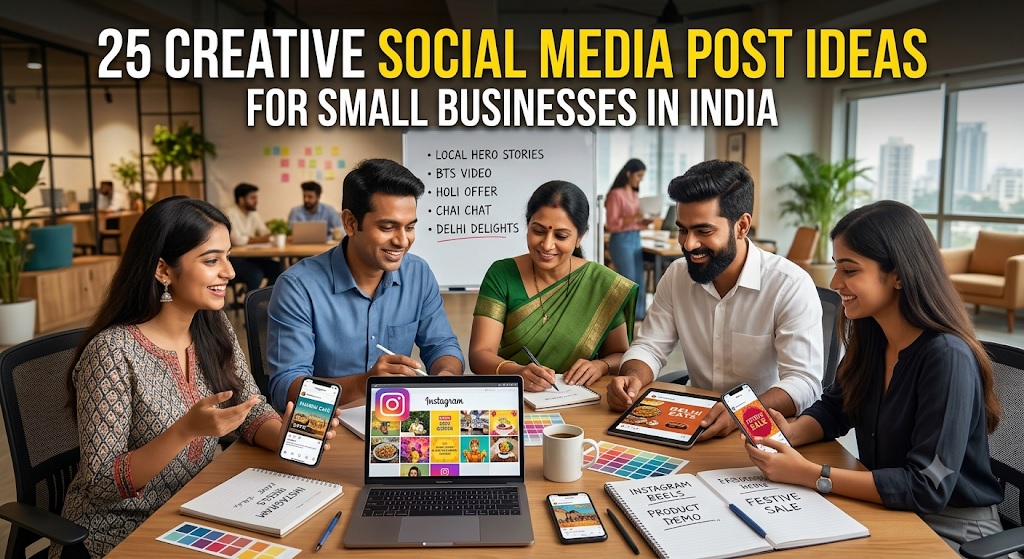
25 Creative Social Media Post Ideas for Small Businesses in India

25 Creative Social Media Post Ideas for Small Businesses in India

Running a small business in India is not easy. You have products to sell, customers to serve, employees to manage and a hundred other things to take care of. Finding time to create social media posts can feel like another full-time job.

But here is the good news: You don’t need a big marketing budget, professional photographers or a dedicated social media team to promote your business online.

You need useful content, a little creativity and a clear understanding of what your customers want to see.

Whether you run a restaurant, coaching centre, boutique, salon, grocery store, bakery, playschool, fitness studio, travel agency or any other local business, social media can help you reach potential customers, build trust and generate enquiries.

The challenge is knowing what to post.

If you keep sharing the same product photographs, discount announcements and promotional messages, people may eventually stop paying attention.

The solution? Mix promotional posts with helpful information, interesting stories, customer experiences, behind-the-scenes content and interactive ideas.

In this guide, we will explore 25 creative social media post ideas for small businesses in India, with practical examples that you can start using immediately.

Why Social Media Marketing Matters for Small Businesses in India

Your potential customers are already spending time on social media. They use Instagram to discover products, Facebook to find local services, YouTube to learn new things and WhatsApp to communicate with businesses.

This creates an opportunity for small businesses to connect with people without spending heavily on traditional advertising.

Here is what an active social media presence can help you achieve.

  • Increase local visibility: Introduce your business to people in your city, neighbourhood or service area.
  • Attract new customers: Help potential buyers discover your products and services.
  • Build customer trust: Share genuine customer experiences, business stories and useful information.
  • Generate enquiries: Encourage people to contact you through WhatsApp, phone calls or direct messages.
  • Promote offers: Announce seasonal discounts, new arrivals, special packages and events.
  • Build customer relationships: Stay connected with existing customers and encourage repeat purchases.

Remember, social media is not just about getting likes and followers. The real objective is to make more people aware of your business and give them a reason to choose you.

Before You Start: Understand What Makes a Good Social Media Post

You don’t need to post something extraordinary every day. You need content that catches attention, communicates a clear message and encourages people to take action.

Keep these basic principles in mind.

1. Know Your Target Customers

Think about the people most likely to buy from you.

For example:

  • A playschool should create content for parents of young children.
  • A restaurant should target food lovers and people living nearby.
  • A coaching centre should focus on students and parents.
  • A beauty salon should reach people interested in grooming and personal care.
  • A boutique should appeal to people looking for clothing, fashion and styling ideas.

When you understand your audience, choosing relevant content becomes much easier.

2. Use Good Photographs and Videos

People notice visuals before they read the caption.

Use clear photographs of your products, shop, staff, services and customers. You can create attractive graphics and short videos using simple mobile editing and design tools.

Your content does not need to look expensive. It needs to look genuine, neat and professional.

3. Write Captions That Get Attention

Avoid long introductions and complicated language.

Start with something that makes people interested.

For example:

  • Looking for a reliable home tutor in your area?
  • Craving delicious street food this weekend?
  • Need a fresh look for the festive season?
  • Planning a memorable family holiday?
  • Want to improve your child’s English skills?

Follow the opening line with useful information and a clear call to action.

4. Make It Easy for Customers to Contact You

Every promotional post should tell people what to do next.

Depending on your business, encourage them to:

  • Send a WhatsApp message.
  • Call to enquire.
  • Visit your store.
  • Book an appointment.
  • Request a quotation.
  • Place an order.
  • Visit your business website.

Don’t assume that customers will search for your contact details themselves.

5. Be Consistent

Posting ten times in one day and disappearing for the next month is not a good strategy.

Start with three or four useful posts every week. Maintain a manageable schedule and focus on quality rather than posting just for the sake of it.

25 Creative Social Media Post Ideas for Small Businesses in India

Here are 25 practical ideas that businesses across different industries can use. You can adapt them for Instagram, Facebook, LinkedIn, YouTube Shorts and WhatsApp Business.

1. Introduce Your Business and Tell Your Story

Make people familiar with the business behind the products and services.

Many potential customers may have seen your business name but know very little about you.

Create an introduction post explaining who you are, what you offer and what makes your business different.

Share:

  • When and why you started your business.
  • What products or services you specialise in.
  • Which areas or customers you serve.
  • What makes your business worth choosing.

Example:

“Welcome to ABC Boutique! We bring you stylish ethnic wear, beautiful festive collections and everyday fashion at affordable prices. Visit us and discover something special for every occasion.”

This type of post gives your business a personality and helps people connect with you.

2. Showcase Your Best-Selling Products

Show customers what other people already love.

Choose your most popular products and give them individual attention.

Instead of uploading a photograph with just the product name and price, explain what makes it special.

For example:

  • A bakery can showcase its most popular chocolate cake.
  • A clothing store can feature its bestselling kurta collection.
  • A restaurant can highlight its signature dish.
  • A furniture shop can present its most popular sofa design.

Use attractive photographs, mention important features and include the price when appropriate.

Post idea: “Our customers’ favourite! Here’s why everyone loves our special chocolate truffle cake.”

3. Share Before-and-After Transformations

Show the difference your business can make.

Before-and-after posts are particularly effective for businesses where customers can see a visible result.

Ideas include:

  • Beauty salons showing hair transformations.
  • Interior designers displaying room makeovers.
  • Car detailing businesses showing cleaned vehicles.
  • Fitness centres sharing client progress with permission.
  • Cleaning services showing restored spaces.
  • Home renovation companies presenting completed projects.

Use genuine photographs and obtain customer permission before sharing personal images.

Post idea: “From an ordinary room to a beautiful living space! See what thoughtful design can do.”

4. Introduce Your Team

People like doing business with people they know and trust.

Introduce the people who make your business work.

Feature your employees, teachers, chefs, designers, technicians, trainers or customer support staff.

You can share their names, roles, experience and a little information about their work.

For example, a coaching centre can introduce its teachers, while a restaurant can introduce its head chef.

This helps customers understand the people behind your business and creates a more personal connection.

5. Share Customer Reviews and Testimonials

Let satisfied customers explain why your business is worth choosing.

Customer feedback can influence purchasing decisions, especially when people are comparing local businesses.

Turn genuine reviews into attractive social media posts.

You can share:

  • A customer’s experience with your service.
  • Feedback about a product.
  • A positive restaurant review.
  • A parent’s feedback about a coaching centre.
  • A customer’s experience at your salon.

Use screenshots or designed testimonial graphics, with permission where required.

Post idea: “Don’t just take our word for it. Here’s what our customers have to say!”

Never create fake testimonials or misleading ratings. Authentic feedback builds lasting trust.

6. Create a Behind-the-Scenes Video

Give customers a look at what happens behind the scenes.

People are often interested in how products are made and how services are delivered.

Show them the actual work that goes into running your business.

Examples:

  • A bakery preparing fresh cakes.
  • A restaurant kitchen preparing popular dishes.
  • A boutique selecting fabrics and stitching outfits.
  • A printing shop working on an order.
  • A florist arranging a bouquet.
  • A furniture workshop creating a product.

Short, natural videos work well for this type of content.

You don’t need elaborate production. A smartphone and a few interesting clips are enough.

7. Announce New Arrivals and Launches

Give existing and potential customers a reason to check back.

Whenever you introduce something new, make it a social media event.

Announce:

  • New clothing collections.
  • New menu items.
  • Newly launched products.
  • Additional courses or classes.
  • New beauty treatments.
  • Recently introduced services.

Use a teaser post before the launch and a detailed announcement when the product or service becomes available.

Post idea: “Something new has arrived! Explore our latest festive collection, now available at our store.”

8. Share Useful Tips Related to Your Industry

Become a helpful source of information, not just another business trying to sell.

Educational posts are useful because people can learn something from them even when they are not ready to purchase.

Examples:

  • A salon can share haircare tips.
  • A restaurant can explain how to store food properly.
  • A coaching centre can share examination preparation tips.
  • A travel agency can offer packing advice.
  • A fitness studio can share simple exercise guidance.
  • An electronics store can explain how to maintain appliances.

Post idea: “5 Simple Ways to Keep Your Hair Healthy During the Summer.”

Useful content encourages people to follow your business and return for more information.

9. Create a Frequently Asked Questions Post

Answer customer questions before they even ask.

Think about the questions your customers regularly ask.

Create a post answering five to seven common questions.

For example, a coaching centre might answer:

  • Which classes do you teach?
  • Which subjects are available?
  • Are online classes available?
  • What are your batch timings?
  • Do you provide trial classes?

A restaurant might answer questions about opening hours, delivery, parking and reservations.

You can also turn each question into a separate post or short video.

This saves time, improves customer communication and helps generate better enquiries.

10. Celebrate Indian Festivals and Special Occasions

Connect your business with occasions that matter to your customers.

India has a diverse calendar of festivals, celebrations and special occasions.

Use these opportunities to create relevant posts around:

  • Diwali.
  • Holi.
  • Eid.
  • Christmas.
  • Navratri and Durga Puja.
  • Raksha Bandhan.
  • Pongal.
  • Onam.
  • Baisakhi.
  • Independence Day.
  • Republic Day.
  • Teacher’s Day.
  • Mother’s Day and Father’s Day.

Don’t restrict yourself to greeting graphics.

Create festival-related offers, gift suggestions, special menus, product collections and useful seasonal content.

For example, a bakery can promote Diwali gift hampers, while a boutique can showcase festive clothing.

Make sure your posts are respectful and relevant to your audience.

11. Run a Social Media Contest or Giveaway

Give people a reason to interact with your business.

A simple contest can encourage engagement and introduce your business to new people.

Ideas include:

  • Guess the price of a product.
  • Identify a dish from a close-up photograph.
  • Answer a question related to your industry.
  • Share a favourite product from your collection.
  • Participate in a festive quiz.

You can offer a small prize, discount voucher, free consultation or complimentary service.

Keep the rules simple and transparent. Mention eligibility, deadlines and how winners will be selected.

Also, follow the promotional rules of the social media platform you use.

12. Show How Your Product or Service Works

Help customers understand exactly what they are buying.

Sometimes people are interested in a product but are unsure how it works or how it will benefit them.

Create demonstration videos that show your product or service in action.

Examples:

  • A kitchen store demonstrating a useful appliance.
  • A beauty salon explaining a treatment.
  • A gym demonstrating correct exercise techniques.
  • A software company showing how its product works.
  • A furniture store demonstrating storage features.
  • A travel agency explaining a holiday package.

A good demonstration answers customer doubts and makes purchasing decisions easier.

13. Share Price Lists and Special Offers

Make it easy for customers to understand your pricing.

Many people avoid contacting businesses when they cannot find basic price information.

Share clear pricing wherever possible.

You can create posts featuring:

  • Restaurant combo offers.
  • Salon service packages.
  • Coaching class fees.
  • Seasonal discounts.
  • Product price ranges.
  • Membership packages.
  • Festival promotions.

Mention what is included, the offer’s validity and any important conditions.

Avoid misleading “starting at” prices that do not reflect what customers will actually pay.

14. Create a Local Area or Neighbourhood Post

Make your business visible to people who can actually visit or use your services.

Local businesses should regularly create content that connects with their neighbourhood.

For example:

  • “Looking for the best cakes for a birthday celebration in Rohini?”
  • “Need a reliable AC repair service in South Delhi?”
  • “Searching for quality home tuition in Noida?”
  • “Planning a family dinner in Karol Bagh?”

Mention your locality, city and service area naturally in the post.

You can also share photographs of your shop, nearby landmarks, local events and community activities.

This makes your content more relevant to nearby customers.

15. Share a Customer Success Story

Show the real results your business helps customers achieve.

Customer stories are different from ordinary testimonials. They explain a problem, the solution and the outcome.

Examples:

  • A student improves academic performance after joining a coaching centre.
  • A customer finds the right outfit for a special occasion.
  • A business owner gets a customised website.
  • A client completes a home renovation project.
  • A customer enjoys a memorable travel experience.

With customer permission, explain the journey and highlight the value your business provided.

Avoid promising that every customer will achieve the same result.

16. Post a Product Comparison

Help customers make informed buying decisions.

People often compare products before making a purchase.

Create simple comparison posts explaining the differences between two or more products or services.

Examples:

  • Different types of air conditioners.
  • Cotton versus linen clothing.
  • Regular versus premium salon packages.
  • Different cake flavours and sizes.
  • Online versus classroom coaching.
  • Different travel packages.

Use simple language and explain which option is suitable for different needs.

This positions your business as a helpful advisor rather than just a seller.

17. Create a Myth-Busting Post

Correct common misunderstandings about your industry.

Almost every industry has myths that confuse customers.

Turn these into interesting educational posts.

Examples:

  • “Myth: Expensive skincare products always work better.”
  • “Myth: Children can learn English only by speaking it at school.”
  • “Myth: All modular kitchens are expensive.”
  • “Myth: You need a gym membership to start exercising.”
  • “Myth: Freshly baked cakes cannot be customised.”

Explain the truth in a simple and informative way.

This type of content can attract attention while demonstrating your knowledge.

18. Share a Day-in-the-Life Post

Give people a glimpse of your everyday business activities.

Create a short video or photo series showing what a typical working day looks like.

A restaurant owner could show the morning preparation, fresh ingredients arriving and the kitchen getting ready for lunch.

A boutique owner could show fabric selection, customer appointments and new designs.

A tutor could share lesson preparation and classroom activities.

Keep it natural. You don’t need to show every activity or make your business look perfect.

Authentic content makes your brand more relatable.

19. Ask Customers a Question

Turn your social media page into a two-way conversation.

Instead of always telling people what to buy, ask them what they like, need or prefer.

Examples:

  • Which flavour would you choose: chocolate or red velvet?
  • What is your favourite Indian breakfast?
  • Which colour should we introduce in our next collection?
  • What subject does your child find most challenging?
  • Where would you love to travel this holiday season?

Use Instagram Stories, Facebook posts and other interactive formats to collect responses.

You can use customer feedback to plan products, services and future content.

20. Share Seasonal Products and Services

Promote what customers need at different times of the year.

Indian businesses have many opportunities to create seasonal content.

Plan your posts around changing customer needs.

Season or occasion Content ideas
Summer Cool drinks, summer clothing, AC servicing, holiday packages
Monsoon Waterproof products, rainwear, pest control, indoor activities
Festive season Gift hampers, ethnic wear, sweets, decorations
Wedding season Bridal services, photography, catering, clothing
Winter Warm clothing, heaters, winter menus, skincare
School reopening Stationery, uniforms, school supplies, tuition classes

Plan seasonal campaigns in advance instead of waiting until the occasion arrives.

21. Introduce a Special Employee Skill or Expertise

Show customers the knowledge and experience available within your business.

Your team may have skills that customers don’t know about.

Highlight them through short videos, photographs or informative posts.

Examples:

  • A chef explaining a special cooking technique.
  • A teacher sharing an examination preparation tip.
  • A hairstylist explaining how to choose a suitable haircut.
  • A mechanic explaining basic vehicle maintenance.
  • A designer discussing the latest fashion trends.

These posts help establish credibility and show customers why your business has the right expertise.

22. Create a Limited-Time Offer

Give customers a reason to take action now.

A well-planned limited-time offer can encourage people who are already interested in your products or services to make a decision.

Ideas include:

  • Weekend restaurant discounts.
  • Festival shopping offers.
  • Limited-period salon packages.
  • Early-bird coaching registrations.
  • Special birthday packages.
  • Discounts on selected products.

Clearly mention the offer, expiry date and conditions.

Use genuine deadlines. Avoid repeatedly advertising fake countdowns or discounts that never end.

23. Share User-Generated Content

Let your customers become part of your brand story.

User-generated content is material created by customers who use or purchase your products and services.

With their permission, share:

  • Customer photographs wearing your products.
  • Pictures of birthday cakes ordered from your bakery.
  • Customers enjoying meals at your restaurant.
  • Students participating in your events.
  • Photographs of completed home interiors.
  • Customer videos featuring your products.

This gives your social media page a more authentic feel and encourages other customers to share their experiences.

Always credit the creator when appropriate and obtain permission before reposting.

24. Announce Business Milestones and Achievements

Give customers a reason to celebrate your journey.

People enjoy seeing businesses grow.

Share important milestones such as:

  • Completing one year in business.
  • Serving your 1,000th customer.
  • Opening a new branch.
  • Launching a new product range.
  • Receiving an industry award.
  • Expanding your service area.
  • Completing a major project.

Thank your customers and employees for being part of your journey.

A milestone post can strengthen customer relationships and create positive brand recognition.

25. Create a Strong Call-to-Action Post

Turn attention into actual business enquiries.

Not every customer will contact you after seeing a product photograph or informative post.

Sometimes you need to clearly invite them to take the next step.

Create dedicated posts that tell customers exactly how to enquire, book or purchase.

For a restaurant:

“Planning a family dinner this weekend? Explore our menu, reserve your table and enjoy a delicious meal with your loved ones.”

For a coaching centre:

“Admissions are open! Contact us to know more about our courses, batch timings and upcoming sessions.”

For a boutique:

“Looking for the perfect outfit for your next celebration? Visit our store and explore our latest collection.”

For a service business:

“Need professional assistance? Contact our team today for service details and a quotation.”

Keep the contact process simple. The fewer steps customers need to take, the easier it becomes for them to enquire.

Social Media Content Ideas for Different Types of Small Businesses

The 25 ideas above work across many industries. However, every business has different customers, products and marketing requirements.

Here is a quick reference showing what different Indian businesses can post.

Business type Social media post ideas
Restaurants and cafes Food photographs, chef videos, customer reviews, menu highlights and offers
Coaching centres Teacher introductions, student achievements, study tips, course details and admission announcements
Playschools Classroom activities, learning games, teacher introductions, celebrations and parent feedback
Beauty salons Before-and-after results, beauty tips, service demonstrations and packages
Clothing boutiques New collections, styling tips, festive looks, customer photographs and fashion videos
Bakeries Cake designs, baking videos, bestsellers, customer celebrations and seasonal hampers
Fitness centres Exercise demonstrations, trainer introductions, fitness tips and member stories
Diagnostic centres Health awareness information, facility introductions, available services and appointment details
Travel agencies Destination highlights, travel itineraries, holiday packages and travel tips
Retail shops Product demonstrations, new arrivals, comparisons, discounts and customer favourites
Furniture stores Room makeovers, furniture demonstrations, design ideas and product comparisons
Home service providers Work demonstrations, customer reviews, service explanations and completed projects

The key is to choose ideas that are relevant to your products, services and target customers. You don’t have to use every idea.

How to Create Social Media Posts Without Hiring a Designer

One of the biggest challenges for small business owners is creating attractive content regularly.

Hiring a professional designer for every post may not fit your budget. Fortunately, you can create decent social media content using simple tools.

1. Use Canva for Social Media Designs

Canva offers ready-made templates for Instagram posts, Facebook graphics, promotional banners, presentations and other marketing materials.

You can customise templates using your business name, logo, colours, photographs and promotional messages.

Choose a consistent design style so that people can recognise your business posts.

2. Use Your Smartphone for Photography

You don’t need an expensive camera.

Follow these basic photography tips:

  • Clean your phone camera lens.
  • Use natural light wherever possible.
  • Keep the background neat.
  • Avoid unnecessary objects in the frame.
  • Take photographs from different angles.
  • Focus on the product or service.
  • Avoid excessive filters and editing.

For food, clothing, jewellery and other visual products, good photographs can make a significant difference.

3. Create Short Videos Using Mobile Editing Apps

Short videos are useful for demonstrating products, introducing staff and showing behind-the-scenes activities.

Keep videos focused on one topic.

For example, a 20-second video showing how a bakery decorates a cake may be more interesting than a long video explaining the entire baking process.

Add subtitles because many people watch videos without sound.

4. Use AI Tools for Content Ideas

AI tools can help you brainstorm post ideas, write captions, prepare promotional messages and plan content calendars.

For example, you can ask an AI tool:

“Give me 10 Instagram post ideas for a small bakery in Delhi targeting local customers.”

You can also ask it to create captions for a new product, suggest festival promotions or rewrite a promotional message.

However, always check the content before publishing. Add your actual business details, correct prices, genuine offers and relevant local information.

Instagram, Facebook, WhatsApp and LinkedIn: Where Should Your Business Post?

You don’t need to be equally active on every social media platform.

Choose platforms based on the type of business you run and where your customers spend their time.

Instagram

Instagram is particularly useful for businesses that depend on photographs and videos.

Suitable businesses include:

  • Restaurants and cafes.
  • Fashion boutiques.
  • Beauty salons.
  • Bakeries.
  • Fitness studios.
  • Travel agencies.
  • Home decor businesses.

Use Reels, Stories, photographs, carousels and customer-generated content.

Facebook

Facebook can help local businesses reach neighbourhood audiences and participate in relevant community groups.

It is useful for:

  • Local shops.
  • Restaurants.
  • Coaching centres.
  • Playschools.
  • Home service providers.
  • Community-based businesses.

Share business updates, customer reviews, offers, events and useful information.

WhatsApp Business

WhatsApp is particularly valuable for direct communication and customer enquiries.

You can use it to:

  • Create a business profile.
  • Display products and services through a catalogue.
  • Share new arrivals and offers through Status.
  • Answer customer questions.
  • Send order updates.
  • Communicate with customers who have opted in to receive messages.

Make it easy for people to start a conversation with your business.

Avoid sending unwanted bulk promotional messages.

LinkedIn

LinkedIn is especially useful for professional services, consultants, training institutes, B2B businesses and business owners.

You can share:

  • Industry insights.
  • Professional achievements.
  • Business case studies.
  • Customer success stories.
  • Useful business tips.
  • Company updates.
  • Educational articles.

Focus on building professional credibility rather than posting only promotional offers.

How Often Should a Small Business Post on Social Media?

You don’t need to post every day to maintain an effective social media presence.

Start with a realistic schedule that you can follow consistently.

Here is a simple weekly content plan.

Day Content type Example
Monday Educational post 5 useful tips related to your industry
Tuesday Product or service Showcase a bestseller
Wednesday Customer engagement Ask a question or run a poll
Thursday Behind the scenes Show your team at work
Friday Promotional post Announce a special offer
Saturday Customer trust Share a genuine review
Sunday Business personality Share a story, milestone or weekly highlight

You can adjust this schedule according to your business.

If you are a solo business owner, three well-planned posts per week are a good starting point.

The important thing is to maintain a balance between promotional and informative content.

The 70-20-10 Social Media Content Rule

One simple way to avoid making your social media page look like an advertising board is to divide your content into three categories.

70% Helpful and Engaging Content

Share information that your audience will find useful or interesting.

Examples include tips, educational posts, FAQs, industry information, behind-the-scenes videos and interactive questions.

20% Community and Customer Content

Show your customers, team, business journey and local involvement.

Share testimonials, customer experiences, achievements and community activities.

10% Direct Promotional Content

Promote products, services, discounts, special offers and new launches.

This is a suggested content mix, not a strict formula. You can adjust it depending on your industry and business goals.

The main idea is simple: give people reasons to follow your business beyond your sales messages.

How to Write Social Media Captions That Attract Customers

A good photograph may catch attention, but the caption helps communicate your message.

Use this simple structure when writing social media captions.

1. Start With an Attention-Grabbing Opening

Your first line should make people interested in reading further.

Examples:

  • Looking for affordable home tuition in Delhi?
  • Make your weekends more delicious!
  • Searching for the perfect festive outfit?
  • Need reliable home cleaning services?
  • Give your child a stronger start in Mathematics!

2. Explain the Benefit

Tell people how your product or service can help them.

Avoid simply listing features. Explain why those features matter.

For example, instead of writing “We offer online Mathematics classes”, write “Help your child understand difficult Maths concepts through personalised online tuition.”

3. Add Relevant Business Information

Include details that help customers make a decision.

Depending on your business, these may include:

  • Product or service name.
  • Price or price range.
  • Location.
  • Availability.
  • Special features.
  • Timings.
  • Booking information.

4. End With a Clear Call to Action

Tell customers what they should do next.

Examples:

  • WhatsApp us for details.
  • Call today to book your appointment.
  • Visit our store this weekend.
  • Message us to explore the collection.
  • Contact us for a free consultation.

5. Use Relevant Hashtags

Hashtags can help organise and categorise your content.

Use a small selection of relevant hashtags rather than adding dozens of unrelated ones.

For a local business, consider a combination of:

  • Business category hashtags.
  • Product or service hashtags.
  • City and locality hashtags.
  • Relevant industry hashtags.

For example, a bakery in Noida might use hashtags related to baking, cakes, birthday cakes and Noida.

Avoid stuffing captions with hashtags that have nothing to do with your business.

How to Get More Local Customers Through Social Media

Getting likes and followers is useful, but your main objective should be attracting customers who can actually buy from you.

Here are some practical ways to make your social media marketing more local.

Mention Your City and Locality

Use your location naturally in captions and content.

For example:

“Looking for a reliable beauty salon in Rohini, Delhi? Visit us for professional hair and beauty services.”

This makes it clear where your business operates.

Use Location Tags

Where supported, add your business location to posts and Stories.

This can help people discover content associated with a particular area.

Join Relevant Local Communities

Participate in neighbourhood groups and local online communities where business promotion is permitted.

Answer questions, share useful information and contribute meaningfully.

Avoid posting repetitive advertisements.

Collaborate With Other Local Businesses

Find businesses that serve a similar audience without directly competing with you.

Examples:

  • A bakery can collaborate with a party planner.
  • A boutique can work with a local jewellery store.
  • A fitness studio can collaborate with a nutrition professional.
  • A playschool can connect with children’s activity centres.
  • A travel agency can collaborate with a local photography business.

You can create joint offers, short videos, contests or informative posts.

Keep Your Google Business Profile Updated

Your social media presence should work alongside your Google Business Profile.

Make sure your business name, address, phone number, opening hours, photographs and services are accurate.

Encourage genuine customers to leave reviews.

This helps people who discover your business through social media verify your details when they search for you on Google.

How to Turn Social Media Followers Into Paying Customers

A common mistake among small business owners is focusing entirely on increasing followers.

A page with 10,000 followers is not necessarily more profitable than a page with 500 followers.

What matters is whether your content attracts the right audience and generates enquiries.

Follow these steps to improve your chances of converting social media attention into business.

Make Your Business Profile Complete

Your social media bio should clearly explain:

  • What your business offers.
  • Where you are located.
  • Who your products or services are for.
  • How customers can contact you.

Use a recognisable business logo or profile photograph.

Display Your Products and Services Clearly

Customers should not have to search through dozens of posts to understand what you sell.

Create dedicated posts for your main products and services.

If possible, organise your Instagram Highlights around categories such as Products, Services, Reviews, Offers and Contact.

Respond to Enquiries Quickly

When someone sends a message, asks about a price or comments on your post, respond politely and promptly.

A delayed response may cause a potential customer to contact a competitor.

Make Your Contact Details Easy to Find

Provide clear contact options wherever possible.

Use your phone number, WhatsApp Business profile, website and business listing details consistently.

Build Trust Before Asking for a Sale

Share genuine reviews, customer experiences, completed projects and useful information.

Customers are more comfortable contacting a business when they can see evidence of its work and reliability.

Common Social Media Marketing Mistakes Small Businesses Should Avoid

Even businesses that post regularly may struggle to generate results because of a few common mistakes.

1. Posting Only Advertisements

If every post says “Buy Now”, “Order Today” or “Get 20% Off”, people may lose interest.

Mix promotional posts with educational and engaging content.

2. Ignoring Comments and Messages

Social media is a communication channel, not just a publishing platform.

Reply to questions and acknowledge customer feedback.

3. Using Poor-Quality Photographs

Dark, blurry and poorly framed photographs can make even good products look unattractive.

Take a little time to improve your visuals.

4. Copying Competitors

You can learn from other businesses, but don’t copy their content.

Share your own products, experiences, expertise and customer stories.

Your genuine business identity is your biggest advantage.

5. Ignoring Local Customers

A local business should not focus only on reaching people across the country.

Use location-specific content to attract people who can visit your store or use your services.

6. Buying Fake Followers and Engagement

Fake followers may increase numbers but rarely generate genuine enquiries or sales.

Focus on building an audience that is actually interested in your business.

7. Giving Up Too Soon

Social media marketing takes time.

Don’t judge your entire strategy based on a handful of posts.

Study what works, improve your content and maintain consistency.

How to Measure Whether Your Social Media Posts Are Working

You should regularly check whether your content is helping your business grow.

Don’t focus only on likes.

Track these important measurements.

Metric What it tells you
Reach How many unique people saw your content
Impressions How many times your content was displayed
Engagement Likes, comments, shares and other interactions
Profile visits How many people visited your business profile
Website clicks How many people visited your website
WhatsApp enquiries How many people contacted you through WhatsApp
Phone calls How many people called your business
Leads How many genuine potential customers contacted you
Sales How much business your social media activity generated

Check these numbers regularly.

For example, if a particular type of post generates more WhatsApp enquiries than ordinary product photographs, create more content around that topic.

You can also ask new customers how they discovered your business. This gives you a better understanding of which marketing activities are bringing results.

A Simple 30-Day Social Media Marketing Plan for Small Businesses

If you are unsure where to begin, use this simple 30-day plan.

It combines different content formats so that your page does not look repetitive.

Week Post 1 Post 2 Post 3
Week 1 Introduce your business Showcase a bestseller Share a useful industry tip
Week 2 Introduce your team Share a customer review Create a product demonstration
Week 3 Answer common questions Share behind-the-scenes content Announce an offer
Week 4 Share a customer story Run a poll or contest Create a strong enquiry post

You can also use Stories to share daily updates, new arrivals, customer feedback, business activities and reminders.

At the end of 30 days, review your results.

Identify the posts that generated the most engagement, profile visits and customer enquiries.

Use those insights to plan the following month’s content.

Frequently Asked Questions About Social Media Marketing for Small Businesses

1. What should a small business post on social media?

A small business should post a combination of product photographs, service demonstrations, customer reviews, educational tips, behind-the-scenes videos, business updates, special offers and local content.

The best posts are those that interest your target customers and encourage them to learn more about your business.

2. How many times should a small business post on Instagram?

Start with three or four quality posts per week. You can also share Stories regularly to keep your audience updated.

Consistency matters more than posting multiple times every day.

3. Which social media platform is best for small businesses in India?

Instagram and Facebook are useful for many consumer-facing local businesses. WhatsApp Business is valuable for direct communication and enquiries. LinkedIn is particularly useful for professional services and B2B companies.

Choose platforms based on your customers and business category.

4. How can I promote my small business on social media for free?

You can promote your business organically by sharing useful content, posting product photographs, creating short videos, interacting with customers, participating in relevant local communities and encouraging customers to share genuine experiences.

You can also collaborate with complementary local businesses.

5. What type of social media content attracts the most customers?

There is no single content format that works for every business.

However, product demonstrations, customer testimonials, before-and-after transformations, useful tips, local offers and short videos can be effective when they address real customer interests.

Test different formats to find what works for your audience.

6. How can I get more followers for my local business?

Share relevant content consistently, use appropriate local hashtags, interact with your audience, collaborate with other businesses and encourage satisfied customers to follow your page.

Focus on attracting genuine followers who may become customers.

7. Do small businesses need to spend money on social media advertising?

No. You can begin with organic social media marketing without paying for advertisements.

However, once you understand which posts attract the right audience, paid advertising can help expand your reach and generate more enquiries.

Start with a manageable budget and track the results.

8. Can I use the same post on Instagram and Facebook?

Yes. You can reuse relevant content across platforms, but adjust the caption, format and presentation when necessary.

For example, an Instagram Reel can also be shared on Facebook. A detailed business update may work better as a Facebook post or LinkedIn update.

9. How can a local business get customers from Instagram?

Use a complete business profile, publish attractive product and service content, mention your location, use relevant local hashtags, share customer reviews and make it easy for people to contact you.

Include clear calls to action in your posts.

10. What is the easiest way to plan social media content?

Create a monthly content calendar.

Select different categories such as educational posts, product showcases, customer stories, local content and promotional offers.

Plan three or four posts per week and prepare captions and photographs in advance.

Make Social Media Work for Your Small Business

Promoting your business on social media does not have to be complicated or expensive.

You don’t need to create viral videos, post every day or spend thousands of rupees on professional marketing.

Start with simple ideas. Introduce your business, showcase your products, share useful tips, highlight customer experiences and communicate regularly with your audience.

Most importantly, remember that social media marketing is about building relationships, not just collecting followers.

Give people useful information, show them what makes your business special and make it easy for them to contact you.

And don’t restrict your online promotion to social media alone.

Create a complete online presence for your business. Keep your Google Business Profile updated, maintain a professional website if possible, collect genuine customer reviews and ensure that your business information is available across relevant online platforms.

You can also use HotList.in to showcase your business, promote your products and services, improve online visibility and give potential customers another way to discover and contact you.

Your next customer could be scrolling through social media right now. Give them a reason to stop, notice your business and get in touch.

Related Posts

A Beginner’s Guide to Google Ads, Facebook & Instagram Ads

How to Promote Your Local Business on Quora, Reddit & Facebook Groups

25 YouTube Video Ideas for Local Businesses in India to Attract More Customers

How to Create Business Marketing Content Using Free Tools: Images, Posters, Videos and Social Media Posts

A Beginner’s Guide to Google Ads, Facebook & Instagram Ads

A Beginner's Guide to Google Ads, Facebook & Instagram Ads

Running a local business in India is not easy. Whether you own a restaurant, coaching centre, salon, retail shop, playschool, diagnostic centre, fitness studio, hotel or any other local business, finding new customers is one of your biggest challenges.

You may already have a website, a Google Business Profile and social media accounts. You may post regularly on Facebook and Instagram, share offers on WhatsApp and ask happy customers to recommend your business. But sometimes, these efforts are not enough to bring in a steady flow of enquiries.

This is where online advertising can help.

Platforms like Google Ads, Facebook Ads and Instagram Ads allow you to promote your business to people who are most likely to become your customers. You can reach people searching for your products or services, introduce your business to potential customers in your neighbourhood, promote special offers and generate enquiries without spending a fortune.

However, online advertising can also waste money if you do not understand how it works.

Should you advertise on Google or Facebook? Is Instagram advertising worth it? How much should a small business spend? Should you hire an advertising agency or run campaigns yourself? How do you know whether your advertisements are actually bringing customers?

This beginner-friendly guide answers these questions and explains everything Indian business owners need to know about Google Ads, Facebook Ads and Instagram Ads.

Whether you have never advertised online or have already spent money without getting satisfactory results, this guide will help you make smarter advertising decisions.

1. What Is Online Advertising and How Does It Work?

Online advertising means paying digital platforms to display your business, products, services or offers to potential customers.

Instead of waiting for people to discover your business through regular posts or search results, you pay advertising platforms to give your business additional visibility.

For example:

  • A person searches Google for “best dentist near me” and sees an advertisement for a dental clinic in their area.

  • Someone browsing Facebook sees an advertisement for a new restaurant offering a special lunch deal.

  • A person watching Instagram Reels comes across an advertisement for a nearby fitness centre.

  • A parent searching for tuition classes sees an advertisement for a coaching institute offering admission for the new academic session.

In each case, a business pays an advertising platform to reach a relevant audience.

How Do Online Ads Reach Potential Customers?

Advertising platforms use information such as search queries, location, interests, browsing behaviour and other audience signals to decide which advertisements to show.

As a business owner, you can choose:

  • Location: Delhi, Mumbai, Bengaluru, Hyderabad, Pune or a specific area within a city.

  • Audience: People based on relevant interests, demographics and other available targeting options.

  • Keywords: Search terms related to your products or services, particularly on Google.

  • Budget: How much you want to spend on advertising.

  • Ad format: Text advertisements, images, videos, carousels and other formats.

  • Objective: Website visits, phone calls, WhatsApp enquiries, leads, purchases or store visits.

The advertising platform then displays your advertisement to people who match your campaign settings.

You pay according to the platform’s advertising model and campaign settings. Depending on the campaign, charges may be based on clicks, impressions, views or other results.

Paid Advertising vs Free Online Promotion

It is important to understand the difference between paid and free promotion.

Free Promotion Paid Advertising
Regular Facebook and Instagram posts Sponsored Facebook and Instagram posts
Organic Google search visibility Google search advertisements
Google Business Profile updates Paid Google campaigns
WhatsApp status updates Paid campaigns directing people to WhatsApp
Organic Reels and videos Sponsored Reels and video advertisements

Free promotion helps you build an online presence over time. Paid advertising gives your business an opportunity to reach a larger or more targeted audience.

The smartest approach is to use both. Build a strong online presence through free channels and use paid advertisements when you want additional visibility, enquiries or sales.

2. Understanding the Three Major Advertising Platforms

Google, Facebook and Instagram are three of the most popular online advertising platforms for local businesses in India.

However, they work differently and serve different marketing purposes.

Google Ads: Helps you reach people who are actively searching for products or services.

Facebook Ads: Helps you introduce your business, products and offers to relevant audiences and generate interest.

Instagram Ads: Helps you attract attention through photographs, videos, Stories and Reels.

Let’s understand each platform in detail.

3. Google Ads: Reach Customers Who Are Searching for Your Business

Google Ads is Google’s paid advertising platform. It allows businesses to display advertisements across Google Search, YouTube, websites, apps and other Google advertising properties.

For local businesses, Google Search advertising can be particularly useful because it reaches people who are already looking for a product or service.

Imagine you own a beauty salon in Karol Bagh, Delhi.

A potential customer searches for:

  • Best beauty parlour in Karol Bagh

  • Bridal makeup artist near me

  • Hair spa in Karol Bagh

  • Ladies salon near Karol Bagh

Your Google advertisement may appear when someone searches for relevant terms, depending on your campaign settings, competition and advertising eligibility.

This means you are reaching people who may already be interested in becoming your customers.

Types of Google Ads Every Business Owner Should Know

1. Google Search Ads

These are text advertisements that appear on Google search results pages, usually marked as “Sponsored”.

They are particularly useful for businesses offering services that people actively search for.

Examples:

  • Coaching centres

  • Dentists and diagnostic centres

  • Hotels and restaurants

  • Plumbers and electricians

  • Interior designers

  • Home tuition providers

  • Travel agencies

Example: If you run a coaching institute in Noida, you can advertise for relevant searches such as “NEET coaching in Noida” or “JEE coaching near Sector 62”.

When someone clicks your advertisement, you can direct them to your website, a dedicated admission page or another suitable enquiry destination.

2. Google Display Ads

Display advertisements are visual ads containing images, text and sometimes animation. They appear across participating websites and apps.

They can help you introduce your business to new audiences and remind previous website visitors about your products or services through remarketing, where eligible.

Example: A furniture showroom can use display advertisements featuring its latest sofa collection, bedroom furniture or festive discounts.

Display advertising is generally more useful for building awareness and staying visible than reaching only people with immediate purchase intent.

3. YouTube Ads

YouTube advertising allows businesses to promote videos to selected audiences.

You can use video advertisements to demonstrate products, introduce your business, explain services or promote special offers.

Example: A playschool can create a short video showing its classrooms, learning activities, facilities and admission information.

Video advertisements can be particularly effective when customers need to see or understand a product or service before making a decision.

4. Google Shopping Ads

Shopping advertisements display product photographs, prices, business information and other product details.

They are mainly useful for retailers and businesses selling physical products online.

Example: An online clothing store can advertise its dresses, footwear, handbags and accessories directly to people searching for those products.

5. Google Local and Location-Based Advertising

Google offers location-related advertising features and campaign options that can help businesses reach people around their service areas.

These can be useful for restaurants, salons, clinics, retail stores and other businesses that depend on nearby customers.

Your Google Business Profile, accurate business information and relevant location settings can play an important role in supporting local advertising.

Availability and campaign features can vary, so check the current options in your Google Ads account.

How to Set Up Your First Google Ads Campaign

You do not need to be a digital marketing expert to get started. Follow these steps.

Step 1: Create a Google Ads Account

Visit Google Ads and sign in using your Google account.

Enter your business details and follow the account setup instructions.

Step 2: Choose Your Advertising Objective

Decide what you want your advertisement to achieve.

For example:

  • More phone calls

  • More website visitors

  • More customer enquiries

  • More online purchases

  • More visits to your physical store

For a local service business, phone calls and enquiries may be more valuable than simply increasing website traffic.

Step 3: Select Your Campaign Type

If people actively search for your services, start by exploring a Search campaign.

For example, a local dentist could target searches related to dental clinics and dental treatments in the surrounding area.

Step 4: Choose Your Target Location

This is particularly important for local businesses.

If you own a salon in Rohini, you probably do not need to advertise to people living in Chennai or Kolkata.

Select the areas where you can realistically serve customers.

You can target a city, specific locations or a suitable radius, depending on the campaign options available.

Step 5: Research Relevant Keywords

Keywords are the search terms people use to find products and services.

For example, a coaching centre in Delhi might consider:

  • Coaching classes in Delhi

  • Maths tuition near me

  • Class 10 tuition in Delhi

  • CBSE coaching centre

  • Science tuition classes

Choose keywords that match what you actually offer.

Avoid irrelevant keywords that may generate clicks without bringing potential customers.

Step 6: Write Your Advertisement

Your advertisement should clearly explain:

  • What your business offers.

  • Where your business is located.

  • What makes your service useful.

  • Why customers should contact you.

  • What action they should take next.

For example:

Headline: Best Maths Coaching Classes in Rohini

Description: Expert Maths Tuition for Classes 9–12. Personalised Guidance and Exam Preparation. Contact Us Today!

Your advertisement should make a clear promise without exaggerating your services.

Step 7: Set Your Daily Budget

Decide how much you are comfortable spending every day.

Start with a manageable amount. You can increase the budget after identifying which keywords and advertisements generate genuine enquiries.

Step 8: Add Your Landing Page

A landing page is the webpage people visit after clicking your advertisement.

Do not send every visitor to your homepage.

If you advertise a particular service, direct visitors to a page explaining that service.

For example, an advertisement for bridal makeup should ideally lead to a bridal makeup page with photographs, pricing information, service details and contact options.

Step 9: Launch and Monitor Your Campaign

Once you have reviewed your settings, launch your campaign.

Monitor the performance regularly and make changes wherever necessary.

Do not assume that a campaign is successful simply because your advertisement is receiving clicks.

The real question is whether those clicks are generating valuable enquiries and customers.

4. Facebook Ads: Find New Customers and Promote Your Business

Facebook advertising is managed through Meta Ads Manager.

Facebook is one of the most widely used social media platforms in India. It offers businesses an opportunity to reach potential customers based on their location, interests, demographics and other available audience signals.

Unlike Google Search Ads, where people are actively searching for something, Facebook advertisements can introduce your business to people who may not know about it yet.

For example, imagine you own a restaurant in Gurgaon.

You can create a Facebook advertisement promoting:

  • A new restaurant opening.

  • Special weekend dining offers.

  • Family dinner packages.

  • Birthday and anniversary celebrations.

  • New dishes on your menu.

Your advertisement can reach people in selected areas around your restaurant.

This makes Facebook advertising useful for businesses that want to build awareness, promote offers and generate enquiries.

Types of Facebook Ads

1. Image Ads

Image advertisements are among the simplest ways to promote a business.

You can use a photograph of your product, shop, service or special offer along with a headline and description.

Example: A clothing store can advertise its latest collection with attractive product photographs and a special introductory offer.

2. Video Ads

Video advertisements help businesses demonstrate their products, services and facilities.

A short video can communicate much more than a long description.

Example: A gym can create a video showing its equipment, trainers, workout facilities and membership offers.

3. Carousel Ads

Carousel advertisements allow you to display multiple images or videos within one advertisement. People can swipe through the different cards.

Example: A furniture showroom can showcase sofas, dining tables, wardrobes and bedroom furniture in a single advertisement.

This format is useful when you want to promote several products or services together.

4. Lead Generation Ads

Lead generation advertisements allow people to submit their contact details through a form without necessarily visiting your website.

These advertisements can be particularly useful for businesses that depend on enquiries.

Examples include:

  • Coaching institutes collecting admission enquiries.

  • Real estate businesses collecting property enquiries.

  • Wedding planners generating customer leads.

  • Interior designers attracting potential clients.

  • Insurance and financial service businesses collecting enquiries, subject to applicable advertising policies.

You can ask for relevant details such as name, phone number, email address and the service required.

Make sure you follow applicable privacy and consent requirements when collecting and contacting leads.

5. Click-to-WhatsApp Ads

These advertisements encourage people to start a WhatsApp conversation with your business.

When someone clicks the advertisement, they are directed to a WhatsApp chat.

This is particularly useful for Indian small businesses because many customers prefer asking questions and discussing products through WhatsApp.

Example: A boutique can advertise a new festive collection and encourage interested customers to enquire about designs, sizes and prices on WhatsApp.

How to Create Your First Facebook Ad

Facebook advertisements are managed through Meta Ads Manager.

Here is a simple step-by-step process.

Step 1: Create a Facebook Business Page

If you do not already have one, create a Facebook Page for your business.

Add:

  • Your business name.

  • Profile photograph or logo.

  • Cover photograph.

  • Business description.

  • Address and contact details.

  • Website and WhatsApp information, wherever applicable.

Complete your Page information before spending money on advertisements.

Step 2: Set Up Meta Business Suite

Meta Business Suite helps you manage your Facebook and Instagram business presence.

You can manage posts, messages, notifications and other business activities from one place.

For advertising, you can use Meta Ads Manager, which offers more control over campaign objectives, audiences, placements and budgets.

Step 3: Open Meta Ads Manager

Create or access your advertising account.

Connect the relevant Facebook Page and Instagram account.

Check that your business information and payment details are correct.

Step 4: Select Your Campaign Objective

Decide what you want to achieve.

Depending on the available campaign options, you may choose objectives related to:

  • Awareness.

  • Traffic.

  • Engagement.

  • Leads.

  • App promotion.

  • Sales.

For example, a local coaching centre may want to generate admission enquiries, while a restaurant may want to promote a special offer.

Choose the objective that matches your business goal.

Step 5: Define Your Target Audience

This is one of the most important parts of Facebook advertising.

Select the location where you want to reach customers.

For a local business, start with your city or the areas you can realistically serve.

You can also use relevant audience settings based on available demographics, interests and other targeting options.

For example:

A playschool in South Delhi may want to reach parents in nearby neighbourhoods rather than advertising across the entire country.

Remember that a larger audience does not automatically mean better results.

Step 6: Choose Your Advertisement Format

Select an image, video, carousel or another suitable format.

Use clear, attractive photographs and videos that represent your actual business.

Avoid overcrowded designs, excessive text and misleading promotional claims.

Step 7: Write Your Advertisement

Your advertisement should immediately tell people what you offer.

For example:

Headline: Looking for the Best Dance Classes in Noida?

Description: Learn Dance with Experienced Instructors. Enrol Today and Explore Our New Batches!

Call to Action: Send Message or Learn More.

Give customers a clear reason to take the next step.

Step 8: Set Your Budget and Schedule

Decide your daily or campaign budget.

You can also select when your advertisement should start and stop.

For your first campaign, avoid committing a large amount of money before you understand the results.

Step 9: Publish and Monitor

Review the advertisement, audience, budget and destination before publishing.

Once approved, monitor its performance through Ads Manager.

Pay attention to enquiries, qualified leads and actual sales rather than focusing only on likes and impressions.

5. Instagram Ads: Promote Your Business Through Photos, Stories and Reels

Instagram is a visual social media platform. It is particularly useful for businesses whose products and services can be showcased through photographs and videos.

Think about businesses such as:

  • Restaurants and cafés.

  • Beauty parlours and salons.

  • Fashion boutiques.

  • Jewellery stores.

  • Hotels and resorts.

  • Fitness centres.

  • Bakeries.

  • Travel agencies.

  • Interior designers.

  • Event planners.

These businesses can use Instagram to showcase their work, attract attention and encourage potential customers to enquire.

Instagram advertisements can appear in the Feed, Stories, Reels, Explore and other eligible placements.

Different Types of Instagram Ads

1. Instagram Feed Ads

These advertisements appear while people scroll through their Instagram Feed.

You can use photographs, graphics and videos to promote products, services, offers and events.

Example: A bakery can advertise its customised birthday cakes with attractive photographs and an order enquiry option.

2. Instagram Stories Ads

Stories advertisements appear between users’ Stories.

They are generally vertical and designed for quick viewing.

You can use them to promote:

  • Limited-period offers.

  • New product launches.

  • Special discounts.

  • Events and workshops.

  • New business openings.

Example: A beauty salon can promote a festive makeover package through a short Story advertisement.

3. Instagram Reels Ads

Reels advertisements allow businesses to reach people through short-form video content.

This is a useful format for demonstrating products, sharing transformations and showing how services work.

Example: A fitness centre can create a short video showcasing workout sessions, gym facilities and membership offers.

4. Instagram Carousel Ads

Carousel advertisements allow businesses to showcase multiple photographs or videos in one advertisement.

Example: A travel agency can promote different holiday destinations, packages and experiences in one campaign.

5. Instagram Explore Ads

These advertisements can appear in the Explore section, where people discover new content based on their interests and activity.

They can help businesses reach people who may be interested in their products or services but do not follow their Instagram account.

How to Create Your First Instagram Ad

There are two common ways to promote content on Instagram.

Option 1: Boost an Instagram Post

This is the simpler option for beginners.

You can select an existing post and use the Boost feature to promote it to a wider audience.

You generally need to choose:

  • Your advertising goal.

  • Your audience.

  • Your budget.

  • The campaign duration.

Boosting is convenient when you want to give an existing post additional visibility.

Option 2: Use Meta Ads Manager

For greater control, create your Instagram campaign through Meta Ads Manager.

You can manage campaign objectives, placements, audience settings, budgets, advertisements and performance reporting.

This is generally the better approach when you want to run more structured campaigns or advertise on both Facebook and Instagram.

Should You Boost Instagram Posts or Use Meta Ads Manager?

Both options have their uses.

Boosting Posts Meta Ads Manager
Easy for beginners More advanced controls
Promotes existing content Creates dedicated advertisements
Basic campaign setup More campaign and audience options
Suitable for additional visibility Suitable for structured marketing campaigns
Limited control compared with Ads Manager Detailed performance reporting

If you are just starting out, boosting a relevant post can help you understand paid promotion.

However, if your goal is generating leads, enquiries or sales, learn to use Meta Ads Manager.

6. Google Ads vs Facebook Ads vs Instagram Ads: Which Is Best for Your Business?

This is one of the most common questions business owners ask.

The answer depends on what you sell, who your customers are and how they make purchasing decisions.

Google is particularly useful when people are actively searching for your products or services.

Facebook and Instagram are useful when you want to introduce your business, create interest and encourage people to explore your offerings.

Platform Comparison

Feature Google Ads Facebook Ads Instagram Ads
Main purpose Capture search demand Build awareness and generate leads Visual promotion and discovery
Audience People searching relevant terms Targeted social audiences Targeted social audiences
Best formats Search, Display, Video, Shopping Images, videos, carousel, leads Feed, Stories, Reels, carousel
Local targeting Yes Yes Yes
Lead generation Yes Yes Yes
WhatsApp promotion Available through suitable campaign options Yes Yes
Best suited for Search-driven services Local promotions and enquiries Visual products and services

Which Platform Should Different Businesses Choose?

Here are some practical examples.

Business Type Recommended Starting Point
Coaching centres Google Search + Facebook
Restaurants Google Search + Instagram
Beauty parlours Instagram + Facebook
Dentists and clinics Google Search
Clothing boutiques Instagram + Facebook
Hotels Google Search + Instagram
Playschools Google Search + Facebook
Fitness centres Instagram + Facebook
Plumbers and electricians Google Search
Furniture shops Facebook + Instagram
Travel agencies Google Search + Instagram
Diagnostic centres Google Search

These are starting recommendations, not fixed rules. A restaurant may generate excellent results through Google Search, while a coaching centre may find Instagram particularly useful for showcasing student activities and facilities.

Our recommendation: Do not start advertising on all three platforms simply because they are available. Choose one platform that best matches your customers’ buying behaviour, understand how it works and expand gradually.

7. How Much Should Indian Small Businesses Spend on Online Advertising?

You do not need a huge advertising budget to get started.

One of the biggest advantages of digital advertising is that businesses can start with relatively small budgets and increase spending as they learn what works.

However, there is no fixed advertising cost for Google, Facebook or Instagram.

Your actual costs depend on several factors.

Factors That Affect Online Advertising Costs

1. Industry and Competition

Advertising costs can vary significantly between industries.

For example, businesses advertising in competitive categories such as real estate, insurance, education and legal services may face higher competition than businesses operating in less competitive local markets.

2. Location

Advertising in major metropolitan areas can be more competitive than advertising in smaller cities or towns.

A coaching institute in Delhi may face different advertising costs from a coaching institute in a smaller city.

3. Keywords and Audience

On Google, highly competitive keywords can cost more per click.

On Meta platforms, advertising costs depend on factors such as audience competition, campaign objective, placements and advertisement quality.

4. Advertisement Quality

An advertisement that is relevant, clear and useful to its audience has a better chance of attracting meaningful engagement.

Poor-quality advertisements can consume your budget without producing valuable results.

5. Campaign Objective

A campaign designed to generate website visits may produce very different results from one designed to generate enquiries or purchases.

Always consider the objective when evaluating advertising costs.

A Beginner’s Advertising Budget for Indian Businesses

The following is an illustrative starting budget, not a promise of advertising results or a platform price guarantee.

Daily Budget Approx. Monthly Budget (30 Days)
₹100 ₹3,000
₹200 ₹6,000
₹300 ₹9,000
₹500 ₹15,000
₹1,000 ₹30,000

For a small local business, starting with ₹200–₹500 per day on a carefully planned campaign may be a reasonable testing approach if the business can afford it.

You do not need to spend this amount on every platform.

For example:

  • A salon could test an Instagram campaign with ₹200 per day.

  • A local plumber could test Google Search advertising with ₹300 per day.

  • A coaching centre could begin by testing a Google Search campaign with ₹500 per day.

The right budget depends on the competition, potential customer value and number of enquiries you need.

How Much Should You Spend on Your First Campaign?

Start small and treat your first campaign as a learning exercise.

For example, suppose you run a local fitness centre and decide to test an Instagram campaign.

You spend ₹3,000 over 15 days.

At the end of the campaign, examine:

  • How many people saw your advertisement?

  • How many clicked or interacted with it?

  • How many people contacted you?

  • How many enquiries were relevant?

  • How many people visited your gym?

  • How many purchased a membership?

If the campaign produces genuine customers at a profitable cost, you can consider increasing your budget.

If it generates attention but no business, identify the problem before spending more.

Remember GST and Advertising Charges

Indian businesses should also account for applicable GST and other charges when planning their advertising budgets.

The amount charged to your payment method may differ from the amount available for advertising because of applicable taxes and billing arrangements.

Keep your invoices and advertising expense records for accounting purposes.

8. How to Target Local Customers Through Online Advertising

For a local business, reaching the right people is more important than reaching the largest number of people.

If you own a restaurant in Lajpat Nagar, you probably want customers from Lajpat Nagar and nearby areas, not people living hundreds of kilometres away.

This is why local targeting deserves special attention.

Step 1: Identify Your Actual Service Area

Write down the areas from which you can realistically attract and serve customers.

For example:

A salon in Rohini may target:

  • Rohini.

  • Pitampura.

  • Prashant Vihar.

  • Rithala.

  • Nearby residential areas.

A home tuition provider may target a smaller service area depending on travel distance.

An online tutor, on the other hand, may advertise across multiple cities or even internationally.

Step 2: Use Location-Specific Keywords

For Google Search advertising, include relevant location terms in your keyword research.

Examples:

  • Best restaurant in Karol Bagh.

  • Dentist in South Delhi.

  • Maths tuition in Rohini.

  • Hotel near New Delhi Railway Station.

  • Beauty parlour in Indirapuram.

  • AC repair service in Gurgaon.

These keywords help you connect your advertising with location-specific searches.

You should also consider broader relevant searches without a location term, provided your location targeting is configured appropriately.

Step 3: Use Local Information in Your Advertisements

Mention your area, city or service location where relevant.

For example:

Headline: Best Coaching Classes in Dwarka

Description: Expert Tuition for Classes 9–12. Experienced Teachers and Personalised Guidance. Enquire Today!

This immediately tells potential customers where your business operates.

Step 4: Make Contact Easy

Do not make potential customers search for your phone number.

Give them a clear way to contact you.

Depending on your campaign and business requirements, you can use:

  • Call buttons.

  • WhatsApp enquiry options.

  • Website enquiry forms.

  • Lead generation forms.

  • Directions to your business.

The fewer unnecessary steps customers have to take, the easier it is for them to enquire.

Step 5: Keep Your Google Business Profile Updated

Your Google Business Profile is an important part of your local online presence.

Make sure it contains:

  • Correct business name.

  • Accurate address.

  • Current phone number.

  • Business hours.

  • Website link.

  • Relevant categories.

  • Genuine photographs.

  • Updated services and products.

Encourage genuine customers to leave reviews and respond professionally to feedback.

Remember, running Google Ads does not automatically improve your organic Google Maps ranking. Paid advertising and organic local search visibility are different.

9. How to Create Advertisements That Actually Attract Customers

You can have a good advertising budget and still struggle to generate enquiries if your advertisements are poorly designed.

A successful advertisement needs to communicate the right message to the right audience.

Here are some practical tips.

1. Start With a Strong Headline

Your headline is often the first thing people notice.

Avoid vague headlines such as:

“Welcome to Our Business.”

Instead, clearly explain what you offer.

Examples:

  • Best Maths Tuition Classes in Noida.

  • Fresh Cakes for Every Celebration.

  • Affordable Bridal Makeup Packages.

  • Expert Digital Marketing Services for Small Businesses.

  • Book Your Weekend Stay in Jaipur.

Make the benefit clear.

2. Highlight What Makes Your Business Different

Why should customers choose your business?

You could highlight:

  • Experienced professionals.

  • Specialised services.

  • Convenient location.

  • Affordable packages.

  • Customised solutions.

  • Genuine customer reviews.

  • Wide product selection.

  • Home delivery.

  • Personalised attention.

Do not make claims you cannot support.

3. Use Real Photographs and Videos

Customers want to know what they are getting.

A restaurant should showcase its actual food and dining area.

A salon should showcase its work and facilities.

A hotel should display genuine room photographs.

A coaching centre should highlight its classrooms, teaching environment and facilities.

Real photographs help build trust and set realistic expectations.

4. Offer a Clear Reason to Take Action

A good advertisement should tell customers what to do next.

Examples:

  • Call Now.

  • Book Your Appointment.

  • Enquire on WhatsApp.

  • View Our Menu.

  • Explore Our Courses.

  • Get a Free Consultation.

  • Visit Our Store.

Choose an action that matches your business objective.

5. Promote Specific Products and Services

Instead of advertising everything your business offers in one advertisement, focus on a particular product, service or offer.

For example, a beauty parlour could run separate campaigns for bridal makeup, hair treatments and skincare packages.

This allows you to create more relevant advertisements and understand which services attract the most interest.

6. Use Offers Carefully

Discounts and special offers can encourage people to take action.

However, do not reduce your prices simply to attract attention.

You can also promote:

  • Free consultations.

  • Complimentary product demonstrations.

  • Limited-period packages.

  • Seasonal collections.

  • Special admission offers.

  • Loyalty benefits.

Make sure all offer conditions are clearly communicated.

7. Create Mobile-Friendly Advertisements

Most Indian customers browse the internet through smartphones.

Your advertisement, landing page, images, videos and enquiry forms should work properly on mobile devices.

Check that:

  • Text is easy to read.

  • Buttons are easy to tap.

  • Images display correctly.

  • Pages load quickly.

  • Phone numbers are clickable.

  • WhatsApp links work.

  • Forms are simple to complete.

A potential customer should not have to struggle to contact your business.

10. Why Your Online Advertisements May Not Be Generating Customers

Many business owners spend money on advertisements but receive very few enquiries.

Sometimes the problem is not the advertising platform. It is the way the campaign has been planned or executed.

Here are some common reasons.

1. Targeting the Wrong Audience

If you advertise to people who are not interested in your products or services, you will receive irrelevant clicks and enquiries.

Solution: Refine your audience, location and keywords. Focus on people who are more likely to need what you offer.

2. Choosing the Wrong Campaign Objective

If your goal is to generate enquiries but your campaign is designed primarily for traffic, you may attract visitors without receiving meaningful leads.

Solution: Select a campaign objective that matches your actual business requirement.

3. Sending Visitors to an Unhelpful Website Page

Imagine someone clicks an advertisement for a particular coaching course but lands on a homepage containing information about every course offered by the institute.

The visitor may leave without enquiring.

Solution: Create dedicated landing pages for your main products and services.

4. Poor Advertisement Design

Blurry photographs, confusing messages, too much text and unclear offers can discourage potential customers.

Solution: Use clear visuals, simple language and a strong headline.

5. No Clear Call to Action

If customers cannot understand what they should do after seeing your advertisement, they may simply move on.

Solution: Include a clear action such as Call Now, Enquire Today or WhatsApp Us.

6. Slow Response to Customer Enquiries

This is a surprisingly common problem.

A customer clicks your advertisement, sends a WhatsApp message and waits several hours for a reply.

By that time, they may have contacted a competitor.

Solution: Respond quickly, provide useful information and follow up professionally.

7. Spending Too Much Too Soon

Increasing your advertising budget before understanding campaign performance can result in unnecessary expenses.

Solution: Test, measure, improve and then scale your campaigns.

8. Ignoring Negative Keywords on Google

Some Google Search advertisements may appear for searches that are not relevant to your business.

For example, a paid coaching institute may not want clicks from people searching for free coaching materials or employment opportunities.

Solution: Review your search terms and add suitable negative keywords to prevent irrelevant searches from triggering your advertisements.

9. Not Tracking Conversions

Clicks and impressions do not tell you how many customers your advertisements generated.

Solution: Set up suitable conversion tracking for calls, forms, purchases and other important actions.

10. Failing to Follow Up With Leads

Not every customer will purchase immediately.

Some people need additional information, time or a reminder.

Solution: Maintain a simple enquiry record and follow up with interested customers, respecting their communication preferences.

11. How to Measure the Success of Your Advertising Campaigns

One of the biggest advantages of online advertising is that you can measure its performance.

Unlike traditional advertising, where it can be difficult to determine how many customers came from a newspaper advertisement or pamphlet, digital advertising provides detailed performance information.

However, you need to understand which numbers actually matter.

Important Advertising Metrics Explained

1. Impressions

Impressions tell you how many times your advertisement was displayed.

If your advertisement receives 10,000 impressions, it means it was displayed 10,000 times. It does not necessarily mean 10,000 different people saw it.

2. Reach

Reach tells you how many unique people were shown your advertisement.

This helps you understand how many individuals your campaign reached.

3. Clicks

Clicks tell you how many times people clicked your advertisement.

A high number of clicks can indicate interest, but clicks alone do not guarantee customers.

4. Click-Through Rate (CTR)

CTR measures the percentage of impressions that resulted in clicks.

For example:

If your advertisement received 5,000 impressions and 100 clicks, your CTR would be 2%.

A higher CTR can indicate that your advertisement is attracting attention, although results vary by platform, industry and campaign type.

5. Cost Per Click (CPC)

CPC tells you how much you are paying, on average, for each click.

For example:

If you spend ₹2,000 and receive 100 clicks, your average CPC is ₹20.

6. Cost Per Lead (CPL)

CPL tells you how much you spend to generate one lead or enquiry.

For example:

If you spend ₹5,000 and receive 25 enquiries, your cost per lead is ₹200.

This is a particularly useful metric for coaching centres, salons, clinics, real estate businesses and other service providers.

7. Conversion Rate

Conversion rate measures the percentage of visitors who complete a desired action.

For example, if 200 people visit your website and 10 submit an enquiry form, your conversion rate is 5%.

8. Return on Advertising Spend (ROAS)

ROAS measures the revenue generated in relation to your advertising expenditure.

For example:

If you spend ₹10,000 on advertisements and generate ₹50,000 in attributable sales, your ROAS is 5.

This means you generated ₹5 in revenue for every ₹1 spent on advertising.

Remember that revenue is not profit. You must also account for product costs, salaries, rent, delivery expenses and other business costs.

Example: Measuring a Local Business Advertising Campaign

Suppose you own a coaching centre and run a Google Ads campaign for 30 days.

Here is an illustrative example:

Performance Metric Result
Advertising Spend ₹6,000
Impressions 20,000
Clicks 300
Enquiries 30
Qualified Enquiries 20
New Admissions 5
Average Admission Revenue ₹8,000
Total Admission Revenue ₹40,000

In this example:

  • Average cost per click = ₹20.

  • Cost per enquiry = ₹200.

  • Cost per admission = ₹1,200.

  • Attributable admission revenue = ₹40,000.

The campaign generated ₹40,000 in admission revenue against ₹6,000 in advertising expenditure.

However, the coaching centre must still consider its operating costs and the actual profitability of those admissions.

This is why tracking the complete customer journey is important.

Which Metrics Should Local Business Owners Focus On?

Do not get distracted by every number displayed in your advertising dashboard.

Focus on the metrics that affect your business.

Business Type Important Metrics
Restaurant Calls, directions, reservations and orders
Coaching Centre Admission enquiries and enrolments
Salon Appointment enquiries and bookings
Hotel Booking enquiries and confirmed reservations
Retail Shop Product enquiries, store visits and sales
Clinic Appointment enquiries and bookings
Real Estate Qualified leads and site visits
E-commerce Store Purchases, revenue and ROAS

Ultimately, the most important question is simple:

How much business are your advertisements generating, and is it worth the money you are spending?

12. How to Track Your Advertising Results

You should never run online advertisements without a proper system for tracking enquiries and customers.

Even a simple spreadsheet can help you understand whether your advertising is working.

Use Google Analytics 4

Google Analytics 4 (GA4) helps you understand what visitors do after arriving at your website.

You can examine:

  • How many people visit your website.

  • Which pages they view.

  • Where your visitors come from.

  • How they interact with your website.

  • Which marketing campaigns bring visitors.

  • Whether visitors complete important actions.

You can also use Google Tag Manager to manage website tracking tags without repeatedly editing your website code.

Use Meta Ads Manager Reports

Meta Ads Manager provides information about your Facebook and Instagram campaigns.

You can examine:

  • Reach and impressions.

  • Link clicks.

  • Engagement.

  • Cost per result.

  • Leads.

  • Campaign expenditure.

  • Advertisement performance.

Use these reports to identify which advertisements and audiences are producing useful results.

Use UTM Tracking Links

UTM parameters are small tracking additions that you can attach to website URLs.

They help you identify where your website traffic comes from.

For example, you can create separate tracking links for:

  • Google advertisements.

  • Facebook advertisements.

  • Instagram advertisements.

  • Email campaigns.

This makes it easier to understand which marketing channel is bringing visitors.

Maintain a Customer Enquiry Register

This is particularly useful for small businesses.

Create a simple spreadsheet with the following columns:

Date Customer Name Enquiry Source Requirement Status
3 Nov Customer A Google Ads Maths Tuition Converted
4 Nov Customer B Instagram Bridal Makeup Follow-up
5 Nov Customer C Facebook Gym Membership Pending

Update the spreadsheet whenever you receive an enquiry.

Over time, you will understand which advertising platform is generating the most valuable customers.

13. Landing Pages: Turn Advertising Clicks Into Customer Enquiries

A landing page is one of the most important elements of a successful online advertising campaign.

Many small business owners make the mistake of sending every advertisement visitor to their website homepage.

This is not always the best approach.

A landing page is designed around one particular product, service or campaign.

For example:

  • A dentist advertising teeth whitening should direct visitors to a teeth-whitening page.

  • A coaching centre advertising Class 10 Maths tuition should direct visitors to a page about that course.

  • A hotel promoting weekend packages should direct visitors to its package details.

  • A salon advertising bridal makeup should direct visitors to its bridal services.

What Should a Good Landing Page Include?

1. A Clear Headline

Tell visitors exactly what you offer.

2. Useful Business Information

Explain your products, services, facilities and benefits.

3. Genuine Photographs

Use real photographs of your business, products, staff or completed work.

4. Customer Reviews and Testimonials

Where available, include genuine customer feedback that helps build trust.

Obtain appropriate permission before publishing customer testimonials or photographs.

5. Pricing or Offer Details

If possible, provide relevant pricing information or explain how customers can request a quotation.

6. Easy Contact Options

Include visible contact details and suitable enquiry options.

A customer should be able to call, WhatsApp or submit a form without difficulty.

7. Mobile-Friendly Design

Your landing page should display properly on smartphones.

Check page loading speed, text readability, buttons and enquiry forms.

Why Your Landing Page Matters

Imagine two businesses spending ₹5,000 each on Google Ads.

The first business sends visitors to a confusing homepage with outdated information and no visible contact button.

The second business sends visitors to a dedicated page with clear service details, photographs, customer reviews and a WhatsApp enquiry button.

Even with similar advertising expenditure, the second business may have a better opportunity to convert visitors into enquiries.

The advertisement brings people to your business. Your landing page helps convince them to take action.

14. Should You Run Online Advertisements Yourself or Hire a Digital Marketing Agency?

This is another important decision for small business owners.

You have two options: manage your campaigns yourself or hire a professional to handle them.

Both approaches have advantages.

Running Advertisements Yourself

You can learn the basics of Google Ads and Meta Ads Manager through free educational resources and practical experience.

Advantages:

  • You have direct control over your advertising budget.

  • You understand exactly where your money is being spent.

  • You can make changes whenever required.

  • You do not have to pay an agency management fee.

Disadvantages:

  • Learning advertising platforms takes time.

  • Poor campaign settings can waste money.

  • Keyword research and audience selection require attention.

  • Tracking and analysing results can be challenging.

  • You need to monitor campaigns regularly.

This option may suit business owners who have the time and willingness to learn.

Hiring a Digital Marketing Agency or Freelancer

A professional can help you plan, create, manage and optimise your advertising campaigns.

Advantages:

  • Professional campaign planning.

  • Better understanding of advertising tools.

  • Help with keyword research and audience selection.

  • Advertisement design and content creation.

  • Performance monitoring and reporting.

  • More time to focus on your business.

Disadvantages:

  • You have to pay management fees.

  • Quality and experience vary between agencies.

  • Some agencies may use generic advertising strategies.

  • You may become dependent on an external service provider.

Questions to Ask Before Hiring an Advertising Agency

Before paying an agency or freelancer, ask:

  1. Have you managed advertising campaigns for businesses in my industry?

  2. Will I own and control my Google Ads and Meta advertising accounts?

  3. Will I have access to campaign reports?

  4. How will you track calls, enquiries and sales?

  5. What is your management fee?

  6. Is the advertising budget separate from your service fee?

  7. How often will you review and optimise campaigns?

  8. What results will you measure?

  9. Are there any additional charges?

  10. How will you protect customer information collected through campaigns?

Important: Your advertising account should ideally remain under your business’s ownership. Give agencies or freelancers the necessary access rather than handing over complete control of your accounts.

Also, be cautious of anyone promising guaranteed sales, instant results or a fixed Google ranking through paid advertising.

15. Common Online Advertising Mistakes Indian Business Owners Should Avoid

Before launching your first campaign, understand these mistakes.

Mistake 1: Advertising Without a Clear Goal

Do not start advertising simply because competitors are doing it.

Decide whether you want calls, website enquiries, appointments, admissions, bookings or sales.

Mistake 2: Trying to Advertise Everything Together

Promoting ten different services in one advertisement can confuse customers.

Create separate campaigns or advertisements for important products and services.

Mistake 3: Targeting an Entire Country for a Local Business

A local restaurant or salon generally does not need to reach customers across India.

Focus on the locations that matter to your business.

Mistake 4: Using the Same Advertisement Everywhere

A Google Search advertisement and an Instagram Reel serve different purposes.

Adapt your message and creative format to each platform.

Mistake 5: Ignoring Customer Reviews

People often check reviews before choosing a local business.

Maintain an accurate Google Business Profile and encourage genuine customers to share their experiences.

Never purchase fake reviews or offer misleading incentives.

Mistake 6: Stopping Campaigns Too Early

Advertising platforms need sufficient time and relevant data to evaluate performance.

Avoid making major decisions based on a few hours of activity.

At the same time, do not continue spending on a clearly underperforming campaign without investigating the problem.

Mistake 7: Ignoring Competitors

Look at how similar businesses present their services, offers and advantages.

Do not blindly copy their advertisements. Identify what makes your business different.

Mistake 8: Not Checking Your Advertisements on Mobile

Your advertisements may look fine on a computer but perform poorly on smartphones.

Always preview your creatives and landing pages on mobile devices.

Mistake 9: Not Calculating Customer Acquisition Cost

Your customer acquisition cost (CAC) is the amount you spend to acquire one paying customer.

For example:

If you spend ₹10,000 on advertising and acquire 10 new customers, your advertising cost per customer is ₹1,000.

Compare this with the revenue and profit generated by each customer.

Mistake 10: Ignoring Advertising Policies

Google and Meta have advertising policies covering restricted products, misleading claims, sensitive topics, privacy and other requirements.

Some industries have additional advertising restrictions.

Healthcare, financial services, real estate, education and other regulated categories should pay particular attention to applicable rules and legal requirements in India.

Review the relevant platform policies before launching campaigns.

16. A Practical 30-Day Online Advertising Plan for Beginners

If you are advertising your business for the first time, do not try to master everything at once.

Follow this simple 30-day plan to get started.

Your First 30 Days of Online Advertising

  1. Days 1–5: Prepare Your Business Online

    • Complete your Google Business Profile.

    • Set up your Facebook and Instagram business accounts.

    • Update your website and contact details.

    • Select the products or services you want to promote.

    • Identify your target customers and service locations.

  2. Days 6–10: Plan Your First Campaign

    • Choose Google Ads or Meta Ads.

    • Research relevant keywords or audiences.

    • Decide your advertising budget.

    • Prepare advertisement photographs, videos and text.

    • Create a suitable landing page or enquiry destination.

  3. Days 11–20: Launch and Monitor

    • Start your first advertising campaign.

    • Check that advertisements are reaching the right audience.

    • Monitor clicks, calls and enquiries.

    • Respond quickly to potential customers.

    • Identify irrelevant clicks and enquiries.

  4. Days 21–25: Improve Your Campaign

    • Review advertisement performance.

    • Identify which keywords or audiences work best.

    • Test different headlines and photographs.

    • Improve your landing page.

    • Adjust your budget where necessary.

  5. Days 26–30: Measure Your Results

    • Calculate your total advertising expenditure.

    • Count genuine enquiries.

    • Identify how many enquiries became customers.

    • Calculate your customer acquisition cost.

    • Decide whether to continue, improve or expand your campaign.

At the end of 30 days, you should have a much better understanding of how online advertising works and whether your campaign is delivering value.

Remember, the first campaign is a learning experience. You may need several rounds of testing and improvement before finding the right combination of audience, advertisement and budget.

17. Free Tools That Can Help Indian Business Owners With Online Advertising

You do not need expensive software to start promoting your business online.

Several free tools can help you plan advertisements, create content and understand campaign performance.

Tool How It Helps
Google Keyword Planner Research relevant advertising keywords
Google Trends Explore search interest and trending topics
Google Analytics 4 Understand website visitors and campaign traffic
Google Tag Manager Manage website tracking tags
Google Business Profile Manage your local business presence on Google
Meta Business Suite Manage Facebook and Instagram business activities
Meta Ads Manager Create and manage paid campaigns
Canva Design advertisements, promotional graphics and social media creatives
Google Sheets Track advertising expenses and customer enquiries

Some tools offer paid features, but their basic capabilities can be useful for beginners.

How to Use These Tools Together

Here is a simple example.

Suppose you own a coaching centre in Delhi.

  1. Use Google Keyword Planner to research relevant tuition-related keywords.

  2. Use Google Trends to explore changing interest in different courses.

  3. Create promotional graphics using Canva.

  4. Set up your Google Search campaign through Google Ads.

  5. Use Meta Ads Manager to promote your courses on Facebook and Instagram.

  6. Use Google Analytics 4 to understand website traffic.

  7. Use Google Sheets to record enquiries, admissions and advertising costs.

This gives you a basic marketing system without investing in expensive software.

18. How to Combine Google Ads, Facebook Ads and Instagram Ads for Better Results

Although each advertising platform has its own strengths, using them together can help you reach potential customers at different stages of their buying journey.

Consider a local furniture showroom in Delhi.

Stage 1: Introduce Your Business Through Facebook and Instagram

The showroom can promote its latest furniture collection through photographs, Reels and carousel advertisements.

The objective is to introduce the products to people who may be interested in buying furniture.

Stage 2: Reach People Searching on Google

Someone who is interested in purchasing a sofa may search Google for:

  • Sofa shops near me.

  • Best furniture showroom in Delhi.

  • Modern sofa designs.

  • Affordable furniture in Delhi.

Google Search advertisements can help the showroom reach people making these searches.

Stage 3: Bring Interested Visitors Back

Where eligible and permitted, the business can use remarketing campaigns to reconnect with people who previously visited its website or interacted with its advertisements.

For example, someone who viewed a particular furniture collection but did not enquire may see another relevant advertisement.

Stage 4: Convert Interest Into Enquiries

The business can direct interested customers to a dedicated website page or WhatsApp conversation.

The page should include product photographs, important details, showroom location and contact information.

Stage 5: Follow Up and Close the Sale

The sales team can respond to enquiries, answer questions, arrange showroom visits and follow up with interested customers.

This approach combines awareness, customer interest and direct response advertising.

However, do not assume that every business needs all three platforms immediately. Start with the channel most likely to produce customers and expand when you have the resources to manage additional campaigns.

19. Is Online Advertising Worth It for Small Businesses in India?

Yes, online advertising can be valuable for small businesses, provided it is planned and managed properly.

You do not need to be a large company to advertise on Google, Facebook or Instagram.

A small salon, neighbourhood restaurant, independent coaching centre or local retail shop can use the same advertising platforms as larger businesses.

The biggest advantage is the ability to control your spending and target relevant audiences.

Consider these examples.

A Local Restaurant

A restaurant can promote:

  • New dishes.

  • Special lunch and dinner menus.

  • Weekend offers.

  • Family dining packages.

  • Home delivery.

Google Search can help reach people looking for restaurants, while Instagram can showcase food and the dining experience.

A Coaching Institute

A coaching institute can advertise:

  • New admission batches.

  • Subject-specific tuition.

  • Board examination preparation.

  • Competitive examination courses.

  • Online and offline classes.

Google Search can capture relevant course searches, while Facebook and Instagram can help generate awareness and enquiries.

A Beauty Parlour

A beauty parlour can promote:

  • Bridal makeup.

  • Hair treatments.

  • Skincare packages.

  • Festive offers.

  • Special occasion services.

Instagram is particularly useful for showcasing actual work through photographs and Reels.

A Retail Shop

A retail store can promote:

  • New arrivals.

  • Seasonal collections.

  • Special discounts.

  • Product demonstrations.

  • Store opening offers.

Facebook and Instagram can help showcase products, while Google can help customers discover the store when searching locally.

A Diagnostic Centre

A diagnostic centre can promote:

  • Available tests.

  • Diagnostic services.

  • Home sample collection, if offered.

  • Location and operating hours.

  • Appointment information.

Google Search can be useful for reaching people actively looking for relevant services. Healthcare advertisements must comply with applicable advertising and privacy requirements.

The key is to select a marketing strategy that matches your customers’ needs and your business model.

20. Online Advertising vs Free Business Listings: Which Should You Choose?

Paid advertisements can help you reach more potential customers, but they are not the only way to promote your local business online.

Free business listings are another useful option.

A business listing allows you to publish important business information on an online platform so that potential customers can discover your business.

Depending on the platform, a listing may include:

  • Business name.

  • Business category.

  • Location and address.

  • Phone number.

  • Business description.

  • Products and services.

  • Photographs.

  • Website link.

  • Google Business Profile link.

  • WhatsApp contact option.

Paid Advertising vs Business Listings

Paid Advertising Business Listings
Requires an advertising budget Free listing options are available
Campaign-based visibility Published business information
Can reach targeted audiences Helps customers discover business details
Visibility depends on campaign settings and budget Visibility depends on platform reach and search visibility
Can generate direct enquiries Can provide contact and enquiry opportunities

Both approaches serve different purposes.

Paid advertisements can provide additional visibility when you want to promote a particular service, offer or product.

Business listings can help establish your online presence and make it easier for potential customers to find and contact you.

For small businesses with limited marketing budgets, combining free business listings with carefully planned paid advertising can be a practical starting strategy.

21. Promote Your Local Business on HotList.in

Running paid advertisements is one way to attract customers, but building a strong online presence should not depend entirely on advertising expenditure.

This is where HotList.in can help local businesses.

HotList.in is a business listings and local lead generation platform designed to help Indian businesses improve their online visibility and reach potential customers.

Whether you operate a restaurant, hotel, coaching centre, playschool, retail shop, salon, fitness centre, diagnostic centre, travel agency or another local business, you can use HotList.in to publish your business information online.

Why Should You List Your Business on HotList.in?

1. Improve Your Online Visibility

Publish your business details on HotList.in and create another online presence for your business.

2. Help Customers Discover Your Business

Provide useful information about your products, services and location so that potential customers can learn about your business.

3. Connect Your Google Business Profile

Include your valid Google Business Profile link to make it easier for customers to find your business on Google.

4. Receive Direct Customer Enquiries

Give potential customers convenient ways to contact you through available contact options.

5. Promote Your Website and WhatsApp

Paid listings can include your website link and WhatsApp contact button, helping interested customers reach you directly.

6. Get Additional Promotional Support

Paid listings also receive promotional and marketing support through HotList.in and its social networks.

If you own a genuine Indian business with a valid Google Business Profile, HotList.in offers an affordable way to establish an additional online presence.

Get your business listed on HotList.in and start building your online visibility today.

22. Frequently Asked Questions About Google Ads, Facebook Ads and Instagram Ads

1. Which is better for small businesses: Google Ads or Facebook Ads?

It depends on your business and marketing objectives.

Google Ads is particularly useful when people are actively searching for your products or services. Facebook Ads can help you introduce your business to new audiences, promote offers and generate enquiries.

For many local businesses, using both platforms strategically can be beneficial.

2. How much does Google Ads cost in India?

Google Ads does not have one fixed advertising price.

Costs depend on factors such as keywords, competition, location, industry, campaign type and bidding strategy.

You can control your campaign budget and start with an amount that suits your business.

3. Can I advertise my small business on Instagram for ₹100 per day?

You can explore small-budget Instagram promotions, depending on the available campaign settings and minimum budget requirements.

However, a ₹100 daily budget may provide limited reach and results in competitive markets.

Start with a manageable budget and evaluate whether it generates meaningful enquiries.

4. Do I need a website to run Google Ads?

Not necessarily for every campaign.

Some advertising formats support other destinations, such as phone calls or eligible lead forms.

However, a professional, mobile-friendly website or landing page can be extremely useful for explaining your products and services and converting visitors into customers.

5. Can I advertise my business on Google without a Google Business Profile?

Yes. A Google Business Profile is not compulsory for every type of Google Ads campaign.

However, for a local business, maintaining an accurate and complete Google Business Profile is highly recommended.

6. Are Facebook Ads and Instagram Ads the same?

They are both part of Meta’s advertising ecosystem and can be managed through Meta Ads Manager.

However, they appear on different platforms and may require different creative formats and advertising approaches.

You can choose suitable placements depending on your campaign.

7. How long does it take to get customers from online advertisements?

There is no guaranteed timeframe.

Some campaigns may generate enquiries soon after launch, while others need testing, optimisation and adjustments.

Results depend on your industry, competition, budget, audience, advertisement quality and customer demand.

8. Can I target customers in a specific area or neighbourhood?

Yes. Google Ads and Meta advertising platforms provide location-targeting options.

This is particularly useful for businesses such as restaurants, salons, clinics, coaching centres and retail shops.

However, check the location settings carefully to ensure they match the areas you actually serve.

9. Are Google Ads better than SEO?

Google Ads and SEO serve different purposes.

Google Ads provides paid visibility through advertising campaigns.

SEO helps improve your website’s organic visibility in search results over time.

Both can be valuable parts of a long-term digital marketing strategy.

10. Should I advertise on Facebook and Instagram together?

You can run campaigns across both platforms through Meta Ads Manager.

However, choose placements based on your target audience, advertisement format and campaign results.

You do not have to use every placement.

11. Can online advertising help a business with no website?

Yes. Depending on the campaign and platform, you may be able to direct customers to WhatsApp, phone calls, eligible lead forms or other supported destinations.

However, having a website can strengthen your online presence and give customers more information about your business.

12. How do I know whether my advertising is profitable?

Track your advertising expenditure, enquiries, paying customers, revenue and associated business costs.

Calculate your cost per customer and compare the profit generated with your advertising expenditure.

Do not judge a campaign solely by clicks, likes or impressions.

13. Can I run Google Ads and Facebook Ads without hiring an agency?

Yes. Both platforms offer self-service advertising tools.

You can create and manage your own campaigns after learning the basics.

Start with simple campaigns, monitor the results and increase complexity as your understanding improves.

14. What is the difference between boosting a post and running an advertisement?

Boosting is a simpler way to promote an existing social media post.

Running campaigns through Meta Ads Manager offers more advanced controls over objectives, audiences, placements, budgets and reporting.

15. Do online advertisements guarantee sales?

No. Advertising platforms can help you reach potential customers, but they cannot guarantee purchases.

Your products, pricing, customer service, reputation, competition and sales process all influence whether an enquiry becomes a customer.

Start Advertising Smarter, Not Just Spending More

Google Ads, Facebook Ads and Instagram Ads offer Indian business owners powerful opportunities to reach potential customers, promote products and services, generate enquiries and grow their businesses.

However, successful online advertising is not simply about spending money.

It starts with understanding your customers, selecting the right advertising platform, creating useful advertisements, targeting relevant locations and making it easy for people to contact you.

You do not need to master every advertising tool or spend thousands of rupees immediately.

Start with one platform, one clear business objective and a manageable budget. Monitor your results, understand what works and improve your campaigns gradually.

At the same time, do not depend entirely on paid advertising. Build your Google Business Profile, maintain your social media presence, create useful website content and list your business on relevant online business directories.

The goal is to make your business easier to discover, easier to trust and easier to contact.

Remember: The best advertising strategy is not the one that gets the most clicks. It is the one that helps you attract the right customers and grow your business profitably.

Related Posts

25 Creative Social Media Post Ideas for Small Businesses in India

How to Promote Your Local Business on Quora, Reddit & Facebook Groups

25 YouTube Video Ideas for Local Businesses in India to Attract More Customers
How to Create Business Marketing Content Using Free Tools: Images, Posters, Videos and Social Media Posts

Facebook Marketing for Small Businesses in India

Facebook Marketing for Small Businesses in India

Running a small business in India is challenging. You may have excellent products, quality services and happy customers, but how do you make more people aware of your business?

Your potential customers are already spending time on Facebook. They browse local business pages, watch videos, look for recommendations, read customer reviews, discover new products and interact with businesses in their neighbourhood.

This creates a valuable opportunity for small business owners.

Facebook marketing allows local businesses to reach potential customers, showcase their products and services, build trust and generate enquiries without spending a fortune on advertising.

Whether you run a restaurant, coaching centre, beauty salon, retail shop, playschool, fitness centre, travel agency or home-based business, Facebook can help you attract more customers.

The best part? You can start with a free Facebook Business Page and grow your marketing efforts as your business develops.

This guide explains how to use Facebook marketing effectively, with practical strategies, content ideas, advertising tips and examples that Indian business owners can implement without needing a professional marketing team.

1. What Is Facebook Marketing?

Facebook marketing is the process of promoting your business, products or services through Facebook to connect with potential customers.

It involves creating and managing a Facebook Business Page, publishing useful content, sharing product photographs and videos, interacting with customers, joining relevant communities and running paid advertisements.

For example:

  • A restaurant in Delhi can share its menu, food photographs, special offers and customer feedback.
  • A coaching centre in Jaipur can publish information about courses, admission dates, faculty and student achievements.
  • A beauty salon in Mumbai can showcase its services, latest hairstyles, bridal makeup and special packages.
  • A playschool in Bengaluru can share classroom activities, learning programmes and information for parents.
  • A local clothing shop in Lucknow can display new arrivals, seasonal collections and festival offers.

The objective is simple: make your business visible to the right people and give them a reason to contact you.

Facebook Marketing vs Facebook Advertising

These two terms are often used interchangeably, but they are not the same.

Facebook marketing includes all your promotional activities on the platform, including free posts, videos, customer interactions, community participation and paid campaigns.

Facebook advertising involves paying Meta to display your advertisements to selected audiences.

You can use Facebook marketing without spending money on advertisements. However, paid advertising can help you reach more people and generate enquiries faster when campaigns are properly planned.

2. Why Should Small Businesses in India Use Facebook Marketing?

Facebook remains a useful marketing channel for businesses that want to reach local audiences, build customer relationships and promote their products or services.

Here are some important benefits.

2.1 Promote Your Business Without a Large Budget

Traditional advertising through newspapers, magazines, banners and local publications can become expensive.

Facebook offers a more affordable starting point.

You can create a Business Page, publish posts, share photographs, announce offers and communicate with potential customers without paying for every activity.

Even a small business with a limited marketing budget can establish an online presence.

2.2 Reach Customers in Your Local Area

One of the biggest advantages of Facebook is the ability to connect with people based on their location and interests.

A business does not necessarily need customers from across India. It may simply need more customers from nearby residential areas, neighbourhoods or commercial markets.

For example:

  • A dentist in Karol Bagh can target people looking for dental services in and around the area.
  • A tuition centre in Noida can reach parents living in nearby sectors.
  • A restaurant in Pune can promote its food and offers to people in surrounding localities.
  • A boutique in South Delhi can showcase its collections to potential customers nearby.

Local marketing helps businesses focus their efforts on people who are more likely to visit or purchase from them.

2.3 Showcase Your Products and Services

Customers often want to see what a business offers before making a purchase.

Facebook gives you an opportunity to showcase your products, services, facilities, staff, work samples and customer experiences.

A clothing store can display its latest collection. A restaurant can share food photographs. A salon can showcase its work. A coaching institute can introduce its teachers.

Good photographs and informative videos can help customers understand your offerings before contacting you.

2.4 Build Trust and Credibility

People are more comfortable contacting businesses when they can find useful information about them online.

An active Facebook Page with genuine photographs, regular updates, customer feedback and clear contact details creates a better impression than an incomplete or inactive page.

Responding to questions and addressing customer concerns also shows that your business is approachable and attentive.

2.5 Generate Direct Customer Enquiries

Facebook can help potential customers contact your business through Messenger, WhatsApp or other available contact options.

For example, someone interested in a coaching course can ask about fees and batches. A customer looking for a birthday cake can enquire about designs and prices.

These conversations can turn into genuine business opportunities.

2.6 Stay Connected With Existing Customers

Marketing is not only about finding new customers.

Facebook also helps you stay connected with people who have already purchased from you.

You can inform them about new products, upcoming events, seasonal offers, service updates and special promotions.

Regular communication can encourage repeat purchases and referrals.

3. How to Set Up a Facebook Business Page

Before you start promoting your business, create a professional Facebook Business Page.

A Business Page is different from a personal Facebook profile. It is designed for businesses, organisations, brands and public figures.

You can create one through Facebook and manage it using the available business management tools.

Follow these steps.

Step 1: Create Your Business Page

Log in to Facebook and look for the option to create a new Page.

Enter your business name and select the category that best describes your business.

Examples include:

  • Restaurant
  • Education
  • Beauty, cosmetic and personal care
  • Shopping and retail
  • Health and wellness
  • Travel agency
  • Professional services
  • Local service

Choose the most relevant category so that visitors can quickly understand what your business does.

Step 2: Add a Professional Profile Picture

Your profile picture should help people recognise your business.

For most businesses, the logo is the best choice.

Use a clear, high-quality image that remains recognisable even when displayed in a small circular format.

Avoid using complicated designs or photographs containing too much text.

Step 3: Add an Attractive Cover Photo

Your cover photo is one of the first things visitors notice.

Use it to communicate what your business offers.

Examples:

  • A restaurant can display its signature dishes.
  • A salon can showcase its beauty services.
  • A coaching centre can feature its classrooms and faculty.
  • A retail shop can display its latest products.

You can also include a short tagline, important service information or your location.

Make sure the design looks good on both desktop and mobile screens.

Step 4: Write a Clear Business Description

Your description should explain what your business does, where it operates and why customers should choose you.

Include relevant keywords naturally.

For example:

“Looking for quality home tuition in Noida? We provide experienced tutors for school students, covering all major subjects and educational boards. Contact us to learn more about our tuition programmes.”

A useful description should answer three questions:

  • What products or services do you offer?
  • Where is your business located?
  • How can customers contact you?

Step 5: Add Complete Business Information

An incomplete Facebook Page can make potential customers hesitate.

Add all relevant details:

  • Business name
  • Full business address
  • Phone number
  • WhatsApp contact
  • Website URL
  • Business hours
  • Email address
  • Products and services
  • Location or service areas

If customers visit your physical establishment, make sure your address and map information are accurate.

Step 6: Add a WhatsApp or Contact Button

Make it easy for customers to contact you.

Depending on the options available to your Page, add an appropriate action button such as WhatsApp, Call Now, Send Message or Contact Us.

A customer should not have to search through multiple posts to find your contact information.

Step 7: Publish Your First Few Posts

Do not leave your Page empty after creating it.

Before inviting customers to follow you, publish some useful introductory content.

Start with:

  1. An introduction to your business.
  2. Your main products or services.
  3. Photographs of your products, premises or work.
  4. Your location and contact information.
  5. A special offer or an introductory announcement.

This gives new visitors enough information to understand your business.

4. How to Promote Your Business on Facebook for Free

You do not need to run advertisements immediately.

There are several ways to promote your business organically and gradually build an audience.

4.1 Post Regularly on Your Facebook Page

Consistency matters.

An inactive Page does little to remind people that your business exists.

Create a simple posting schedule that you can maintain.

For a small business, start with three to five useful posts every week, depending on the amount of content you can create.

Your posts should not always be advertisements.

Share information that helps customers understand your products, services and expertise.

For example, a restaurant can share recipes, food preparation videos, menu updates and customer favourites.

A coaching centre can publish study tips, subject explanations, exam updates and information about new batches.

4.2 Use High-Quality Photographs

Photographs are among the easiest ways to showcase a local business.

You do not need an expensive camera or professional photography equipment.

A modern smartphone can produce good results if you pay attention to lighting, background and presentation.

Some practical ideas:

  • Photograph your actual products.
  • Show your workplace or business premises.
  • Display different product varieties.
  • Share before-and-after results where appropriate.
  • Introduce your team.
  • Show how your products are prepared or services are delivered.

Use genuine photographs rather than relying entirely on generic stock images.

Customers want to see the real business they may be purchasing from.

4.3 Create Facebook Reels

Short videos are an excellent way to introduce your business to people who may not already follow your Page.

Facebook Reels can help you demonstrate products, explain services and show what makes your business different.

Ideas for different businesses:

Business type Reel ideas
Restaurant Food preparation, popular dishes and kitchen highlights
Boutique New arrivals, styling tips and outfit combinations
Beauty salon Hair transformations and beauty tips
Coaching centre Teacher introductions and quick lessons
Fitness centre Exercise demonstrations and workout tips
Bakery Cake decoration and baking processes
Playschool Learning activities and classroom moments
Travel agency Destination highlights and travel tips

Keep videos focused on one topic.

Start with something interesting in the first few seconds. Add clear text where useful and finish with a simple action such as asking viewers to contact your business.

4.4 Share Customer Testimonials

Genuine customer feedback can influence purchasing decisions.

Ask satisfied customers whether they would be comfortable sharing their experience.

You can publish testimonials as text posts, photographs or short videos, with their permission.

For example:

“Thank you for choosing us for your special occasion. We are delighted that you enjoyed our service!”

Avoid inventing reviews or presenting paid endorsements as independent customer experiences.

Authenticity is more valuable than exaggerated promotional claims.

4.5 Share Festival and Seasonal Offers

Indian customers respond well to relevant seasonal promotions.

Use important festivals, holidays and local events as opportunities to introduce special products and offers.

Some examples include:

  • Diwali gift collections
  • Holi special offers
  • Raksha Bandhan gift packages
  • Wedding season collections
  • Summer vacation programmes
  • Back-to-school offers
  • Christmas bakery specials
  • New Year fitness memberships

Plan these promotions in advance instead of publishing them at the last minute.

4.6 Join Relevant Facebook Groups

Facebook Groups can help local businesses connect with people in specific neighbourhoods, cities and interest communities.

Look for groups related to:

  • Your city or locality
  • Local residents
  • Parents and families
  • Food and restaurants
  • Shopping and fashion
  • Education and tuition
  • Local recommendations
  • Community events

However, do not join groups simply to publish advertisements repeatedly.

Read the group rules first. Some groups do not allow commercial promotions.

Participate in discussions, answer relevant questions and share useful information.

When promotional posts are permitted, make them informative and relevant to the group.

4.7 Use Facebook Stories

Stories are useful for sharing quick updates that do not necessarily need to remain permanently on your Page.

You can use them for:

  • Daily offers
  • New product arrivals
  • Behind-the-scenes photographs
  • Business updates
  • Limited-time promotions
  • Customer feedback
  • Event announcements

Stories help keep your business visible to people who already follow your Page.

4.8 Invite Existing Customers to Follow Your Page

Your existing customers can become your first Facebook audience.

Invite friends, customers, employees, suppliers and business associates to follow your Page.

Add your Facebook Page link to your website, email signature, visiting cards, invoices and WhatsApp Business profile.

You can also display a QR code that takes customers directly to your Facebook Page.

The objective is to bring people who already know your business into your online community.

5. Facebook Content Ideas for Different Small Businesses in India

One of the biggest challenges for small business owners is deciding what to post.

If every post simply says “Buy Now” or “Contact Us”, people may lose interest.

A better strategy is to mix promotional posts with educational, informative, entertaining and trust-building content.

Here are practical content ideas for different business categories.

5.1 Restaurants, Cafés and Food Businesses

Food businesses have plenty of opportunities to create attractive Facebook content.

Post ideas:

  • Your most popular dishes.
  • Daily specials and new menu items.
  • Food preparation videos.
  • Customer favourites.
  • Kitchen and restaurant photographs.
  • Special family dining packages.
  • Festival menus and seasonal dishes.
  • Customer testimonials.
  • Restaurant location and parking information.

A simple video showing how your signature dish is prepared can be more engaging than a long advertisement.

5.2 Coaching Centres and Tuition Classes

Parents often look for educational information before selecting a coaching centre or tutor.

Useful Facebook content includes:

  • Faculty introductions.
  • Course details and admission announcements.
  • Subject-specific learning tips.
  • Exam preparation strategies.
  • Student achievements, with permission.
  • Classroom photographs.
  • Demo class announcements.
  • Information about online and offline classes.

Focus on demonstrating the quality of your teaching rather than repeatedly asking parents to enrol.

5.3 Beauty Parlours and Salons

Beauty and wellness businesses can use visual content to showcase their work.

Ideas include:

  • Latest hairstyles.
  • Makeup transformations.
  • Bridal makeup packages.
  • Skincare tips.
  • Seasonal beauty offers.
  • New treatments and services.
  • Salon interiors.
  • Customer experiences.

Always obtain permission before publishing identifiable customer photographs.

5.4 Retail Shops and Designer Boutiques

Retail businesses should use Facebook to introduce products and encourage customers to visit or enquire.

Share:

  • New arrivals.
  • Product photographs.
  • Price information.
  • Festival collections.
  • Styling suggestions.
  • Product demonstrations.
  • Special discounts.
  • Store location and opening hours.

Make it easy for customers to enquire about product availability and purchasing options.

5.5 Playschools and Daycare Centres

Parents want to understand the environment, teaching methods and safety arrangements before choosing a playschool.

Useful content includes:

  • Classroom activities.
  • Learning programmes.
  • School facilities.
  • Teacher introductions.
  • Admission announcements.
  • Parent testimonials.
  • Events and celebrations.
  • Information about age groups and timings.

Avoid publishing children’s photographs or personal information without appropriate parental consent.

5.6 Fitness Centres and Yoga Studios

Fitness businesses can attract attention by sharing useful information rather than only advertising memberships.

Try:

  • Simple exercise demonstrations.
  • Beginner workout routines.
  • Yoga tips.
  • Healthy lifestyle suggestions.
  • Trainer introductions.
  • Gym facility photographs.
  • Membership information.
  • Group activity videos.

Useful content helps establish your business as a source of fitness knowledge.

6. How to Run Facebook Ads for Small Businesses in India

Organic Facebook marketing is useful, but it may take time to build an audience.

If you want to reach more potential customers, paid Facebook advertising can help.

Facebook advertising is managed through Meta’s advertising tools.

You can create campaigns with different objectives, audiences, placements and budgets.

However, spending money without a clear marketing goal can lead to poor results.

Before creating an advertisement, decide exactly what you want customers to do.

6.1 Choose the Right Advertising Objective

Your advertising objective should match your business requirements.

Business goal Suitable advertising approach
Increase brand awareness Awareness campaigns
Get more enquiries Leads campaigns
Receive WhatsApp enquiries Click-to-WhatsApp advertising
Generate website visitors Traffic campaigns
Sell products online Sales campaigns
Promote videos Video-view focused campaigns

The available objectives and campaign options may change as Meta updates its advertising platform.

For most local businesses, enquiries, leads and sales are more meaningful goals than simply collecting likes.

6.2 Target the Right Location

Local targeting is particularly important for Indian small businesses.

There is little value in spending money reaching people in another city if your customers need to visit your physical establishment.

For example:

  • A salon in Rohini can focus on relevant nearby residential areas.
  • A restaurant in Connaught Place can promote itself to people who may visit that part of Delhi.
  • A tuition centre in Sector 62, Noida, can reach parents in nearby residential sectors.
  • A boutique in Jaipur can target relevant audiences within its delivery or service area.

Use location settings that match where your customers actually come from.

For service businesses that travel to customers, consider the areas you can realistically serve.

6.3 Select the Right Audience

Your audience should be based on the people most likely to purchase your products or services.

Consider:

  • Location
  • Age group, where relevant
  • Interests
  • Customer requirements
  • Shopping behaviour
  • Previous interactions with your business

For example, a playschool may focus on parents in its service area, while a wedding photographer may target people interested in wedding-related services.

Avoid selecting too many unrelated interests. A smaller, relevant audience can be more useful than a large audience with little interest in your offering.

6.4 Set a Realistic Advertising Budget

You do not need a huge budget to experiment with Facebook advertising.

Start with an amount your business can comfortably afford to test.

For example, you could allocate:

  • ₹150 per day for an initial small campaign.
  • ₹300 per day to test different advertisements.
  • ₹500 per day for a more substantial local campaign.

These are illustrative testing budgets, not guaranteed spending requirements or performance benchmarks.

Start small, monitor results and increase spending only when you identify an advertisement that generates worthwhile enquiries.

6.5 Create Advertisements That Encourage Action

A good Facebook advertisement should communicate three things:

  1. What are you offering?
  2. Why should customers consider your business?
  3. What should they do next?

For example, a local coaching centre could use:

Need Expert Tuition for Your Child in Noida?

Explore experienced teachers, personalised learning support and classes for different school subjects.

Contact us today to enquire about courses and admission details.

Use a relevant photograph, short video or product demonstration.

Include a clear call to action such as Send Message, WhatsApp or Learn More, depending on your campaign.

6.6 Test Different Advertisements

Do not assume that your first advertisement will perform best.

Experiment with different versions.

For example:

  • One advertisement featuring your products.
  • Another highlighting a special offer.
  • A third using a customer testimonial.
  • A fourth featuring a short video.

Compare the results and identify which version generates better-quality enquiries.

This process is called A/B testing.

7. How to Generate More WhatsApp Enquiries Through Facebook

For many Indian businesses, WhatsApp is one of the easiest ways to communicate with potential customers.

Customers are familiar with it and can quickly ask questions about prices, availability, services and appointments.

You can use Facebook to encourage visitors to start a WhatsApp conversation.

7.1 Connect Your WhatsApp Business Account

Where supported, connect your WhatsApp Business account to your Facebook Page.

This allows you to use WhatsApp as a contact option and create advertisements that direct interested customers into a conversation.

7.2 Use Clear WhatsApp Calls to Action

Your posts should tell people what they can enquire about.

Examples:

  • WhatsApp us for today’s menu.
  • Message us for course details and fees.
  • Contact us for product availability.
  • WhatsApp to book an appointment.
  • Message us for a personalised quotation.

Specific calls to action work better than vague statements such as “Contact us for more information.”

7.3 Respond to Enquiries Quickly

Getting an enquiry is only the beginning.

Customers may contact several businesses before making a decision.

Respond professionally and provide the information they need.

Prepare simple answers for frequently asked questions about pricing, timings, location, availability and services.

If you cannot respond immediately, use appropriate WhatsApp Business features such as greeting messages and away messages.

8. How to Create a Facebook Marketing Strategy for Your Business

Posting randomly is not a marketing strategy.

You need a simple plan that identifies your audience, marketing objectives, content and promotional activities.

Here is a practical framework.

Step 1: Identify Your Ideal Customers

Think about the people most likely to purchase from your business.

Ask yourself:

  • Who needs my products or services?
  • Where do these people live?
  • What problems are they trying to solve?
  • What information do they need before purchasing?
  • Why should they choose my business?

The more clearly you understand your customers, the easier it becomes to create relevant content.

Step 2: Set Clear Marketing Goals

Choose one or two primary objectives.

For example:

  • Increase local brand awareness.
  • Get 30 genuine enquiries per month.
  • Promote a new product collection.
  • Increase restaurant visits.
  • Generate admissions for upcoming courses.
  • Receive more appointment bookings.

Specific goals make it easier to evaluate your marketing efforts.

Step 3: Create a Monthly Content Calendar

Planning your posts in advance saves time and improves consistency.

You can use a simple spreadsheet or calendar to organise your content.

A useful starting point is to publish three to five posts every week.

Step 4: Use Different Content Formats

Do not depend entirely on text posts.

Experiment with:

  • Photographs
  • Reels
  • Short videos
  • Educational graphics
  • Product demonstrations
  • Customer testimonials
  • Festival announcements
  • Question-and-answer posts

Different formats help you communicate with different types of audiences.

Step 5: Engage With Your Audience

Respond to comments, answer questions and acknowledge customer feedback.

If someone asks about a product, provide useful information rather than sending a generic response.

Regular interaction helps create stronger customer relationships.

Step 6: Review Your Results

At the end of every month, examine your Facebook performance.

Identify the posts that received the most meaningful engagement and the campaigns that generated genuine enquiries.

Use these insights to improve your next month’s strategy.

9. A Simple 30-Day Facebook Marketing Plan for Indian Small Businesses

If you are new to Facebook marketing, the following 30-day plan can help you get started without feeling overwhelmed.

Period Marketing activities Objective
Days 1–3 Create your Page, add business details and contact information Establish your presence
Days 4–7 Publish introductory posts, products and services Introduce your business
Days 8–10 Share photographs, videos and customer information Build interest
Days 11–14 Join relevant local groups and participate in discussions Connect with communities
Days 15–18 Publish useful tips, demonstrations and customer feedback Build credibility
Days 19–21 Share a special offer or seasonal promotion Encourage enquiries
Days 22–25 Experiment with Reels and short videos Expand visibility
Days 26–28 Test a small local advertising campaign if your budget permits Reach potential customers
Days 29–30 Review performance and plan the next month Improve results

The purpose of this plan is to establish consistent marketing habits.

You do not need to complete every activity perfectly. Start with what you can manage and improve gradually.

10. Facebook Marketing Mistakes Small Businesses Should Avoid

Many businesses create a Facebook Page but fail to use it effectively.

Avoid these common mistakes.

10.1 Posting Only Advertisements

If every post asks people to buy something, customers may stop paying attention.

Balance promotional content with useful information, tips, demonstrations and customer stories.

10.2 Ignoring Comments and Messages

A potential customer who receives no response may simply contact a competitor.

Check your messages regularly and respond to enquiries professionally.

10.3 Using Poor-Quality Photographs

Dark, blurry or poorly presented photographs can make even excellent products look unattractive.

Use clear photographs with good lighting and uncluttered backgrounds.

10.4 Targeting Everyone

A business that targets everyone often wastes time and advertising money.

Focus on customers who are genuinely interested in your offerings and are within your service area.

10.5 Buying Fake Followers and Likes

Fake followers may increase numbers, but they do not necessarily bring customers.

Focus on building a genuine audience that has an actual interest in your business.

10.6 Running Advertisements Without Tracking Results

Do not judge an advertisement only by the number of likes or views.

Track enquiries, calls, WhatsApp conversations, appointments and actual sales.

10.7 Ignoring Other Online Marketing Channels

Facebook should not be your only online marketing platform.

Your potential customers may also discover businesses through Google Search, Google Maps, business directories, Instagram and other online platforms.

A strong marketing strategy should make your business visible in more than one place.

11. How to Measure the Success of Your Facebook Marketing

Facebook provides insights and performance data that can help you understand how people interact with your Page and advertisements.

Depending on the available reporting features, you can monitor several important measurements.

Reach

Reach tells you how many individual people saw your content.

It helps you understand how far your posts and advertisements are spreading.

Engagement

Engagement includes interactions such as reactions, comments, shares and other available post interactions.

High engagement can indicate that people find your content interesting.

Link Clicks

Link clicks help you understand whether people are interested enough to visit your website or another destination.

Messages and Enquiries

Track the number of people who contact you through Messenger, WhatsApp or other channels.

More importantly, identify how many of these enquiries are relevant to your business.

Leads and Conversions

A lead is a potential customer who has shown interest in your product or service.

A conversion occurs when someone completes a desired action, such as making a purchase, booking an appointment or enrolling in a course.

Cost Per Lead

If you run advertisements, calculate how much you spend to generate each enquiry.

For example:

If you spend ₹3,000 and receive 30 enquiries, your average cost per enquiry is ₹100.

However, do not stop at this calculation. Also examine how many enquiries become paying customers.

A campaign generating fewer but more serious enquiries may be more valuable than one producing numerous irrelevant messages.

12. Facebook Marketing Tips for Different Indian Business Locations

Local marketing requires a slightly different approach depending on where your business operates.

A business in a large metropolitan city may face different challenges from one in a smaller town.

Here are some practical suggestions.

Businesses in Delhi NCR

Focus on neighbourhoods, residential sectors and nearby commercial areas.

A coaching centre in Noida, a salon in Rohini or a restaurant in Karol Bagh should communicate its location clearly.

Mention nearby landmarks where useful so that customers can identify the business easily.

Businesses in Mumbai and Pune

Use location-specific posts to reach people in your immediate service area.

Restaurants, boutiques, fitness centres and professional service providers can highlight convenience, accessibility and relevant local offers.

Businesses in Bengaluru and Hyderabad

Businesses catering to students, working professionals and families can create content around their specific requirements.

For example, fitness centres can promote convenient workout timings, while restaurants can highlight takeaway, delivery and dining options.

Businesses in Jaipur, Lucknow, Indore and Other Cities

Local language content can help businesses connect with customers who prefer communicating in Hindi or their regional language.

You can create bilingual posts using English and Hindi or another relevant local language.

The important thing is to communicate in a way that your customers understand comfortably.

13. Facebook Marketing and Other Online Promotion Strategies: Why You Need Both

Facebook can help your business reach people who spend time on social media. However, not every potential customer discovers businesses through Facebook.

Some people search Google for a nearby restaurant, coaching centre, doctor, salon or shop.

Others look for recommendations in business directories or visit websites to compare services.

This is why combining Facebook marketing with other online promotion methods can improve your overall visibility.

13.1 Create and Optimise Your Google Business Profile

A Google Business Profile helps eligible local businesses appear in Google Search and Google Maps.

Make sure your profile contains:

  • Correct business name.
  • Accurate address and location.
  • Phone number and website.
  • Business hours.
  • Relevant categories.
  • Products and services.
  • Genuine photographs.
  • Customer reviews and responses.

Keep your information updated.

A well-maintained Google Business Profile can help people discover your business when searching for relevant local services.

13.2 Get Your Business Listed on HotList.in

Facebook helps you promote your business through social media, but a dedicated business listing can give potential customers another place to discover your products and services.

HotList.in is a business listings and local lead generation platform designed to help Indian businesses improve their online visibility and receive direct customer enquiries.

You can use HotList.in to showcase your business information and make it easier for potential customers to discover what you offer.

A HotList business listing can help you:

  • Publish your business details online.
  • Display your Google Business Profile link.
  • Direct visitors to your website.
  • Enable WhatsApp enquiries through eligible paid listings.
  • Promote your business through HotList.in and its social networks through paid listing benefits.

If you want to promote your local business beyond Facebook, a business listing can provide an additional online discovery and enquiry channel.

Visit HotList.in to explore business listing opportunities.

13.3 Use WhatsApp Business for Customer Communication

WhatsApp Business can help you manage customer conversations and respond to enquiries.

Use its available features to:

  • Create a business profile.
  • Display products and services through a catalogue.
  • Set greeting and away messages.
  • Organise conversations using labels.
  • Share product information.
  • Respond to customer questions.

Combine WhatsApp Business with Facebook and your business listing to create a convenient communication process.

13.4 Build a Simple Business Website

A website gives your business a dedicated online presence.

It allows you to provide detailed information about your products, services, pricing, location, contact details and frequently asked questions.

You can also use your website to publish useful articles that attract customers through Google Search.

Add your website link to your Facebook Page and other online business profiles.

14. Frequently Asked Questions About Facebook Marketing for Small Businesses

Is Facebook marketing free for small businesses in India?

Yes. Creating a Facebook Business Page and publishing regular organic posts are free.

However, Facebook advertising requires a budget. You may also incur costs if you hire professionals to create content or manage campaigns.

How can I promote my small business on Facebook without spending money?

Start by creating a complete Business Page. Publish useful posts, share product photographs and videos, participate in relevant Facebook Groups, invite existing customers to follow your Page and respond to enquiries.

Consistency and relevant content are important for organic promotion.

How many times should a small business post on Facebook?

Three to five quality posts per week can be a practical starting point.

However, the ideal frequency depends on your business, audience and ability to create useful content.

Focus on consistency rather than publishing several low-quality posts every day.

Are Facebook Ads worth it for small businesses?

They can be worthwhile when you have a clear objective, relevant audience and properly planned campaign.

Start with a manageable budget, test different advertisements and measure the enquiries and sales generated.

Do not spend money simply to increase likes and followers.

How can I get more local customers through Facebook?

Use location-specific content, mention your business area, participate in relevant local groups and create advertisements targeted towards people in your service area.

Make sure your contact details and location are easy to find.

Can I promote my business on Facebook without a website?

Yes. You can create a Facebook Business Page and use available contact options such as WhatsApp and Messenger to receive enquiries.

However, having a website can provide additional credibility and allow you to share more detailed information about your business.

Is Facebook better than Instagram for small businesses?

Both platforms can be useful, but their suitability depends on your products, services and target customers.

Facebook is useful for local communities, business information, Groups and customer interactions.

Instagram is particularly useful for visual content, product discovery, Reels and lifestyle-related businesses.

Many businesses can benefit from using both.

Can Facebook help a local shop increase sales?

Yes. A local shop can showcase products, announce new arrivals, share special offers and communicate directly with potential customers.

You can also use local advertising to reach people who are more likely to visit your shop or purchase your products.

How long does it take to see results from Facebook marketing?

There is no fixed timeline.

You may receive enquiries soon after publishing an offer or running an advertisement. However, building a recognisable brand, developing customer trust and generating consistent sales generally requires ongoing effort.

Monitor your results and improve your strategy over time.

15. Make Facebook Marketing Work for Your Small Business

You do not need a large marketing budget or an expert team to start promoting your business on Facebook.

You need a clear understanding of your customers, an informative Business Page, useful content and regular communication.

Start with the basics. Show people what your business offers. Share genuine photographs, answer questions, highlight customer experiences and make it easy for interested people to contact you.

As your online presence grows, combine Facebook marketing with Google Business Profile optimisation, WhatsApp Business, a website and trusted business listing platforms such as HotList.in.

Remember, the objective is not simply to get more likes, followers or views.

The real objective is to help more potential customers discover your business, trust your offerings and contact you when they need your products or services.

Start promoting your business today, stay consistent and turn your online visibility into meaningful business opportunities.

Related Posts

12 Proven Business Marketing Strategies to Get More Customers Online

How to Get Your Business Featured in Google AI Overviews

How to Use Instagram to Promote Your Small Business in India

How to Promote Your Local Business on LinkedIn

How to Promote Your Local Business on LinkedIn

How to Promote Your Local Business on LinkedIn

LinkedIn is no longer just a platform for finding jobs or connecting with professionals. It has become a powerful place to promote businesses, build trust, connect with potential customers and generate new business opportunities.

Whether you run a coaching centre, restaurant, hotel, retail shop, digital marketing agency, consultancy, playschool, fitness centre or any other local business, LinkedIn can help you reach people who may need your products or services.

The best part? You don’t need a big marketing budget to get started.

With a well-maintained LinkedIn presence, useful content and consistent activity, you can promote your local business online, attract potential customers and build valuable business connections.

This guide explains how to use LinkedIn for local business marketing in India, starting with the basics and moving towards practical strategies that you can implement yourself.

1. Why Should Local Businesses Use LinkedIn for Marketing?

Many small business owners in India focus their online marketing efforts on Instagram, Facebook and WhatsApp. These platforms are useful, but LinkedIn offers something different.

LinkedIn connects businesses with professionals, company owners, decision-makers, entrepreneurs, employees and people looking for specific products and services.

This makes it particularly useful for businesses that want to attract professional customers, corporate clients, institutional buyers and local business enquiries.

Key Benefits of LinkedIn Marketing for Small Businesses

1. Reach potential customers

Your LinkedIn content can introduce your business to people who may not have discovered you through traditional advertising.

2. Build business credibility

A professional LinkedIn presence helps customers understand what your business offers, how it operates and why they should consider choosing you.

3. Generate business enquiries

You can use your profile, company page, posts and direct conversations to encourage interested people to contact you.

4. Connect with other local businesses

LinkedIn gives you opportunities to connect with suppliers, service providers, business owners, consultants and potential partners.

5. Promote your products and services

You can showcase your products, explain your services, share customer success stories and announce special offers.

6. Market your business without spending heavily

Creating a LinkedIn profile, setting up a company page and publishing regular posts are free. You can start building your presence without paying for advertisements.

7. Build long-term relationships

Unlike one-time advertising, LinkedIn allows you to maintain professional relationships and stay connected with potential customers over time.

2. Start with the Basics: Create a Professional LinkedIn Presence

Before promoting your business, make sure people can easily understand what you do when they find you on LinkedIn.

You should ideally have two things:

  • A personal LinkedIn profile representing you as the business owner.
  • A LinkedIn Company Page representing your business.

Both serve different purposes and should work together.

A. Optimise Your Personal LinkedIn Profile

Your personal profile is often the first place people visit when they see your business-related posts or receive a connection request from you.

Don’t treat it like a job-seeking profile. Use it to establish your identity as a business owner and explain what your company offers.

Important Sections to Update

Profile photograph: Use a clear, professional photograph. People are more comfortable connecting with a real person than an incomplete profile.

Headline: Don’t simply write “Business Owner” or “Founder”. Explain what you do and whom you help.

For example:

Founder at ABC Coaching Centre | Helping Students Prepare for Competitive Exams | Online and Classroom Coaching in Delhi

About section: Write a short introduction explaining:

  • What your business does.
  • Which products or services you offer.
  • Who your customers are.
  • Which locations you serve.
  • How people can contact you.

Experience: Add your current business under the Experience section. Include a clear description of your responsibilities and services.

Featured section: Use this space to showcase your business website, important articles, service information, product presentations or useful posts.

Contact information: Include your business website and professional contact details where appropriate.

B. Create a LinkedIn Company Page

A LinkedIn Company Page gives your business a dedicated professional identity.

It allows people to discover your business, understand your offerings, follow your updates and learn more about your brand.

How to Create a LinkedIn Company Page

  1. Log in to your personal LinkedIn account.
  2. Open the For Business menu.
  3. Select Create a Company Page.
  4. Choose the appropriate page type.
  5. Enter your business name and website.
  6. Select your industry and company size.
  7. Add your business logo and cover image.
  8. Write a clear company description.
  9. Add your location and contact information.
  10. Complete the setup and publish your page.

What Should Your Company Description Include?

Your description should answer four basic questions:

  • What does your business offer?
  • Who are your customers?
  • Where do you operate?
  • Why should customers choose you?

For example:

“ABC Digital Solutions is a digital marketing company helping small businesses in Delhi improve their online visibility. We offer website development, local SEO, Google Business Profile optimisation and social media marketing services to help businesses attract more customers.”

Keep the description simple, specific and customer-focused.

C. Add Your Business Location

This is particularly important for local businesses.

If you operate from a physical location, mention your city and service area clearly in your company information.

For example:

  • Coaching Centre in Rohini, Delhi
  • Restaurant in Karol Bagh, Delhi
  • Digital Marketing Agency in Noida
  • Playschool in Gurgaon
  • Fitness Centre in Baner, Pune

People should immediately understand where your business operates.

If you serve multiple cities, mention your main operating locations and service areas.

3. Make Your LinkedIn Page Search-Friendly

Creating a company page is only the beginning. You also need to make it easier for people to discover your business.

LinkedIn search can help people find businesses, professionals, products and services.

Use Relevant Keywords

Include the words your potential customers are likely to search for.

For example, if you run a coaching centre in Delhi, relevant keywords might include:

  • Coaching centre in Delhi
  • Competitive exam coaching
  • Online coaching classes
  • UPSC preparation
  • SSC coaching
  • Classroom coaching in Delhi

A restaurant might use:

  • Restaurant in Karol Bagh
  • Family restaurant in Delhi
  • North Indian food
  • Vegetarian restaurant
  • Catering services

Where Should You Add Keywords?

Include relevant keywords naturally in:

  • Company name, where appropriate.
  • Company description.
  • Personal profile headline.
  • About section.
  • Experience description.
  • LinkedIn posts.
  • Article titles and content.

Avoid stuffing the same keywords repeatedly. Write for people first.

Choose the Right Industry and Business Category

Select the industry that most accurately describes your business.

A correct industry selection helps visitors understand your business and makes your company page more relevant to its intended audience.

4. Create Content That Attracts Potential Customers

This is where most of your LinkedIn marketing effort should go.

Simply creating a company page and waiting for customers to find you is unlikely to produce meaningful results.

You need to publish content that makes people notice your business, understand your expertise and become interested in what you offer.

The key is to avoid turning every post into an advertisement.

Instead, share information that is useful, interesting or relevant to your potential customers.

10 Types of LinkedIn Content Local Businesses Should Publish

1. Introduce Your Business

Start by telling people who you are, what you do and what makes your business useful.

For example:

A coaching centre can introduce its courses, teaching approach and subjects offered.

A restaurant can introduce its cuisine, speciality dishes and dining experience.

A digital marketing agency can explain the services it provides to local businesses.

2. Showcase Your Products and Services

People need to know what you sell.

Publish posts explaining your products, services, features, benefits and pricing wherever appropriate.

For example:

  • A furniture shop can showcase its latest collection.
  • A bakery can introduce its speciality cakes.
  • A beauty salon can highlight its services.
  • A diagnostic centre can explain the tests it offers.

Make your posts informative rather than simply writing “Contact us today”.

3. Share Helpful Tips and Advice

Useful content attracts attention because it solves real problems.

Examples:

Business type Useful LinkedIn content
Coaching centre Exam preparation tips
Restaurant Food storage and cooking tips
Digital marketing agency Local SEO advice
Fitness centre Beginner workout tips
Playschool Early learning activities
Travel agency Travel planning tips
Retail shop Product selection advice
Consultancy Business improvement tips

Think about the questions your customers regularly ask. Turn those questions into posts.

4. Share Customer Reviews and Testimonials

Customer feedback helps establish trust.

Share genuine customer experiences, positive reviews and testimonials, with permission where required.

For example:

“Thank you to our customers for trusting us with their learning journey. Your feedback motivates our team to keep improving.”

You can also explain how your product or service helped solve a customer’s problem.

Never publish fabricated reviews or misleading customer claims.

5. Publish Before-and-After Results

If your business produces visible results, showcase them.

Examples include:

  • Interior design transformations.
  • Website redesigns.
  • Fitness progress, with customer permission.
  • Home renovation projects.
  • Beauty and salon transformations.
  • Business branding projects.

Explain the work involved and the value delivered.

6. Introduce Your Team

People like knowing who is behind a business.

Introduce your employees, teachers, chefs, designers, consultants and other team members.

You can share their experience, expertise and contribution to the business.

This gives your brand a more personal identity.

7. Announce New Products and Services

Whenever you launch something new, share it on LinkedIn.

You can announce:

  • New product collections.
  • New courses and batches.
  • New service packages.
  • New business locations.
  • Seasonal products.
  • Special events.
  • New partnerships.

Explain what is new and how interested customers can enquire.

8. Share Business Milestones

Celebrate genuine achievements.

For example:

  • Completing five years in business.
  • Opening a new branch.
  • Serving your 1,000th customer.
  • Launching a new product.
  • Receiving an industry award.
  • Expanding into a new city.

Milestone posts help people understand your business journey and build familiarity with your brand.

9. Publish Educational Carousels

LinkedIn document posts can be useful for presenting information in a series of slides.

For example, a coaching centre could publish:

“7 Mistakes Students Should Avoid Before Board Exams”

A digital marketing agency could publish:

“10 Ways to Get More Local Customers Through Google”

A restaurant could publish:

“5 Things to Check Before Choosing a Caterer”

Keep the slides simple, readable and useful. Avoid filling them with too much text.

10. Share Links to Your Website and Blog Articles

If your business has a website, use LinkedIn to bring visitors to it.

Share links to:

  • Product pages.
  • Service pages.
  • Business listings.
  • Blog articles.
  • Customer case studies.
  • Event registration pages.
  • Contact pages.

Don’t simply paste a link without context.

Explain what readers will learn or why they should visit the page.

For example:

“Want to attract more customers to your local business? Here are practical ways to improve your online visibility and reach people searching for your products and services.”

Then include the relevant article link.

5. How Often Should You Post on LinkedIn?

Consistency is more important than publishing a large number of posts in a short period.

If you are a small business owner managing marketing yourself, start with three to five quality posts per week.

You can increase or reduce the frequency depending on your time and results.

A Simple Weekly LinkedIn Content Plan

Day What to post
Monday Business introduction or service highlight
Tuesday Helpful tips or educational content
Wednesday Product or service showcase
Thursday Customer testimonial or success story
Friday Blog article, business update or offer
Saturday Behind-the-scenes or team post
Sunday Optional industry-related content

You don’t need to publish every day.

A consistent schedule that you can maintain is better than posting frequently for a week and then disappearing.

Best Time to Post on LinkedIn

There is no single posting time that works for every business.

Professional audiences may be more active during working hours, while some local customer groups may engage at different times.

Start by testing:

  • Morning: 8 AM to 10 AM.
  • Lunchtime: 12 PM to 2 PM.
  • Evening: 5 PM to 7 PM.

These are starting points, not guaranteed peak times.

Use LinkedIn analytics to understand when your audience is most responsive. Compare the results over several weeks and adjust your schedule.

6. Use LinkedIn Hashtags Strategically

Hashtags can help categorise your content and make it easier for people to understand the subject of your posts.

However, adding dozens of unrelated hashtags does not make a post more effective.

Use a small number of relevant hashtags.

Examples of Hashtags for Different Businesses

Restaurants and Food Businesses

#RestaurantBusiness #FoodIndustry #RestaurantMarketing #DelhiRestaurants

Coaching Centres

#Education #OnlineEducation #CoachingClasses #ExamPreparation

Digital Marketing Agencies

#DigitalMarketing #LocalSEO #SmallBusinessMarketing #BusinessGrowth

Retail Businesses

#RetailBusiness #RetailMarketing #SmallBusiness #IndianBusinesses

Fitness Centres

#FitnessBusiness #HealthAndFitness #FitnessMarketing #GymBusiness

Travel Agencies

#TravelBusiness #TravelIndustry #Tourism #TravelPlanning

Use hashtags that genuinely relate to your content. A local keyword such as #DelhiBusiness or #PuneBusiness may also be useful when relevant.

7. Build Your LinkedIn Network to Reach More People

Publishing content is only one part of LinkedIn marketing.

You also need to build connections with people who may be interested in your business.

Who Should You Connect With?

Depending on your business, consider connecting with:

  • Local business owners.
  • Entrepreneurs.
  • Professionals in your industry.
  • Potential customers.
  • Suppliers and distributors.
  • Business consultants.
  • Industry associations.
  • Event organisers.
  • Local community leaders.
  • Potential business partners.

Don’t send random connection requests to everyone.

Focus on people who are relevant to your business goals.

How to Send a Good LinkedIn Connection Request

Personalise your message instead of sending a generic sales pitch.

For example:

“Hello, I run a business in the digital marketing industry and enjoy connecting with fellow entrepreneurs. I would be happy to connect and exchange ideas.”

For a local business owner:

“Hello, I noticed your work in the retail industry. I run a local business and would be glad to connect with other business owners in the area.”

Keep it natural and professional.

Engage With Other People’s Posts

Don’t limit your LinkedIn activity to publishing your own content.

Make time to:

  • Like relevant posts.
  • Write meaningful comments.
  • Congratulate people on achievements.
  • Participate in industry discussions.
  • Share useful insights.
  • Respond to questions.

A thoughtful comment can introduce your profile to people outside your existing network.

Avoid comments such as “Nice post” or “Great information” on every update. Add something useful to the discussion.

8. Use LinkedIn to Promote Your Business Locally

If your goal is to attract customers from a particular city or neighbourhood, your marketing should reflect your local presence.

A business serving customers in Delhi should not create every post as though it operates across India.

Make your location and service area clear.

A. Mention Your City and Locality in Posts

Use natural location references in your content.

Examples:

  • Looking for a reliable coaching centre in Rohini?
  • Searching for a family restaurant in Karol Bagh?
  • Need a digital marketing agency in Noida?
  • Looking for a playschool in Gurgaon?
  • Searching for home tuition in South Delhi?

These phrases make your content more relevant to local audiences.

B. Connect With Local Professionals and Business Owners

Build a network around your operating area.

For example, a restaurant owner in Delhi could connect with:

  • Event planners.
  • Corporate office managers.
  • Local travel agencies.
  • Wedding planners.
  • Food bloggers.
  • Nearby business owners.

These relationships may lead to referrals, partnerships and new enquiries.

C. Participate in Local Business Discussions

Join relevant professional conversations about your city, industry and local business environment.

Share practical observations and helpful information.

For example, a retailer could discuss changing customer preferences, while a coaching centre could share insights about student learning needs.

Your objective should be to become a recognisable and helpful business voice in your local network.

D. Promote Local Events and Activities

LinkedIn can help you publicise business-related activities such as:

  • Workshops.
  • Training sessions.
  • Business exhibitions.
  • Product demonstrations.
  • Seminars.
  • Networking events.
  • Educational programmes.

Mention the venue, date, target audience and registration details.

9. Use LinkedIn Articles to Establish Your Expertise

LinkedIn articles offer an opportunity to publish longer educational content.

If you have knowledge or experience in your industry, use it to create useful articles that answer customer questions.

For example:

A coaching centre could publish “How to Choose the Right Coaching Centre for Competitive Exam Preparation”.

A digital marketing agency could write “Why Local SEO Matters for Small Businesses in India”.

A restaurant consultant could publish “How Restaurants Can Improve Their Online Reputation”.

Topics That Work Well for Business Articles

  • Common problems customers face.
  • Industry trends.
  • Product comparisons.
  • Practical how-to guides.
  • Frequently asked questions.
  • Expert advice.
  • Customer education.
  • Business case studies.

Use clear titles, short paragraphs and descriptive headings.

Include relevant keywords naturally and add a link to your website when it provides additional value.

You can also repurpose your existing website articles into shorter LinkedIn posts, key takeaways and document posts.

This allows you to get more value from content you have already created.

10. Drive Traffic From LinkedIn to Your Business Website

Your LinkedIn presence should support your main business objectives.

If you have a website, use LinkedIn to bring relevant visitors to it.

Your website can provide detailed information that may be difficult to communicate in a short social media post.

What Should You Promote?

Depending on your business, share links to:

Homepage: Introduce your business and its main offerings.

Service pages: Help potential customers understand your services.

Product pages: Showcase products, specifications and prices.

Business listing pages: Give customers access to your business information and contact details.

Blog articles: Provide useful information and establish industry expertise.

Contact page: Make it easy for interested visitors to reach you.

Write Click-Worthy Introductions

Don’t use the same introduction every time you share a website link.

Instead, create a specific reason for people to click.

Examples:

  • “Want to know how to improve your Google visibility? Read our practical guide.”
  • “Looking for reliable home tuition? Explore our available tutors and subjects.”
  • “Planning an event? Discover our catering services and menu options.”
  • “Need help promoting your business online? Explore our digital marketing solutions.”

Make sure the page you link to delivers what your post promises.

Make Your Website Easy to Contact

Once visitors reach your website, don’t make them search for ways to contact you.

Include:

  • A visible phone number.
  • A WhatsApp enquiry button.
  • A clear contact form.
  • Your business address, where applicable.
  • Google Maps location, if you have a physical establishment.
  • Clear information about products and services.

The easier it is to contact you, the fewer potential enquiries you may lose.

11. Use LinkedIn to Generate Business Leads

LinkedIn can help you identify people and organisations that may need your products or services.

However, generating leads requires more than collecting names and sending sales messages.

You need to understand your potential customers and offer something relevant.

A. Identify Your Ideal Customer

Start by defining who is most likely to buy from you.

For example:

Business Potential customers
Coaching centre Students and parents
Restaurant Local residents and office teams
Web design agency Small business owners
Corporate catering HR managers and event organisers
Playschool Parents with young children
Interior designer Homeowners and property developers
Recruitment agency HR professionals and companies
Accounting firm Business owners and startups

The more clearly you define your audience, the easier it becomes to create relevant content and build connections.

B. Use LinkedIn Search

LinkedIn search can help you find professionals, companies and potential business contacts.

Try searching for relevant job titles, industries, company names and locations.

Examples:

  • Business owners in Delhi.
  • HR managers in Noida.
  • Restaurant owners in Mumbai.
  • School administrators in Gurgaon.
  • Startup founders in Bengaluru.

Use available search filters to narrow your results.

Some advanced search and prospecting features require a paid LinkedIn subscription.

C. Start Conversations Before Selling

Don’t approach every new connection with a sales message.

First, understand their work and interests.

Engage with their posts and look for genuine opportunities to start a conversation.

When appropriate, introduce your product or service and explain how it may help them.

D. Make Your Call to Action Clear

Every promotional post should tell people what to do next.

Examples:

  • Visit our website to explore our services.
  • WhatsApp us for product details.
  • Contact our team for a quotation.
  • Book a consultation.
  • Visit our store in Delhi.
  • Enquire about our latest course.

Avoid vague calls to action such as “Stay connected” when your actual objective is to generate enquiries.

12. Promote Your Business Through LinkedIn Groups and Communities

LinkedIn groups can provide opportunities to interact with people who share professional or industry interests.

Look for relevant communities related to:

  • Small businesses.
  • Entrepreneurs.
  • Digital marketing.
  • Education.
  • Retail.
  • Hospitality.
  • Startups.
  • Local business networking.

How to Participate Effectively

  1. Find groups relevant to your business.
  2. Read the group rules.
  3. Participate in discussions.
  4. Answer questions where you have useful knowledge.
  5. Share relevant information.
  6. Build relationships with members.

Don’t join groups simply to post advertisements.

A helpful contribution is more likely to build trust than repeated promotional messages.

13. Use LinkedIn Video to Showcase Your Business

Video content can make your business more personal and easier to understand.

You don’t need expensive equipment or a professional production team.

A smartphone and a clear message are enough to get started.

Video Ideas for Local Businesses

Restaurants: Show food preparation, signature dishes and the dining experience.

Coaching centres: Share short lessons, study tips and teacher introductions.

Retail shops: Demonstrate products and explain their features.

Fitness centres: Share exercise demonstrations and trainer introductions.

Beauty salons: Showcase services and explain common beauty and hair-care concerns.

Travel agencies: Present destinations, travel packages and planning tips.

Professional services: Explain common customer problems and how your services help.

Keep your videos focused on one subject. Add captions where possible so viewers can follow along even when watching without sound.

14. Should You Use LinkedIn Advertising?

LinkedIn offers paid advertising options that allow businesses to promote content and reach selected professional audiences.

However, advertising on LinkedIn is not necessary for every local business.

It is generally more useful when your target customers include:

  • Corporate decision-makers.
  • Business owners.
  • HR professionals.
  • Senior executives.
  • Institutional buyers.
  • Professionals in specific industries.

For example, a company selling corporate software or business consulting services may find LinkedIn advertising useful.

A neighbourhood bakery or small retail shop may get better value initially from organic content, local SEO, Google Business Profile and other local marketing channels.

Types of LinkedIn Advertising

Some commonly available advertising formats include:

Sponsored Content: Promote posts to reach a wider targeted audience.

Message Ads: Deliver promotional messages to selected LinkedIn members, subject to platform availability and restrictions.

Lead Gen Forms: Collect potential customer details through forms within LinkedIn.

Text and Image Ads: Display advertisements to selected professional audiences.

Before Spending Money on LinkedIn Ads

Make sure you:

  1. Have a complete company page.
  2. Know your target audience.
  3. Have a clear advertising objective.
  4. Use a strong offer or message.
  5. Have a landing page or enquiry process.
  6. Set a manageable test budget.
  7. Track leads and actual business results.

Don’t judge an advertising campaign only by likes and impressions. Focus on relevant enquiries, qualified leads and paying customers.

15. Common LinkedIn Marketing Mistakes Local Businesses Should Avoid

Many businesses create a LinkedIn account but fail to use it effectively.

Here are some mistakes to avoid.

1. Treating LinkedIn Like an Advertising Noticeboard

If every post says “Buy Now”, “Contact Us” or “Best Service Available”, people may lose interest.

Mix promotional posts with useful educational content.

2. Having an Incomplete Company Page

Missing business information, an unclear description or no contact details can make your business appear less credible.

Complete your page before starting regular promotion.

3. Ignoring the Personal Profile

Your company page represents your business, but your personal profile allows people to connect with the person behind it.

Use both.

4. Posting Without a Clear Strategy

Random posts rarely create a consistent business identity.

Decide what you want to communicate and prepare a simple weekly content plan.

5. Ignoring Comments and Messages

If someone asks a question about your product or service, respond promptly.

An unanswered enquiry can become a lost customer.

6. Sending Unwanted Sales Messages

Avoid sending the same promotional message to hundreds of people.

Build relevant connections and start genuine conversations.

7. Using Irrelevant Hashtags

Hashtags should match your content. Unrelated popular hashtags will not make your business more relevant.

8. Expecting Immediate Results

LinkedIn marketing takes time.

You need to build visibility, publish useful information, establish trust and develop relationships.

Focus on consistent activity rather than expecting instant sales.

9. Not Measuring Results

If you don’t track your performance, you won’t know which activities are helping your business.

Review your analytics and improve your approach regularly.

16. How to Measure the Success of Your LinkedIn Marketing

The number of followers is not the only measure of successful marketing.

A business with 300 relevant followers may generate more valuable enquiries than a business with 10,000 unrelated followers.

Focus on metrics that contribute to your business goals.

Important LinkedIn Metrics to Track

Metric What it tells you
Page views How many people visit your company page
Followers How your business audience is growing
Impressions How often your content is displayed
Engagement How people interact with your posts
Clicks How many people click your content
Website visits Traffic reaching your website
Enquiries Potential customers contacting you
Leads People showing genuine buying interest

Track Website Visitors

You can use Google Analytics to understand how much website traffic comes from LinkedIn.

Check your traffic acquisition reports to identify LinkedIn as a source of visitors.

You can also use UTM tracking parameters in your website links to identify which campaigns and posts are generating traffic.

For example, you could use different tracking links for:

  • Company page promotions.
  • Personal profile posts.
  • LinkedIn articles.
  • Sponsored campaigns.

This helps you identify which activities bring visitors who are actually interested in your business.

Measure Business Results, Not Just Social Media Activity

Ask yourself:

  • Did LinkedIn bring new website visitors?
  • Did anyone enquire about my services?
  • Did I receive relevant business connections?
  • Did I generate leads?
  • Did any enquiries convert into customers?
  • Which type of content attracted the most relevant audience?

Use these answers to improve your marketing strategy.

17. LinkedIn Marketing Strategy for Different Types of Indian Businesses

Not every business should use LinkedIn in the same way.

Your content should reflect your products, services and customers.

Here are practical ideas for different industries.

A. Coaching Centres and Educational Institutes

LinkedIn can help educational institutes reach parents, students, teachers and education professionals.

Content ideas:

  • Introduce teachers and their qualifications.
  • Share course details.
  • Publish examination preparation tips.
  • Announce new batches.
  • Share genuine student achievements.
  • Publish educational articles.
  • Highlight teaching methods and facilities.

B. Restaurants, Cafes and Hotels

Hospitality businesses can use LinkedIn to connect with corporate customers, event organisers, travel professionals and local businesses.

Content ideas:

  • Showcase signature dishes.
  • Introduce your restaurant or hotel.
  • Share customer experiences.
  • Announce seasonal menus.
  • Promote catering services.
  • Showcase conference and event facilities.
  • Offer corporate dining packages.

C. Retail Shops and Local Stores

Retailers can use LinkedIn to build brand awareness and connect with suppliers, distributors and customers.

Content ideas:

  • Showcase new arrivals.
  • Introduce product collections.
  • Explain product features.
  • Announce seasonal discounts.
  • Share customer feedback.
  • Highlight your store location.
  • Introduce special services.

D. Digital Marketing and IT Companies

These businesses can use LinkedIn to demonstrate their expertise and attract other businesses.

Content ideas:

  • Publish SEO tips.
  • Share website development advice.
  • Explain digital marketing strategies.
  • Showcase completed projects.
  • Share case studies.
  • Discuss industry developments.
  • Publish practical business guides.

E. Playschools and Daycare Centres

Educational businesses serving young children can use LinkedIn to connect with parents, educators and local organisations.

Content ideas:

  • Explain your learning approach.
  • Introduce teachers.
  • Showcase classroom activities.
  • Share early childhood learning tips.
  • Announce admissions.
  • Highlight safety measures and facilities.

F. Fitness Centres and Gyms

Fitness businesses can use LinkedIn to reach professionals, companies and individuals interested in improving their health and fitness.

Content ideas:

  • Introduce trainers.
  • Share workout advice.
  • Showcase facilities.
  • Announce membership plans.
  • Share fitness challenges.
  • Promote corporate wellness programmes.

G. Professional Services and Consultants

Consultants, accountants, lawyers and other professional service providers can use LinkedIn to establish expertise and connect with potential clients.

Content ideas:

  • Explain common customer problems.
  • Share practical industry advice.
  • Discuss regulatory updates relevant to your profession.
  • Publish educational articles.
  • Share anonymised case studies.
  • Introduce your services.

18. A Practical 30-Day LinkedIn Marketing Plan for Local Businesses

If you are new to LinkedIn marketing, you may find it difficult to decide where to begin.

The following 30-day plan will help you establish your presence and start promoting your business systematically.

Week 1: Set Up Your Business Presence

Day 1: Review and update your personal LinkedIn profile.

Day 2: Create or complete your company page.

Day 3: Add your business logo, cover image and description.

Day 4: Add your website, location and contact information.

Day 5: Connect your personal profile with your business identity.

Day 6: Connect with relevant professionals and local business owners.

Day 7: Publish your first business introduction post.

Week 2: Start Publishing Useful Content

Day 8: Publish a post introducing your main products or services.

Day 9: Share three useful tips related to your industry.

Day 10: Publish a product or service showcase.

Day 11: Share a frequently asked customer question.

Day 12: Introduce your team or business story.

Day 13: Share a genuine customer testimonial.

Day 14: Review engagement and respond to comments.

Week 3: Expand Your Reach

Day 15: Connect with more relevant local professionals.

Day 16: Publish an educational carousel.

Day 17: Share a link to an informative website article.

Day 18: Comment on relevant industry posts.

Day 19: Publish a short business video.

Day 20: Share a local business update or announcement.

Day 21: Review your company page analytics.

Week 4: Focus on Enquiries and Growth

Day 22: Publish a post highlighting a customer problem and your solution.

Day 23: Share a special service or product offer.

Day 24: Connect with potential business partners.

Day 25: Publish a customer success story.

Day 26: Share another useful blog article.

Day 27: Publish a post with a clear enquiry call to action.

Day 28: Follow up on relevant business conversations.

Day 29: Review website traffic, enquiries and engagement.

Day 30: Identify your best-performing content and prepare next month’s plan.

You can repeat this process every month, changing the topics and improving your content based on results.

19. How to Combine LinkedIn With Other Online Marketing Channels

LinkedIn should not be your only marketing channel.

If you want to attract more local customers, combine it with other platforms that help people discover, evaluate and contact your business.

A. Google Business Profile

For businesses serving a particular city or neighbourhood, Google Business Profile is especially important.

It helps people discover your business through Google Search and Google Maps.

Keep your profile updated with:

  • Correct business name.
  • Address and service areas.
  • Phone number.
  • Website.
  • Business hours.
  • Products and services.
  • Recent photographs.
  • Customer reviews.

You can share your Google Business Profile link in relevant LinkedIn posts to help interested customers find your business location and read customer reviews.

B. Your Business Website

Your website should act as the central destination for your online marketing.

Use LinkedIn to direct interested visitors to your website, where they can explore your products, services, business information and contact options.

C. Instagram and Facebook

Use Instagram and Facebook to showcase products, photographs, videos, promotions and customer experiences.

You can share selected content across platforms, but adapt the message to suit each audience.

D. WhatsApp Business

WhatsApp makes it easier for interested customers to contact you directly.

Include a WhatsApp enquiry option on your website and other appropriate business channels.

Use it to respond to questions, share product information and manage customer conversations.

E. Online Business Listing Platforms

Business listing platforms help customers discover businesses when searching for specific products and services.

A well-maintained business listing can provide useful information such as:

  • Business name.
  • Category.
  • Location.
  • Products and services.
  • Website link.
  • Google Business Profile link.
  • WhatsApp contact option.

For Indian business owners, platforms such as HotList.in offer another opportunity to establish an online business presence and make business information accessible to potential customers.

You can use your HotList business listing alongside your LinkedIn Company Page, website and Google Business Profile to strengthen your online visibility.

The objective is to make it easier for customers to discover your business and contact you directly.

20. How HotList.in Can Help You Promote Your Local Business Online

Promoting your business on LinkedIn is a useful way to build professional connections and reach potential customers.

However, your business should not depend on just one platform for online visibility.

Your customers may discover you through Google, social media, business directories, websites or recommendations.

This is why having a presence across multiple online channels matters.

HotList.in is a business listing and local lead generation platform designed to help Indian businesses improve their online visibility and reach potential customers.

Why Should You List Your Business on HotList.in?

1. Build Your Online Business Presence

Create a dedicated business listing that introduces your business, products and services to potential customers.

2. Improve Business Discoverability

Make your business information available to people exploring local businesses and services.

3. Connect Your Google Business Profile

Include your valid Google Business Profile link so visitors can access your business information on Google.

4. Drive Traffic to Your Website

Paid business listings can include your website link, helping interested visitors explore your business further.

5. Receive Direct WhatsApp Enquiries

Paid listings include a WhatsApp button so potential customers can contact your business directly.

6. Get Additional Online Promotion

Paid listings receive promotional and marketing support through HotList.in and its social networks.

Whether you operate a restaurant, coaching centre, hotel, retail shop, playschool, fitness centre, diagnostic centre, beauty salon or any other local business, you can explore listing opportunities on HotList.in.

Visit HotList.in to discover how your business can establish an online presence and reach more potential customers.

21. Final Checklist: Is Your Business Ready for LinkedIn Marketing?

Before you start promoting your business, use this checklist to make sure you have covered the essentials.

  • My personal LinkedIn profile is complete.

  • My LinkedIn Company Page is published.

  • My business logo and cover image are added.

  • My company description clearly explains what I offer.

  • My business location and service areas are mentioned.

  • My website and contact information are available.

  • I have identified my target customers.

  • I have prepared a weekly content plan.

  • I regularly publish useful and relevant posts.

  • I engage with other professionals and businesses.

  • I respond to comments and enquiries.

  • I share links to my website and business listings.

  • I track page performance and website traffic.

  • I review enquiries and business results regularly.

Make LinkedIn Part of Your Local Business Marketing Strategy

You don’t need a large marketing team or an expensive advertising budget to start promoting your local business on LinkedIn.

Begin with a professional personal profile and a complete Company Page. Clearly explain what your business offers, publish useful content, connect with relevant people and participate in meaningful conversations.

Most importantly, make it easy for potential customers to find your business and contact you.

Remember that LinkedIn marketing is not about collecting followers or publishing promotional posts every day. It is about building visibility, establishing credibility, developing relationships and creating opportunities for business growth.

Combine LinkedIn with your website, Google Business Profile, WhatsApp Business and online business listings to build a stronger digital presence.

Start small, stay consistent and focus on providing value. Over time, these efforts can help your local business reach new audiences, attract relevant enquiries and build lasting customer relationships.

Ready to promote your local business online? Build your presence, connect with potential customers and explore affordable business listing opportunities on HotList.in.

Related Posts

12 Proven Business Marketing Strategies to Get More Customers Online

How to Get Your Business Featured in Google AI Overviews

How to Use Instagram to Promote Your Small Business in India

Facebook Marketing for Small Businesses in India

How to Promote Your Local Business on Social Media and Get More Customers

How to Promote Your Local Business on Social Media and Get More Customers

Running a local business in India is not easy. Whether you own a restaurant, coaching centre, clothing store, salon, bakery, diagnostic centre, gym, hotel or any other local business, finding new customers is one of your biggest challenges.

You may have a great product, offer excellent service and have happy customers, but how many people in your area actually know about your business?

This is where social media can make a real difference.

Today, people use Instagram, Facebook, YouTube and WhatsApp not just to connect with friends but also to discover local businesses, compare products, read customer reviews, find offers and decide where to spend their money.

The good news is that you do not need a huge marketing budget to get noticed. Even a small business can use social media to reach nearby customers, build trust, generate enquiries and increase sales.

However, simply creating social media accounts and posting pictures occasionally will not bring customers.

You need a clear strategy.

In this ultimate guide, we will explain how to promote your local business on social media, which platforms to use, what to post, how often to post, how to attract customers in your area and how to turn social media followers into actual paying customers.

Let’s start with the basics.

1. Understand How Social Media Marketing Works for Local Businesses

Before spending time creating posts, videos and advertisements, understand what social media marketing actually does for your business.

Social media marketing means using platforms such as Instagram, Facebook, YouTube and WhatsApp to:

  • Make more people aware of your business.

  • Reach potential customers in your city and neighbourhood.

  • Showcase your products and services.

  • Build relationships with existing and potential customers.

  • Share offers, discounts and business updates.

  • Answer questions and generate enquiries.

  • Encourage customers to visit your shop or book your services.

For example:

  • A restaurant can post food pictures, daily specials and customer experiences.

  • A coaching centre can share student achievements, classroom activities and admission updates.

  • A beauty salon can showcase its services, makeover results and special packages.

  • A clothing store can display new arrivals, seasonal collections and festive offers.

  • A diagnostic centre can share information about available tests, facilities and appointment booking.

  • A real estate agent can post property videos, location details and available listings.

The objective is not simply to get likes and followers. It is to make potential customers aware of your business and give them a reason to contact you.

The difference between social media followers and actual customers

Having 10,000 followers does not necessarily mean you will get 10,000 customers.

For a local business, reaching 500 people who live near your shop and are interested in your products may be more valuable than reaching 20,000 people from different parts of the country.

Focus on attracting the right audience rather than chasing large follower numbers.

Your social media strategy should ultimately help people:

  1. Discover your business.

  2. Understand what you offer.

  3. Trust your products or services.

  4. Contact you or visit your business.

  5. Make a purchase or book a service.

2. Choose the Right Social Media Platforms for Your Business

One common mistake business owners make is trying to be active on every social media platform.

You do not need to do that.

Different platforms attract different audiences and serve different purposes. Choose platforms based on your business type, target customers and the kind of content you can create regularly.

Instagram: Best for Visual Promotion and Local Discovery

Ideal for restaurants, cafés, salons, boutiques, bakeries, fitness centres, hotels and retail shops.

Instagram is particularly useful for businesses that can showcase their products, services, locations and customer experiences through pictures and videos.

You can use Instagram to:

  • Showcase products through attractive photographs.

  • Publish short videos using Instagram Reels.

  • Share daily offers through Stories.

  • Introduce new products and services.

  • Display customer feedback.

  • Answer customer questions through direct messages.

  • Collaborate with local creators and influencers.

For example, if you own a bakery in Delhi, post short videos of cakes being decorated, freshly baked products, birthday orders and customer favourites.

People are more likely to remember a business when they can see what it offers.

Practical tip: Use your business location in posts, mention your neighbourhood in captions and include relevant local keywords such as “Best Bakery in Rohini” or “Beauty Salon in Karol Bagh”.

Facebook: Build a Local Community and Reach More Customers

Ideal for almost every type of local business, particularly restaurants, coaching centres, service providers, retailers and community-focused businesses.

Facebook remains useful for local business promotion because of its business pages, local groups, community discussions and advertising options.

You can use Facebook to:

  • Create a professional business page.

  • Share product photographs and videos.

  • Publish offers and announcements.

  • Join relevant local community groups.

  • Share useful information with residents.

  • Collect customer recommendations and feedback.

  • Run advertisements targeting specific locations.

For example, a tuition centre in Noida can share admission announcements, subject-wise class details, student achievements and educational tips in relevant local communities.

Practical tip: Find active Facebook groups related to your city, neighbourhood or target audience. Participate in discussions and share helpful information instead of posting advertisements repeatedly.

Always follow group rules and avoid unsolicited promotional messages.

WhatsApp Business: Turn Enquiries into Customers

Ideal for almost every local business.

WhatsApp is one of the most useful tools for Indian businesses because customers are already comfortable using it.

WhatsApp Business allows you to create a business profile, display products and services, respond to enquiries and communicate with customers.

Important features include:

  • Business profile with address and working hours.

  • Product and service catalogue.

  • Automated greeting messages.

  • Quick replies to common questions.

  • Labels to organise customer conversations.

  • Status updates for offers and new arrivals.

  • Click-to-chat links for direct enquiries.

For example, a clothing boutique can upload its latest collection to the catalogue and share new arrivals through WhatsApp Status.

Customers can view products and enquire without visiting the store first.

Practical tip: Create a WhatsApp link that customers can click to start a conversation with your business. Add it to your social media profiles, website and online business listings.

YouTube: Build Visibility Through Videos

Ideal for coaching centres, educational institutes, restaurants, fitness trainers, real estate agents, travel agencies and service professionals.

YouTube is not just for entertainment. It can help local businesses demonstrate their expertise, explain services and attract customers searching for specific information.

You can publish:

  • Product demonstration videos.

  • Tutorials and educational videos.

  • Customer testimonials.

  • Business introductions.

  • Behind-the-scenes videos.

  • Frequently asked questions.

  • Short videos using YouTube Shorts.

For example, a fitness centre can publish short workout demonstrations, nutrition tips, trainer introductions and videos showing its facilities.

A coaching centre can share subject explanations, sample lessons and exam preparation tips.

Practical tip: Include your business name, city, location and relevant service keywords in video titles and descriptions.

LinkedIn: Useful for Professional and B2B Businesses

Ideal for consultants, IT companies, digital marketing agencies, business service providers, training institutes and professional firms.

LinkedIn is particularly useful when your customers are other businesses or working professionals.

You can use it to:

  • Share industry knowledge.

  • Publish informative articles.

  • Showcase your expertise.

  • Share case studies and business achievements.

  • Connect with potential clients.

  • Build professional credibility.

For example, an accounting firm can publish posts explaining GST compliance, business taxation and financial planning for small businesses.

Practical tip: Focus on useful information rather than constant promotional posts. Businesses are more likely to contact you when they recognise your expertise.

Which social media platforms should you choose?

Platform Best use
Instagram Product promotion, Reels and visual discovery
Facebook Local communities, business updates and promotions
WhatsApp Business Customer enquiries and repeat sales
YouTube Video marketing and building expertise
LinkedIn Professional networking and B2B marketing

Our recommendation: Start with Instagram, Facebook and WhatsApp Business if you are a typical local retailer or service provider. Add YouTube or LinkedIn when you have the time and resources to create content consistently.

It is better to manage three platforms properly than maintain five inactive accounts.

3. Create a Professional Social Media Business Profile

Your social media profile is often the first interaction a potential customer has with your business.

Imagine someone discovers your Instagram page after searching for a restaurant in their neighbourhood.

They visit your profile but cannot find your address, contact number, menu or working hours.

What happens next?

They may simply move on to another restaurant.

Your profile should make it easy for customers to understand your business and contact you.

Essential information every business profile should include

1. Use your actual business name

Keep your business name consistent across Instagram, Facebook, YouTube and WhatsApp.

Avoid unnecessary keywords, symbols or confusing variations.

2. Upload a clear business logo

Your logo helps customers recognise your business.

Use a high-quality image that remains readable even when displayed as a small profile picture.

3. Write a useful business description

Explain what you offer, who you serve and where you operate.

For example:

“Family Restaurant in Karol Bagh, Delhi | North Indian, Chinese & Fast Food | Dine-in and Takeaway | Contact Us for Reservations.”

A customer should understand your business within a few seconds.

4. Add your location and contact details

Include:

  • Business address.

  • City and neighbourhood.

  • Contact number.

  • WhatsApp link.

  • Website link.

  • Working hours.

If customers visit your physical location, make sure they can easily find directions.

5. Use a professional cover image

For platforms that support cover images, use photographs that showcase your shop, products, services or business environment.

6. Add important information to Instagram Highlights

Instagram Highlights allow you to keep important Stories visible on your profile.

Create useful categories such as:

  • About Us

  • Products

  • Services

  • Pricing

  • Offers

  • Customer Reviews

  • Contact Us

This makes it easier for potential customers to explore your business.

Remember: Your social media profile should work like a small digital storefront. A visitor should be able to understand your business, see what you offer and contact you without unnecessary effort.

4. Optimise Your Social Media Profiles for Local Searches

Many business owners focus on hashtags but overlook the importance of local keywords.

If you operate a restaurant in Lajpat Nagar, Delhi, you want people searching for restaurants in Lajpat Nagar to discover your business.

The same applies to salons, coaching centres, boutiques, gyms and other local businesses.

Use location-specific keywords

Include your city, neighbourhood and service wherever relevant.

Examples:

  • Best Salon in Rohini, Delhi.

  • Maths Tuition Classes in Noida.

  • Wedding Photographer in Gurgaon.

  • Bakery in Indiranagar, Bengaluru.

  • Dental Clinic in Salt Lake, Kolkata.

  • Fitness Centre in Baner, Pune.

Use these keywords naturally in:

  • Business descriptions.

  • Instagram captions.

  • Facebook posts.

  • YouTube titles.

  • Video descriptions.

  • Relevant hashtags.

Do not stuff the same keywords repeatedly. Write naturally so customers can understand your content.

Add your business location to posts

Whenever appropriate, use the location feature on Instagram and Facebook.

For example, a café in Connaught Place can tag its location when posting pictures of its food, interiors or special offers.

This helps associate your content with a specific place.

Use local hashtags

Hashtags can help categorise your content and make it easier for people to discover relevant posts.

Examples:

For a restaurant in Delhi:

#DelhiRestaurants #KarolBaghFood #DelhiFoodies #FoodInDelhi

For a salon in Mumbai:

#MumbaiSalon #AndheriSalon #MumbaiBeauty #BeautyServices

For a coaching centre in Jaipur:

#JaipurCoaching #JaipurStudents #RajasthanEducation #CoachingClasses

Use a small number of relevant hashtags rather than adding dozens of unrelated ones.

Mention nearby areas where relevant

Your customers may not live in the exact neighbourhood where your business is located.

A salon in Rohini may attract customers from Pitampura, Shalimar Bagh and Prashant Vihar.

Mention nearby locations naturally when they are part of your actual service area.

5. Decide What to Post on Social Media

This is where many small business owners get stuck.

They create social media accounts, post a few photographs and then run out of ideas.

The solution is to stop thinking that every post needs to be an advertisement.

Your content should educate, inform, entertain, demonstrate and promote.

People do not want to see promotional messages all the time. They want information that helps them make decisions.

Here are some of the most effective content ideas for local businesses.

1. Showcase Your Products and Services

This is the most basic and important type of content.

People need to know what you sell and what makes your business worth visiting.

Examples:

  • A restaurant can showcase its most popular dishes.

  • A boutique can display new clothing collections.

  • A salon can demonstrate different beauty treatments.

  • A furniture store can showcase its latest designs.

  • A diagnostic centre can explain available health tests.

  • A coaching centre can introduce its courses and subjects.

Use clear photographs and short videos.

Instead of simply writing “Visit Our Shop”, show customers what they can find there.

2. Create Short Videos and Reels

Short-form videos are an effective way to capture attention.

You do not need expensive cameras or professional editing equipment.

A smartphone is enough to create useful videos.

Some ideas include:

  • A quick tour of your business.

  • How a product is made.

  • A new product arrival.

  • A popular service demonstration.

  • Before-and-after transformations.

  • A behind-the-scenes look.

  • A short introduction by the business owner.

  • A customer experience.

  • A quick answer to a common question.

For example, a bakery can create a 20-second video showing how a cake is decorated.

A restaurant can record a short video of its most popular dish being prepared.

A coaching centre can share a one-minute explanation of an important topic.

A simple formula for creating effective Reels

Use this structure:

First 3 seconds: Capture attention.

Next 10–20 seconds: Show the product, service or useful information.

Final few seconds: Tell viewers what to do next.

For example:

“Looking for freshly baked cakes in Rohini?”

Show the cake preparation, different designs and available flavours.

Finish with:

“WhatsApp us to place your order.”

Keep videos focused. Avoid long introductions and unnecessary details.

3. Share Customer Reviews and Testimonials

People trust the experiences of other customers.

Positive reviews can help reduce hesitation and encourage new customers to contact your business.

Share genuine customer feedback with permission.

You can create posts featuring:

  • Customer testimonials.

  • Positive Google reviews.

  • Customer photographs.

  • Video feedback.

  • Successful project stories.

  • Repeat customer experiences.

For example, a coaching centre can share a student’s genuine feedback about their learning experience.

A restaurant can share a customer’s photograph and review of a special meal.

A beauty salon can publish customer feedback about a particular service.

Important: Never create fake reviews or misleading testimonials. Authentic customer experiences are far more valuable for building long-term trust.

4. Introduce Your Team and Business

Customers often feel more comfortable dealing with businesses they know.

Introduce the people behind your business.

Share photographs or short videos of:

  • The business owner.

  • Employees and team members.

  • Chefs and kitchen staff.

  • Teachers and trainers.

  • Designers and technicians.

  • Customer service representatives.

Explain their roles and experience.

A personal connection can make your business more approachable.

For example, a tuition centre can introduce its teachers and explain the subjects they teach.

A restaurant can introduce its chef and showcase the preparation of popular dishes.

5. Share Useful Tips and Information

Educational content helps establish your business as a knowledgeable and reliable source.

Think about the questions customers frequently ask.

Create content that answers those questions.

Examples:

Business type Useful content ideas
Restaurant Food combinations, popular dishes and menu recommendations
Salon Hair care, skincare and grooming tips
Coaching centre Study techniques, exam preparation and subject explanations
Gym Workout routines, fitness tips and exercise demonstrations
Clothing store Styling ideas, fabric guides and seasonal fashion trends
Travel agency Destination guides, travel planning and packing tips
Diagnostic centre Test preparation instructions and service information
Real estate agent Property buying tips and home loan basics
Bakery Cake selection, storage and celebration ideas
Digital marketing agency SEO, website and online marketing tips

Useful content attracts people who may eventually become your customers.

6. Promote Special Offers and Discounts

Offers can encourage people to try your products or services.

Examples:

  • 10% off on selected products.

  • Special weekday restaurant offers.

  • Festival discounts.

  • Free consultation for new customers.

  • Discounted trial classes.

  • Gym membership offers.

  • Salon packages.

  • Seasonal product collections.

Make your offers clear.

Mention:

  • What the offer includes.

  • Who can use it.

  • The validity period.

  • Any applicable conditions.

  • How customers can claim it.

Avoid running discounts continuously. If customers expect discounts all the time, they may hesitate to purchase at regular prices.

7. Show Behind-the-Scenes Activities

People enjoy seeing what happens behind the scenes.

This type of content makes your business feel more personal and authentic.

Examples:

  • A restaurant preparing its kitchen before opening.

  • A bakery decorating a birthday cake.

  • A boutique arranging a new collection.

  • A florist preparing a wedding order.

  • A gym trainer preparing a workout session.

  • A manufacturer showcasing the production process.

Behind-the-scenes content helps customers understand the effort and care that goes into your products and services.

8. Answer Frequently Asked Questions

Think about the questions customers ask before making a purchase.

For example:

  • What are your prices?

  • Where is your shop located?

  • Do you offer home delivery?

  • What are your working hours?

  • Do you provide online classes?

  • Can customers book appointments?

  • Do you accept online payments?

  • What is the delivery time?

Turn these questions into individual posts, short videos or Instagram Stories.

This saves time, improves customer understanding and reduces repeated enquiries.

6. Use a Social Media Content Calendar

Posting randomly is not a good marketing strategy.

You need a simple content calendar that helps you plan what to publish and when.

You do not need to post several times every day.

Consistency is more important than quantity.

For a small business, start with three to four quality posts per week, supported by Stories and regular customer interactions.

Sample weekly social media calendar for local businesses

Day Content Objective
Monday Product or service showcase Create awareness
Tuesday Helpful tip or educational post Build credibility
Wednesday Customer review or testimonial Build trust
Thursday Reel or behind-the-scenes video Increase engagement
Friday Special offer or promotion Generate enquiries
Saturday New arrival or popular product Encourage purchases
Sunday Business story or weekly highlights Build relationships

You can adjust this schedule based on your business type.

For example, a restaurant may need to share daily food specials, while a coaching centre may focus more on educational content and admission announcements.

How often should you post?

A practical starting schedule:

  • Instagram: 3–4 feed posts or Reels per week.

  • Facebook: 3–4 posts per week.

  • WhatsApp Status: 4–6 updates per week.

  • YouTube: 1–2 videos or Shorts per week.

  • LinkedIn: 2–3 posts per week for B2B businesses.

These are suggested starting points, not fixed rules. Review your results and adjust your schedule according to customer response and your available time.

Plan your content in advance

Set aside one day every week to:

  1. Decide what you will post.

  2. Take product and business photographs.

  3. Record short videos.

  4. Write captions.

  5. Prepare promotional offers.

  6. Schedule posts where possible.

This makes social media management easier and prevents last-minute posting.

7. Write Social Media Captions That Make People Take Action

A good photograph may attract attention, but your caption helps customers understand why they should care.

Avoid writing captions that simply describe what is visible in the photograph.

Give people a reason to engage with your business.

Use this simple caption formula

1. Start with an attention-grabbing opening.

Ask a question, highlight a problem or introduce something interesting.

2. Explain the benefit.

Tell customers how your product or service can help them.

3. Add important details.

Include location, price, features, availability or other relevant information.

4. End with a clear call to action.

Tell people what to do next.

Example 1: Restaurant

Looking for delicious food in Karol Bagh?

Enjoy freshly prepared meals, popular snacks and a welcoming dining experience.

Visit us in Karol Bagh, Delhi, or WhatsApp us to know more about our menu.

Example 2: Coaching Centre

Want to improve your child’s Maths performance?

Our experienced teachers offer structured tuition classes with individual attention and regular practice.

Contact our coaching centre in Noida to enquire about admissions.

Example 3: Beauty Salon

Ready for a fresh new look?

Explore our professional hair styling, skincare and beauty services.

Visit our salon in Rohini or contact us to book your appointment.

Example 4: Clothing Store

Looking for stylish outfits for the festive season?

Explore our latest collection of traditional and contemporary clothing.

Visit our store in Jaipur to discover new arrivals.

Important: Keep your captions simple. Use natural language and avoid unnecessary promotional words such as “number one”, “best in India” or “guaranteed results” unless you can substantiate such claims.

8. Use Local Influencer Marketing to Reach Nearby Customers

Influencer marketing is not just for large brands.

Local influencers can help small businesses reach people in a particular city or neighbourhood.

You do not need to approach celebrities with millions of followers.

In fact, smaller creators with an engaged local audience may be more useful for your business.

How to find local influencers

Look for Instagram and YouTube creators who regularly publish content about:

  • Food and restaurants.

  • Shopping and fashion.

  • Beauty and lifestyle.

  • Fitness and wellness.

  • Education.

  • Travel and local attractions.

  • Your city and neighbourhood.

For example, a restaurant in Delhi can collaborate with a Delhi food blogger who regularly reviews restaurants and cafés.

A boutique in Gurgaon can invite a local fashion creator to showcase its latest collection.

What kind of collaboration should you offer?

Depending on your business and budget, you can consider:

  • Complimentary product samples.

  • A free meal or service.

  • Paid promotional videos.

  • Store visits and business reviews.

  • Product demonstrations.

  • Special discount codes for followers.

Before collaborating, check the creator’s audience location, engagement quality and previous promotional content.

Do not judge an influencer only by follower count.

A creator with 5,000 genuine local followers may bring more relevant customers than someone with 100,000 followers spread across different cities.

9. Run Local Social Media Advertisements to Reach More Customers

Organic social media promotion can help you build visibility without spending money.

However, it may take time to reach a large number of potential customers.

If you want to increase visibility faster, consider paid advertising.

Facebook and Instagram advertisements through Meta Ads Manager allow businesses to reach selected audiences based on available targeting options.

You can create advertisements for people in and around your business location.

How local social media advertising works

Suppose you own a beauty salon in Pitampura, Delhi.

You can create an advertisement showcasing your services and target a relevant local audience in your service area.

Similarly:

  • A restaurant can advertise its weekend offers.

  • A coaching centre can promote new admissions.

  • A gym can advertise membership packages.

  • A boutique can showcase its festive collection.

  • A real estate agent can promote available properties.

  • A diagnostic centre can advertise its services and appointment facilities.

Step-by-step guide to creating a local advertisement

Step 1: Decide what you want to promote

Do not advertise your entire business in one advertisement.

Choose one specific objective:

  • Promote a particular product.

  • Generate WhatsApp enquiries.

  • Get appointment bookings.

  • Increase restaurant visits.

  • Promote new admissions.

  • Announce a special offer.

Step 2: Create an attractive advertisement

Use a clear photograph or short video.

Include:

  • Business name.

  • Main product or service.

  • Location.

  • Important offer or benefit.

  • Contact details or call to action.

Step 3: Select your target location

Choose the areas where your potential customers are likely to live or work.

For example, a salon in Lajpat Nagar may target nearby neighbourhoods within its practical customer catchment area.

Do not select an unnecessarily large geographical area.

Step 4: Choose the right audience

Consider the type of people who are most likely to need your product or service.

For example:

  • A playschool should reach parents of young children.

  • A gym should target people interested in fitness.

  • A coaching centre should reach students and parents.

  • A wedding photographer should reach people planning weddings.

Use only relevant targeting options available in the advertising platform.

Step 5: Set a manageable budget

You do not need to start with a large advertising budget.

Test a small amount, monitor the results and increase spending only when you understand which advertisements generate useful enquiries.

Step 6: Track enquiries and sales

Do not judge an advertisement only by likes, views or impressions.

Check:

  • How many people contacted you?

  • How many enquiries were relevant?

  • How many appointments were booked?

  • How many customers visited your business?

  • How many actual sales resulted?

This tells you whether your advertising money is being spent effectively.

How much should a local business spend on social media advertising?

There is no single budget that works for every business.

Your spending depends on your industry, competition, location, average customer value and marketing objectives.

A sensible approach is to test small campaigns, understand your cost per enquiry and calculate how many enquiries convert into paying customers.

Never spend more simply because an advertisement is receiving likes.

10. Use WhatsApp Marketing to Generate More Business

Social media helps people discover your business. WhatsApp helps you communicate with them directly.

For many Indian businesses, this is where potential customers become actual customers.

Create a WhatsApp Business catalogue

Add your products and services with:

  • Product photographs.

  • Names and descriptions.

  • Prices, where applicable.

  • Important details.

  • Relevant product information.

For example, a bakery can display cakes, pastries, cookies and customised birthday cakes.

A boutique can showcase dresses, suits and accessories.

A service provider can list available services and packages.

Use WhatsApp Status regularly

WhatsApp Status is a simple way to stay visible among existing contacts and customers.

You can share:

  • New product arrivals.

  • Daily offers.

  • Customer reviews.

  • Business updates.

  • Limited-period discounts.

  • New service announcements.

  • Short demonstration videos.

Keep your updates useful and interesting.

Build a genuine customer contact list

Collect customer contact details with their permission.

You can invite customers to receive occasional updates about new products, special offers and useful information.

Do not add people to groups or send repeated promotional messages without consent.

Respect customer preferences and provide an easy way to stop receiving promotional updates.

Respond quickly to enquiries

A potential customer may contact several businesses before making a decision.

If you respond quickly with clear information, you improve the chances of converting that enquiry.

Prepare quick replies for common questions about:

  • Prices.

  • Business location.

  • Working hours.

  • Available products.

  • Appointment bookings.

  • Payment options.

  • Delivery information.

A fast and helpful response can make a positive difference.

11. Connect Social Media Marketing with Your Google Business Profile

If you operate a local business with a physical location or serve customers in a specific geographical area, your Google Business Profile is an important part of your online marketing strategy.

When people search for businesses such as restaurants, salons, coaching centres, hotels or diagnostic centres, Google may display relevant business profiles in Search and Maps.

Your social media presence and Google Business Profile should support each other.

What should you do?

1. Keep your business information updated

Make sure your business name, address, phone number, website and working hours are accurate.

Incorrect information can confuse customers and result in missed enquiries.

2. Upload quality business photographs

Show customers what your business actually looks like.

Upload relevant photographs of:

  • Your shop or office.

  • Products.

  • Services.

  • Interiors.

  • Staff.

  • Facilities.

  • Business activities.

3. Publish regular Google Business Profile updates

Use available profile features to share offers, events, announcements and important business updates.

4. Encourage genuine customer reviews

Ask satisfied customers to share their honest experiences.

Respond professionally to both positive and negative reviews.

5. Link your website and social media presence

Where supported, add your website and relevant social media links to your business information.

Make sure the information is consistent across platforms.

Why is this important?

A customer may discover your business on Instagram, check your location on Google Maps, read your reviews and then contact you through WhatsApp.

This is how different online marketing channels work together.

Do not treat social media, Google Search and your business listing as separate activities. Build a connected online presence that makes it easier for customers to find and trust you.

12. Get Your Business Listed on Online Business Directories

Social media is an important part of local marketing, but it should not be your only source of online visibility.

Many customers search online for specific businesses and services in their area.

For example:

  • Restaurants in Karol Bagh.

  • Coaching centres in Noida.

  • Hotels in Paharganj.

  • Beauty salons in Rohini.

  • Diagnostic centres in Gurgaon.

  • Tuition classes in South Delhi.

Online business directories allow businesses to create listings containing their name, location, contact information, services and other important details.

These listings can help potential customers discover your business outside social media platforms.

Why should local businesses use online directories?

  • Reach people actively searching for products and services.

  • Create additional online visibility.

  • Showcase business information.

  • Share website and contact details.

  • Generate direct customer enquiries.

  • Build a wider online presence.

Get your business listed on HotList.in

HotList.in – Business Listings & Local Lead Generation Platform

HotList.in helps Indian businesses improve their online visibility and reach potential customers looking for local products and services.

You can create a business listing to showcase your business information and make it easier for customers to discover and contact you.

The objective is simple: give local businesses another opportunity to reach potential customers online and generate direct enquiries without middlemen or commissions.

If you own a restaurant, hotel, coaching centre, retail shop, salon, gym, diagnostic centre, bakery or any other local business, consider creating your business listing on HotList.

Get your business listed on HotList.in and make it easier for potential customers to discover your business.

13. Use Customer-Generated Content to Build Trust

Customer-generated content is any content created by your customers that showcases their experience with your business.

It can include photographs, videos, testimonials, product reviews and social media posts.

This is valuable because potential customers often want to know what other people think before making a purchase.

How to encourage customers to create content

  • Ask satisfied customers to share photographs of their purchases.

  • Encourage customers to tag your business when posting about their experience.

  • Invite customers to share short video testimonials.

  • Ask permission to repost their content.

  • Feature genuine customer experiences on your social media profiles.

For example:

A restaurant can encourage customers to share photographs of their favourite dishes.

A clothing store can invite customers to tag the business when sharing photographs wearing its products.

A hotel can feature guest experiences and photographs, with permission.

A gym can showcase genuine member experiences and fitness progress, with consent.

Never publish customer photographs, names or personal information without permission.

Why does customer-generated content work?

It gives potential customers a more realistic picture of your business.

It also makes existing customers feel valued and encourages them to engage with your brand.

14. Collaborate with Other Local Businesses

You do not always need to promote your business alone.

Other businesses in your neighbourhood may serve the same audience without directly competing with you.

You can work together to reach more potential customers.

Examples of local business collaborations

Your business Potential collaboration
Bakery Event planners and party decorators
Beauty salon Boutiques and wedding photographers
Gym Sports stores and fitness trainers
Restaurant Local food bloggers and event organisers
Coaching centre Bookshops and educational service providers
Hotel Travel agencies and local tour operators
Wedding photographer Makeup artists and wedding planners
Children’s clothing store Playschools and toy shops

How to collaborate

You can:

  • Share each other’s social media posts.

  • Create joint promotional offers.

  • Organise small local events.

  • Produce collaborative videos.

  • Recommend complementary businesses.

  • Run joint competitions with clear participation rules.

For example, a bakery and a party decorator can create a joint birthday celebration package.

Both businesses can promote the offer to their respective audiences.

This can introduce your business to potential customers who may not have discovered you otherwise.

15. Use Contests and Giveaways to Increase Engagement

Contests and giveaways can create excitement around your business and encourage people to interact with your social media pages.

However, the prize should be relevant to your products or services.

Examples:

  • A restaurant can offer a complimentary meal.

  • A salon can offer a beauty service.

  • A boutique can give away a shopping voucher.

  • A bakery can offer a customised cake.

  • A gym can offer a short membership.

  • A bookshop can offer a collection of books.

How to organise a simple giveaway

  1. Announce the giveaway on Instagram or Facebook.

  2. Clearly explain the prize.

  3. Mention the eligibility conditions.

  4. Set a closing date.

  5. Explain how the winner will be selected.

  6. Announce the winner transparently.

Avoid complicated participation conditions.

Do not make misleading claims about prizes or guaranteed results.

Important: Follow the relevant platform’s promotion rules and applicable advertising requirements. Do not assume that gaining followers through a giveaway automatically translates into paying customers.

The purpose should be to attract people who are genuinely interested in your business.

16. Turn Social Media Followers into Paying Customers

Getting followers, likes and comments is only one part of social media marketing.

The real objective is to generate business.

You need to make it easy for interested people to take the next step.

Add clear calls to action to your posts

A call to action tells customers what to do next.

Examples:

  • WhatsApp us for prices.

  • Call now to book an appointment.

  • Visit our store in Karol Bagh.

  • Contact us for admission details.

  • Explore our latest collection.

  • Book your table today.

  • Enquire about available packages.

  • Visit our website to know more.

Do not leave potential customers wondering how to contact you.

Make contacting your business easy

Your social media profiles should include working contact details.

Use:

  • WhatsApp click-to-chat links.

  • Direct phone numbers.

  • Website links.

  • Appointment booking links.

  • Business location and directions.

If you use a website, create dedicated pages for your important products and services.

For example, a coaching centre should ideally have separate pages explaining its courses, subjects, classes, teachers and admission process.

Give customers enough information to make a decision

Do not force people to send multiple messages just to understand your basic offering.

Where appropriate, clearly display:

  • Prices.

  • Product specifications.

  • Service details.

  • Available packages.

  • Business location.

  • Working hours.

  • Booking procedure.

  • Payment methods.

The easier you make the buying process, the less likely customers are to abandon an enquiry.

Follow up with interested customers

Not every enquiry results in an immediate purchase.

Some people need time to compare prices, discuss with family members or understand your services.

A polite follow-up can help.

For example:

“Hello, thank you for enquiring about our services. Please let us know if you need any further information. We would be happy to help.”

Avoid repeatedly messaging people who have not shown interest.

17. Measure Your Social Media Marketing Results

If you are spending time and money on social media, you need to understand whether your efforts are working.

Do not measure success only through followers, likes or views.

Focus on numbers that have a direct connection with business growth.

Important social media metrics to track

Metric What it tells you
Reach How many unique people saw your content
Impressions How many times your content was displayed
Engagement Likes, comments, shares and saves
Profile visits How many people explored your business profile
Link clicks How many people clicked your website or contact links
WhatsApp enquiries How many people contacted your business
Phone calls How many potential customers called
Bookings How many appointments or reservations were made
Sales How many enquiries converted into paying customers

Track enquiries from different platforms

Ask customers how they discovered your business.

For example:

  • Instagram.

  • Facebook.

  • WhatsApp.

  • YouTube.

  • Google Search.

  • Google Maps.

  • HotList.in.

  • Customer referral.

You can also use different enquiry links or campaign-specific codes to identify where customers are coming from.

Calculate your cost per customer

Suppose you spend ₹3,000 on social media advertising.

The campaign generates 30 genuine enquiries, out of which 6 become paying customers.

Your results are:

  • Advertising spend: ₹3,000.

  • Genuine enquiries: 30.

  • Paying customers: 6.

  • Cost per enquiry: ₹100.

  • Cost per acquired customer: ₹500.

Now compare the ₹500 acquisition cost with the average profit you earn from each customer.

If the profit comfortably exceeds your acquisition cost, the campaign may be worth expanding.

Remember to include other relevant marketing expenses when calculating your actual profitability.

Review your performance every month

At the end of each month, identify:

  • Which posts received the most attention?

  • Which videos attracted relevant local audiences?

  • Which offers generated enquiries?

  • Which platform brought paying customers?

  • Which advertisements performed best?

  • What questions did customers ask most frequently?

Use these insights to improve your next month’s marketing plan.

18. Common Social Media Marketing Mistakes Local Businesses Should Avoid

Many businesses are active on social media but fail to generate meaningful results because they make avoidable mistakes.

Here are some of the most common ones.

1. Posting Only Promotional Content

If every post says “Buy Now”, “Visit Us” or “Contact Us”, people may lose interest.

Mix promotional posts with useful information, demonstrations, customer experiences and educational content.

2. Ignoring Comments and Messages

Social media is a communication platform.

If someone asks about your prices, location or services, respond promptly.

Ignoring enquiries can mean losing potential customers.

3. Using Poor-Quality Photographs

Blurry, dark or confusing photographs can make your business look unprofessional.

Use natural lighting, clean backgrounds and clear photographs.

Your content does not need to look expensive, but it should look genuine and presentable.

4. Copying Competitors Without a Strategy

Observe what successful businesses are doing, but do not blindly copy their content.

Understand your own customers, products and strengths.

Your business needs a recognisable identity.

5. Buying Fake Followers and Engagement

Fake followers may increase your follower count, but they will not bring genuine customers.

They can also distort your engagement data and make it difficult to understand your actual audience.

Build a real audience through useful content, local engagement and genuine customer relationships.

6. Ignoring Location-Based Marketing

A local business needs local customers.

If your posts reach people who live hundreds of kilometres away, they may generate views but not sales.

Use relevant location references, local keywords and appropriate geographical targeting.

7. Posting Inconsistently

Posting five times in one week and disappearing for the next month is not a good strategy.

Create a manageable content schedule and follow it consistently.

8. Not Showing Prices or Important Details

When customers cannot find basic information, they may contact another business.

Share relevant pricing, service details, location and availability wherever appropriate.

9. Not Having a Clear Call to Action

Every promotional post should tell people what to do next.

Make it easy to call, WhatsApp, book, enquire or visit.

10. Depending Entirely on One Social Media Platform

Social media platforms control their own algorithms, features and account policies.

Do not build your entire online presence on one platform.

Maintain your Google Business Profile, website and relevant business directory listings as well.

19. A Practical 30-Day Social Media Marketing Plan for Local Businesses

If you are new to social media marketing, trying to implement everything at once can become overwhelming.

Start with a simple 30-day plan.

The following schedule is designed for small Indian businesses with limited time and marketing budgets.

Week 1: Build Your Online Presence

Goal: Make your business easy to discover and contact.

Tasks:

  • Create or improve your Instagram business account.

  • Set up your Facebook business page.

  • Create a WhatsApp Business profile.

  • Upload your logo and business photographs.

  • Write clear business descriptions.

  • Add your location, phone number and website.

  • Create a product or service catalogue.

  • Check and update your Google Business Profile.

  • Create or update your HotList business listing.

By the end of the first week, your business should have a professional and consistent online presence.

Week 2: Start Publishing Useful Content

Goal: Introduce your business and showcase what you offer.

Tasks:

  • Publish a business introduction.

  • Share your main products or services.

  • Create two or three short videos.

  • Introduce your team or business owner.

  • Share a customer testimonial.

  • Publish a useful tip related to your industry.

  • Start posting WhatsApp Status updates.

Focus on showing potential customers why your business is worth considering.

Week 3: Increase Local Reach and Engagement

Goal: Reach more people in your area.

Tasks:

  • Use relevant local keywords.

  • Add location tags to suitable posts.

  • Join relevant local Facebook groups.

  • Engage with nearby businesses.

  • Explore local influencer collaborations.

  • Encourage genuine customer reviews.

  • Respond to all relevant comments and enquiries.

  • Share customer-generated content with permission.

If your budget allows, test a small local advertising campaign.

Week 4: Generate Enquiries and Measure Results

Goal: Turn online visibility into business opportunities.

Tasks:

  • Promote your best-selling product or service.

  • Share a special offer.

  • Run a WhatsApp enquiry campaign.

  • Publish customer testimonials.

  • Follow up politely with interested customers.

  • Review your social media insights.

  • Identify your best-performing content.

  • Track enquiries and actual sales.

At the end of 30 days, you should have a clearer understanding of which activities are bringing potential customers to your business.

Continue with the activities that produce meaningful results.

20. How Different Local Businesses Can Use Social Media to Get More Customers

Every business has different customers and marketing requirements.

A strategy that works for a restaurant may not work for a diagnostic centre or a coaching institute.

Here are practical examples for different business categories.

Restaurants, Cafés and Food Businesses

Focus on visual content that makes people interested in your food.

Content ideas:

  • Popular dishes.

  • Food preparation videos.

  • Menu highlights.

  • Restaurant interiors.

  • Customer experiences.

  • Daily specials.

  • Weekend and festival offers.

Use Instagram Reels, Facebook and WhatsApp Status regularly.

Mention your location and make reservations or takeaway enquiries easy.

Coaching Centres and Tuition Institutes

Parents and students want to know about the quality of education, teachers and learning environment.

Content ideas:

  • Teacher introductions.

  • Subject-wise learning tips.

  • Sample lessons.

  • Exam preparation guidance.

  • Student achievements, with permission.

  • Admission announcements.

  • Classroom activities.

Use Facebook, Instagram, YouTube and WhatsApp to reach students and parents.

Share useful educational content rather than publishing admission advertisements every day.

Salons and Beauty Parlours

Visual content can help customers understand your services and results.

Content ideas:

  • Hairstyling demonstrations.

  • Makeup transformations.

  • Skincare tips.

  • Service packages.

  • Customer testimonials.

  • Festival and wedding offers.

  • Salon tours.

Use Instagram Reels and WhatsApp Status to showcase your work.

Always obtain customer permission before sharing photographs or videos.

Clothing Stores and Designer Boutiques

Show customers what they can find in your store.

Content ideas:

  • New arrivals.

  • Festive collections.

  • Styling suggestions.

  • Fabric details.

  • Outfit combinations.

  • Product demonstrations.

  • Seasonal discounts.

Instagram, Facebook and WhatsApp Business are particularly useful for these businesses.

Make it easy for customers to enquire about sizes, prices and availability.

Hotels and Travel Agencies

Help potential customers visualise their experience.

Content ideas:

  • Room photographs.

  • Property tours.

  • Hotel facilities.

  • Guest experiences.

  • Travel destination guides.

  • Holiday packages.

  • Seasonal travel offers.

Use Instagram, Facebook and YouTube to showcase your facilities and services.

Make booking and enquiry details clearly visible.

Gyms and Fitness Centres

Demonstrate the value of your facilities and training services.

Content ideas:

  • Workout demonstrations.

  • Trainer introductions.

  • Exercise guidance.

  • Gym tours.

  • Membership information.

  • Fitness challenges.

  • Member testimonials, with consent.

Instagram and YouTube can be useful for fitness-related videos, while WhatsApp can help manage enquiries and trial bookings.

Diagnostic Centres and Healthcare Services

People want accurate information and confidence in the services they choose.

Content ideas:

  • Available diagnostic services.

  • Facility and equipment information.

  • Appointment procedures.

  • Test preparation instructions.

  • Working hours.

  • Location and contact details.

  • General health awareness information reviewed by qualified professionals.

Use Facebook, Instagram and Google Business Profile to share accurate information.

Avoid misleading medical claims, guaranteed outcomes or sharing patient information without proper consent.

Retail Shops and Local Service Providers

Showcase your products, availability and convenience.

Content ideas:

  • New stock.

  • Product demonstrations.

  • Customer feedback.

  • Price and offer updates.

  • Seasonal collections.

  • How-to guides.

  • Business announcements.

Use Facebook, Instagram and WhatsApp to stay connected with nearby customers.

21. How Much Time Does Social Media Marketing Require?

One concern among small business owners is that social media marketing takes too much time.

You may already be managing staff, customers, suppliers, accounts and daily business operations.

You do not need to spend several hours every day creating content.

Start with a simple routine.

A manageable daily social media routine

Activity Suggested time
Check and respond to enquiries 10 minutes
Reply to comments and messages 5 minutes
Share a WhatsApp Status update 5 minutes
Engage with relevant local accounts 5 minutes
Review post performance 5 minutes

You can batch-create photographs, videos and captions once or twice a week.

If you have employees, assign someone to help manage social media enquiries and updates.

The important thing is to make social media marketing part of your regular business routine rather than treating it as an occasional activity.

22. Frequently Asked Questions About Social Media Marketing for Local Businesses

1. Which social media platform is best for promoting a local business in India?

It depends on your business and target audience. Instagram is useful for visual promotion, Facebook helps reach local communities, WhatsApp Business is excellent for direct enquiries, and YouTube helps businesses demonstrate expertise through videos.

Most small businesses can start with Instagram, Facebook and WhatsApp Business.

2. How can I promote my local business on social media for free?

You can create free business profiles, publish photographs and videos, share customer reviews, post helpful information, participate in local Facebook groups, use location tags and share updates through WhatsApp Status.

You can also encourage satisfied customers to recommend your business and share their experiences.

3. How often should a small business post on social media?

Start with three to four quality posts per week. Share additional Stories or WhatsApp Status updates when you have useful information, new products or business announcements.

Consistency and content quality matter more than posting several times every day.

4. How can I get more local followers on Instagram?

Use relevant location keywords, publish useful Reels, tag your business location, engage with local accounts, collaborate with nearby creators and encourage genuine customers to follow your page.

Focus on attracting people who are likely to become customers.

5. Can social media marketing increase sales?

Yes. Social media can increase awareness, generate enquiries, build customer trust and encourage purchases.

However, sales depend on several factors, including product quality, pricing, customer service, competition and how effectively you convert enquiries into orders.

6. Do I need a website to promote my local business on social media?

A website is not compulsory to start social media marketing.

You can use your social media profiles, WhatsApp Business and Google Business Profile to communicate with customers.

However, a website can provide more information about your business, showcase your products and services, and create additional opportunities to attract customers through Google Search.

7. Should I hire a social media marketing agency?

Not necessarily.

If you have a small business and limited resources, you can start by managing basic social media activities yourself.

Consider professional help when you need regular content creation, video production, paid advertising, campaign management or a more advanced marketing strategy.

8. How much does social media marketing cost in India?

Basic organic promotion can be done without paying for advertisements. Your costs may include content creation, photography, video production or professional support.

Paid advertising budgets vary depending on your location, industry, audience and objectives.

Start small, measure results and increase spending when campaigns generate profitable business.

9. How long does it take to get customers through social media?

There is no fixed timeline.

Some businesses may receive enquiries soon after launching a promotion, while others may need several weeks or months to build visibility and trust.

Your results depend on the quality of your content, audience relevance, competition and customer response.

10. Is social media enough for local business marketing?

No. Social media should be one part of your overall online marketing strategy.

Combine it with Google Business Profile optimisation, a business website, online business directories, customer reviews, WhatsApp marketing and local SEO.

This gives customers more opportunities to discover your business.

Conclusion: Make Social Media Work for Your Local Business

Promoting your local business on social media does not have to be complicated or expensive.

You do not need thousands of followers, professional cameras or a large advertising budget to get started.

You need to understand your customers, choose the right platforms, showcase your products and services, share useful content and make it easy for people to contact you.

Start with the basics:

  • Create professional social media business profiles.

  • Publish attractive photographs and useful videos.

  • Use local keywords and location tags.

  • Share genuine customer reviews.

  • Build relationships with nearby customers and businesses.

  • Use WhatsApp Business to handle enquiries.

  • Connect your social media presence with Google Business Profile.

  • Get your business listed on relevant online directories.

  • Track enquiries, bookings and sales.

  • Improve your strategy based on actual results.

Most importantly, remember that social media marketing is not about becoming popular online. It is about making your business visible to the right people and giving them a reason to choose you.

A small restaurant, neighbourhood salon, independent coaching centre, retail shop or local service provider can all benefit from a consistent online marketing strategy.

Start today. Help more people discover your business, build trust with potential customers and turn online visibility into real business growth.

Related Posts

How to Identify Your Target Audience & Reach More Customers

How to Build a Business Website That Attracts Local Customers and Generates More Enquiries

How to Optimize Your Google Business Listing to Attract More Local Customers

15 Best Free Advertising Sites in India to Promote Your Small Business Online

How to Identify Your Target Audience & Reach More Customers

How to Identify Your Target Audience & Reach More Customers

Running a business is one thing. Finding the right customers is another.

You may have a great product, offer excellent service and provide competitive prices, but if the right people do not know about your business, getting regular enquiries and sales can be difficult.

Many small business owners in India spend money on advertising, distribute pamphlets, post on social media or create a website without first understanding who they actually want to reach. The result? Plenty of effort, limited enquiries and disappointing returns.

The secret to effective business promotion is simple: Stop trying to reach everyone. Start reaching the people who are most likely to buy from you.

This is where identifying your target audience becomes important.

Whether you run a restaurant, coaching centre, retail shop, beauty salon, diagnostic centre, playschool, travel agency, fitness studio or any other local business, understanding your target customers can help you attract more relevant enquiries, improve your marketing and increase sales.

This ultimate guide explains how to identify your target audience, understand their needs, find where they spend time online and use practical digital marketing strategies to reach more local customers in India.

1. What Is a Target Audience?

A target audience is a specific group of people who are most likely to need, want or purchase your products or services.

These are the people your business should focus on attracting through advertising, social media, search engines, business listings and other promotional activities.

For example:

  • A playschool targets parents with young children living nearby.
  • A coaching centre targets students preparing for school examinations and competitive exams.
  • A restaurant targets people looking for convenient dining options, takeaway or food delivery in its area.
  • A beauty salon targets people interested in grooming, skincare and beauty services.
  • A diagnostic centre targets individuals and families looking for medical testing facilities.
  • A furniture shop targets homeowners, tenants and people setting up new homes.

Notice that these businesses do not need to reach every person in the city. They need to reach people who are likely to become their customers.

Target Audience vs. General Audience

A general audience includes almost everyone who comes across your business promotion. A target audience consists of people who have a genuine reason to consider your products or services.

For example, promoting a children’s tuition centre to all social media users in India may generate views but very few useful enquiries.

Promoting it to parents of school-going children living within five kilometres of the centre is much more relevant.

The more accurately you identify your audience, the less time and money you waste reaching people who are unlikely to buy.

2. Why Identifying Your Target Audience Is Important

Understanding your target customers is not just a marketing exercise. It influences almost every part of your business, from pricing and product selection to advertising and customer service.

Here is why it matters.

2.1 You Spend Your Marketing Budget More Effectively

Small businesses cannot afford to waste money on advertisements that reach thousands of people but generate no enquiries.

When you know your target audience, you can choose the right location, age group, interests and advertising platforms.

For example, a local gym in Noida should focus its promotional efforts on people living or working nearby rather than targeting fitness enthusiasts across the entire country.

2.2 You Attract More Relevant Enquiries

Not every enquiry is a potential sale.

A business may receive hundreds of general enquiries but struggle to convert them into customers. The problem could be that its marketing is reaching the wrong people.

When your promotions clearly address the needs of your intended customers, the people responding are more likely to be interested in what you offer.

2.3 You Understand What Customers Actually Want

Different customers have different expectations.

Parents looking for a playschool may prioritise safety, cleanliness, qualified teachers and distance from home.

A person looking for a restaurant may care more about food quality, menu choices, location and pricing.

Understanding these differences helps you present the right benefits instead of simply listing your products or services.

2.4 You Create More Effective Advertisements

An advertisement becomes more powerful when it speaks directly to a customer’s needs.

Compare these two messages:

General message: We offer excellent tuition classes at affordable prices.

Targeted message: Looking for experienced Maths tuition for your Class 10 child in Rohini? Explore personalised learning support with our experienced teachers.

The second message tells parents exactly who the service is for, what it offers and where it is available.

2.5 You Build Long-Term Customer Relationships

When customers feel that a business understands their needs, they are more likely to trust it.

This can lead to repeat purchases, positive reviews, personal recommendations and referrals.

For local businesses, these relationships can become an important source of regular income.

3. How to Identify Your Target Audience: 10 Practical Steps

You do not need expensive market research or specialised marketing software to understand your customers.

Start with the information you already have, observe customer behaviour and gradually build a clearer picture of the people most likely to buy from you.

Step 1: Understand What Your Business Actually Offers

Before identifying your audience, be clear about what you are selling and the problem you are solving.

Do not simply describe your business by its category. Think about the specific value customers receive.

For example:

Business What It Offers Customer’s Main Need
Coaching centre School and competitive exam tuition Better academic performance
Restaurant Food and dining services Convenient, enjoyable meals
Beauty salon Grooming and beauty treatments Personal care and appearance
Diagnostic centre Medical tests Convenient and reliable testing
Playschool Early childhood education Safe learning environment
Fitness centre Exercise and fitness programmes Improved fitness and strength
Travel agency Holiday and travel arrangements Convenient trip planning

Ask yourself:

  • What problem does my business solve?
  • Why would someone choose my business?
  • What makes my products or services useful?
  • What do customers gain by purchasing from me?
  • Which people are most likely to need this offering?

Your answers will give you a starting point for identifying your target audience.

Step 2: Identify Your Ideal Customer

An ideal customer is someone who has a genuine need for your offering, can afford it and is reasonably likely to purchase it.

Start by identifying these characteristics.

Age Group

Different products and services appeal to different age groups.

For example:

  • A playschool primarily targets parents of children aged 2–6.
  • A computer training centre may target teenagers, college students and working professionals.
  • A retirement planning service may target middle-aged and older adults.
  • A fashion boutique may target customers within specific age groups depending on its clothing range.

Gender

Gender may matter for certain businesses, but it should not automatically become a marketing restriction.

For example, a women’s beauty salon may primarily target women, while a general fitness centre may serve all genders.

Income and Spending Capacity

Your product or service should match the financial capacity of your intended customers.

A premium interior design company may target homeowners with larger budgets, while an affordable furniture shop may appeal to first-time homebuyers and middle-income families.

Occupation and Lifestyle

Occupation and lifestyle can help you understand purchasing habits.

For example:

  • Working professionals may prefer evening fitness classes.
  • College students may look for affordable food and study facilities.
  • Parents may prefer tuition classes close to home.
  • Business owners may need accounting, website or digital marketing services.

Location

For most local businesses, location is one of the most important factors.

A customer may love your restaurant, salon or coaching centre, but if travelling there is inconvenient, they may choose another business.

Identify the neighbourhoods, residential areas, markets and commercial locations from which you can realistically attract customers.

Step 3: Understand Your Customers’ Problems and Needs

People do not purchase products or services simply because a business advertises them. They purchase because they have a need, want a solution or believe the offering will improve something in their lives.

Try to understand what motivates your customers.

For example:

Business What Customers May Be Looking For
Tuition centre Better marks, individual attention and exam preparation
Restaurant Good food, reasonable prices and convenient location
Beauty salon Skilled professionals, hygiene and quality treatments
Diagnostic centre Accurate tests, convenience and timely reports
Travel agency Affordable packages and reliable arrangements
Furniture shop Quality, durability, design and value for money
Digital marketing agency More visibility, enquiries and customers

Talk to existing customers and ask simple questions:

  • What made you look for this product or service?
  • What was your biggest concern before purchasing?
  • What other businesses did you consider?
  • Why did you choose us?
  • What would make your experience better?

The answers can reveal what matters most to your potential customers.

Step 4: Identify Your Local Market and Service Area

If you operate a physical business, your target audience is often concentrated around your location.

A local restaurant, medical store, salon, tuition centre or grocery shop should first understand the people living, studying and working nearby.

Start by identifying:

  1. Your immediate neighbourhood.
  2. Residential colonies within a convenient travelling distance.
  3. Nearby schools, colleges and offices.
  4. Shopping areas and commercial markets.
  5. Residential societies and apartment complexes.
  6. Nearby localities where customers can easily access your business.

How Far Should You Target?

There is no fixed distance for every business.

A grocery shop may depend heavily on customers living within a short distance. A specialised coaching institute may attract students from several neighbourhoods. A diagnostic centre offering specialised tests may serve customers across an entire city.

Think about your customers’ willingness to travel, competition in nearby areas and the nature of your offering.

Practical tip: Create a list of 5–10 important neighbourhoods around your business. Use these locations in your local marketing strategy wherever they naturally fit.

Step 5: Study Your Existing Customers

Your current customers are one of your best sources of marketing information.

Look at the people who already purchase from you. You may discover that a particular age group, locality, profession or customer category contributes a large share of your business.

For example, a coaching centre may discover that most enquiries come from parents living within three kilometres. A salon may find that working women account for a significant percentage of its regular customers.

Review:

  • Customer enquiries received through phone and WhatsApp.
  • Repeat purchases and bookings.
  • Most popular products and services.
  • Customer locations.
  • Common questions before purchasing.
  • Customer feedback and reviews.
  • Services that generate the most revenue.

Do not rely entirely on assumptions. Actual customer behaviour can tell you much more than what you think people want.

Step 6: Research Your Competitors

Your competitors can help you understand the local market and identify opportunities.

Search Google for businesses offering similar products or services in your area.

For example, if you operate a playschool in Indirapuram, search for playschools in Indirapuram and nearby localities.

Study their online presence and look for useful information.

What Should You Check?

  • Which customer groups do they target?
  • What products or services do they promote?
  • What are their prices and offers?
  • Which locations do they serve?
  • What do customers appreciate in their reviews?
  • What complaints or problems appear repeatedly?
  • Which platforms do they use to promote their business?
  • What makes their offering different?

Google Business Profiles and customer reviews are particularly useful for understanding what local customers expect.

Look for Gaps in the Market

Competitor research is not about copying another business.

It is about finding opportunities to serve customers better.

For example:

  • Nearby coaching centres may not offer individual attention.
  • Local restaurants may have limited vegetarian options.
  • Salons may not provide convenient appointment booking.
  • Retail shops may have poor product information online.
  • Tuition centres may not offer flexible evening batches.

If you can address an unmet customer need, you have an opportunity to differentiate your business.

Step 7: Create a Simple Customer Profile

Once you have collected enough information, create a customer profile.

This is a basic description of the type of person you want to attract.

You do not need complicated marketing terminology. A simple profile is enough.

Example: A Local Coaching Centre

Business: Coaching centre in Rohini, Delhi.

Ideal customer: Parents of students studying in Classes 8–12.

Age group: Parents approximately 30–50 years old.

Location: Rohini and nearby residential areas.

Needs: Better academic performance, experienced teachers, regular tests and individual attention.

Main concerns: Teaching quality, fees, distance and student progress.

Online behaviour: Searches Google for nearby coaching centres, checks reviews and asks questions through WhatsApp.

Marketing message: Looking for experienced tuition teachers in Rohini? Explore personalised coaching for Classes 8–12.

Example: A Local Beauty Salon

Business: Beauty salon in Gurgaon.

Ideal customer: People interested in grooming, skincare and beauty services.

Location: Nearby residential societies and commercial areas.

Needs: Quality treatments, skilled professionals, hygiene and convenient appointments.

Main concerns: Pricing, service quality, cleanliness and customer experience.

Online behaviour: Searches Google Maps, checks photographs and reviews, and explores Instagram promotions.

Marketing message: Looking for professional beauty services in Gurgaon? Explore our salon treatments and book your appointment.

These profiles help you decide what to promote, where to advertise and how to communicate with potential customers.

4. Understand the Different Types of Target Audiences

Not all customers buy for the same reason. Your marketing should consider the different groups that may be interested in your business.

4.1 Demographic Audience

This includes basic customer characteristics such as:

  • Age
  • Gender
  • Income
  • Education
  • Occupation
  • Family status

For example, a premium maternity photography studio may target expecting parents and young families with higher spending capacity.

4.2 Geographic Audience

This refers to customers in a particular location.

Examples include:

  • People living in a specific neighbourhood.
  • Residents of nearby apartment complexes.
  • Customers working in a commercial area.
  • People searching for services within a particular city.

Geographic targeting is particularly important for restaurants, salons, retail shops, coaching centres, gyms and other local businesses.

4.3 Interest-Based Audience

This group consists of people with particular interests and preferences.

Examples:

  • People interested in fitness and healthy living.
  • Parents interested in children’s education.
  • People interested in fashion and beauty.
  • Individuals interested in travel and adventure.
  • Homeowners interested in interior design.

Social media platforms can help businesses reach people based on relevant interests and behaviours, subject to platform targeting options.

4.4 Need-Based Audience

These are people who have a specific problem or requirement.

For example:

  • Someone searching for a Maths tutor.
  • A family looking for a nearby diagnostic centre.
  • A person searching for an emergency plumbing service.
  • A business owner looking for website development.
  • A homeowner searching for pest control services.

Need-based customers are particularly valuable because they may already be looking for a solution.

4.5 Buying-Intent Audience

People can also be divided according to how close they are to making a purchase.

Customers Who Are Just Exploring

They are researching different options and may not be ready to purchase immediately.

Customers Comparing Options

They are checking prices, reviews, features and service quality.

Customers Ready to Buy

They know what they need and are actively looking for a suitable business.

Your marketing should address all three groups.

For example, an interior design business can publish educational content for people planning home renovations, showcase completed projects for customers comparing designers and display a clear enquiry option for people ready to book.

5. How to Find Your Target Audience Online in India

Identifying your audience is only half the job. You also need to know where to find them.

Indian consumers use several online platforms to discover businesses, compare services and make purchasing decisions.

Here are the most useful channels for local business promotion.

5.1 Google Search: Reach Customers Who Are Already Looking

Google is one of the most important platforms for local customer acquisition.

When someone searches for a product or service, they often have a specific requirement.

For example:

  • Best dentist in Lajpat Nagar.
  • Maths tuition classes in Rohini.
  • Restaurants near Karol Bagh.
  • Beauty parlour in Indirapuram.
  • AC repair service in Noida.
  • Best playschool in Gurgaon.

These searches can connect your business with people who are actively looking for what you offer.

How to Improve Your Visibility on Google

  • Create a useful, complete website.
  • Use relevant business and location keywords.
  • Publish separate pages for important services.
  • Clearly mention your business address and contact details.
  • Provide accurate business information.
  • Add useful photographs.
  • Publish helpful articles related to your industry.
  • Make it easy for visitors to contact you.

Do not fill your website with repeated keywords. Write naturally and provide information that helps customers make decisions.

5.2 Google Business Profile: Attract Nearby Customers

A Google Business Profile is essential for businesses serving a local market.

It helps people discover your business through Google Search and Google Maps.

A well-maintained profile can help customers understand what you offer, where you are located and how to contact you.

Optimise Your Google Business Profile

Choose the correct primary category: Select the category that best describes your main business activity.

Add relevant services and products: Describe what customers can purchase from you.

Update business hours: Keep your opening and closing hours accurate.

Upload genuine photographs: Show your shop, office, products, services, staff and business premises.

Add your website: Make it easy for customers to explore your offerings.

Keep contact information updated: Check your phone number, address and other details.

Collect genuine customer reviews: Encourage satisfied customers to share honest feedback.

Respond to reviews: Thank customers for positive feedback and handle complaints professionally.

Publish regular updates: Share offers, new services, announcements and useful business information.

A strong Google Business Profile can improve your chances of appearing in relevant local searches, although rankings are not guaranteed.

5.3 Business Listing Websites: Expand Your Online Visibility

Business listing websites provide another way for potential customers to discover your products and services.

These platforms allow businesses to publish important information such as:

  • Business name and description.
  • Address and service locations.
  • Contact details.
  • Products and services.
  • Website link.
  • Google Business Profile link.
  • Photographs and other business information.

When customers search online for local businesses, relevant business directories can provide another discovery point.

Why Should Indian Businesses Use Online Business Listings?

  1. More online visibility: Your business can be discovered through additional online platforms.
  2. More opportunities to receive enquiries: Customers can explore your business information and contact you.
  3. Better brand awareness: Your business name can reach people beyond your immediate customer base.
  4. Convenient information access: Potential customers can check your services, location and contact details.
  5. Additional website traffic: Listings with website links can direct interested visitors to your website.

However, do not register on every directory without checking its quality.

Choose relevant, trustworthy platforms and keep your business information consistent.

Promote Your Business on HotList.in

HotList.in is a business listing and local lead generation platform that helps Indian businesses improve their online visibility and reach potential customers.

Business owners can create a listing to showcase their business and make important information available to people searching online.

  • Publish your business details.
  • Include your Google Business Profile link.
  • Add your website link.
  • Enable a WhatsApp contact button.
  • Receive promotional and marketing support.
  • Get promotion on HotList.in and its social networks.

If you are a local business owner looking for affordable online promotion, explore the listing options on HotList.in.

The objective is simple: make it easier for potential customers to discover your business and connect with you directly.

5.4 Facebook: Connect With Local Communities

Facebook remains useful for reaching local communities, families and people interested in specific products or services.

It can be particularly helpful for:

  • Restaurants and cafés.
  • Playschools and coaching centres.
  • Beauty salons.
  • Boutiques and clothing stores.
  • Fitness centres.
  • Home-based businesses.
  • Local service providers.

How to Use Facebook for Local Marketing

  • Create a professional business page.
  • Add your location, phone number and website.
  • Share product and service photographs.
  • Publish customer testimonials with permission.
  • Announce offers and seasonal promotions.
  • Share useful tips related to your business.
  • Participate in relevant local community groups where promotion is permitted.
  • Respond promptly to comments and messages.

You can also use Facebook advertising to reach selected audiences based on location, age, interests and other available targeting options.

5.5 Instagram: Show What Your Business Offers

Instagram is particularly useful for businesses where photographs, videos and visual presentation influence purchasing decisions.

Examples include:

  • Restaurants and bakeries.
  • Fashion boutiques.
  • Beauty salons.
  • Interior designers.
  • Jewellery shops.
  • Fitness studios.
  • Travel agencies.
  • Home décor businesses.

Instagram Marketing Ideas

Product photographs: Showcase your products using clear, attractive images.

Short videos: Demonstrate how your products work or how your services are delivered.

Before-and-after posts: Show genuine transformations where appropriate.

Customer experiences: Share customer feedback and testimonials with permission.

Behind-the-scenes content: Introduce your staff, workspace and daily activities.

Local hashtags: Use relevant location and business-category hashtags.

Reels: Create short videos answering common customer questions or demonstrating your products.

Do not focus only on gaining followers. The real objective is to attract interested people, encourage enquiries and generate sales.

5.6 WhatsApp Business: Turn Enquiries Into Customers

WhatsApp is one of the most convenient communication channels for Indian businesses.

Many customers prefer sending a message rather than calling or filling out a lengthy enquiry form.

WhatsApp Business makes it easier to manage these interactions.

Set Up WhatsApp Business Properly

  • Create a business profile.
  • Add your business name and category.
  • Include your address and working hours.
  • Write a clear business description.
  • Add your website and email.
  • Create a product or service catalogue.
  • Set up greeting and away messages.
  • Use quick replies for frequently asked questions.

Use WhatsApp to Generate More Enquiries

Add a WhatsApp button to your website and relevant business listings.

Include a direct WhatsApp contact option in your social media profiles.

Make it easy for customers to ask about prices, availability, appointments and services.

For example, a tuition centre can use a simple enquiry message:

“Hello, I would like to know more about your Maths tuition classes for Class 10.”

Respond professionally and avoid sending unsolicited bulk promotional messages.

5.7 YouTube: Build Trust Through Useful Videos

YouTube is an excellent platform for businesses that can educate, demonstrate or explain their products and services.

For example:

  • Coaching centres can publish educational videos.
  • Fitness trainers can share workout demonstrations.
  • Restaurants can showcase food preparation.
  • Interior designers can explain home design ideas.
  • Financial consultants can explain basic financial concepts.
  • Repair professionals can demonstrate common maintenance tips.

You do not need expensive cameras or professional production equipment to get started.

Create useful videos using a smartphone, clear audio and simple explanations.

Add relevant titles, descriptions and location information wherever appropriate.

5.8 LinkedIn: Reach Professionals and Other Businesses

LinkedIn is particularly useful for businesses selling professional services or targeting other businesses.

Examples include:

  • Digital marketing agencies.
  • Website development companies.
  • Consultants.
  • Accountants.
  • Recruitment agencies.
  • Business service providers.
  • Corporate training companies.

Publish useful articles, share industry insights, explain your services and connect with relevant professionals.

Avoid using LinkedIn only to post advertisements. Give people useful information that demonstrates your knowledge and experience.

6. How to Use Local SEO to Reach Customers in Your Area

Local SEO means improving your online presence so that your business can appear in searches related to your products or services and a particular location.

For example, when someone searches for “best salon in Karol Bagh”, search engines try to identify relevant businesses serving that area.

Local SEO is especially important for businesses that depend on customers from specific neighbourhoods or cities.

6.1 Find the Right Local Keywords

Keywords are the words and phrases people type into search engines.

Your keyword strategy should include three main elements:

  • Your product or service.
  • Your location.
  • Your customer’s specific requirement.

Examples:

Business Type Local Keywords
Restaurant Best restaurant in Karol Bagh
Coaching centre Maths tuition in Rohini
Beauty salon Beauty parlour in Noida
Diagnostic centre Diagnostic centre in Gurgaon
Playschool Playschool in Indirapuram
Furniture shop Furniture shop in Lajpat Nagar
Gym Fitness centre in Dwarka
Dentist Dentist in South Delhi

Use Different Types of Search Phrases

Customers do not always search using the same words.

A person looking for tuition may search for:

  • Maths tutor near me.
  • Online Maths tuition for Class 10.
  • CBSE tuition classes in Rohini.
  • Home tutor for Class 8.
  • Affordable Maths coaching near me.

Create useful website content around the different ways customers search for your services.

6.2 Create Separate Pages for Important Services

If your business offers several services, avoid putting everything on a single page.

For example, a beauty salon may create separate pages for:

  • Haircuts and hairstyling.
  • Bridal makeup.
  • Facial treatments.
  • Hair colouring.
  • Skincare services.

A coaching centre may create separate pages for:

  • Classes 6–8 tuition.
  • Classes 9–10 tuition.
  • Classes 11–12 tuition.
  • JEE preparation.
  • NEET preparation.

Each page should explain the service, who it is suitable for, what customers can expect and how to enquire.

This gives visitors useful information and creates opportunities to appear in more relevant searches.

6.3 Publish Location-Specific Content

If you serve several neighbourhoods, create genuinely useful content for those areas.

For example, a home cleaning company in Delhi may publish helpful pages about its services in Dwarka, Rohini, Pitampura and Janakpuri.

However, do not create dozens of nearly identical pages by changing only the locality name.

Every location page should contain meaningful, accurate and useful information about the service available there.

6.4 Keep Your Business Information Consistent

Your business name, address and phone number should be accurate and consistent across your website, Google Business Profile and business directories.

Incorrect or outdated information can confuse potential customers.

If your business moves, changes its phone number or updates its working hours, revise the information across your online platforms.

7. How to Create Marketing Messages That Attract Your Target Customers

Even if your business reaches the right audience, your marketing may fail if the message does not connect with their needs.

A good promotional message should quickly explain:

  1. Who the product or service is for.
  2. What problem it solves.
  3. Why customers should consider your business.
  4. What they should do next.

7.1 Speak About Customer Benefits, Not Just Business Features

Customers want to know how your product or service will help them.

Consider these examples.

For a coaching centre

Instead of: We provide Maths and Science tuition.

Write: Help your child strengthen Maths and Science concepts with personalised tuition for Classes 9 and 10.

For a restaurant

Instead of: We serve delicious food.

Write: Looking for freshly prepared meals and family dining in South Delhi? Explore our menu and visit us today.

For a beauty salon

Instead of: We offer professional beauty services.

Write: Get ready for your special occasion with professional makeup and beauty services in Gurgaon.

For a diagnostic centre

Instead of: We provide laboratory testing.

Write: Looking for convenient diagnostic testing in Noida? Explore our available tests and contact our centre for appointments.

7.2 Use Clear Calls to Action

A call to action tells customers what they should do next.

Examples include:

  • Call Now.
  • WhatsApp Us.
  • View Our Services.
  • Explore Our Products.
  • Book an Appointment.
  • Request a Quote.
  • Visit Our Store.
  • Enquire About Fees.

Make your contact options easy to find. Do not expect customers to search through several pages to locate your phone number.

7.3 Use Genuine Customer Reviews and Testimonials

Reviews can influence purchasing decisions, particularly when customers are comparing local businesses.

Encourage satisfied customers to leave honest reviews.

You can also feature genuine testimonials on your website and social media pages, with their permission.

Never purchase fake reviews or offer incentives in exchange for positive ratings.

8. How to Reach More Customers Through Paid Advertising

Organic promotion helps businesses build visibility over time. Paid advertising can help them reach selected audiences more quickly.

However, spending money on advertising without a clear target audience can become expensive.

Start with a small, manageable budget and measure the results.

8.1 Google Ads: Reach People Searching for Your Services

Google Ads allows businesses to advertise against relevant search terms.

For example, a dental clinic in Noida may target searches related to dental clinics, dentists and specific dental treatments in its service area.

Useful practices include:

  • Choose keywords related to your services.
  • Target locations you actually serve.
  • Write advertisements that clearly explain your offering.
  • Create relevant landing pages.
  • Include phone and enquiry options.
  • Track calls, forms and other conversions.
  • Review search terms and remove irrelevant traffic.

Avoid bidding on broad keywords that attract people outside your service area or unrelated to your offering.

8.2 Facebook and Instagram Ads: Reach Potential Customers

Meta advertising can help businesses reach people based on location, age, interests and other available targeting options.

For example:

  • A gym can promote membership offers to people nearby.
  • A playschool can reach parents in its local area.
  • A boutique can showcase new collections.
  • A restaurant can promote special menus.
  • A coaching centre can advertise upcoming batches.

Use attractive creatives, simple messages and a clear enquiry option.

Test different advertisements to understand which message and audience generate better results.

8.3 Retarget Interested Visitors

Some people may visit your website, view your products or interact with your advertisements without purchasing immediately.

Retargeting allows eligible businesses to show advertisements to certain previous visitors or people who interacted with their content, subject to platform rules and consent requirements.

For example, someone who viewed a furniture collection may later see an advertisement featuring the same category of products.

This can help bring interested people back to your business.

9. How to Convert Online Visitors Into Actual Customers

Getting website visitors, social media followers and advertisement views is not enough.

Your marketing should encourage potential customers to take action.

A person may discover your business online, but if your website is confusing, your contact information is missing or your services are unclear, they may leave without making an enquiry.

9.1 Create a Professional and Useful Website

Your website should answer the basic questions customers have before contacting you.

Include:

  • Clear business introduction.
  • Products and services.
  • Pricing or starting prices, where appropriate.
  • Business location and service areas.
  • Working hours.
  • Genuine photographs.
  • Customer reviews and testimonials.
  • Contact number and WhatsApp button.
  • Frequently asked questions.

Make sure the website works properly on mobile phones. Many Indian customers access websites through smartphones.

9.2 Make Contacting Your Business Easy

Provide multiple convenient ways to get in touch.

For example:

  • Phone calls.
  • WhatsApp messages.
  • Contact forms.
  • Email enquiries.
  • Online appointment booking.

If someone has to spend several minutes finding your contact details, you risk losing that enquiry.

9.3 Respond to Enquiries Quickly

A potential customer may contact several businesses at the same time.

If your competitor responds first with useful information, you may lose the opportunity.

Set a system for handling incoming enquiries.

  • Check WhatsApp messages regularly.
  • Return missed calls.
  • Respond to website forms.
  • Provide clear pricing information.
  • Answer customer questions patiently.
  • Follow up when appropriate.

Speed matters, but the quality of your response matters too.

9.4 Follow Up Without Being Pushy

Not every customer makes a purchase during the first interaction.

Some may need time to compare prices, discuss the decision with family or understand your services better.

A polite follow-up can help.

For example:

“Hello, we wanted to check whether you had any questions about the services we discussed. Please feel free to contact us if you need any further information.”

Respect the customer’s preferences and avoid repeated unwanted messages.

10. How to Identify Which Marketing Channels Bring You the Most Customers

You may be promoting your business on Google, Facebook, Instagram, WhatsApp and business directories.

But which of these channels is actually generating enquiries and sales?

You need to measure your results.

10.1 Track Where Your Enquiries Come From

Whenever a customer contacts your business, ask a simple question:

“May I know how you found us?”

Record whether the enquiry came from:

  • Google Search.
  • Google Maps.
  • Your website.
  • HotList.in or another business directory.
  • Facebook.
  • Instagram.
  • YouTube.
  • WhatsApp.
  • A customer referral.
  • Paid advertising.

Over time, you will understand which platforms bring the most valuable enquiries.

10.2 Use Google Analytics

Google Analytics 4 can help you understand how people discover and use your website.

You can monitor:

  • Number of website visitors.
  • Traffic sources.
  • Most visited pages.
  • User engagement.
  • Device categories.
  • Enquiry and conversion events, when properly configured.

For example, if most visitors reach your website through Google Search but very few contact you, you may need to improve your service pages, calls to action or contact options.

10.3 Use Google Search Console

Google Search Console provides information about how your website performs in Google Search.

It can help you identify:

  • Search queries bringing visitors to your website.
  • Pages receiving search impressions.
  • Clicks from Google Search.
  • Average search positions.
  • Website indexing issues.

Use this information to understand what potential customers are searching for and improve your website content accordingly.

10.4 Measure Enquiries and Sales, Not Just Traffic

A campaign generating 500 website visitors but only one enquiry may be less useful than a campaign generating 50 visitors and 10 relevant enquiries.

Focus on business results.

Marketing Metric What It Tells You
Website visitors How many people visit your website
Enquiries How many people contact your business
Qualified leads How many enquiries come from potential customers
Conversion rate How many leads become paying customers
Cost per lead How much you spend to generate an enquiry
Customer acquisition cost How much it costs to acquire a paying customer
Repeat customers How many customers return
Revenue by channel Which marketing channels generate sales

You do not need to track every metric from day one. Start with enquiries, sales and marketing expenses.

11. Common Target Audience Mistakes Indian Business Owners Should Avoid

Even businesses with good products and services can struggle when their marketing strategy is poorly focused.

Here are some mistakes to watch out for.

11.1 Trying to Target Everyone

A business that tries to appeal to everyone often struggles to create a clear marketing message.

Identify your most valuable customer groups and focus on them first.

You can expand your audience later.

11.2 Ignoring Local Customers

A local business does not necessarily need nationwide visibility.

A salon in Jaipur may benefit more from attracting customers in nearby neighbourhoods than reaching thousands of people in Mumbai or Chennai.

Focus on the locations that can realistically generate business.

11.3 Copying Competitors Without Understanding Your Own Customers

Just because a competitor advertises on Instagram or offers discounts does not mean the same strategy will work for you.

Understand your customers, budget and business objectives before choosing your marketing approach.

11.4 Focusing Only on Social Media Followers

Having thousands of followers does not guarantee sales.

A smaller, relevant audience that regularly enquires about your products or services can be more valuable.

Focus on genuine customer interest rather than vanity metrics.

11.5 Ignoring Google Business Profile

Many local business owners spend time on social media but neglect their Google Business Profiles.

This can mean missing opportunities to connect with people actively searching for nearby businesses.

Keep your profile updated and respond to customer reviews.

11.6 Using Generic Marketing Messages

Messages such as “Best quality at affordable prices” do not explain why customers should choose your business.

Be specific about your products, services, location and customer benefits.

11.7 Not Following Up With Potential Customers

Some businesses lose enquiries simply because they do not respond or follow up.

Maintain a simple enquiry record and make sure every genuine enquiry receives a timely response.

11.8 Spending Too Much on Advertising Too Soon

Do not invest a large amount in advertising before understanding your target audience and measuring results.

Test small campaigns, identify what works and increase your budget gradually.

11.9 Ignoring Customer Reviews

Customer feedback can influence the decisions of people considering your business.

Pay attention to reviews, respond professionally and use genuine feedback to improve your services.

11.10 Promoting on Too Many Platforms Without a Strategy

You do not need to be active on every social media platform or business directory.

Choose the channels that your target customers actually use and maintain them properly.

12. A Practical 30-Day Plan to Identify Your Target Audience and Reach More Customers

If you are unsure where to begin, follow this simple 30-day action plan.

You do not need a large marketing team. A small business owner can complete most of these activities with a little time and consistency.

Week 1: Understand Your Customers

Day 1–2: Define your offering

List your main products and services. Identify the problems they solve.

Day 3–4: Study existing customers

Review your recent enquiries and sales. Identify common customer characteristics.

Day 5: Identify your service area

List the neighbourhoods and localities from which you want to attract customers.

Day 6: Research competitors

Study five competing businesses. Review their services, online presence and customer feedback.

Day 7: Create your ideal customer profile

Write a simple description of your most important customer group.

Week 2: Improve Your Online Presence

Day 8–9: Update your Google Business Profile

Check your business category, address, phone number, hours, services and photographs.

Day 10–11: Improve your website

Make sure your services, prices, location and contact details are easy to find.

Day 12: Register on relevant business listing platforms

Choose suitable directories, including HotList.in, to expand your business’s online visibility.

Day 13: Set up WhatsApp Business

Create your business profile, catalogue and quick replies.

Day 14: Review your social media profiles

Update your business descriptions, contact details and website links.

Week 3: Start Reaching Your Target Audience

Day 15–16: Create useful social media posts

Share product information, service details, customer questions and helpful tips.

Day 17: Publish a customer-focused article

Write about a common problem your customers face and explain how your business can help.

Day 18: Share customer testimonials

Use genuine feedback with permission.

Day 19–20: Create short videos

Show your products, services, workplace or expertise.

Day 21: Promote your business locally

Share relevant updates in local communities and groups where business promotion is permitted.

Week 4: Measure and Improve

Day 22–23: Test a small advertising campaign

Choose one platform and target a clearly defined audience.

Day 24–25: Review enquiries

Identify where your enquiries are coming from and which customers are most interested.

Day 26: Follow up with potential customers

Respond to pending enquiries and provide any information customers need.

Day 27–28: Review marketing performance

Check website visits, enquiries, calls, WhatsApp messages and sales.

Day 29: Identify what is working

Compare the performance of different promotional channels.

Day 30: Plan your next month

Continue effective activities, improve weak areas and set realistic targets.

Consistency is more important than trying to do everything at once.

13. Target Audience Examples for Different Indian Businesses

To make the process easier, here are practical examples of how different businesses can identify and reach their ideal customers.

Restaurants and Cafés

Target audience: Families, office workers, college students, couples and people living nearby.

What they want: Good food, convenient location, reasonable prices, cleanliness and a pleasant experience.

Best marketing channels: Google Business Profile, Google Search, Instagram, Facebook, business listings and WhatsApp.

Promotion ideas:

  • Share your menu and food photographs.
  • Highlight popular dishes.
  • Promote family meals and special menus.
  • Share genuine customer reviews.
  • Publish location-specific offers.

Coaching Centres and Tuition Classes

Target audience: School students, college students and parents looking for academic support.

What they want: Experienced teachers, subject expertise, convenient timings, reasonable fees and improved academic performance.

Best marketing channels: Google Search, Google Business Profile, Facebook, YouTube, Instagram and education-related business listings.

Promotion ideas:

  • Publish class-wise and subject-wise service pages.
  • Share useful study tips.
  • Introduce teachers and their qualifications.
  • Publish student achievements with permission.
  • Explain teaching methods and available batches.

Beauty Salons and Parlours

Target audience: People interested in grooming, skincare, hairstyling and beauty treatments.

What they want: Professional services, hygiene, experienced staff, reasonable pricing and convenient appointments.

Best marketing channels: Instagram, Facebook, Google Maps, WhatsApp and local business directories.

Promotion ideas:

  • Share photographs of services.
  • Publish seasonal beauty tips.
  • Promote special packages.
  • Share genuine customer feedback.
  • Make appointment booking easy.

Retail Shops and Boutiques

Target audience: Local residents, working professionals, families and customers interested in your product category.

What they want: Product variety, quality, competitive pricing and convenient shopping.

Best marketing channels: Google Business Profile, Instagram, Facebook, WhatsApp and business listings.

Promotion ideas:

  • Showcase new arrivals.
  • Share product photographs and prices.
  • Announce festive collections.
  • Promote limited-period offers.
  • Highlight your store location.

Diagnostic Centres and Medical Stores

Target audience: Individuals, families, patients and healthcare professionals in the service area.

What they want: Convenient access, accurate information, reliable service, transparent pricing and professional support.

Best marketing channels: Google Search, Google Business Profile, local business listings and websites.

Promotion ideas:

  • Clearly list available services and tests.
  • Publish accurate timings and contact details.
  • Explain appointment procedures.
  • Provide location and accessibility information.
  • Share useful general health information without making misleading medical claims.

Gyms and Fitness Centres

Target audience: Students, working professionals, fitness enthusiasts and people interested in improving their health.

What they want: Suitable equipment, qualified trainers, flexible timings and affordable membership options.

Best marketing channels: Instagram, YouTube, Google Maps, Facebook and WhatsApp.

Promotion ideas:

  • Showcase facilities.
  • Introduce trainers.
  • Share workout demonstrations.
  • Publish membership information.
  • Promote trial sessions where available.

Travel Agencies

Target audience: Families, couples, working professionals, groups and people planning holidays.

What they want: Convenient bookings, suitable packages, transparent pricing and reliable travel arrangements.

Best marketing channels: Google Search, Instagram, Facebook, YouTube, WhatsApp and business directories.

Promotion ideas:

  • Showcase destinations.
  • Publish sample itineraries.
  • Explain package inclusions.
  • Share genuine customer experiences.
  • Promote seasonal travel packages.

14. Frequently Asked Questions About Identifying Your Target Audience

What is the easiest way to identify my target audience?

Start by studying your existing customers. Look at their age groups, locations, needs, spending capacity and reasons for purchasing from you. Then identify the common characteristics of people most likely to buy your products or services.

How do I find customers for my local business in India?

Start with Google Business Profile, local SEO, a useful website, relevant business listing platforms, WhatsApp Business and social media. Promote your products and services to people in the locations you serve. Encourage genuine customer reviews and make it easy for potential customers to contact you.

How can I reach local customers without spending money?

You can improve your Google Business Profile, publish useful social media content, create a free business listing, participate in relevant local communities, encourage customer reviews and use WhatsApp Business. These activities require time and consistency rather than a large advertising budget.

Which platform is best for reaching local customers?

There is no single best platform for every business.

Google Search and Google Business Profile are particularly useful for reaching people actively looking for local services. Instagram and Facebook are useful for visual promotion and community engagement. WhatsApp is effective for enquiries and customer communication. Business listing platforms offer additional opportunities for discovery.

Choose platforms based on your target audience and business category.

How do I identify my target audience if I am starting a new business?

If you are starting a new business, begin with your product or service, the problem it solves and the people most likely to need it. Study competing businesses, conduct informal customer interviews and test your offering with a small audience. Use the feedback to refine your customer profile.

Should small businesses target a large audience or a specific audience?

Small businesses should generally start with a clearly defined audience rather than trying to reach everyone. A focused approach helps you use your marketing budget effectively and attract more relevant enquiries. You can expand your target audience as your business grows.

How much should a small business spend on online marketing?

There is no fixed amount. Your budget should depend on your business category, competition, profit margins and marketing objectives. Start with affordable activities such as local SEO, business listings and social media. Test paid advertising with a manageable budget and increase spending only when you can measure positive results.

How long does it take to get customers through online marketing?

It depends on your industry, competition, location, online presence and marketing strategy. Paid advertising can generate enquiries relatively quickly, while organic SEO and content marketing generally require consistent effort over time. Focus on building a reliable system rather than expecting immediate results from every platform.

15. Reach the Right Customers, Grow Your Business

You do not need to reach millions of people to build a successful local business.

You need to reach the people who genuinely need your products or services, understand what they are looking for and make it easy for them to choose your business.

Start by understanding your ideal customers. Identify the areas you want to serve. Study your competitors, improve your Google Business Profile, create a useful website and promote your business on platforms where your potential customers spend time.

Use business listing websites to expand your online presence, social media to build awareness, WhatsApp to handle enquiries and local SEO to improve your chances of being discovered through relevant searches.

Most importantly, measure your results. Find out which activities generate genuine enquiries and paying customers instead of focusing only on views, likes and followers.

The most effective marketing strategy is not about reaching everyone. It is about reaching the right people with the right message at the right time.

If you are an Indian business owner looking to improve your online visibility and attract more local customers, start by creating your business presence on HotList.in.

List your business, showcase what you offer and make it easier for potential customers to discover and contact you.

Your next customer could already be searching online. Make sure your business has a chance to be found.

Related Posts

How to Build a Business Website That Attracts Local Customers and Generates More Enquiries

How to Promote Your Local Business on Social Media and Get More Customers

How to Optimize Your Google Business Listing to Attract More Local Customers

15 Best Free Advertising Sites in India to Promote Your Small Business Online

How to Use ChatGPT for Local Business Marketing

How to Use ChatGPT for Local Business Marketing

Running a local business is not easy. You have products to sell, customers to serve, staff to manage and payments to track. Finding time to promote your business online can become another challenge.

You know that your business needs visibility on Google, social media and other online platforms. You may also know that regular posts, attractive offers, useful content and customer engagement can help bring in more enquiries. But what if you don’t have a marketing team, a big advertising budget or the time to do everything yourself?

This is where ChatGPT can help.

ChatGPT is an AI tool that can help you plan your marketing, write promotional content, create social media posts, prepare WhatsApp messages, improve your business descriptions and come up with fresh ideas to attract customers.

The best part? You don’t need to be a marketing expert or have technical knowledge to use it.

Whether you own a restaurant, retail shop, coaching centre, salon, clinic, playschool, fitness studio, bakery or any other local business, this guide will show you how to use ChatGPT for local business marketing, step by step.

Let’s start with the basics.

What Is ChatGPT and How Can It Help Your Local Business?

ChatGPT is an AI-powered assistant that understands questions and instructions and generates written responses. You can communicate with it just as you would with a person.

For example, you can ask:

  • Write an attractive promotional post for my clothing shop.
  • Suggest 10 ways to attract more customers to my restaurant.
  • Create a WhatsApp message announcing a special festival offer.
  • Write an SEO-friendly description for my coaching centre.
  • Give me 20 Instagram post ideas for my beauty salon.

ChatGPT will generate suggestions and content based on the information you provide.

Think of it as having a marketing assistant who can help you with ideas, writing and planning whenever you need it.

Why Should Small Business Owners Use ChatGPT?

Traditional marketing often requires time, money and professional assistance. Small business owners may not have the resources to hire a dedicated digital marketing team.

ChatGPT makes several marketing activities easier and more accessible.

Here is what it can help you do:

  1. Save time: Create promotional content in minutes instead of spending hours writing it yourself.
  2. Reduce marketing costs: Prepare marketing material without hiring a professional writer for every task.
  3. Generate fresh ideas: Discover new ways to promote products, services and special offers.
  4. Reach more customers: Create content for Google, Facebook, Instagram and WhatsApp.
  5. Improve communication: Write clearer business descriptions, customer messages and responses.
  6. Plan marketing activities: Organise your promotional campaigns and create a regular posting schedule.

ChatGPT does not replace good products, customer service or a proper marketing strategy. It helps you do the marketing work more efficiently.

How to Start Using ChatGPT for Your Business

Getting started is simple. You don’t need to understand artificial intelligence, learn coding or install complicated software.

Step 1: Open ChatGPT

Visit ChatGPT and create an account if you don’t already have one. You can start with the free version.

You can use ChatGPT on your computer or smartphone.

Step 2: Tell ChatGPT About Your Business

This is one of the most important steps.

ChatGPT can give you much better marketing suggestions when it understands what your business does, who your customers are and where you operate.

For example, instead of simply asking it to write a promotional post, give it some background information.

Try this prompt:

” I own a family restaurant in Karol Bagh, Delhi. We serve North Indian food, snacks and beverages. Our main customers are families, office workers and local residents. I want to attract more customers from nearby areas. Suggest practical and affordable ways to promote my restaurant online.”

You can replace the details with information about your own business.

Step 3: Give Clear Instructions

The quality of ChatGPT’s response depends greatly on the instructions you provide.

A vague instruction produces a general response. A detailed instruction gives ChatGPT a better understanding of what you need.

For example:

Instead of asking:

“Write a Facebook post for my shop.”

Try asking:

“Write an engaging Facebook post for my ladies’ clothing boutique in Rohini, Delhi. We sell ethnic wear, designer suits and festive collections. Our target customers are women aged 20–50. Keep the language simple, highlight our latest collection and encourage customers to visit our shop or contact us on WhatsApp.”

You will get a much more relevant result.

Step 4: Review and Improve the Content

Never publish everything ChatGPT generates without checking it.

Read the content carefully. Make sure the business name, address, phone number, prices, offers and product details are correct.

Ask ChatGPT to make changes whenever necessary.

For example:

  • Make this post shorter and more attractive.
  • Use simpler language.
  • Make it sound more natural.
  • Add a stronger call to action.
  • Write it in Hindi.
  • Make it suitable for Instagram.

You can keep refining the same content until you are happy with the result.

15 Practical Ways to Use ChatGPT for Local Business Marketing

Now that you understand the basics, let’s look at how you can use ChatGPT to promote your business online.

These examples are designed around the everyday marketing needs of Indian small businesses.

1. Create Attractive Social Media Posts

Social media is one of the easiest ways to showcase your business and stay connected with customers.

However, posting regularly can be difficult when you don’t know what to write.

ChatGPT can help you create engaging content for Facebook, Instagram and LinkedIn.

You can use it to promote:

  • New products and services.
  • Special discounts and seasonal offers.
  • Customer testimonials.
  • Business achievements.
  • New arrivals and collections.
  • Upcoming events and celebrations.

Try this prompt:

“Act as a social media marketing expert. I own a bakery in Jaipur. We specialise in cakes, pastries, cookies and customised birthday cakes. Create 10 engaging Instagram post ideas to attract local customers. Use simple, interesting language and include a call to action in every post.”

You can also ask ChatGPT to create different versions of the same post for different social media platforms.

Marketing tip: Don’t make every post an advertisement. Share useful information, product highlights, behind-the-scenes activities and customer experiences to keep your audience interested.

2. Write Promotional Messages for WhatsApp Marketing

WhatsApp is an important communication and marketing channel for Indian businesses.

Many local businesses use it to share product updates, announce offers, answer customer questions and receive enquiries.

But promotional messages need to be interesting enough to encourage people to respond.

ChatGPT can help you write short, attractive WhatsApp messages.

Try this prompt:

“Write a short and engaging WhatsApp promotional message for my beauty salon in Noida. We are offering a special festive beauty package that includes a facial, hair spa and manicure. Make the message friendly and attractive. Encourage customers to book an appointment. Keep it under 70 words.”

You can also ask ChatGPT to create:

  • Welcome messages for new customers.
  • Messages announcing new products.
  • Festival greetings with promotional offers.
  • Appointment reminders.
  • Follow-up messages after a service.
  • Messages requesting customer feedback.

Marketing tip: Send promotional messages only to people who have agreed to receive them. Avoid sending repeated unsolicited messages.

3. Improve Your Google Business Profile Description

When people search for a local business, Google can display business information through Google Search and Maps.

Your Google Business Profile helps potential customers understand what you offer, where you are located and how they can contact you.

A clear and informative business description can make a good first impression.

ChatGPT can help you write a professional description that explains your products, services and location.

Try this prompt:

“Write an SEO-friendly Google Business Profile description for my dental clinic in Lajpat Nagar, Delhi. We offer dental consultations, teeth cleaning, root canal treatment, dental implants and cosmetic dentistry. Use natural language, mention the location and explain our services clearly. Keep it within Google’s business description character limit.”

You can also ask ChatGPT to suggest:

  • Relevant business categories to investigate.
  • Descriptions of individual services.
  • Answers to common customer questions.
  • Ideas for Google Business Profile posts.
  • Responses to genuine customer reviews.

Marketing tip: Always verify Google’s current content policies and character limits before publishing. Never add unnecessary keywords or make claims about your business that you cannot support.

4. Find the Right Keywords for Local SEO

Local SEO helps your business appear when people search online for products and services in a particular area.

For example, someone looking for a coaching centre might search for:

  • Best coaching centre in Dwarka.
  • Maths tuition classes in Rohini.
  • English tutor in South Delhi.
  • Online science classes in Noida.

These are local search keywords.

ChatGPT can help you identify keyword ideas based on your business category, services and location.

Try this prompt:

“I own a men’s clothing store in Laxmi Nagar, Delhi. Suggest 30 relevant local SEO keywords that potential customers might use when searching for men’s clothing, formal shirts, trousers, ethnic wear and casual clothing in and around Laxmi Nagar. Group the keywords by search intent.”

You can use these suggestions when creating:

  • Website pages.
  • Business descriptions.
  • Service pages.
  • Blog articles.
  • Frequently asked questions.
  • Social media content.

Important: ChatGPT generates keyword ideas, not verified search-volume data. Use keyword research tools to check actual search demand and competition.

5. Write SEO-Friendly Website Content

If your business has a website, it is important to provide useful information about your products and services.

A website should help customers understand what you offer, why they should choose your business and how they can contact you.

ChatGPT can help you write:

  • Homepage content.
  • About Us pages.
  • Product descriptions.
  • Service descriptions.
  • Frequently asked questions.
  • Landing pages for different locations.
  • Contact page content.

Try this prompt:

“Write SEO-friendly homepage content for my digital marketing agency in Gurgaon. We provide SEO, website development, social media marketing and Google Business Profile management. Our target customers are small and medium-sized businesses in Gurgaon and Delhi NCR. Use simple language, explain our services and encourage visitors to contact us.”

Marketing tip: Make every page useful and original. Avoid creating dozens of nearly identical location pages just to target different keywords. Google values helpful content that serves visitors rather than pages created mainly to manipulate search rankings.

6. Create Engaging Offers and Promotional Campaigns

Special offers can encourage people to try your products or services.

However, coming up with fresh promotional ideas every month can be challenging.

ChatGPT can help you plan campaigns around:

  • Diwali and other festivals.
  • New Year promotions.
  • Independence Day offers.
  • Wedding and festive seasons.
  • Summer and winter sales.
  • Business anniversaries.
  • New product launches.

Try this prompt:

“I own a furniture showroom in Jaipur. Suggest 10 creative promotional campaign ideas for Diwali. Our products include sofas, beds, dining tables and wardrobes. We want to attract local families and encourage showroom visits. Suggest affordable campaigns suitable for a small business.”

Once you select an idea, ask ChatGPT to prepare the complete campaign, including social media captions, WhatsApp messages, promotional headlines and customer calls to action.

Marketing tip: Make sure every advertised discount and offer is genuine. Clearly mention applicable conditions and validity dates.

7. Write Better Product and Service Descriptions

A customer visiting your website or online business listing should quickly understand what you sell and what makes it useful.

Poorly written descriptions can make even good products and services look uninteresting.

ChatGPT can help you create clear, persuasive and informative descriptions.

Try this prompt:

“Write an attractive product description for a handmade wooden dining table sold by my furniture shop in Jaipur. Mention its design, material, appearance and suitability for family dining. Use simple language and make the description appealing to potential buyers.”

For service-based businesses, you can ask ChatGPT to explain:

  • What the service includes.
  • Who can benefit from it.
  • How the service works.
  • What customers should expect.
  • How customers can enquire or book.

Use actual product specifications and service details so that the descriptions remain accurate.

8. Respond to Google Reviews Professionally

Customer reviews influence how people perceive your business.

A thoughtful response shows that you value customer feedback and take customer experiences seriously.

ChatGPT can help you draft professional responses to positive, neutral and negative reviews.

Try this prompt:

“Write a polite and friendly response to this positive Google review for my restaurant. Thank the customer for visiting and appreciating our food and service. Keep the response natural and personal. Review: [Paste customer review].”

For a negative review, try:

“Help me write a calm and professional response to this negative customer review. Acknowledge the customer’s concern, apologise for their unpleasant experience where appropriate and invite them to contact us so we can understand and address the issue. Do not argue or blame the customer.”

Marketing tip: Personalise every response. Don’t use identical replies for all customers. Never ask ChatGPT to invent customer experiences or post fake reviews.

9. Create a Monthly Social Media Content Calendar

One of the biggest challenges for small business owners is deciding what to post every day.

A content calendar makes this easier by giving you a ready-made plan.

ChatGPT can create a weekly or monthly schedule based on your business category.

Try this prompt:

“Create a 30-day social media content calendar for my fitness studio in Pune. We offer personal training, weight training, yoga and group fitness classes. Include a mix of educational posts, service promotions, fitness tips, customer engagement ideas and special offers. Suggest a post topic, caption idea and call to action for each day.”

You can also ask it to organise the content into categories:

  • Educational posts.
  • Promotional posts.
  • Product and service highlights.
  • Customer testimonials.
  • Frequently asked questions.
  • Festival and seasonal content.

This gives you a structured approach instead of posting randomly whenever you find time.

10. Create Blog Topics That Attract Local Customers

Blogging can help your website attract people who are searching for information related to your products and services.

For example:

A dental clinic can publish articles about oral hygiene and dental care.

A coaching centre can write about exam preparation and study techniques.

A bakery can publish articles about birthday cake designs, wedding cakes and customised desserts.

A travel agency can write about holiday destinations and travel planning.

ChatGPT can help you discover relevant topics and prepare article outlines.

Try this prompt:

“I own a playschool in Gurgaon. Suggest 20 SEO-friendly blog topics that parents might search for when looking for information about preschool education, early childhood development, school readiness and choosing a playschool. Focus on topics that can attract parents from Gurgaon.”

You can then ask ChatGPT to prepare an outline and draft the article.

Marketing tip: Don’t publish AI-generated articles without reviewing them. Add your actual experience, professional knowledge, local information and practical advice to make the content genuinely useful.

11. Create Instagram Reels and Short Video Scripts

Short videos are a useful way to showcase your products, services and business activities.

But many business owners struggle to decide what to say or show in a video.

ChatGPT can help you create short scripts for Instagram Reels, YouTube Shorts and Facebook videos.

Try this prompt:

“I own a clothing boutique in Delhi specialising in women’s ethnic wear. Write five short Instagram Reel scripts of 20–30 seconds each to promote our latest festive collection. Each script should start with an interesting hook, highlight a product or benefit and end with an invitation to visit our store.”

You can create videos around:

  • New product arrivals.
  • How a product is made.
  • Before-and-after transformations.
  • Frequently asked customer questions.
  • Behind-the-scenes activities.
  • Special offers.
  • Customer testimonials, with permission.

You can also ask ChatGPT to suggest video titles, captions and hashtags.

12. Write Emails That Bring Customers Back

Email marketing is useful for maintaining relationships with existing customers and informing them about new products, services and offers.

ChatGPT can help you write simple, professional emails for different situations.

Try this prompt:

“Write a friendly email for customers of my home furnishing store in Chandigarh. Announce our new collection of curtains, bedsheets and cushion covers. Highlight the latest designs and encourage customers to visit our showroom. Include an attractive subject line and a clear call to action.”

You can also use ChatGPT to prepare:

  • Welcome emails.
  • New product announcements.
  • Festival offers.
  • Customer appreciation messages.
  • Follow-up emails.
  • Special event invitations.

Send marketing emails only to people who have agreed to receive them and provide an appropriate unsubscribe option.

13. Create Better Customer FAQs

Customers often ask the same questions before purchasing a product or booking a service.

For example:

  • What are your business hours?
  • Where is your shop located?
  • Do you offer home delivery?
  • What payment methods do you accept?
  • Do you provide online classes?
  • How can I book an appointment?

ChatGPT can help you organise these questions and prepare clear answers.

Try this prompt:

“I own a beauty salon in Indirapuram, Ghaziabad. Suggest 20 frequently asked questions that potential customers may have about our services, appointments, pricing, timings, hygiene and location. Also draft short, friendly answers using the information I provide.”

You can use these FAQs on your website, Google Business Profile where appropriate, social media and WhatsApp Business.

Make sure all answers reflect your actual business policies.

14. Generate Marketing Ideas for Your Specific Location

Local businesses need to reach customers in their surrounding areas.

A restaurant in Karol Bagh may want to attract office workers and nearby residents. A playschool in Dwarka may want to reach parents living in nearby residential societies.

ChatGPT can help you brainstorm location-focused marketing activities.

Try this prompt:

“I own a pharmacy in Rajouri Garden, Delhi. Suggest 15 practical and affordable marketing ideas to increase awareness among people living in nearby residential areas. Focus on online promotion, local search visibility, community engagement and customer communication. Avoid expensive advertising campaigns.”

You can also ask ChatGPT to suggest:

  • Local events where your business can participate.
  • Community engagement ideas.
  • Partnerships with complementary businesses.
  • Neighbourhood-specific promotional campaigns.
  • Content ideas targeting nearby customers.

Remember that AI cannot independently tell you which local strategy will work best. Test different ideas and track the enquiries they generate.

15. Plan a Complete Digital Marketing Strategy

You can use ChatGPT for more than individual posts and promotional messages.

It can help you create an organised digital marketing plan for your entire business.

Try this prompt:

“Act as a digital marketing consultant for small Indian businesses. I own a coaching centre in Bhopal offering tuition for Classes 6–12. My monthly marketing budget is ₹3,000. I want to increase student enquiries and attract more admissions from nearby areas. Create a practical 30-day digital marketing plan using Google Business Profile, social media, WhatsApp, local SEO and online business listings. Include weekly activities, estimated costs and ways to measure results.”

Ask ChatGPT to break the strategy into manageable weekly tasks.

This is particularly useful if you are managing your business marketing yourself.

Ready-to-Use ChatGPT Marketing Prompts for Different Indian Businesses

Different businesses need different marketing approaches. A restaurant needs to promote its menu and dining experience, while a coaching centre needs to build trust among parents and students.

Here are some additional prompts you can copy and use.

For Restaurants and Cafés

“Suggest 15 creative and affordable online marketing ideas for my restaurant in [Location]. We serve [Cuisine/Products]. Our target customers are [Customer Type]. Focus on attracting nearby customers, increasing restaurant visits and generating more enquiries through social media, Google and WhatsApp.”

For Retail Shops

“Create a 30-day online marketing plan for my retail shop in [Location]. We sell [Products]. Suggest promotional campaigns, social media posts, WhatsApp messages and local SEO ideas to attract customers from nearby areas.”

For Coaching Centres and Tuition Classes

“Create a digital marketing strategy for my coaching centre in [Location]. We offer classes for [Classes/Subjects]. Our target audience is students and parents. Suggest ways to promote our courses online, generate admission enquiries and build trust.”

For Beauty Salons

“Create 20 attractive social media post ideas for my beauty salon in [Location]. We offer [Services]. Focus on beauty tips, service highlights, seasonal offers, customer engagement and appointment bookings.”

For Playschools

“Suggest 15 online marketing ideas for my playschool in [Location]. Our target audience is parents of children aged 2–5 years. Focus on building parental trust, showcasing our facilities and activities, and generating admission enquiries.”

For Medical and Diagnostic Centres

“Create an informative and professional online marketing plan for my diagnostic centre in [Location]. We offer [Services]. Suggest ways to improve our online visibility, explain our services and make it easier for patients to find our centre. Ensure all content is accurate and avoids unsupported medical claims.”

For Hotels and Travel Agencies

“Create a digital marketing plan for my hotel/travel agency in [Location]. We offer [Services]. Suggest content ideas, seasonal promotions, social media campaigns and ways to attract travellers searching online.”

How to Use ChatGPT in Hindi and Other Indian Languages

One major advantage of ChatGPT is that you are not restricted to English.

If your customers are more comfortable communicating in Hindi or another Indian language, you can ask ChatGPT to create marketing content accordingly.

For example, a shop owner in Delhi can ask:

“Write an attractive WhatsApp promotional message in simple Hindi for my grocery store in Delhi. Announce our special Diwali offers and encourage nearby residents to visit the shop.”

You can also request content in:

  • Hindi.
  • Hinglish.
  • Bengali.
  • Tamil.
  • Telugu.
  • Marathi.
  • Gujarati.
  • Kannada.
  • Malayalam.
  • Punjabi.

You can even ask ChatGPT to translate an English promotional message into a conversational local language.

Always review translations, especially when they contain product names, prices, cultural references or important business information.

How to Get Better Results from ChatGPT: 10 Important Tips

ChatGPT can save you time, but the way you use it makes a difference.

Follow these tips to get more useful marketing content.

1. Provide Complete Business Information

Mention your business category, location, products, services and target customers. The more relevant information you provide, the more useful the suggestions become.

2. Tell It Who Your Customers Are

Marketing for college students is different from marketing for parents, working professionals or senior citizens.

Describe the people you want to reach.

3. Specify the Platform

Tell ChatGPT whether you need content for Instagram, Facebook, LinkedIn, WhatsApp, Google Business Profile or your website.

Each platform serves a different purpose.

4. Ask for Multiple Versions

Don’t settle for the first response. Ask for five headlines, three promotional messages or different versions of a social media caption.

Compare them and choose the most suitable one.

5. Use Simple Language

Ask ChatGPT to write in simple, conversational language that your customers can understand easily.

Avoid complicated words and unnecessary marketing jargon.

6. Include a Clear Call to Action

Every promotional message should tell customers what to do next.

Examples include:

  • Call us today.
  • Visit our showroom.
  • Book your appointment.
  • Explore our latest collection.
  • Contact us on WhatsApp.
  • Enquire about our courses.

7. Keep Your Content Genuine

Don’t make exaggerated claims or promise results you cannot guarantee. Authentic communication builds stronger customer relationships.

8. Add Your Own Experience

ChatGPT can generate ideas, but you understand your customers better than an AI tool.

Include real customer questions, product knowledge, local experiences and information that makes your business different.

9. Check Every Detail

Verify contact information, prices, offers, business hours, addresses and service details before publishing.

AI can sometimes generate incorrect information.

10. Track What Works

Check which posts generate enquiries, which campaigns bring customers and which marketing activities are worth repeating.

Use actual results to improve your future marketing.

Best AI Marketing Tools to Use Alongside ChatGPT

ChatGPT is a useful starting point, but you can combine it with other tools to manage different parts of your marketing.

Here are some useful options.

Tool How It Can Help Your Business
ChatGPT Marketing ideas, writing, planning and customer communication
Canva Promotional graphics, posters, flyers and social media designs
Google Business Profile Local business visibility on Google Search and Maps
WhatsApp Business Customer communication, product catalogues and enquiries
Google Analytics Understanding website traffic and visitor behaviour
Google Search Console Monitoring website search performance
CapCut Editing short promotional videos
Meta Business Suite Managing Facebook and Instagram content

You don’t need to use every tool.

Start with ChatGPT, Canva, Google Business Profile and WhatsApp Business. These can cover several important marketing activities for a small local business.

Check the latest pricing, features and availability before choosing paid plans.

What ChatGPT Cannot Do for Your Business

While ChatGPT is useful, it is important to understand its limitations.

Using AI does not automatically mean your business will rank higher on Google, receive more enquiries or generate more sales.

Here are some things you should keep in mind.

ChatGPT Cannot Guarantee Google Rankings

ChatGPT can suggest SEO keywords, write website content and help you understand local SEO. However, it cannot guarantee that your website or business profile will rank at the top of Google Search or Maps.

Search rankings depend on several factors, including relevance, distance, prominence, competition and the quality of your online presence.

ChatGPT Cannot Replace Real Customer Reviews

Customer reviews must come from genuine customer experiences.

Never use AI to create fake reviews or pretend that customers have purchased your products or used your services.

ChatGPT Cannot Verify Every Business Detail

AI-generated information may be outdated, incomplete or incorrect.

Always verify important information before publishing it.

ChatGPT Cannot Replace Good Customer Service

Attractive marketing may bring customers to your business, but their experience determines whether they return and recommend you to others.

Your products, service quality, pricing and customer relationships still matter.

ChatGPT Cannot Do All Your Marketing Automatically

ChatGPT can help prepare content and plans, but you still need to publish your posts, communicate with customers, manage enquiries and track results.

Use it as a marketing assistant, not a substitute for running your business.

Beyond ChatGPT: Why Your Business Needs a Strong Online Presence

Creating great social media posts and promotional messages is only one part of online marketing.

You also need to make sure potential customers can discover your business when they search online.

Think about how people find local businesses today.

Someone looking for a restaurant may search Google Maps. A parent looking for a tutor may search for tuition classes in their neighbourhood. Someone looking for a beauty salon may check online listings, reviews and social media pages before making a decision.

This means your business needs more than occasional social media posts.

1. Create a Professional Online Business Presence

Make sure your business has accurate and updated information available online.

At a minimum, focus on:

  • A valid Google Business Profile.
  • A website or dedicated business page, where possible.
  • Active social media profiles.
  • Correct business address and contact details.
  • Clear descriptions of your products and services.
  • Genuine customer reviews.

Your online information should be consistent so that customers can easily identify and contact your business.

2. Get Your Business Listed on Online Business Directories

Online business directories provide another way for potential customers to discover local businesses.

A well-maintained listing can showcase your business name, location, products, services, contact information and website.

This is particularly useful for small businesses that want to improve their online visibility without spending heavily on advertising.

For example, HotList.in is a business listings and local lead generation platform that helps Indian businesses showcase their products and services online.

You can create a business listing on HotList.in and provide potential customers with information about your business, along with your Google Business Profile link.

Paid listings also offer additional visibility and promotional features, including website links and WhatsApp contact options.

3. Make It Easy for Customers to Contact You

Your marketing should make it simple for interested customers to take the next step.

Include clear contact options wherever possible.

These can include:

  • Phone number.
  • WhatsApp button.
  • Website link.
  • Google Maps location.
  • Enquiry form.
  • Social media contact details.

The fewer obstacles customers face when contacting you, the easier it becomes to convert interest into enquiries.

4. Promote Your Business Across Multiple Platforms

Don’t depend entirely on one platform.

Use a combination of Google Business Profile, your website, social media, WhatsApp and relevant business directories.

For example, you can use ChatGPT to create a promotional campaign for your restaurant, publish the content on Instagram and Facebook, share an offer through WhatsApp and maintain an updated business listing on HotList.in.

Each platform provides another opportunity to connect with potential customers.

A Simple 30-Day ChatGPT Marketing Plan for Your Local Business

If you are new to AI marketing, don’t try to do everything at once.

Start with this simple 30-day plan. You can follow it whether you own a shop, restaurant, salon, coaching centre or any other local business.

Week 1: Set Up Your Online Presence

Goal: Make your business easier to find online.

  • Review your Google Business Profile and update all important information.
  • Check your website and social media profiles.
  • Create or update your HotList.in business listing.
  • Ask ChatGPT to improve your business description.
  • Prepare a list of your main products and services.

Week 2: Start Creating Promotional Content

Goal: Make your business more visible.

  • Ask ChatGPT for 15 social media post ideas.
  • Create promotional graphics using Canva.
  • Publish three or four useful social media posts.
  • Prepare two WhatsApp promotional messages.
  • Create one short video showcasing your products or services.

Week 3: Focus on Local Customers

Goal: Attract enquiries from nearby areas.

  • Ask ChatGPT to suggest local SEO keywords.
  • Prepare location-focused social media content.
  • Write answers to frequently asked customer questions.
  • Share genuine customer testimonials with permission.
  • Publish an informative post about your products or services.

Week 4: Review and Improve

Goal: Understand what is working.

  • Check social media engagement.
  • Review website traffic and search performance.
  • Track phone calls, WhatsApp messages and enquiries.
  • Identify which posts generated the most interest.
  • Ask ChatGPT to suggest improvements based on your results.

At the end of 30 days, you will have a much clearer idea of how to manage your online marketing.

Continue with the activities that generate genuine customer interest.

Frequently Asked Questions About Using ChatGPT for Local Business Marketing

1. Is ChatGPT free for small business owners?

Yes. ChatGPT offers a free version that small business owners can use for many everyday marketing activities, including writing social media posts, generating promotional ideas, preparing WhatsApp messages and creating marketing plans. Paid plans offer additional features and higher usage limits.

2. Can I use ChatGPT to promote my local business?

Absolutely. You can use ChatGPT to create promotional content, write business descriptions, suggest local SEO keywords, prepare social media calendars, draft customer messages and develop marketing strategies.

3. Can ChatGPT help my business rank higher on Google?

ChatGPT can help you prepare SEO-friendly content, identify keyword ideas, improve business descriptions and create useful website articles. However, it cannot guarantee higher Google rankings. Your overall SEO strategy, business information, website quality and local competition also matter.

4. How can I use ChatGPT for WhatsApp marketing?

You can ask ChatGPT to write promotional messages, announce special offers, create festival greetings, prepare welcome messages and draft customer follow-ups. Always personalise the messages and send marketing communications only to customers who have agreed to receive them.

5. Can ChatGPT create Instagram and Facebook posts?

Yes. ChatGPT can generate post ideas, captions, headlines, hashtags, promotional messages and content calendars for Instagram and Facebook. You can also use Canva to turn these ideas into attractive graphics.

6. Can ChatGPT help a small business with no marketing team?

Yes. ChatGPT is particularly useful for business owners who manage their own marketing. It can help with content creation, planning, customer communication and brainstorming without requiring professional marketing knowledge.

7. Can ChatGPT write content in Hindi for Indian customers?

Yes. You can ask ChatGPT to write marketing messages, social media posts, advertisements and business descriptions in Hindi, Hinglish and several other Indian languages. Always review the final content to ensure it sounds natural.

8. How often should I use ChatGPT for business marketing?

You can use it whenever you need marketing assistance. A practical approach is to prepare your social media content once a week, plan campaigns monthly and use ChatGPT whenever you need new ideas or customer communication material.

9. Can ChatGPT help me get more customers without spending money on advertisements?

ChatGPT can help you create organic marketing content, improve your business descriptions, plan local SEO activities and communicate with customers. These activities can support customer acquisition without paid advertising, although results depend on your execution, competition and online visibility.

10. Should I use ChatGPT instead of hiring a digital marketing agency?

It depends on your business needs. ChatGPT can handle many basic marketing tasks and help you save money. However, businesses that need advanced SEO, paid advertising, website development or professional campaign management may still benefit from experienced marketing professionals.

Make AI Your Marketing Assistant and Grow Your Business

You don’t need a large marketing budget or a dedicated marketing team to start promoting your business online.

With ChatGPT, you can create social media posts, write promotional messages, plan campaigns, improve your business descriptions and discover new ways to reach potential customers.

Start with one simple task. Ask ChatGPT to write a promotional post for your business. Then try creating a WhatsApp message, improving your Google Business Profile description or planning your next month’s social media content.

As you become more comfortable, you can use it for almost every part of your marketing routine.

But remember, creating content is only half the job. Your business also needs to be visible where customers are searching for products and services.

Combine AI-powered marketing with a strong Google Business Profile, an informative website, active social media pages and relevant online business listings.

Give your business more opportunities to be discovered. Create your free business listing on HotList.in and start building your online presence today.

Related Posts

How to Use AI to Get More Customers for Your Business

10 Best Free AI Marketing Tools for Small Businesses in India

How to Use AI to Promote Your Local Business on Google

How to Use AI for Social Media Marketing

10 Best Free AI Marketing Tools for Small Businesses in India

10 Best Free AI Marketing Tools for Small Businesses in India

Running a small business in India is not easy. You have products to sell, customers to serve, staff to manage and bills to pay. On top of that, you need to promote your business online to attract new customers.

You know you should post on social media, improve your Google visibility, update your website and respond to customer enquiries. But who has the time to do everything?

Hiring a digital marketing agency can be expensive. Creating promotional graphics, writing content and planning campaigns yourself can take hours every week.

This is where artificial intelligence, or AI, can help.

The best free AI marketing tools for small businesses can help you create promotional content, design attractive posts, improve your online visibility and connect with potential customers without hiring a large marketing team.

Whether you run a clothing shop, restaurant, coaching centre, salon, bakery, clinic, fitness studio or any other local business, you can start using AI to make your marketing easier.

In this guide, we will explore 10 useful free AI marketing tools, explain how to use them and share practical examples that Indian business owners can apply immediately.

What Is AI Marketing and How Can It Help Your Small Business?

AI marketing means using artificial intelligence to make marketing activities faster, easier and more effective.

Think of AI as a helpful assistant. You tell it what your business does and what you want to achieve. It helps you develop ideas, write content, create designs, research topics and organise your marketing work.

For example, imagine you own a salon in Delhi and want to attract more customers before the festive season.

Instead of spending an entire afternoon planning your promotion, you could use AI to:

  • Generate ideas for festive offers.
  • Write promotional messages for WhatsApp.
  • Create captions for Instagram and Facebook.
  • Develop ideas for short promotional videos.
  • Prepare answers to common customer questions.
  • Plan a month of social media content.

You still decide which offers to run, what your business promises and how you serve your customers. AI simply helps you complete many marketing tasks more quickly.

Why Should Indian Small Business Owners Use AI Marketing Tools?

AI tools are particularly useful for small businesses that have limited time, money and marketing expertise.

Here are some of the biggest advantages.

Save time: Create first drafts of social media posts, advertisements, product descriptions and promotional messages in minutes.

Reduce marketing costs: Handle many basic content and design tasks yourself instead of paying someone for every small assignment.

Promote your business consistently: Plan posts and campaigns in advance instead of scrambling for ideas every day.

Reach local customers: Create content relevant to your city, neighbourhood, products and services.

Communicate in familiar languages: Develop marketing messages in English, Hindi or other supported Indian languages.

Make better marketing decisions: Use available search and website data to understand what potential customers are looking for.

AI cannot guarantee more sales or higher Google rankings. However, when you combine it with useful content, good customer service and consistent promotion, it can make your marketing efforts more effective.

10 Best Free AI Marketing Tools for Small Businesses in India

You do not need to subscribe to ten different services or learn complicated software.

Start with tools that solve your most immediate problems. The following options cover content creation, graphic design, social media, search visibility, video marketing, email campaigns and customer management.

A quick note about free plans: Some tools are completely free for their core functions, while others offer free plans with usage limits. AI features may have separate restrictions, and these limits can change. Check the current plan before relying on a particular feature.

1. ChatGPT — Best for Everyday Business Marketing

ChatGPT is one of the most useful AI assistants for small business owners because you can use it for a wide range of marketing tasks without needing technical knowledge.

Instead of struggling to find the right words for a promotion, you can describe your business and ask ChatGPT to prepare a draft.

You can also ask it to simplify complicated ideas, generate campaign suggestions and adapt messages for different audiences.

What Can You Do with ChatGPT?

Use ChatGPT to:

  • Write Facebook and Instagram posts.
  • Create WhatsApp promotional messages.
  • Develop ideas for seasonal offers.
  • Write product and service descriptions.
  • Generate blog article ideas.
  • Draft responses to customer reviews.
  • Create frequently asked questions for your website.
  • Prepare a weekly or monthly marketing plan.

Practical Example: A Clothing Shop in Jaipur

Suppose you own a clothing boutique in Jaipur and want to promote your festive collection.

You could enter this prompt:

“Act as a digital marketing expert for a women’s clothing boutique in Jaipur. We sell ethnic wear, kurtis and festive outfits. Suggest five affordable promotional ideas to attract local customers during the festive season. For each idea, provide an Instagram caption and a short WhatsApp message in simple English. Make the content appealing to Indian customers and include a clear call to action.”

ChatGPT can generate a starting point that you can customise with your actual products, prices and offers.

You can continue the conversation to refine the content until it matches your brand.

Another Useful Way to Use ChatGPT

Ask it to create a seven-day content calendar for your business.

You will receive a structured plan with ideas for each day, making it easier to maintain a regular presence on social media.

Best for: Business owners who need help with writing, planning, promotional ideas and customer communication.

Cost: A free version is available, with usage and feature limits.

2. Google Gemini — Best for Marketing Ideas and Content Research

Google Gemini is an AI assistant that can help you brainstorm marketing campaigns, develop content and organise business information.

It is useful when you need fresh ideas or want to understand a topic before creating promotional content.

What Can You Do with Google Gemini?

You can use Gemini to:

  • Generate promotional campaign ideas.
  • Draft product descriptions.
  • Create social media content.
  • Brainstorm blog topics.
  • Prepare customer FAQs.
  • Develop content for local events and festivals.
  • Rewrite marketing messages in simpler language.
  • Create content variations for different customer groups.

Practical Example: A Coaching Centre in Lucknow

Imagine you operate a coaching centre offering tuition for Classes 6 to 12.

You want to attract parents who are searching for additional academic support for their children.

Ask Gemini:

“I run a coaching centre in Lucknow offering tuition for Classes 6 to 12. Suggest ten useful social media post ideas that would appeal to parents looking for academic support. Include study tips, examination preparation, common learning challenges and information about our classes. Keep the ideas helpful rather than overly promotional.”

You can use the suggestions to plan posts that demonstrate your expertise and help parents understand your services.

How to Get Better Results

Give the tool specific information about your business.

Mention your location, target customers, services, preferred language and marketing objective. The more useful context you provide, the more relevant the suggestions can become.

Always verify factual claims, particularly when publishing educational, financial, health-related or technical information.

Best for: Brainstorming, content research, promotional planning and generating alternative marketing ideas.

Cost: A free version is available, with limits that depend on the feature.

3. Canva — Best for Creating Promotional Graphics

You do not need to be a graphic designer to create attractive promotional material.

Canva provides ready-made templates for social media posts, flyers, posters, presentations and other marketing materials. Its AI-powered features can assist with certain writing, design and content tasks.

The free plan is a useful starting point for businesses that want to create their own promotional graphics.

What Can You Create with Canva?

Use Canva to design:

  • Instagram and Facebook posts.
  • Festival offer posters.
  • Product promotion graphics.
  • Restaurant menus.
  • Coaching centre admission announcements.
  • Service price lists.
  • Business introduction presentations.
  • Promotional flyers for WhatsApp sharing.
  • Thumbnails for short videos.

Some AI features and premium design elements may require a paid plan.

Practical Example: A Bakery in Mumbai

Suppose you own a bakery and want to promote a special Diwali gift box.

You can choose a suitable promotional template in Canva and customise it with your product photograph, offer details, business name and contact information.

You can also use available AI design assistance to explore layout or content ideas.

Your finished graphic should clearly communicate:

  • What you are selling.
  • Why customers might want it.
  • The price or offer, if applicable.
  • How customers can place an order.
  • Your location or delivery area.

A beautiful graphic is not enough if customers cannot understand what you are offering or how to buy it.

A Simple Design Tip

Use the same colours, logo and font style across your promotional graphics. This helps customers recognise your business when they see your posts repeatedly.

Best for: Local retailers, restaurants, salons, boutiques, bakeries and service providers who need affordable marketing designs.

Cost: A free plan is available; some templates, assets and AI features require payment.

4. Grammarly — Best for Improving Marketing Copy

Your marketing message does not need complicated English to be effective. It needs to be clear, correct and easy to understand.

Grammarly helps you check spelling, grammar and writing clarity. Its AI-powered writing assistance can also help with certain rewriting tasks, depending on the plan.

This is particularly useful if you write your own website content, emails, product descriptions or customer messages.

What Can You Improve with Grammarly?

Use it to review:

  • Website content.
  • Business descriptions.
  • Email campaigns.
  • Product listings.
  • Promotional announcements.
  • Customer service messages.
  • Business proposals.
  • Social media captions.

Practical Example: A Digital Marketing Agency in Delhi

Suppose you have written this promotional message:

“We provide best digital marketing service for grow your business and increase customers.”

The message communicates your intention, but the wording needs improvement.

A clearer version would be:

“We provide digital marketing services to help your business reach more customers online.”

Grammarly can help identify writing issues and suggest improvements. You should still review the final wording to ensure it communicates your intended message.

Why Clear Writing Matters

Customers are more likely to understand your offer when your message is direct.

Avoid unnecessary jargon, exaggerated promises and long sentences. Explain what you do, who you help and how customers can contact you.

Best for: Business owners who write their own website content, advertisements, emails and promotional messages.

Cost: A free version is available; advanced features may require payment.

5. Buffer — Best for Organising Social Media Posts

One of the biggest challenges in social media marketing is consistency.

You might post several times during one week and then remain inactive for the next two weeks because business gets busy.

Buffer helps you plan and schedule social media posts for supported platforms. Its AI assistance can help with content ideas and drafting, subject to the available plan and limits.

What Can You Do with Buffer?

You can use it to:

  • Organise social media content.
  • Schedule posts in advance.
  • Maintain a publishing calendar.
  • Manage content across supported social channels.
  • Draft or refine post ideas with available AI assistance.
  • Reduce the need to publish every post manually.

Practical Example: A Restaurant in Pune

Imagine you run a family restaurant and want to stay active on social media throughout the week.

You could plan the following content:

Day Post idea
Monday Introduce a popular dish
Tuesday Share a customer-approved food photograph
Wednesday Highlight a lunch offer
Thursday Introduce a menu item
Friday Promote weekend dining
Saturday Share a behind-the-scenes moment
Sunday Remind customers about reservations or takeaway

Prepare your posts in advance and schedule them where supported.

Before publishing, verify the schedule, images, prices and offer details.

Does Scheduling Guarantee More Customers?

No. Scheduling helps you publish consistently, but the content still needs to interest your audience.

Share useful information, genuine product photographs, clear offers and updates that encourage customers to visit, enquire or place an order.

Best for: Small businesses that want to maintain an organised social media presence without publishing everything manually.

Cost: A free plan is available with limits on supported channels and scheduling.

6. Google Trends — Best for Discovering Popular Topics

How do you know what potential customers are interested in?

Google Trends helps you explore how search interest in particular topics changes over time and across locations.

It is not a conventional AI writing tool. However, it complements AI marketing by helping you research topics before creating content.

What Can You Use Google Trends For?

You can explore:

  • Seasonal interest in products.
  • Popular topics related to your industry.
  • Changes in search interest over time.
  • Differences in interest across regions.
  • Related search topics that may inspire content ideas.

Practical Example: A Gift Shop in Ahmedabad

Suppose you sell gifts, decorative items and personalised products.

You want to plan your marketing calendar around festivals and important occasions.

You can explore search interest for relevant terms and compare how interest changes over time.

Then ask ChatGPT to turn your research into a promotional plan.

For example:

“Based on these seasonal marketing opportunities, create a four-week content plan for my gift shop in Ahmedabad. Suggest social media posts, product highlights and WhatsApp promotions. Do not invent customer demand or guarantee sales.”

This combination allows you to use search trends for research and AI for content planning.

An Important Limitation

Google Trends shows relative search interest, not the exact number of customers looking for your products. A rising trend does not automatically mean that people in your neighbourhood are ready to buy.

Use it to generate ideas, then check whether those ideas fit your actual customers and business goals.

Best for: Businesses that depend on seasonal sales, changing customer interests and timely promotional campaigns.

Cost: Free.

7. Google Search Console — Best for Understanding Your Website’s Google Performance

If you have a website, you need to know whether people can find it through Google Search.

Google Search Console helps you understand how your website appears in Google Search. It provides information about search queries, impressions, clicks, indexing and certain website issues.

It is not itself a general-purpose AI marketing tool, but it is an important free resource for making smarter SEO decisions.

What Can You Learn from Search Console?

You can discover:

  • Which search queries bring people to your website.
  • Which pages receive impressions and clicks.
  • How often your pages appear in search results.
  • Which pages may need better titles or descriptions.
  • Whether Google has encountered certain indexing problems.

Practical Example: A Dental Clinic in Bengaluru

Suppose you run a dental clinic website.

Search Console might show that one of your pages receives impressions for searches related to teeth cleaning, but very few people click through.

You can use that information to review the page title and description.

Then ask ChatGPT:

“My dental clinic website has a page about professional teeth cleaning. People see it in Google Search, but relatively few click on it. Suggest five clear, trustworthy SEO title and meta description combinations for this page. Do not make medical claims or promise specific results.”

Review the suggestions and select the one that accurately describes your service.

Why This Is Useful

AI can help you generate ideas, but Search Console gives you information about how your actual website performs in Google Search.

Combining the two is more useful than publishing content based only on guesses.

Best for: Businesses with websites that want to improve search visibility and understand organic traffic.

Cost: Free.

8. Google Analytics — Best for Measuring Website Traffic

Getting visitors to your website is only part of online marketing.

You also need to understand what those visitors do after arriving.

Google Analytics helps you measure website activity, including traffic sources, page views, engagement and conversions when the relevant tracking is configured.

Some reporting and insight features may use automation or machine learning, but availability depends on the feature and account.

What Can You Measure?

Depending on your setup, you can analyse:

  • How many people visit your website.
  • Which channels bring visitors.
  • Which pages attract attention.
  • Whether visitors engage with your content.
  • Whether visitors complete tracked actions.
  • How marketing campaigns contribute to website activity.

Practical Example: A Coaching Centre in Bhopal

Suppose you promote your coaching centre through social media, a website and business directory listings.

You want to understand which channels bring visitors to your website.

With properly configured analytics, you can compare traffic sources and identify pages that attract attention.

You can then ask an AI assistant to help interpret an exported report:

“Analyse this website traffic report. Identify the pages and traffic sources with the strongest engagement. Suggest five practical marketing improvements for my coaching centre. Do not assume that visits automatically represent enquiries or admissions.”

Remove personal or confidential customer information before sharing any report with an AI tool.

Track Enquiries, Not Just Visitors

For a local business, a website visit is not always the final goal.

Where possible, track meaningful actions such as contact form submissions, appointment requests or completed enquiries.

This helps you understand whether your marketing is attracting potential customers rather than simply generating traffic.

Best for: Businesses that want to measure website performance and improve their marketing decisions.

Cost: The standard Google Analytics service is free.

9. HubSpot CRM — Best for Managing Customer Enquiries

Imagine a customer contacts your business through your website. Another sends a WhatsApp message. A third enquires through social media.

If you do not organise these enquiries, you might forget to reply or fail to follow up.

A customer relationship management system, or CRM, helps you keep track of prospective customers and the conversations or sales opportunities associated with them.

HubSpot offers CRM tools that can help small businesses organise contacts and manage their sales process. Some AI capabilities are subject to account and plan restrictions.

What Can You Do with a CRM?

You can use a CRM to:

  • Organise customer contacts.
  • Record incoming enquiries.
  • Track the status of potential sales.
  • Set reminders for follow-ups.
  • Keep notes about customer requirements.
  • Manage leads through different stages of your sales process.

Practical Example: An Interior Design Business in Hyderabad

Suppose your interior design business receives enquiries from people planning to renovate their homes.

You could organise your leads into stages:

Stage What it means
New enquiry A potential customer has contacted you
Contacted You have responded to the enquiry
Consultation planned A meeting or discussion is scheduled
Proposal sent You have shared an estimate or proposal
Won The customer has confirmed the project
Lost The opportunity did not proceed

This gives you a clearer picture of your sales pipeline.

You can use AI to draft polite follow-up messages, but check each message before sending it.

Is a CRM Necessary for Every Small Business?

Not necessarily.

If you receive only a handful of enquiries, a simple spreadsheet may be enough. A CRM becomes more useful when you handle many leads or need a reliable follow-up process.

Best for: Service providers, coaching centres, agencies, consultants and businesses with longer sales cycles.

Cost: HubSpot offers a free CRM option. Check which features are included in the current plan.

10. Mailchimp — Best for Email Marketing

Social media platforms can help you reach potential customers, but you do not control how often your followers see your posts.

Email marketing gives you another way to communicate with people who have willingly subscribed to receive your updates.

Mailchimp provides tools for creating email campaigns, managing subscriber lists and reviewing campaign performance. AI-assisted features vary by plan.

What Can You Use Email Marketing For?

Depending on your business, you can send:

  • New product announcements.
  • Seasonal offers.
  • Business updates.
  • Helpful tips related to your services.
  • Event invitations.
  • Appointment reminders, where supported.
  • Newsletters for existing customers.

Practical Example: A Fitness Studio in Chennai

Suppose you run a fitness studio and have customers who have opted in to receive your emails.

You want to announce a new batch of group classes.

You could ask ChatGPT to draft the email and then use Mailchimp to prepare the campaign.

A useful prompt would be:

“Write a friendly email announcing new group fitness classes at my fitness studio in Chennai. Include placeholders for the start date, class timings, fees and booking details. Keep the message short and encourage interested readers to enquire.”

Fill in the correct details, proofread the message and send it to the appropriate subscribers.

Follow Good Email Marketing Practices

Only email people who have given appropriate permission to receive your marketing messages. Include a clear way to unsubscribe and respect opt-out requests.

Do not purchase email lists or send unsolicited bulk promotions.

Best for: Businesses that want to build relationships with existing customers and interested subscribers.

Cost: Mailchimp has offered free and paid plans, but eligibility, subscriber limits and available features can change. Check its current terms before signing up.

Which Free AI Marketing Tools Should You Choose?

You do not need all ten tools to get started.

The right combination depends on what your business needs most.

Your business need Tool to start with
Writing promotional content ChatGPT
Generating marketing ideas Google Gemini
Creating posters and social media graphics Canva
Checking grammar and writing clarity Grammarly
Planning and scheduling social media Buffer
Researching seasonal topics Google Trends
Improving website SEO Google Search Console
Measuring website traffic Google Analytics
Organising customer enquiries HubSpot CRM
Sending email campaigns Mailchimp

Choose two or three tools that address your biggest problems. Learn to use them well before adding more.

A small collection of tools used consistently is usually more useful than ten accounts you rarely open.

How to Use AI to Promote Your Local Business Online: A Step-by-Step Plan

Knowing about AI tools is one thing. Using them to promote your business is another.

Here is a practical marketing plan you can start implementing without hiring a marketing team.

Step 1: Make Sure Your Business Can Be Found Online

Before spending time creating promotional content, check whether customers can find your business.

Start with the basics.

Set Up Your Google Business Profile

If your business is eligible, claim or create your Google Business Profile and verify it.

Make sure the business name, address or service area, phone number, opening hours, category and services are accurate.

Add genuine photographs and keep important details updated.

A well-maintained profile helps Google understand your business and gives potential customers useful information.

Create or Improve Your Website

A website gives you space to explain your services, display products, answer questions and provide contact information.

If you already have a website, review it for outdated information, broken links and unclear calls to action.

If you do not have one, start by identifying the essential information customers need before contacting you.

List Your Business on Relevant Directories

Business directories provide additional opportunities for customers to discover your business online.

HotList.in helps businesses build an online presence through business listings and provides a way for potential customers to discover listed businesses.

For businesses using HotList.in, a listing can complement their Google Business Profile, website and social media activities.

The aim is to make your business easier to discover across relevant online channels.

Step 2: Use AI to Create a Month of Marketing Content

You do not need to invent a new promotional idea every day.

Ask an AI assistant to prepare a 30-day content calendar for your business.

Use this prompt:

“Act as a practical digital marketing assistant for my business.

Business name: [Your business name]

Business type: [Shop, restaurant, salon, coaching centre or other]

Location: [Your city and neighbourhood]

Products or services: [Describe what you offer]

Target customers: [Describe your ideal customers]

Marketing goal: [More enquiries, store visits, bookings or sales]

Create a 30-day marketing calendar for Facebook, Instagram and WhatsApp. Suggest useful content topics, promotional ideas, customer questions and seasonal opportunities. Keep the ideas affordable and realistic for a small Indian business. Do not invent offers, prices, reviews or business claims.”

Review the results and select the ideas that genuinely fit your business.

You can then ask the AI tool to write each post separately.

Step 3: Create Attractive Promotional Designs

Use Canva to turn your strongest content ideas into graphics.

For example, a restaurant might create:

  • A graphic highlighting a popular dish.
  • A weekend dining offer.
  • A photograph-led post featuring a new menu item.
  • A festive announcement.
  • A post explaining takeaway or delivery options.

Use genuine product photographs whenever possible. Make prices, offer conditions and contact details easy to read.

Do not let decorative elements distract from the message.

Step 4: Promote Your Business on the Right Channels

You do not need to be active on every social media platform.

Choose the channels that suit your customers and your business.

For restaurants and cafés: Focus on attractive food photographs, menu highlights, local discovery and timely offers.

For salons and beauty businesses: Showcase genuine work with appropriate customer permission, explain services and share booking information.

For coaching centres and tutors: Publish useful educational content, explain courses and answer common parent questions.

For retail shops and boutiques: Highlight new arrivals, product benefits, prices and seasonal collections.

For clinics and healthcare providers: Prioritise accurate, responsible educational content, service information and appointment details.

For professional service providers: Share practical advice, explain your services and make it easy for prospective customers to enquire.

Use AI to adapt your content for each platform rather than posting identical messages everywhere.

Step 5: Turn Interest into Customer Enquiries

Marketing is not just about views, likes and followers.

Your content should give interested people a clear next step.

Depending on your business, invite them to:

  • Call your business.
  • Send a WhatsApp enquiry.
  • Visit your shop.
  • Request a quotation.
  • Book an appointment.
  • Explore your products or services on your website.

For example, instead of ending a salon post with “Thank you for reading,” use a relevant call to action such as “Contact us to enquire about available appointment times.”

Make sure the contact details you publish are correct and that someone is available to respond.

Step 6: Measure What Is Working

Review your marketing results regularly.

Look beyond the number of posts you published.

Useful measurements include:

  • Website visits.
  • Calls and genuine enquiries.
  • Appointment requests.
  • Messages received.
  • Store visits that customers attribute to your marketing.
  • Orders and sales.
  • Customer acquisition costs, where you can calculate them reliably.

If a particular type of post attracts relevant enquiries, investigate what made it effective and create more useful content around that subject.

If a campaign receives many views but no meaningful enquiries, review the audience, offer, message and next step.

Use the results to improve your next campaign.

10 Ready-to-Use AI Marketing Prompts for Indian Business Owners

One of the easiest ways to get started with AI is to use specific instructions, often called prompts.

You do not need to learn technical language. Explain what you want, provide relevant details and describe the kind of result you expect.

Here are ten prompts you can copy and customise.

Prompt 1: Generate Ideas to Attract Local Customers

“Act as a marketing consultant for a small business in India. My business is [business type] in [location]. My target customers are [customer type]. Suggest 15 practical, affordable ways to attract more local customers online. Prioritise ideas I can implement myself without hiring an agency.”

Prompt 2: Write an Instagram Promotional Post

“Write an engaging Instagram post for my [business type] in [location]. We offer [products or services]. Our target customers are [audience]. Highlight the main customer benefit, use simple language and end with a clear call to action. Do not invent prices, discounts or claims.”

Prompt 3: Create a WhatsApp Promotion

“Write three short WhatsApp promotional messages for my [business type]. We want to promote [product, service or genuine offer] to customers in [location]. Make the messages friendly, clear and persuasive without sounding pushy. Include a suitable call to action.”

Prompt 4: Improve My Business Description

“Rewrite this business description to make it clearer and more appealing to potential customers. My business is located in [location] and offers [services or products]. Naturally include relevant local search terms without keyword stuffing. Keep the description accurate and easy to understand.”

Prompt 5: Plan Festival Marketing

“Create a practical festive marketing plan for my [business type] in India. Suggest promotional content for the four weeks leading up to [festival]. Include social media ideas, WhatsApp messages and affordable promotional activities. Do not invent discounts or assume that every idea will increase sales.”

Prompt 6: Create a Weekly Content Calendar

“Prepare a seven-day social media content calendar for my [business type] in [location]. Include educational posts, product or service highlights, customer FAQs and promotional ideas. For each day, suggest a topic, a short caption and a call to action.”

Prompt 7: Generate Blog Ideas

“Suggest 15 useful blog article topics for my [business type] serving customers in [location]. Focus on questions potential customers ask before buying, common problems my services solve and practical advice. Make the topics specific, useful and suitable for search engine optimisation.”

Prompt 8: Improve Customer Enquiry Responses

“Write five polite responses to common enquiries received by my [business type]. Customers may ask about pricing, availability, location, services and booking. Keep the answers professional and friendly. Use placeholders wherever actual business information is required.”

Prompt 9: Develop a Local SEO Content Plan

“My business is a [business type] in [location]. Our main services are [list services]. Suggest relevant local SEO topics, website page ideas and customer FAQs. Avoid unnatural repetition of location keywords and explain which topics should have separate pages.”

Prompt 10: Review My Marketing Strategy

“I run a [business type] in [location]. My current online marketing activities are [list activities]. My main goal is [more enquiries, bookings, store visits or sales]. Suggest five practical improvements I can make over the next 30 days. Prioritise affordable actions and tell me how to measure the results.”

How to Get Better Results from These Prompts

Do not simply copy a prompt and accept the first answer.

Add details about your actual business, including your services, location, target audience, strengths and marketing goals.

Review the output carefully. Replace generic suggestions with details that distinguish your business from competitors.

Most importantly, make sure every published claim is true.

Common AI Marketing Mistakes Small Business Owners Should Avoid

AI makes marketing easier, but using it carelessly can waste time or damage customer trust.

Publishing Generic Content Without Editing It

AI-generated content can sound repetitive or impersonal if you publish it without reviewing it.

Add your experience, genuine product details, local knowledge and examples from your business.

Your customers should feel that the content was created for them rather than copied from a generic template.

Using Fake Reviews or Misleading Claims

Never use AI to invent customer testimonials, qualifications, product benefits or business achievements.

If you want to showcase customer feedback, use genuine reviews and follow the relevant platform’s rules.

Trust is more valuable than a short-term promotional advantage.

Expecting AI to Guarantee Google Rankings

AI can help you research keywords, draft content and improve website pages. It cannot guarantee that your business will rank first on Google or Google Maps.

Search visibility depends on several factors, including relevance, competition, location and the quality of your online presence.

Focus on providing accurate business information and useful content for your customers.

Trying Too Many Tools at Once

Signing up for every AI tool can become another distraction.

Start with one writing assistant and one design tool. Add scheduling, analytics or customer management software when you have a clear need.

The goal is to improve your marketing, not to spend your day learning software.

Ignoring Customer Enquiries

AI can help you prepare responses, but it cannot replace good customer service.

If your promotions generate enquiries, respond promptly, answer questions accurately and make the buying process straightforward.

A well-written marketing campaign loses much of its value if interested customers never receive a response.

Sharing Confidential Customer Information

Do not upload customer contact details, private conversations, financial records or other confidential information to an AI tool without checking whether its data handling is appropriate for your use.

Use anonymised examples whenever possible and follow applicable privacy requirements.

A Simple 30-Day AI Marketing Plan for Your Small Business

If you are new to AI marketing, follow this straightforward plan.

You do not need to complete every task perfectly. Consistency matters more than doing everything at once.

Week What to do Expected outcome
Week 1 Review your Google Business Profile, website and business listings. Use AI to improve your business description. A clearer online presence
Week 2 Create social media content and promotional graphics using ChatGPT and Canva. A collection of ready-to-publish content
Week 3 Publish useful posts, share relevant offers and make it easy for customers to contact you. More opportunities for customer engagement
Week 4 Review enquiries, website traffic and content performance. Identify what to improve. A more informed marketing plan for the next month

What Should You Aim to Achieve?

Your first month’s goal should be to establish a repeatable marketing routine.

By the end of 30 days, aim to have:

  • Accurate and up-to-date business information online.
  • A collection of useful promotional content.
  • A consistent social media publishing routine.
  • Clear ways for customers to contact you.
  • A basic method for tracking enquiries and results.

You may begin seeing improvements earlier, but results depend on your industry, location, competition, audience and the quality of your marketing.

Use your first month to learn what works for your business.

How HotList.in Can Complement Your AI Marketing Strategy

AI helps you create marketing content, but creating content is only one part of online promotion.

Potential customers also need opportunities to discover your business.

This is where a business listing can complement your marketing activities.

HotList.in is a business listing and local lead generation platform that helps businesses establish an online presence and gives potential customers another place to discover their products and services.

Why Consider a HotList Business Listing?

A relevant business listing can help you present important business information in one place.

Depending on your listing plan, HotList.in can help you:

  • Publish your business details online.
  • Provide a link to your Google Business Profile.
  • Direct potential customers to your website.
  • Offer a WhatsApp contact option where included in your plan.
  • Gain additional exposure through HotList.in and its promotional activities.

Your listing can work alongside your Google Business Profile, website, social media pages and other marketing channels.

For example, a restaurant can use AI to write social media captions, Canva to design menu promotions and Google tools to understand website performance. A HotList business listing can complement these efforts by giving potential customers another place to find its business information.

Similarly, a coaching centre can use AI to prepare educational posts while maintaining its business details on relevant online platforms.

The important point is that AI content creation and online business visibility serve different purposes. Combining them can help you build a more complete marketing strategy.

Start with the Basics

Make sure your business information is accurate and your Google Business Profile is valid.

Then explore whether a HotList listing fits your online promotion strategy.

Choose the plan that suits your needs and review the current listing requirements before submitting your business.

Frequently Asked Questions About Free AI Marketing Tools

1. What Are the Best Free AI Marketing Tools for Small Businesses in India?

Useful options include ChatGPT for content creation, Google Gemini for marketing ideas, Canva for promotional graphics, Grammarly for writing improvements, Buffer for social media scheduling, Google Trends for research, Google Search Console for SEO, Google Analytics for website measurement, HubSpot CRM for lead management and Mailchimp for email marketing.

The best combination depends on your business needs and the free features currently available.

2. Can I Promote My Small Business Online Without Spending Money?

Yes, you can start with free tools and organic marketing activities.

Create useful content, maintain your Google Business Profile, publish consistently on suitable social media platforms and make sure customers can contact you easily.

You can also explore free business listings and other relevant online directories.

Although these activities do not require a large advertising budget, they still require time and effort. Paid advertising may be useful later if it fits your goals and budget.

3. Can AI Help My Business Get More Customers?

AI can help you develop promotional ideas, create content, research keywords and improve your marketing workflow.

However, it cannot guarantee new customers or sales. Results depend on factors such as your offer, audience, location, competition, customer experience and the quality of your marketing.

Use AI to support a clear business strategy rather than expecting the tool to do everything automatically.

4. Is ChatGPT Enough for Small Business Marketing?

ChatGPT can handle many writing and planning tasks, including social media captions, promotional messages, blog ideas and customer response drafts.

However, you may still need other tools for graphic design, social media scheduling, website analytics and customer management.

Start with ChatGPT and add other tools only when they solve a specific problem.

5. Can AI Help My Business Rank Higher on Google?

AI can assist with keyword research, content planning, business descriptions and website optimisation.

However, using AI does not automatically improve search rankings. Your content must be helpful, accurate and relevant, and your website and business information should be maintained properly.

For local businesses, an accurate Google Business Profile and a strong overall online presence remain important.

6. How Much Does AI Marketing Cost?

You can begin with free versions of several AI tools without paying for subscriptions.

Some features have usage limits, while others require paid plans. You may eventually decide to pay for tools that save enough time or provide enough value to justify the expense.

You do not need an expensive AI marketing setup to begin promoting your business online.

7. Is AI Marketing Suitable for Traditional Local Businesses?

Absolutely. AI can help restaurants, grocery shops, boutiques, salons, coaching centres, clinics, bakeries, fitness studios and many other local businesses.

You do not need advanced technical knowledge. Start with simple tasks such as writing a promotional message, creating a poster or planning a week’s social media content.

Choose tasks that directly support your business goals.

Start Using AI to Promote Your Business Today

You do not need a big marketing budget or a dedicated marketing team to begin improving your online presence.

With free AI marketing tools, you can create promotional content, design graphics, plan campaigns, research customer interests and organise your marketing activities more efficiently.

Start small. Choose two or three tools that address your immediate needs. Use them consistently, check your results and improve your approach as you learn more about your customers.

Remember that AI is only one part of successful online marketing. Your business still needs accurate information, useful content, a good customer experience and reliable ways for people to contact you.

Combine these essentials with an effective online presence, including relevant business listings, and you can build a stronger foundation for attracting local customers.

Ready to improve your business’s online visibility? Explore HotList.in and discover how a business listing can complement your digital marketing efforts.

Related Posts

How to Use AI to Get More Customers for Your Business

How to Use AI to Promote Your Local Business on Google

How to Use ChatGPT for Local Business Marketing

How to Use AI for Social Media Marketing

What to Post on Social Media to Promote Your Business

What to Post on Social Media to Promote Your Business

Social media has become one of the easiest ways for businesses to reach potential customers, showcase their products and services, and build relationships with people in their local area. Whether you run a restaurant, coaching centre, salon, retail shop, hotel, clinic, fitness studio or home-based business, the right social media content can help more people discover what you offer.

But there is one problem that many business owners face: What should you actually post on social media?

You may have created an Instagram or Facebook page, uploaded a few pictures and shared occasional updates. But after some time, you run out of ideas. You start wondering what to post next, how often to post and whether your content is reaching the right people.

Simply posting pictures of your products or repeatedly advertising your services is not enough. People want useful information, interesting content, helpful suggestions, attractive visuals and reasons to trust your business.

The good news is that you don’t need a professional marketing team or an expensive advertising budget to create interesting social media content. With a little planning and the right ideas, you can create posts that attract attention, encourage conversations and bring potential customers closer to your business.

This guide explains what to post on social media to promote your business, with 30 practical content ideas, examples for different industries and a simple posting strategy that Indian business owners can start using immediately.

Why Social Media Content Matters for Your Business

Having a social media account is only the first step. What matters is how you use it to communicate with potential customers.

Think about how people choose a restaurant, coaching centre, salon or clothing store. Before making a decision, they often look at pictures, read customer reviews, check available services and see what the business is sharing online.

Your social media content helps them understand what you offer and whether your business is worth considering.

A well-maintained social media presence can help you:

  • Increase business visibility: Introduce your products and services to people who may not know your business exists.
  • Build customer trust: Share genuine customer experiences, your work, team and business activities.
  • Showcase your products and services: Give potential customers a closer look at what you offer.
  • Generate enquiries: Encourage people to contact you through WhatsApp, phone calls, direct messages or your website.
  • Stay connected with customers: Keep existing customers informed about new products, offers and updates.
  • Build a recognisable brand: Develop a consistent identity that people can remember.

However, successful social media marketing is not about posting every day just for the sake of it. It is about sharing content that gives people a reason to notice, remember and contact your business.

First, Understand What Your Customers Want to See

Before deciding what to post, think about the people you want to attract.

A restaurant customer may want to see food pictures, menus, prices and customer experiences. Parents looking for a coaching centre may want to know about teachers, subjects, teaching methods and student achievements.

Similarly, someone searching for a beauty salon may be interested in services, treatment results, hygiene and pricing.

Your content should answer the questions potential customers are already asking.

Identify Your Target Audience

Start by understanding:

  • Who are your potential customers?
  • What products or services are they looking for?
  • What problems can your business solve?
  • What information would help them make a buying decision?
  • What makes your business different from competitors?

For example:

Business type What customers want to know
Restaurant Menu, food pictures, prices, offers and location
Coaching centre Courses, teachers, subjects, results and batches
Beauty salon Services, pricing, transformations and hygiene
Retail shop Products, prices, new arrivals and offers
Hotel Rooms, facilities, photographs, location and booking details
Fitness centre Trainers, equipment, memberships and workout programmes
Diagnostic centre Available tests, facilities, timings and services
Playschool Activities, safety, teachers and learning environment
Travel agency Destinations, packages, itineraries and pricing
Home tuition provider Subjects, classes, teaching experience and learning approach

Once you understand what your customers want, creating relevant social media content becomes much easier.

30 Social Media Content Ideas to Promote Your Business

Here are 30 practical social media post ideas that businesses across India can use on Instagram, Facebook and other platforms.

You don’t have to use all of them at once. Choose the ideas that suit your business and adapt them to your products, services and customers.

1. Introduce Your Business

If someone discovers your social media page for the first time, can they understand what your business does?

Create an introductory post explaining who you are, what you offer and whom you serve.

Include:

  • Your business name and location.
  • Your main products or services.
  • What customers can expect.
  • How people can contact you.

Example: A coaching centre can introduce itself by highlighting its subjects, classes, teaching approach and experienced faculty.

A good introduction gives new visitors a reason to explore your page.

2. Showcase Your Products

Product photographs are among the most useful types of content for retail businesses.

Show your products clearly, highlighting their features, appearance, uses and benefits.

Ideas include:

  • New clothing collections.
  • Latest mobile accessories.
  • Furniture and home decor.
  • Beauty and skincare products.
  • Bakery items and special desserts.
  • Gifts and handmade products.

Use clear photographs and write simple descriptions. Mention important details such as sizes, available colours, prices or how customers can order.

3. Highlight Your Services

If you provide services rather than sell physical products, explain exactly what customers can get from you.

For example:

  • A salon can showcase haircuts, facials and beauty treatments.
  • A diagnostic centre can highlight available health tests.
  • A travel agency can introduce domestic and international tour packages.
  • A digital marketing agency can explain its SEO, website development and advertising services.

Don’t assume that customers already know everything about your business. Explain your services in simple language.

4. Share Customer Reviews and Testimonials

People often feel more comfortable choosing a business when they see positive experiences shared by other customers.

Share genuine customer feedback, testimonials and reviews, with permission where appropriate.

You can create:

  • Customer testimonial graphics.
  • Short video reviews.
  • Screenshots of genuine feedback.
  • Customer experience stories.

For example, a restaurant can share a customer’s experience with its food and service, while a coaching centre can highlight genuine student or parent feedback.

Never create fake reviews or misleading testimonials. Authentic feedback is much more valuable.

5. Announce New Products and Services

Have you introduced something new? Tell people about it!

New arrivals, additional services, special courses and upgraded facilities can all become interesting social media posts.

Examples:

  • A boutique announcing its latest festive collection.
  • A coaching centre introducing a new batch.
  • A restaurant launching a new menu.
  • A fitness centre introducing a new training programme.

Use attractive photographs or a short video to make the announcement more engaging.

6. Share Special Offers and Discounts

Promotional offers can encourage people to try your products or services.

You can announce:

  • Festival discounts.
  • Seasonal offers.
  • Special introductory prices.
  • Combo deals.
  • Limited-period promotions.
  • Membership benefits.

For example, a restaurant could promote a weekend family meal offer, while a beauty salon could introduce a festive grooming package.

Always mention the offer period, conditions and how customers can avail themselves of it.

7. Show Behind-the-Scenes Activities

People enjoy seeing what happens behind the scenes of a business.

Instead of sharing only finished products, show the effort and people involved in creating them.

Ideas include:

  • A baker preparing fresh cakes.
  • A chef cooking a special dish.
  • A boutique designing a new outfit.
  • A salon preparing its workspace.
  • A retailer arranging new stock.
  • A coaching teacher preparing lesson material.

These posts make your business feel more approachable and give customers a better understanding of your work.

8. Introduce Your Team

People connect with people, not just business names.

Introduce the individuals who make your business work.

Share photographs, short videos and brief introductions of your employees, trainers, teachers, chefs or service professionals.

For example, a playschool can introduce its teachers, while a fitness centre can showcase its trainers and their areas of expertise.

This helps customers feel more familiar with the people they may interact with.

9. Share Helpful Tips and Advice

Educational content gives people a reason to follow your social media page even when they are not ready to purchase anything.

Share useful information related to your industry.

Examples:

  • A salon can share haircare and skincare tips.
  • A restaurant can share food storage and cooking suggestions.
  • A coaching centre can share study techniques.
  • A fitness studio can share exercise and healthy lifestyle tips.
  • A travel agency can share travel planning advice.
  • An electronics shop can explain how to maintain electronic devices.

Keep your tips practical, easy to understand and relevant to your customers.

10. Answer Frequently Asked Questions

Think about the questions customers repeatedly ask before purchasing from you.

Turn those questions into social media posts.

For example:

A coaching centre can answer:

  • Which classes do you teach?
  • Which subjects are available?
  • Are online classes available?
  • What are your batch timings?

A restaurant can answer:

  • Do you offer home delivery?
  • Is family seating available?
  • Do you have vegetarian options?
  • Where are you located?

Answering common questions saves time and helps potential customers make decisions.

11. Create Short Videos and Reels

Short-form videos are a useful way to demonstrate products, services and everyday business activities.

You don’t need expensive equipment. A smartphone, good lighting and a clear idea are enough to get started.

Video ideas include:

  • A quick tour of your shop.
  • A product demonstration.
  • A food preparation video.
  • A before-and-after transformation.
  • A short introduction to your services.
  • A glimpse of your daily business activities.

Start with an interesting opening so viewers understand why they should continue watching.

12. Share Before-and-After Results

Before-and-after content works particularly well for businesses where customers can see a visible transformation.

Examples:

  • A salon showing a haircut or styling transformation.
  • An interior designer showing a renovated room.
  • A cleaning service showing a completed project.
  • A fitness trainer sharing a client’s progress with consent.
  • A home decor business showing a redesigned space.

Always use genuine photographs and obtain permission before sharing identifiable customer images.

13. Highlight Your Business Location

Local customers need to know where they can find you.

Create posts featuring your shop, office, restaurant, clinic or service centre.

Include:

  • Your complete address.
  • Nearby landmarks.
  • Directions or a location pin.
  • Opening hours.
  • Contact details.

You can also create a short video showing how to reach your business from a nearby landmark.

This is especially useful for businesses that depend on customers visiting their physical location.

14. Share Festival and Seasonal Greetings

India has numerous festivals and seasonal occasions that provide opportunities to connect with customers.

Create relevant posts for:

  • Diwali.
  • Holi.
  • Eid.
  • Christmas.
  • Navratri.
  • Independence Day.
  • Republic Day.
  • New Year.
  • Regional festivals.

You can also create seasonal content around summer products, monsoon services, winter collections and festive shopping.

Don’t limit these posts to greetings. Connect the occasion naturally with your business wherever appropriate.

15. Run Polls and Ask Questions

Social media should encourage conversations, not just one-way advertising.

Ask questions that customers can answer easily.

Examples:

  • Which flavour would you choose: chocolate or vanilla?
  • What new clothing collection would you like to see?
  • Which subject does your child find most challenging?
  • Morning or evening workout?
  • What type of food should we add to our menu?

Instagram Stories and Facebook offer interactive features such as polls and question stickers.

These activities help you understand customer preferences and encourage participation.

16. Share Special Business Achievements

Have you completed an important project, reached a milestone or received recognition?

Share the achievement with your audience.

Examples:

  • Completing five years in business.
  • Opening a new branch.
  • Receiving an industry award.
  • Reaching an important customer milestone.
  • Introducing a new facility.
  • Completing a major project.

Explain why the achievement matters and acknowledge the customers who supported your journey.

17. Showcase Your Work or Completed Projects

If your business provides professional services, your completed work can become one of your strongest marketing tools.

For example:

  • An architect can showcase completed building projects.
  • An interior designer can share room transformations.
  • A photographer can display recent assignments.
  • A caterer can showcase event arrangements.
  • A digital marketing agency can explain a successful campaign.

Use photographs, short videos and simple descriptions to demonstrate the quality of your work.

18. Introduce Your Most Popular Products or Services

Customers often appreciate recommendations when they are unsure what to choose.

Create posts highlighting your best-selling or most popular offerings.

Examples:

  • A restaurant can introduce its most popular dishes.
  • A boutique can showcase its bestselling outfits.
  • A salon can highlight frequently booked treatments.
  • A bookstore can recommend popular titles.
  • A travel agency can feature frequently requested destinations.

Make sure your claims about popularity are genuine.

19. Explain the Benefits of Your Products or Services

Don’t just tell customers what you sell. Explain why they might need it.

For example, a water purifier retailer can explain the features and uses of different purification systems.

A fitness centre can explain how a structured workout programme supports fitness goals.

A coaching centre can explain how regular practice and individual attention can support a student’s learning.

Focus on customer benefits rather than simply listing product features.

20. Share Customer Success Stories

Stories are more engaging than ordinary advertisements because they show how your business helps people.

For example:

  • A tuition provider can share a student’s learning journey with appropriate permission.
  • A travel agency can share a customer’s memorable holiday experience.
  • An interior designer can explain how a home renovation improved the client’s space.
  • A business consultant can describe a client’s completed project.

Use real experiences and avoid exaggerated claims or guaranteed results.

21. Create Educational Carousels

A carousel allows you to share multiple related slides in one social media post.

It is especially useful for information that cannot be explained in a single photograph.

Ideas include:

  • Five mistakes to avoid when buying a smartphone.
  • Seven study habits for school students.
  • Six tips for choosing the right skincare products.
  • Five things to check before booking a hotel.
  • A step-by-step guide to selecting a fitness programme.

Keep each slide focused on one idea. Use short headings, simple sentences and readable text.

22. Share Product Demonstrations

Customers often want to see how something works before purchasing it.

Create short videos demonstrating the use of your products.

Examples:

  • An electronics store demonstrating a new gadget.
  • A kitchenware shop showing how a product works.
  • A beauty retailer demonstrating a makeup product.
  • A furniture store showing storage features.
  • A sports shop demonstrating fitness equipment.

A useful demonstration can answer questions that a product photograph cannot.

23. Introduce Your Business Values

Customers may want to know more about the people and principles behind a business.

Share what makes your business different.

You could talk about:

  • Your commitment to quality.
  • Your customer service approach.
  • Your product selection process.
  • Your experience in the industry.
  • Your focus on customer satisfaction.
  • Your approach to hygiene, safety or reliability.

Keep these posts genuine. Show how your values are reflected in your everyday work.

24. Share Local Community Activities

Local businesses have an advantage: they are part of the communities they serve.

Use social media to highlight meaningful local activities.

Examples:

  • Participating in a local exhibition.
  • Supporting a neighbourhood event.
  • Organising a community workshop.
  • Sponsoring a local sports activity.
  • Taking part in a charity initiative.

Such content can help your business build stronger connections with people in its surrounding area.

25. Announce Upcoming Events and Workshops

If you organise events, workshops, training sessions or special activities, promote them through social media.

Examples:

  • A coaching centre announcing a career guidance seminar.
  • A fitness studio promoting a free fitness session.
  • A playschool announcing a parent interaction programme.
  • A restaurant promoting a special food event.
  • A boutique announcing a festive exhibition.

Mention the date, venue, timings, registration process and contact details.

26. Share Price Lists and Service Packages

Many customers hesitate to contact a business when they cannot find basic pricing information.

Wherever possible, make your pricing and service packages easy to understand.

For example:

  • A salon can share its service menu.
  • A fitness centre can introduce membership packages.
  • A hotel can highlight room categories.
  • A tuition provider can explain available courses and fee structures.
  • A travel agency can introduce different holiday packages.

Clear information helps customers decide whether your offering suits their needs.

27. Create Myth-Busting Posts

Every industry has misconceptions that can confuse customers.

Create posts that explain the facts in a simple way.

Examples:

  • A fitness trainer can address common exercise myths.
  • A skincare professional can clarify misconceptions about skincare.
  • An electronics retailer can explain common battery myths.
  • A coaching centre can discuss misconceptions about exam preparation.
  • A travel agency can clarify common travel documentation misunderstandings.

These posts position your business as a helpful source of information.

28. Share Comparisons and Buying Guides

Customers often compare different options before making a purchase.

Help them understand what to look for.

Examples:

  • An electronics shop can compare different types of headphones.
  • A furniture store can explain the differences between materials.
  • A travel agency can compare holiday destinations.
  • A beauty salon can explain different hair treatments.
  • A retailer can help customers choose products based on their needs.

Focus on useful buying advice rather than simply promoting the most expensive option.

29. Introduce Limited-Time Products or Services

Create excitement around special products, seasonal collections or temporary services.

Examples:

  • A bakery introducing a special festive cake.
  • A restaurant announcing a weekend special menu.
  • A boutique promoting a limited festive collection.
  • A travel agency introducing a seasonal package.
  • A gift shop showcasing special occasion hampers.

Use genuine availability information and clear deadlines. Avoid artificial urgency.

30. Create a Strong Call-to-Action Post

Every business should occasionally publish posts that clearly tell potential customers what to do next.

For example:

  • Looking for a reliable home tutor? Contact us today.
  • Want to explore our latest collection? Visit our store.
  • Planning a family dinner? Reserve your table.
  • Need professional beauty services? Book your appointment.
  • Looking for a fitness programme? Get in touch with our team.

Include the appropriate contact details, WhatsApp number, website or location.

A good call to action removes confusion and makes it easier for interested people to take the next step.

What Should Different Types of Businesses Post on Social Media?

The best content depends on your industry. A restaurant does not need to post the same things as a coaching centre or a diagnostic clinic.

Here are practical examples for some popular Indian business categories.

Restaurants, Cafes and Food Businesses

Food is naturally visual, making photographs and short videos particularly useful.

Recommended content:

  • Popular dishes and food photography.
  • Kitchen preparation videos.
  • New menu announcements.
  • Customer reviews.
  • Special meal offers.
  • Festival menus.
  • Restaurant interiors and ambience.
  • Chef introductions.
  • Home delivery information.
  • Food preparation and hygiene practices.

Example post: “Craving something delicious this weekend? Discover our freshly prepared special menu. Visit us with your family or contact us for more details.”

Coaching Centres and Tuition Classes

Parents want to know about teaching quality, subjects, teachers and the learning environment.

Recommended content:

  • Introduction to teachers.
  • Subjects and classes offered.
  • New batch announcements.
  • Study tips and learning advice.
  • Classroom activities.
  • Student achievements.
  • Parent testimonials.
  • Exam preparation guidance.
  • Admission announcements.
  • Online and offline class details.

Example post: “Preparing for Class 10 board exams? Join our Mathematics and Science batches and strengthen your concepts with regular practice.”

Retail Shops and Designer Boutiques

Retail businesses should regularly showcase their products and give customers reasons to visit.

Recommended content:

  • New arrivals.
  • Product photographs.
  • Latest collections.
  • Styling suggestions.
  • Product demonstrations.
  • Seasonal offers.
  • Festive collections.
  • Customer purchases and feedback.
  • Gift ideas.
  • Store walkthroughs.

Example post: “Looking for the perfect festive outfit? Explore our latest collection and find styles for every occasion.”

Beauty Salons and Spas

Customers want to see the quality of services, available treatments and the salon environment.

Recommended content:

  • Hair and beauty transformations.
  • Available treatments.
  • Skincare tips.
  • Seasonal beauty advice.
  • Salon tours.
  • Staff introductions.
  • Customer testimonials.
  • Special packages.
  • New services.
  • Appointment reminders.

Example post: “Get ready for the festive season with our special beauty and grooming services. Contact us to explore available treatments.”

Hotels and Travel Agencies

Travel-related content gives businesses plenty of opportunities to share attractive visuals and useful information.

Recommended content:

  • Room photographs.
  • Hotel facilities.
  • Guest experiences.
  • Popular destinations.
  • Holiday packages.
  • Travel planning tips.
  • Seasonal offers.
  • Nearby attractions.
  • Booking information.
  • Short destination videos.

Example post: “Planning a family holiday? Explore our comfortable accommodation and convenient facilities for a memorable stay.”

Fitness Centres and Gyms

Fitness businesses can use educational and motivational content to attract people interested in improving their fitness.

Recommended content:

  • Workout demonstrations.
  • Trainer introductions.
  • Exercise tips.
  • Gym tours.
  • Equipment demonstrations.
  • Membership information.
  • Fitness challenges.
  • Group workout sessions.
  • Member experiences.
  • Healthy lifestyle advice.

Example post: “Ready to make fitness part of your daily routine? Explore our training programmes and take the first step towards your fitness goals.”

Playschools and Daycare Centres

Parents want to understand the environment, safety, activities and learning opportunities available to their children.

Recommended content:

  • Classroom activities.
  • Creative learning sessions.
  • Art and craft activities.
  • Teacher introductions.
  • Special celebrations.
  • Learning programmes.
  • Parent testimonials.
  • School facilities.
  • Admission announcements.
  • Children’s activity highlights, with appropriate parental consent.

Example post: “Little hands, big discoveries! Explore how our activity-based learning programmes encourage curiosity and creativity.”

Diagnostic Centres and Medical Stores

Healthcare-related businesses should prioritise accurate, responsible and informative content.

Recommended content:

  • Available diagnostic services.
  • Operating hours.
  • Facility information.
  • Available laboratory tests.
  • Booking procedures.
  • General health awareness.
  • Seasonal health information.
  • Equipment and facility introductions.
  • Customer service information.
  • Important service updates.

Avoid sharing patient information without consent or making unsupported medical claims.

How to Choose the Right Social Media Platforms for Your Business

You don’t need to be active on every social media platform. Start with the platforms where your potential customers are most likely to discover and interact with your business.

Instagram

Instagram is particularly useful for businesses that can showcase products, services and experiences visually.

Good content formats include:

  • Reels.
  • Photographs.
  • Carousels.
  • Stories.
  • Customer testimonials.
  • Product demonstrations.

It works well for restaurants, boutiques, beauty salons, fitness centres, hotels, travel agencies and lifestyle businesses.

Facebook

Facebook offers useful ways to connect with local communities and customers.

You can share:

  • Business updates.
  • Product photographs.
  • Offers and promotions.
  • Customer reviews.
  • Events.
  • Videos.
  • Informative posts.

A Facebook business page also gives people another place to discover your business and find its contact information.

WhatsApp Business

WhatsApp Business is useful for communicating directly with interested customers.

You can use it to:

  • Share product catalogues.
  • Answer customer questions.
  • Send updates to customers who have opted in.
  • Share offers and announcements.
  • Provide appointment information.
  • Respond to enquiries.

Use WhatsApp Status to share regular business updates. Keep promotional messages relevant and avoid sending unsolicited bulk messages.

YouTube

YouTube is particularly useful when your business can provide demonstrations, explanations or educational content.

Examples include:

  • Product demonstrations.
  • Tutorials.
  • Cooking videos.
  • Educational lessons.
  • Fitness guidance.
  • Customer success stories.
  • Business introductions.

You can also create YouTube Shorts to share shorter videos.

My suggestion: Start with Instagram and Facebook if your business is highly visual. Add WhatsApp Business for customer communication. Consider YouTube if you can regularly produce useful video content.

How Often Should You Post on Social Media?

One of the biggest mistakes business owners make is posting regularly for a few days and then disappearing for weeks.

You don’t need to publish several posts every day. A manageable and consistent schedule is more useful than an ambitious plan you cannot maintain.

Here is a simple starting schedule:

Platform Suggested frequency
Instagram 3–4 posts per week
Facebook 3–4 posts per week
Instagram Stories 3–5 days per week
WhatsApp Status 3–5 days per week
YouTube Shorts 1–2 videos per week

These are practical starting recommendations, not fixed platform rules. Adjust them according to your available time, audience response and business requirements.

A Simple 7-Day Social Media Content Calendar

If you are unsure what to post each day, use this weekly plan.

Day What to post Example
Monday Educational content Five tips related to your industry
Tuesday Product or service showcase Highlight a popular offering
Wednesday Customer feedback Share a genuine testimonial
Thursday Behind the scenes Show your team or daily activities
Friday Promotional post Announce a special offer
Saturday Video or Reel Demonstrate a product or service
Sunday Engagement post Ask a question or run a poll

You can change this schedule depending on your industry. For example, a restaurant may focus more on weekend offers, while a coaching centre may share more educational content.

How to Create Attractive Social Media Posts Without Hiring a Designer

You don’t need advanced graphic design skills to create professional-looking social media content.

A few simple practices can make a noticeable difference.

1. Use Clear, High-Quality Photographs

Use good lighting and avoid blurry or poorly framed pictures.

Show your actual products, premises, services and team wherever possible. Original photographs help customers get a more realistic idea of your business.

2. Write Attention-Grabbing Headlines

The first line should give people a reason to stop scrolling.

Instead of writing:

“Our shop has new products.”

Try:

“Looking for the Perfect Festive Outfit? Explore Our Latest Collection!”

Instead of:

“We offer tuition classes.”

Try:

“Help Your Child Build Stronger Maths Concepts with Expert Guidance.”

3. Keep Your Text Short and Readable

People often browse social media quickly.

Use:

  • Short headlines.
  • Simple sentences.
  • Clear product descriptions.
  • Easy-to-read fonts.
  • Enough space between text elements.

Avoid filling an image with too much information.

4. Use Your Business Branding Consistently

Use the same business name, logo and brand colours across your social media accounts.

This helps people recognise your business when they come across your posts on different platforms.

5. Always Include a Clear Call to Action

Tell people what they should do after seeing your post.

Examples:

  • Call us for details.
  • WhatsApp us to enquire.
  • Visit our store today.
  • Explore our website.
  • Book your appointment.
  • Send us a message.

Make sure the relevant contact information is easy to find.

How to Get More Engagement on Your Social Media Posts

Publishing content is only one part of social media marketing. You also need to encourage people to interact with your business.

Here are some practical ways to improve engagement.

Respond to Comments and Messages

When someone asks a question, reply politely and promptly.

A person who comments on your product or asks about your services may be a potential customer. Don’t leave genuine enquiries unanswered.

Use Relevant Hashtags

Hashtags can help categorise your content and make it easier for people to discover relevant posts.

Use a combination of:

  • Business-related hashtags.
  • Product or service hashtags.
  • Industry hashtags.
  • Location-based hashtags.

For example, a restaurant in Karol Bagh, Delhi, could use relevant tags such as #KarolBagh, #DelhiRestaurants and #FoodInDelhi.

Avoid adding dozens of unrelated hashtags. Choose those that accurately describe your post.

Tag Your Location

For local businesses, location is important.

Mention your city, neighbourhood or service area in captions where relevant. Use location tags when available.

This gives potential local customers useful context about where you operate.

Encourage Customers to Share Their Experiences

Ask satisfied customers to share genuine feedback or tag your business when appropriate.

Customer-generated content can help introduce your business to people beyond your existing audience.

Always seek permission before reposting their photographs or videos.

Share Content That People Find Useful

A useful post gives people a reason to save it, share it or revisit it.

For example, a travel agency can share a holiday packing checklist, while a coaching centre can publish a revision timetable.

Think beyond advertising. Make your social media page worth following.

Common Social Media Marketing Mistakes Business Owners Should Avoid

Even businesses that post regularly sometimes struggle to get meaningful results because of avoidable mistakes.

Posting Only Advertisements

If every post says “Buy Now”, “Visit Us” or “Contact Us”, people may lose interest.

Mix promotional posts with educational information, customer experiences, demonstrations and engaging content.

Ignoring Comments and Messages

Social media is a communication channel. If customers contact you and receive no response, they may approach another business.

Check your messages regularly and respond professionally.

Using Poor-Quality Images

Blurry photographs, overcrowded designs and unclear text can make your business look less professional.

Take time to create clean, attractive posts.

Copying Competitors

You can learn from other businesses, but copying their posts does not help establish your own identity.

Show your actual products, services, team, experience and business personality.

Sharing Incorrect Information

Check prices, timings, contact details, offers and product descriptions before publishing.

Incorrect information can confuse customers and damage trust.

Being Inconsistent

Long gaps between posts make your business appear inactive.

Create a simple weekly calendar and prepare a few posts in advance.

Buying Followers or Fake Engagement

Large follower numbers do not automatically translate into customers.

Avoid fake followers, artificial likes and misleading engagement services. Focus on reaching people who are genuinely interested in your products or services.

How to Measure Whether Your Social Media Marketing Is Working

Getting likes and followers can feel encouraging, but they are not the only measures of success.

Your real objective should be to attract relevant people and generate genuine business opportunities.

Pay attention to the following:

Metric What it tells you
Reach How many people saw your content
Profile visits How many people explored your business profile
Engagement How people interacted with your posts
Saves and shares Whether people found your content useful
Website clicks How many people visited your website
WhatsApp clicks How many people showed interest in contacting you
Enquiries How many potential customers contacted you
Conversions How many enquiries resulted in bookings or sales

Instagram and Facebook provide built-in insights for business accounts. WhatsApp Business can also help you understand customer conversations.

Review your results regularly.

For example, if product demonstration videos generate more enquiries than ordinary product photographs, create more demonstration videos.

If location-based posts attract nearby customers, make local information a regular part of your content.

Remember: The purpose of social media marketing is not simply to become popular online. It is to make your business easier to discover, trust and contact.

How to Promote Your Business Beyond Social Media

Here is something many small business owners overlook.

Even if you maintain active Instagram and Facebook pages, your business may still be difficult to discover when someone searches for your products or services elsewhere online.

For example, someone searching Google for a restaurant in Karol Bagh, a coaching centre in Noida or a beauty salon in Rohini may not necessarily discover your social media page.

That is why social media should be one part of your overall online marketing strategy.

Build a Strong Online Business Presence

Along with social media, consider these important steps:

1. Create and Maintain a Google Business Profile

A Google Business Profile helps customers discover relevant business information through Google Search and Maps.

Keep your business name, address, phone number, working hours, services and photographs updated.

2. Get Your Business Listed on Online Business Directories

Business directories provide another way for potential customers to discover your products and services.

Choose relevant directories and maintain accurate business information.

A well-maintained business listing should clearly display:

  • Business name and description.
  • Products and services.
  • Location and contact details.
  • Website link.
  • WhatsApp contact option, where available.
  • Relevant photographs.

3. Make It Easy for Customers to Contact You

Don’t make interested customers search for your phone number or website.

Provide convenient contact options such as:

  • WhatsApp.
  • Phone calls.
  • Website enquiry forms.
  • Email.
  • Direct messages.

The easier it is to contact your business, the fewer obstacles potential customers face when making an enquiry.

4. Keep Your Online Information Consistent

Your business name, address, phone number and other important details should be accurate across your website, social media accounts and online listings.

Inconsistent information can confuse potential customers.

5. Connect Your Social Media Accounts to Your Business Website and Listings

Use your online platforms to support each other.

Share your website on social media, add social media links to your business website and include relevant website and contact links in your online business listings.

This creates multiple ways for potential customers to find and connect with you.

How HotList.in Helps Indian Businesses Build Their Online Presence

Creating social media content is important, but your business also needs a place where potential customers can discover its details, explore its services and contact you directly.

This is where HotList.in can help.

HotList.in is a business listing and local lead generation platform designed to help Indian businesses improve their online visibility and reach potential customers.

Whether you own a restaurant, hotel, coaching centre, playschool, retail shop, fitness centre, diagnostic centre, beauty salon or another local business, you can create a dedicated business listing on HotList.in.

What Can Your Business Get on HotList.in?

Your business listing provides another online destination where potential customers can discover your business and access its contact information.

You can continue using Instagram, Facebook and WhatsApp to publish engaging content while using HotList to strengthen your business’s online presence.

Get your business listed on HotList.in and make it easier for potential customers to discover and contact you.

Frequently Asked Questions

1. What should I post on social media to promote my business?

Share a mix of product photographs, service highlights, customer reviews, educational tips, behind-the-scenes videos, special offers, business updates and customer success stories. Your content should help potential customers understand your business and give them reasons to contact you.

2. Which social media platform is best for small businesses in India?

Instagram, Facebook and WhatsApp Business are useful starting points for many Indian businesses. Instagram works well for visual content, Facebook helps businesses connect with local communities, and WhatsApp Business makes direct customer communication easier. YouTube is another useful option for businesses that can create educational or demonstration videos.

3. How many times should a business post on social media?

A good starting point is three to four posts per week on Instagram and Facebook, supported by regular Stories or WhatsApp Status updates. The ideal frequency depends on your business, audience and ability to create useful content consistently.

4. How can I promote my business on Instagram without spending money?

Create a professional business profile, share original photographs and videos, publish useful Reels and carousels, use relevant hashtags, mention your location and interact with your audience. You can also encourage satisfied customers to share their experiences.

5. What type of social media content attracts customers?

Content that answers customer questions, demonstrates product benefits, showcases real customer experiences and provides useful information can attract relevant audiences. Product demonstrations, customer testimonials, educational posts and clear promotional offers are useful formats.

6. How can a local business reach more customers on social media?

Mention your location, create content relevant to local customers, share business updates, respond to enquiries and encourage customers to interact with your posts. Combine social media marketing with an updated Google Business Profile and online business listings.

7. Can I promote my business on social media without hiring a marketing agency?

Yes. Small business owners can manage basic social media marketing themselves using a smartphone and simple design tools. Start with a manageable posting schedule, use original business photographs and focus on content that answers customer needs.

8. How long does social media marketing take to show results?

There is no fixed timeline. Results depend on your industry, competition, content quality, audience and consistency. Some posts may generate enquiries quickly, while building a recognisable brand and an engaged audience generally requires ongoing effort.

Make Every Social Media Post Count

Promoting your business on social media doesn’t have to be complicated or expensive.

You don’t need to post something extraordinary every day. Start by showing people what you sell, explaining how your services help them, sharing useful information and giving them a reason to trust your business.

Use photographs, videos, customer experiences, educational posts and occasional offers to keep your content interesting.

Most importantly, make it easy for interested people to contact you.

Remember that social media is just one part of building a successful online presence. Combine it with a well-maintained Google Business Profile, relevant online business listings, an updated website and convenient WhatsApp contact options.

Start with a few ideas from this guide, create a simple weekly content calendar and keep improving based on what your audience responds to.

The more useful, genuine and relevant your content is, the better your chances of turning social media attention into real business enquiries.

Related Posts

Instagram Marketing for Small Businesses in India

How to Get More Google Reviews for Your Business

How to Turn Website Visitors into Customers

Facebook and Instagram Ads for Small Businesses in India

error: Content is protected !!