12 Proven Business Marketing Strategies to Get More Customers Online

12 Proven Business Marketing Strategies to Get More Customers Online

Running a business is one thing. Getting a steady flow of customers is another.

You may offer excellent products, reliable services and competitive prices, but if potential customers cannot find your business online, you are missing valuable opportunities.

Today, people in India search online before choosing a restaurant, booking a hotel, joining a coaching centre, visiting a salon, buying products or hiring a service provider. They use Google Search, Google Maps, social media and online business directories to discover local businesses, compare options and make buying decisions.

This means your next customer could already be searching for a business like yours. The important question is: will they find you?

The good news is that online marketing does not always require a huge advertising budget. Small businesses, local shops, service providers, coaching centres, restaurants and startups can attract customers using affordable and practical digital marketing strategies.

In this ultimate guide, we will explore 12 proven business marketing strategies to get more customers online in India. You will learn how to improve your online visibility, reach local customers, build trust, generate enquiries and turn online visitors into paying customers.

Understanding Online Marketing: Start with the Basics

Online marketing, also known as digital marketing, means promoting your business through the internet to reach people who may be interested in your products or services.

Unlike traditional advertising, online marketing allows customers to discover your business while actively searching for something they need.

For example:

  • Someone searching for a dentist in Noida may discover your dental clinic on Google Maps.
  • A parent looking for Maths tuition in Delhi may find your coaching centre through Google Search.
  • Someone searching for birthday cakes near them may discover your bakery through Instagram.
  • A business owner looking for website development may find your services through an online business directory.

The objective is simple: make it easier for potential customers to discover your business, understand what you offer and contact you.

Why Is Online Marketing Important for Indian Businesses?

India has a large and growing internet audience. Customers increasingly use smartphones to find nearby shops, compare prices, read reviews and contact businesses.

Whether you operate from a small shop in Jaipur, run a coaching institute in Delhi, own a restaurant in Mumbai or provide professional services in Bengaluru, your customers are likely to use online platforms to find businesses.

Here is why online marketing matters:

  1. Reach more potential customers: Your business can become visible to people beyond your existing customer base.
  2. Attract local enquiries: Reach people searching for products and services in your city or neighbourhood.
  3. Build business credibility: A professional online presence, genuine customer reviews and accurate business information help establish trust.
  4. Promote your business affordably: Several online marketing methods are available without spending money on advertisements.
  5. Generate direct enquiries: Customers can contact you through phone calls, WhatsApp, websites and social media.
  6. Compete with larger businesses: Even a small business can attract attention through useful content, strong local visibility and good customer service.

What Do You Need Before Starting Online Marketing?

You do not need to be a digital marketing expert to promote your business online. Start with a few essentials.

  • A clear business name and description.
  • A valid Google Business Profile, if your business is eligible.
  • A working phone number and WhatsApp contact.
  • A professional business email address.
  • Good-quality photographs of your products, premises or services.
  • A website or an online business listing.
  • Accurate business location, opening hours and contact details.

Once these basics are in place, you can start implementing the following strategies.

12 Proven Business Marketing Strategies to Get More Customers Online

The most effective online marketing approach combines several methods. Relying on just one platform can limit your reach. Instead, create a strong online presence across search engines, business directories, social media and direct communication channels.

Here are 12 practical strategies that Indian business owners can use to attract more customers.

1. Create and Optimise Your Google Business Profile

If you run a local business, your Google Business Profile should be one of your first marketing priorities.

When people search for businesses near them, Google often displays local business listings along with their locations, contact details, reviews, photographs and directions.

For example, when someone searches for “best salon in Karol Bagh” or “coaching centres in Noida”, relevant local businesses may appear in Google Search and Google Maps.

Having a properly maintained Google Business Profile helps potential customers discover your business.

How to Optimise Your Google Business Profile

Add complete business information

Provide your correct business name, address, phone number, website, business category and operating hours. Make sure the information is accurate and consistent.

Choose the right business category

Select the category that best describes your primary business. Add relevant secondary categories where appropriate.

Write a useful business description

Explain what your business offers, who your customers are and what makes your products or services worth considering.

Include relevant keywords naturally, such as your business type, products, services and location.

Upload genuine photographs

Add clear photographs of your shop, office, products, team, interiors and completed work. Keep your images current.

Collect genuine customer reviews

Encourage satisfied customers to share honest feedback about their experience. Respond politely to both positive and negative reviews.

Keep your profile updated

Update opening hours, contact information, services, photographs and other details whenever something changes.

Why This Strategy Works

Google Business Profile helps you reach people who are already looking for products or services like yours.

These potential customers often have a clear requirement and may be ready to contact or visit a business.

Best for: Restaurants, hotels, coaching centres, salons, clinics, retail shops, repair services, fitness centres and other eligible local businesses.

2. List Your Business on Online Business Directories

Online business directories are platforms where customers can discover businesses based on their category, products, services and location.

Think of them as digital marketplaces for business discovery. Instead of visiting different websites to find individual businesses, customers can explore multiple options in one place.

For example, someone searching for a playschool in Gurgaon or a diagnostic centre in Delhi may discover relevant businesses through online directories.

Listing your business on multiple relevant platforms can increase your online visibility and create additional opportunities to receive enquiries.

How to Use Business Directories for Marketing

Choose relevant directories

Look for established business listing platforms that cater to your industry, city or target audience.

Create a complete business listing

Include your business name, description, address, contact details, category, services and photographs.

Add your Google Business Profile link

Connecting your listing with your Google Business Profile gives visitors another way to check your location, reviews and business information.

Include your website and WhatsApp details

Where the directory permits, add your website and WhatsApp contact so interested customers can reach you directly.

Keep your information consistent

Use the same business name, address and phone number across different platforms. Inconsistent information can confuse potential customers.

Monitor enquiries

Check whether your directory listings are generating website visits, phone calls or WhatsApp messages.

Why HotList.in Can Help Your Business Get Discovered

HotList.in is a business listing and local lead generation platform designed to help Indian businesses improve their online visibility.

Businesses can create a listing to showcase their products and services, share their Google Business Profile and provide potential customers with ways to connect.

The objective is to help businesses reach potential customers without paying commissions on the enquiries they receive.

For business owners looking for affordable online promotion, relevant business directories can be a useful addition to their marketing strategy.

Best for: Local shops, restaurants, hotels, coaching centres, service providers, healthcare businesses, travel agencies, boutiques and small businesses.

3. Build a Professional Business Website

A business website gives you a dedicated online space to explain what you offer, showcase your products and services and convert visitors into customers.

Social media platforms and business directories are useful, but your own website gives you greater control over your business information and online presentation.

A customer who discovers your business through Google or social media may visit your website before making a decision.

If your website looks professional, loads quickly and provides useful information, it can help turn that visitor into an enquiry.

Essential Pages Every Business Website Should Have

Homepage

Clearly explain what your business does, who you serve and how customers can contact you.

Your main message should be visible without requiring visitors to scroll through several sections.

About Us

Introduce your business, experience, team and the reasons customers should consider your products or services.

Products or Services

Create separate sections or pages explaining your offerings, features, pricing where appropriate and benefits.

Contact Us

Display your phone number, email address, business location and WhatsApp contact.

Include a simple enquiry form if customers need to submit detailed requirements.

Customer Reviews and Testimonials

Show genuine customer feedback to help new visitors understand the quality of your products or services.

How to Make Your Website Generate More Enquiries

  • Make your phone number easy to find.
  • Add a visible WhatsApp enquiry button.
  • Use clear calls to action such as “Call Now”, “Get a Quote” or “Book an Appointment”.
  • Make the website mobile-friendly.
  • Use clear photographs and readable text.
  • Avoid unnecessary pop-ups and complicated navigation.
  • Ensure your website loads quickly.

You do not need an expensive website to get started. A simple, well-designed website with useful information is better than a complicated website that confuses visitors.

Best for: Almost every business, especially service providers, consultants, manufacturers, retailers, educational institutions and businesses targeting customers across multiple locations.

4. Use Local SEO to Rank Higher on Google

Search Engine Optimisation (SEO) is the process of improving your website and online content so that search engines can understand it and show it for relevant searches.

Local SEO focuses specifically on helping your business appear when people search for products or services in a particular geographical area.

For example:

  • Best bakery in South Delhi
  • AC repair service in Pune
  • English tuition classes in Gurgaon
  • Wedding photographers in Jaipur
  • Diagnostic centres in Noida

These searches indicate that people are looking for specific businesses in specific locations.

How to Improve Local SEO

Use location-based keywords

Include your city, neighbourhood and service areas naturally in your website content.

For example, a salon in Rohini can create useful content around beauty services in Rohini rather than targeting only the broad keyword “beauty salon”.

Create individual service pages

If you offer several services, create separate pages explaining each one.

A dental clinic, for instance, can have individual pages for dental implants, teeth whitening, root canal treatment and orthodontic services.

Create location-specific pages carefully

If you serve multiple areas, create genuinely useful pages for those locations. Avoid publishing dozens of nearly identical pages with only the city name changed.

Optimise page titles and descriptions

Write clear SEO titles and meta descriptions that explain what the page offers and include relevant search terms.

Use descriptive headings

Organise website content using relevant H2, H3 and H4 headings. Make it easy for visitors and search engines to understand the page.

Add internal links

Connect related pages on your website so visitors can discover additional products, services and useful information.

Maintain accurate business information

Keep your website contact details consistent with your Google Business Profile and other business listings.

Understand the Difference Between SEO and Paid Advertising

SEO helps your website earn visibility in unpaid search results over time.

Google Ads allows you to pay for advertising placements and can bring traffic more quickly.

Both can be useful, but SEO is particularly important for businesses that want to build long-term organic visibility.

Remember, SEO is not an overnight process. It requires useful content, a technically sound website, relevant keywords and consistent improvement.

Best for: Businesses that want a steady source of organic traffic and local customer enquiries.

5. Promote Your Business on WhatsApp Business

WhatsApp is one of the most convenient ways for Indian businesses to communicate with customers.

Customers already use it daily, which makes it a familiar and accessible channel for enquiries, product information, appointment bookings and customer support.

WhatsApp Business offers additional features that help small businesses manage customer communication more professionally.

How to Use WhatsApp Business for Marketing

Create a professional business profile

Add your business name, category, description, address, website, opening hours and email address.

Build a product or service catalogue

Upload product photographs, descriptions and prices where applicable. This helps customers understand your offerings without asking for every detail.

Set up automated messages

Use greeting messages to welcome new customers and away messages to inform them when you are unavailable.

Use quick replies

Save frequently used answers about pricing, delivery, appointments, availability and business hours.

Share your WhatsApp link

Place your WhatsApp contact link on your website, Google Business Profile where permitted, social media pages and business directories.

Use WhatsApp Status

Share new products, offers, customer updates, business announcements and useful information.

Send updates responsibly

Only message customers who have agreed to receive your communications. Avoid sending repeated promotional messages that may annoy people.

Turn WhatsApp Enquiries into Customers

A customer who sends a WhatsApp message has already shown interest.

Respond promptly, understand their requirement, provide accurate information and explain the next step.

For example, a coaching centre can ask about the student’s class, subject and preferred learning mode before sharing suitable course details.

A retailer can share product availability, prices and delivery information.

Best for: Retailers, boutiques, restaurants, home businesses, coaching centres, service providers, consultants and appointment-based businesses.

6. Use Instagram and Facebook to Reach More Customers

Social media marketing allows businesses to showcase their products, communicate with potential customers and build a recognisable brand.

Instagram and Facebook are particularly useful for Indian businesses because they support photographs, short videos, Stories, Reels, business pages and direct messages.

However, simply creating an account is not enough. You need to share content that gives people a reason to follow your business and eventually buy from you.

How to Promote Your Business on Instagram

Create a professional business account

Use your actual business name, a recognisable profile picture, a clear description and contact information.

Post product and service photographs

Show what you sell or offer. Use genuine photographs rather than relying entirely on generic stock images.

Create Reels

Short videos can help demonstrate products, show behind-the-scenes activities, introduce your team and explain how your services work.

Use Instagram Stories

Share daily updates, new arrivals, offers, customer feedback and important announcements.

Use relevant hashtags

Include hashtags related to your products, services, industry and location.

For example, a bakery in Delhi might use hashtags related to Delhi bakeries, birthday cakes and custom cakes.

Add your location

Location tags can help people discover your content when searching for businesses in a particular area.

How to Promote Your Business on Facebook

  • Create a dedicated Facebook Business Page.
  • Add complete contact and business information.
  • Publish product updates and service announcements.
  • Share customer testimonials with permission.
  • Join relevant local community groups where business promotion is permitted.
  • Respond to comments and messages.
  • Share useful videos, photographs and informative posts.

What Should You Post on Social Media?

You do not need to create complicated content every day.

Use these content ideas:

  1. New products and services.
  2. Special offers and seasonal promotions.
  3. Frequently asked customer questions.
  4. Customer testimonials.
  5. Before-and-after results, where relevant.
  6. Behind-the-scenes videos.
  7. Tips related to your industry.
  8. Product demonstrations.
  9. Business milestones and achievements.
  10. Answers to common customer problems.

The key is to balance promotional content with useful and engaging information.

Best for: Restaurants, fashion stores, beauty salons, bakeries, boutiques, fitness centres, travel agencies, retailers and visually driven businesses.

7. Create Useful Content That Attracts Potential Customers

Content marketing means creating and sharing useful information that helps people understand your products, services or industry.

Instead of constantly asking people to buy something, you provide information that helps them make better decisions.

This builds credibility and gives potential customers a reason to visit your website or follow your business.

Content Marketing Ideas for Different Businesses

Coaching Centres and Educational Institutions

  • How to choose the right coaching centre.
  • Common mistakes students make while preparing for board exams.
  • Tips to improve Mathematics and Science.
  • How to prepare for competitive examinations.

Restaurants and Cafés

  • Popular dishes on your menu.
  • How your signature dishes are prepared.
  • Food recommendations for families.
  • Special seasonal menus.

Real Estate Businesses

  • Things to check before buying a property.
  • Understanding home loan basics.
  • Tips for first-time homebuyers.
  • Local property market information.

Salons and Beauty Businesses

  • Hair care tips for different seasons.
  • How to choose the right skincare treatment.
  • Common hair care mistakes.
  • Beauty service explanations.

Professional Service Providers

  • Frequently asked questions about your services.
  • Common customer problems and their solutions.
  • Industry updates and practical advice.
  • What customers should know before hiring a professional.

Which Content Formats Should You Use?

You can publish content in several formats:

  • Blog articles on your website.
  • Short social media posts.
  • Instagram Reels.
  • Facebook videos.
  • Informative graphics.
  • Frequently asked questions.
  • Step-by-step guides.
  • Educational videos.

Why Content Marketing Is Effective

Useful content can attract people who are researching a product or service before making a purchase.

For example, someone searching for “how to choose a good interior designer” may discover an article published by an interior design company.

That visitor may eventually contact the company when ready to renovate their home.

Content marketing takes time, but well-written articles and useful resources can continue attracting visitors long after publication.

Best for: Educational institutions, consultants, healthcare businesses, real estate agencies, professional service providers and businesses with expertise to share.

8. Use Google Ads and Social Media Advertising to Get Faster Results

Organic marketing methods such as SEO, social media content and business listings can take time to generate consistent results.

If you want to reach potential customers more quickly, paid online advertising can be useful.

Google Ads and Meta Ads allow businesses to promote their products and services to selected audiences.

However, advertising without a clear objective can waste money.

Google Ads for Local Businesses

Google Ads can help your business appear when people search for relevant products or services.

For example, a customer searching for “AC repair in Noida” may see advertisements from businesses offering AC repair services in that area.

Google Search campaigns are particularly useful when people are actively looking for a service.

How to Run Better Google Ads

  • Choose keywords related to your actual products and services.
  • Target locations where you can serve customers.
  • Write advertisements that clearly explain your offering.
  • Use relevant landing pages.
  • Include phone calls or enquiry forms as conversion options.
  • Track which keywords generate genuine enquiries.

Avoid targeting broad keywords that attract people who are unlikely to become customers.

Facebook and Instagram Ads

Meta advertising allows businesses to reach people based on factors such as location, interests and other available audience settings.

You can use advertisements to:

  • Promote new products.
  • Generate WhatsApp enquiries.
  • Advertise special offers.
  • Promote events and workshops.
  • Increase awareness of your business.
  • Reach people interested in your services.

Start with a Small Advertising Budget

You do not need to spend thousands of rupees immediately.

Start with a manageable budget, test different advertisements and monitor the results.

Do not judge an advertisement only by likes, views or clicks.

Measure how many people actually called, sent enquiries, booked appointments or purchased something.

Best for: Businesses that have a clear target audience, an established offering and the ability to handle additional enquiries.

9. Collect Customer Reviews and Build a Strong Online Reputation

Before spending money on a product or service, many customers check what other people say about the business.

Online reviews can influence whether someone decides to contact you, visit your shop or choose a competitor.

A business with genuine, detailed and recent reviews can make a stronger impression than one with little customer feedback.

How to Get More Genuine Customer Reviews

Ask satisfied customers

After successfully completing a purchase or service, politely request customers to share their experience.

Make reviewing easy

Share your Google review link through WhatsApp, email or a follow-up message.

Respond to every review

Thank customers for positive feedback. Respond professionally to negative feedback and try to resolve genuine concerns.

Learn from customer feedback

If several customers mention the same problem, take it seriously and improve the relevant part of your business.

Encourage honest feedback

Never buy fake reviews, offer rewards in exchange for positive ratings or ask people to post reviews without having genuine experience with your business.

Why Online Reputation Matters

Reviews help potential customers understand what to expect.

For example, someone choosing between two hotels may consider cleanliness, staff behaviour, location and service quality before making a booking.

Similarly, parents looking for a tuition centre may pay attention to feedback about teaching quality and student support.

Your online reputation is not just about ratings. It reflects how customers experience your business.

Best for: Hotels, restaurants, clinics, salons, coaching centres, service providers, retail shops and almost every customer-facing business.

10. Use Email Marketing to Stay Connected with Customers

Email marketing is a cost-effective way to communicate with existing customers and people who have voluntarily subscribed to receive updates from your business.

Unlike social media, where your content competes with countless other posts, email allows you to communicate directly with interested customers.

It is particularly useful for businesses with repeat customers, seasonal offerings or regular updates.

How to Use Email Marketing

Build an email list

Collect email addresses from customers who willingly subscribe through your website, enquiry forms, registrations or purchases.

Send useful updates

Share new product announcements, helpful information, upcoming events, seasonal offers and important business news.

Personalise your communication

Address customers appropriately and send information relevant to their interests.

Write attention-grabbing subject lines

Keep subject lines clear and interesting so recipients understand why they should open your email.

Include a clear call to action

Tell readers what to do next, such as visiting your website, viewing a product, booking an appointment or contacting your business.

Avoid excessive emails

Send messages at reasonable intervals. Always provide an easy way to unsubscribe.

Email Marketing Examples

A coaching centre can send updates about new batches, admission dates and exam preparation sessions.

A fashion boutique can announce new collections and festive offers.

A travel agency can share holiday packages and travel updates.

A service provider can send appointment reminders and maintenance information.

Best for: Coaching centres, educational institutions, e-commerce businesses, travel agencies, professional services and businesses with repeat customers.

11. Create YouTube Videos to Showcase Your Products and Expertise

Video marketing is an effective way to demonstrate what your business offers.

YouTube gives businesses an opportunity to publish useful videos that people can discover through YouTube Search and, in some cases, Google Search.

You do not need a professional camera or an expensive production team to begin.

A smartphone, clear audio and useful information are enough to create your first videos.

Video Marketing Ideas for Indian Businesses

Product-Based Businesses

  • Product demonstrations.
  • Unboxing videos.
  • Product comparisons.
  • New arrivals.
  • How-to-use guides.

Service-Based Businesses

  • Introduce your services.
  • Explain how your process works.
  • Answer common customer questions.
  • Share completed projects.
  • Introduce your team.

Educational Businesses

  • Short concept explanations.
  • Exam preparation tips.
  • Subject tutorials.
  • Common student mistakes.
  • Expert advice for parents and students.

How to Optimise Your YouTube Videos

  • Use descriptive video titles containing relevant keywords.
  • Write useful video descriptions.
  • Include your business name and contact information.
  • Add relevant hashtags.
  • Use attractive, readable thumbnails.
  • Include a clear call to action.
  • Link to your website or relevant business page.
  • Create playlists around different products or services.

You can also repurpose your videos into shorter clips for Instagram Reels and Facebook.

This allows you to reach different audiences without creating entirely new content every time.

Best for: Educational institutions, product manufacturers, retailers, consultants, restaurants, travel businesses and service providers.

12. Use WhatsApp, Social Media and Online Listings Together to Generate More Leads

Getting your business discovered is only the first step.

The next challenge is converting interested visitors into actual enquiries and paying customers.

Many businesses lose potential customers because their contact details are difficult to find, their online information is incomplete or they take too long to respond.

This is where an integrated lead generation strategy becomes important.

Create a Simple Customer Journey

Your marketing channels should work together rather than operate independently.

For example:

  1. A customer searches Google for a coaching centre in their area.
  2. They discover your Google Business Profile or online business listing.
  3. They visit your website to understand your courses.
  4. They check reviews to evaluate your credibility.
  5. They click your WhatsApp button to enquire about fees and admission.
  6. You respond, answer their questions and guide them through the admission process.

This is how online visibility can turn into a genuine business opportunity.

Make It Easy for Customers to Contact You

Provide multiple contact options wherever possible.

  • WhatsApp enquiry button.
  • Click-to-call phone number.
  • Website contact form.
  • Email address.
  • Social media direct messages.
  • Business location and directions.

Do not force customers to search through multiple pages to find your contact information.

Respond to Enquiries Quickly

A customer who contacts your business may also be enquiring with your competitors.

A quick, helpful response can make a positive difference.

Follow these simple practices:

  • Acknowledge enquiries promptly.
  • Understand the customer’s requirement.
  • Share accurate information.
  • Provide clear pricing wherever possible.
  • Explain the next step.
  • Follow up politely when appropriate.

Track Your Leads

Maintain a simple record of enquiries.

You can use a spreadsheet to track:

  • Customer name.
  • Contact details.
  • Date of enquiry.
  • Product or service required.
  • Source of enquiry.
  • Current status.
  • Whether the enquiry converted into a sale.

This helps you identify which marketing channels are actually bringing customers.

Best for: Every business that wants to convert online visibility into phone calls, WhatsApp enquiries, appointments and sales.

Which Online Marketing Strategies Should You Use First?

You do not need to implement all 12 strategies at once.

Your priorities should depend on your business type, marketing budget, available time and target customers.

Here is a practical guide to help you decide where to start.

Business Type Recommended Marketing Strategies
Restaurants and Cafés Google Business Profile, Instagram, Facebook, Reviews, WhatsApp
Coaching Centres Google Business Profile, Local SEO, Business Directories, YouTube, WhatsApp
Retail Shops Google Business Profile, Business Directories, Instagram, Facebook, WhatsApp
Hotels and Guest Houses Google Business Profile, Reviews, SEO, YouTube, Social Media
Salons and Beauty Parlours Google Business Profile, Instagram Reels, Reviews, WhatsApp
Clinics and Diagnostic Centres Local SEO, Google Business Profile, Reviews, Website
Real Estate Agencies Website, Local SEO, Facebook, YouTube, Google Ads
Professional Services Website, SEO, Business Directories, LinkedIn, Email Marketing
Travel Agencies Website, SEO, Instagram, YouTube, WhatsApp
Manufacturers and Wholesalers Website, SEO, Business Directories, YouTube, Email Marketing

The best results generally come from combining search visibility, business discovery, customer trust and easy communication.

Free vs Paid Online Marketing: What Should Small Businesses Choose?

One of the biggest concerns for small business owners is the cost of digital marketing.

Many businesses assume that promoting themselves online requires a large advertising budget.

That is not necessarily true.

You can begin with several free marketing methods and gradually invest in paid promotion when your business is ready.

Free Online Marketing Methods

Marketing Method How It Helps
Google Business Profile Helps eligible local businesses appear in Google Search and Maps
Social Media Pages Allows you to promote products and services
Organic SEO Helps attract unpaid search traffic
WhatsApp Business Makes customer communication easier
YouTube Videos Showcases products, services and expertise
Online Business Directories Creates additional business discovery opportunities
Customer Reviews Builds trust and credibility
Email Marketing Helps maintain customer relationships

Free does not mean effortless. These methods require time, regular updates and useful content.

Paid Online Marketing Methods

Marketing Method How It Helps
Google Ads Reaches people searching for specific products or services
Facebook Ads Promotes your business to selected audiences
Instagram Ads Increases product and brand visibility
Paid Business Listings Provides additional promotional opportunities and listing features
Professional Website Development Creates a dedicated platform for your business
Content Marketing Services Helps produce and distribute useful business content
SEO Services Supports long-term search visibility

How Much Should a Small Business Spend on Online Marketing?

There is no single marketing budget that works for every business.

A local shop may begin with free Google Business Profile optimisation, WhatsApp Business and social media.

A coaching centre may invest in local SEO, business listings and targeted advertising during admission season.

A restaurant may focus on Google Maps visibility, reviews, social media and local promotions.

Start with what you can afford. Measure the results before increasing your spending.

Most importantly, do not pay for marketing activities simply because someone promises thousands of views or followers. Focus on genuine customer enquiries and business growth.

7 Common Online Marketing Mistakes Indian Business Owners Should Avoid

Even businesses that actively promote themselves online sometimes struggle to generate customers.

Often, the problem is not a lack of marketing activity but a lack of direction.

Avoid these common mistakes.

1. Being Present on Every Platform Without a Plan

Creating accounts on multiple platforms does not automatically bring customers.

Choose the channels your target audience actually uses and maintain them properly.

2. Ignoring Google Business Profile Updates

Incorrect phone numbers, outdated timings and missing photographs can create a poor impression.

Keep your business information accurate.

3. Posting Only Promotional Content

Customers do not want to see advertisements all the time.

Share useful tips, demonstrations, answers to common questions and other relevant information.

4. Buying Fake Reviews and Followers

Fake engagement does not build a genuine customer base.

Focus on real reviews, meaningful interactions and actual enquiries.

5. Having No Clear Call to Action

Every marketing message should make the next step obvious.

Tell customers whether they should call, WhatsApp, visit your website or book an appointment.

6. Ignoring Mobile Users

Most local customers discover businesses through smartphones.

If your website is difficult to use on a mobile screen, you may lose potential enquiries.

7. Not Measuring Marketing Results

Without tracking, you cannot identify which activities are working.

Monitor calls, website visits, WhatsApp enquiries, bookings and sales instead of focusing only on likes and views.

How to Measure the Success of Your Online Marketing

Online marketing becomes more effective when you understand what is bringing customers to your business.

You do not need complicated software to get started. Begin by tracking a few important numbers.

Important Digital Marketing Metrics

Website visitors: How many people visit your website?

Google Business Profile interactions: How many people view your profile and interact with available features?

Phone calls: How many customers contact your business by phone?

WhatsApp enquiries: How many people send messages to ask about your products or services?

Social media engagement: Are people commenting, sharing and saving your content?

Lead conversion rate: How many enquiries eventually become paying customers?

Cost per lead: How much are you spending to generate one enquiry through paid marketing?

Return on investment: Is your marketing investment generating enough business revenue to justify the cost?

Create a Monthly Marketing Review

At the end of every month, ask yourself:

  • Which platform brought the most enquiries?
  • Which products or services attracted the most interest?
  • Which advertisements generated genuine leads?
  • Which pages received the most website traffic?
  • How many enquiries converted into sales?
  • What should you improve next month?

Use this information to focus on the marketing activities that produce real business results.

A Practical 30-Day Online Marketing Plan for Small Businesses

If you are new to digital marketing, the best way to start is with a simple action plan.

Rather than trying to do everything immediately, focus on building a strong foundation over the next 30 days.

Week 1: Build Your Online Presence

Day 1–2: Review your business information, phone number, address, email and contact details.

Day 3: Create or optimise your Google Business Profile, if eligible.

Day 4: Set up WhatsApp Business and complete your business profile.

Day 5: Create or update your social media business pages.

Day 6: Register your business on relevant online directories.

Day 7: Collect genuine photographs of your products, services, premises and team.

Week 2: Improve Your Visibility

Day 8–9: Research keywords customers use to find businesses like yours.

Day 10: Update your website content with relevant products, services and location information.

Day 11: Add clear contact details and WhatsApp links.

Day 12: Publish a useful social media post.

Day 13: Share a product demonstration or short business video.

Day 14: Ask satisfied customers for honest online reviews.

Week 3: Start Attracting Customers

Day 15–16: Publish an informative blog post or useful business guide.

Day 17: Share customer testimonials with permission.

Day 18: Create a short video answering a common customer question.

Day 19: Share your business listing and website with your existing network.

Day 20: Publish a product or service promotion.

Day 21: Review enquiries received through your online channels.

Week 4: Improve and Expand

Day 22–23: Check your Google Business Profile and website performance.

Day 24: Identify which social media posts received the best response.

Day 25: Update your business directory listings.

Day 26: Create another useful piece of content.

Day 27: Consider testing a small targeted advertisement if your budget permits.

Day 28: Follow up with interested customers.

Day 29: Review calls, messages, enquiries and sales.

Day 30: Prepare your marketing priorities for the next month.

At the end of 30 days, you should have a stronger online presence and a clearer understanding of which marketing channels deserve more attention.

Consistency is more important than trying to complete everything perfectly.

Frequently Asked Questions About Online Business Marketing

1. How Can I Promote My Small Business Online for Free in India?

You can promote your business for free by creating a Google Business Profile, listing your business on relevant directories, using WhatsApp Business, publishing social media content, collecting genuine customer reviews and improving your website’s SEO.

You can also create useful videos and articles to attract potential customers.

2. Which Is the Best Online Marketing Strategy for Local Businesses?

There is no single strategy that works for every business.

However, Google Business Profile optimisation, local SEO, online business directories, customer reviews and WhatsApp communication are excellent starting points for many local businesses.

3. How Can I Get More Customers from Google?

Start by creating an accurate Google Business Profile if your business is eligible.

Use relevant keywords on your website, publish useful content, maintain consistent business information and collect genuine customer reviews.

These activities can improve your chances of appearing for relevant searches, although Google rankings cannot be guaranteed.

4. Is Social Media Marketing Enough to Grow a Business?

Social media can help you build brand awareness and attract customers, but it should not be your only marketing channel.

Combine it with search engine optimisation, Google Business Profile, online directories and a professional website to create a stronger online presence.

5. How Can I Get More WhatsApp Enquiries for My Business?

Make your WhatsApp contact link easy to find on your website, social media profiles and business listings.

Promote useful products and services, share relevant offers and respond promptly to customer messages.

6. How Long Does Online Marketing Take to Show Results?

It depends on the marketing method.

Paid advertising may generate enquiries quickly, while SEO and content marketing generally take longer to produce consistent results.

Social media growth also requires regular publishing and audience engagement.

7. Do I Need a Website to Promote My Local Business?

A website is highly useful because it gives you control over how your business presents its products, services and contact information.

However, you can start promoting your business through Google Business Profile, WhatsApp Business, social media and online directories while developing your website.

8. Are Online Business Directories Useful for Small Businesses?

Yes. Relevant online directories provide additional opportunities for customers to discover your business.

A complete listing with accurate information, photographs, service details and contact options can help attract potential customers.

Choose directories that are relevant to your business and target audience.

9. Should I Hire a Digital Marketing Agency?

You can manage basic online marketing activities yourself if you have the time and willingness to learn.

However, professional support may be useful when you need advanced SEO, website development, paid advertising, content creation or a more structured marketing strategy.

Before hiring an agency, understand what services are included and how performance will be measured.

10. How Much Does Online Marketing Cost in India?

Online marketing costs vary widely depending on your business requirements.

You can begin with free tools and platforms. Paid advertising, professional SEO, website development and content marketing require additional investment.

The best approach is to start within your budget and increase spending based on measurable results.

Make Your Business Easy to Find Online

Getting more customers online is not about being present on every platform or spending money on every available marketing service.

It is about making your business visible when people need your products or services, giving them useful information, building their confidence and making it easy for them to contact you.

Start with the basics. Optimise your Google Business Profile, create complete online business listings, use WhatsApp Business, build a professional website and share useful content regularly.

Then expand into SEO, social media marketing, email campaigns, video marketing and paid advertising as your business grows.

Most importantly, remember that online visibility is only the beginning. Good products, reliable service, honest communication and satisfied customers are what turn enquiries into long-term business relationships.

Ready to get your business discovered by more customers?

Create your business presence on HotList.in and showcase your products and services to potential customers searching for businesses online.

Give your business another opportunity to be discovered. Let more customers find you online.

Related Posts

How to Get Your Business Featured in Google AI Overviews

How to Use Instagram to Promote Your Small Business in India
How to Promote Your Local Business on LinkedIn

Facebook Marketing for Small Businesses in India

How to Optimize Your Google Business Listing to Attract More Local Customers

How to Optimise Your Google Business Listing to Attract More Local Customers

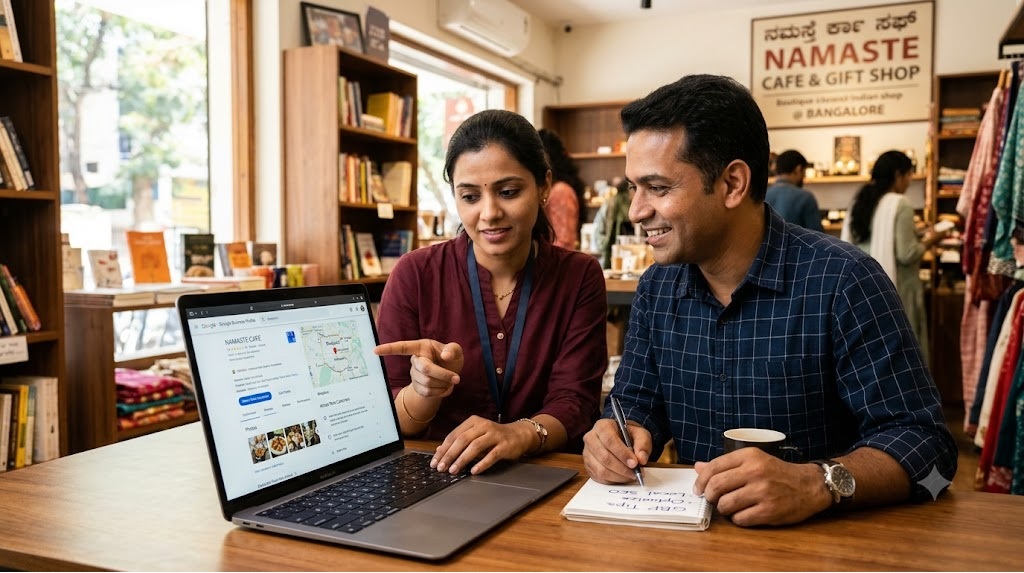
If you own a local business in India, one of the easiest ways to reach more potential customers online is through your Google Business Profile.

Think about how people search for businesses today. Someone looking for a restaurant in Delhi, a dentist in Noida, a coaching centre in Lucknow or a beauty parlour in Pune will often start with a Google search. They want to find nearby options, compare reviews, check timings, see photos and contact a business without wasting time.

This is where your Google Business Profile can make a real difference.

A properly optimised Google Business Profile can help your business appear in local Google Search results and Google Maps. It gives potential customers important information about your business and makes it easier for them to call, visit, ask questions or find directions.

However, simply creating a profile is not enough. You need to complete it, keep it updated and actively manage it to get the best results.

In this ultimate guide, we will explain how to optimise your Google Business Profile step by step, improve your local online visibility and attract more customers to your business.

1. What Is a Google Business Profile?

Google Business Profile is a free tool from Google that allows businesses to manage how they appear on Google Search and Google Maps.

It was previously known as Google My Business.

When someone searches for your business name or a service in your area, your Google Business Profile can display important information such as:

  • Business name and address.
  • Phone number and website.
  • Opening and closing hours.
  • Customer reviews and ratings.
  • Business photos and videos.
  • Products and services.
  • Directions and location on Google Maps.
  • Questions and answers, where available.
  • Updates, offers and announcements.

For example, when someone searches for “best dentist in Karol Bagh” or “coaching centres near me”, Google may show relevant local businesses in a section commonly called the Local Pack.

These results help people discover businesses without having to visit several websites.

Why Is Google Business Profile Important for Indian Businesses?

India has a large and growing number of people searching online before purchasing products or services.

Customers increasingly use Google to find:

  • Restaurants, cafés and food outlets.
  • Hotels and guest houses.
  • Coaching centres and tuition classes.
  • Schools and playschools.
  • Doctors, dentists and diagnostic centres.
  • Beauty parlours and salons.
  • Retail shops and boutiques.
  • Gyms and fitness centres.
  • Repair and maintenance services.
  • Travel agencies and tour operators.
  • Real estate agents and consultants.

Whether you run a small shop in a local market or a professional service in a major city, your Google Business Profile can help you connect with customers who are actively looking for what you offer.

The biggest advantage: You can reach people who already have an interest in your products or services, rather than depending entirely on advertisements or social media posts.

2. Claim and Verify Your Google Business Profile

Before you start optimising your listing, make sure you own and control it.

If your business already appears on Google Maps, search for its name and check whether you can claim or manage the existing profile.

If it does not exist, create a new profile through Google’s official Business Profile process.

How to Claim Your Existing Business Listing

Follow these steps:

  1. Search for your business name on Google or Google Maps.
  2. Open the business listing.
  3. Look for an option such as “Own this business?” or “Claim this business”.
  4. Follow the instructions to request access.
  5. Complete Google’s verification process.

If another person manages your listing, request ownership or management access instead of creating a duplicate profile.

How to Create a New Google Business Profile

If your business does not have a listing:

  1. Sign in using the Google account you want to use for business management.
  2. Open Google Business Profile.
  3. Enter your business name.
  4. Select the most suitable business category.
  5. Add your business location or service area.
  6. Enter your contact details.
  7. Complete the verification steps provided by Google.

Google may offer different verification methods depending on your business and location.

Why Verification Matters

Verification helps Google confirm that you are authorised to manage the business.

An unverified or inaccessible listing can limit your ability to manage important business information.

Practical tip: Use a business-controlled Google account rather than an employee’s personal account. This reduces the risk of losing access when staff members leave.

3. Choose the Right Business Name

Your business name is one of the first things potential customers notice.

Use your actual business name as it appears on your shop signage, website, business documents and other customer-facing materials.

For example:

  • Correct: Sharma Dental Clinic
  • Incorrect: Sharma Dental Clinic Best Dentist in Delhi Cheap Dental Treatment

Adding unnecessary keywords, locations, phone numbers or promotional phrases to your business name can violate Google’s guidelines and put your listing at risk.

Keep Your Business Name Consistent Everywhere

Your business name should be consistent across:

  • Google Business Profile.
  • Your official website.
  • HotList.in business listing.
  • Social media accounts.
  • Other online business directories.

Consistency helps customers recognise your business and reduces confusion.

4. Select the Most Relevant Primary Business Category

Your primary category tells Google what your business mainly does.

It is one of the important factors Google considers when deciding which local searches are relevant to your business.

For example:

Business Suitable primary category
Dental clinic Dentist
Restaurant Restaurant
Coaching institute Coaching center
Beauty parlour Beauty salon
Hotel Hotel
Diagnostic centre Diagnostic center
Gym Gym
Bakery Bakery

Choose the category that best describes your main business activity.

Add Relevant Secondary Categories

If your business provides multiple services, you may be able to add additional categories.

For example, a business offering dental and orthodontic treatments may select relevant categories for both activities.

A coaching institute may offer different types of educational services, but should only add categories that accurately describe its actual operations.

Important: Do not add unrelated categories simply to appear in more searches. Relevance matters more than the number of categories.

5. Write a Business Description That Attracts Customers

Your business description is an opportunity to tell potential customers what you do, what you offer and why they should consider choosing you.

Avoid writing a description that only lists keywords.

Instead, explain your business in simple language.

What Should Your Business Description Include?

A useful description should cover:

  • What your business does.
  • Products or services you provide.
  • Your main area of operation.
  • Your experience or specialisation, if relevant.
  • What makes your business different.
  • The types of customers you serve.

Example: Coaching Centre

“ABC Coaching Centre provides classroom and online tuition for students from Classes 6 to 12 in Rohini, Delhi. We offer Mathematics, Science, English and Commerce coaching with a focus on concept clarity, regular practice and individual student support.”

Example: Beauty Salon

“XYZ Beauty Salon offers professional haircuts, hair styling, skincare, facials and bridal makeup services in Indirapuram, Ghaziabad. Our team focuses on personalised beauty services and a comfortable customer experience.”

How to Use Keywords Naturally

Include relevant search terms that describe your actual business.

For example:

  • Dentist in Karol Bagh.
  • Maths coaching in Rohini.
  • Family restaurant in Noida.
  • Beauty parlour in South Delhi.
  • Diagnostic centre in Lucknow.

Do not stuff the description with repeated keywords.

Your description should sound natural and help customers understand your business.

6. Add Complete and Accurate Contact Information

Imagine a customer finds your business on Google but cannot locate your phone number or address. You could lose that enquiry to a competitor.

Make it easy for customers to contact you.

Essential Business Details to Add

Ensure your profile includes:

  • Complete business address, if customers visit your premises.
  • Correct phone number.
  • Official website.
  • Business hours.
  • Service areas, if applicable.
  • Directions and map location.

Use a Working Business Phone Number

Your phone number should be active and regularly monitored.

If customers call and nobody answers, they may contact another business.

If you receive enquiries through WhatsApp, make sure your contact information and any available Google-supported contact options are configured correctly.

Check Your Map Location

Incorrect map locations can frustrate customers and lead to missed visits.

Check your Google Maps pin carefully.

Make sure it points to the correct building, shop or entrance whenever possible.

For businesses operating from commercial complexes, shopping centres or office buildings, accurate location information is particularly important.

7. Set Accurate Business Hours and Update Special Timings

Business hours are among the first things customers check before visiting a local business.

Incorrect timings can create a poor customer experience.

For example, a customer travelling across Delhi to visit your shop may be disappointed if Google shows that you are open but your business is closed.

What You Should Update

  • Regular opening hours.
  • Closing hours.
  • Weekly holidays.
  • Lunch breaks, if applicable and supported.
  • Special timings during festivals.
  • Temporary closures.
  • Holiday opening hours.

Remember Indian Festivals and Public Holidays

Indian businesses often change their working hours during:

  • Diwali.
  • Holi.
  • Dussehra.
  • Eid.
  • Christmas.
  • Independence Day.
  • Republic Day.
  • Regional festivals.

Update special hours in advance whenever possible.

Practical tip: Review your business hours at least once a month and whenever your operating schedule changes.

8. Add High-Quality Business Photos and Videos

Customers want to see what a business looks like before visiting or making a purchase.

Photos help them understand your products, premises, facilities and overall experience.

A profile with genuine, recent and relevant images can make a much better impression than one with no photographs.

What Photos Should You Upload?

The type of images depends on your business.

Restaurants and Cafés

  • Food and beverage photographs.
  • Restaurant interiors.
  • Seating arrangements.
  • Kitchen and dining areas.
  • Exterior and entrance.

Hotels and Guest Houses

  • Rooms and bathrooms.
  • Reception area.
  • Restaurant and common areas.
  • Exterior views.
  • Facilities and amenities.

Coaching Centres and Schools

  • Classrooms.
  • Teaching facilities.
  • Reception and waiting areas.
  • Library and laboratories.
  • Learning activities.

Retail Shops and Boutiques

  • Store interiors.
  • Products and collections.
  • Display counters.
  • Store entrance.
  • New arrivals.

Clinics and Diagnostic Centres

  • Reception area.
  • Waiting rooms.
  • Facilities and equipment.
  • Exterior and entrance.
  • Treatment areas, where appropriate and with proper privacy safeguards.

Follow These Photo Optimisation Tips

  1. Upload clear, well-lit photographs.
  2. Use genuine images of your business.
  3. Show different areas and services.
  4. Avoid blurry or heavily edited photographs.
  5. Keep images updated when your premises or products change.
  6. Use original photographs instead of unrelated stock images.

How Often Should You Upload Photos?

There is no fixed number of photos required to rank higher.

However, keeping your profile visually complete and updated is a good practice.

Upload new photographs whenever you introduce new products, renovate your premises, launch a service or make meaningful changes to your business.

Remember: Never use fake customer photographs, misleading images or pictures that do not represent your actual business.

9. Add Your Products and Services

Your Google Business Profile should clearly explain what customers can purchase or enquire about.

Depending on your business category and available profile features, you can add products, services, descriptions and other relevant information.

This helps customers understand your offerings before contacting you.

Examples of Products and Services

Business type What to add
Restaurant Meals, snacks, beverages and catering
Beauty salon Haircuts, facials, bridal makeup and skincare
Coaching centre Mathematics, Science, English and competitive exam preparation
Hotel Room types, accommodation and facilities
Fitness centre Personal training, yoga and group fitness
Diagnostic centre Blood tests, health packages and diagnostic services
Retail shop Product categories and major brands

Write Clear Product and Service Descriptions

Avoid vague descriptions.

For example:

Instead of writing “Maths Classes”, write “Mathematics tuition for Classes 9 to 12, including CBSE and ICSE syllabus support.”

Instead of writing “Beauty Services”, write “Professional facials, hair styling, bridal makeup and skincare services.”

Where prices are available and appropriate, provide accurate pricing information.

Do not advertise services that you do not actually provide.

10. Get More Genuine Google Reviews

Customer reviews are one of the most important parts of your online business reputation.

Before choosing a restaurant, doctor, coaching centre or hotel, many customers check what other people have said about the business.

A strong collection of genuine reviews can help potential customers feel more confident about contacting you.

Reviews also contribute to how customers perceive your business.

How to Get More Google Reviews

The best way to get reviews is to ask satisfied customers at the right time.

Try these methods:

1. Ask Customers After a Successful Purchase

If a customer is happy with your product or service, politely ask them to share their experience on Google.

2. Share Your Google Review Link on WhatsApp

Copy your Google review link and share it with customers after completing a transaction or service.

Example message:

“Thank you for choosing us! We hope you enjoyed our service. Your feedback means a lot to us. Please take a moment to share your experience through our Google review link.”

3. Display a Review QR Code

Create a QR code that opens your Google review page.

Display it at:

  • Your billing counter.
  • Reception desk.
  • Customer waiting area.
  • Restaurant tables.
  • Shop entrance.

4. Include the Review Link in Follow-Up Messages

After completing a service, send a polite follow-up message requesting genuine feedback.

How to Respond to Positive Reviews

Do not leave customer reviews unanswered.

A simple and personal response makes customers feel valued.

Example:

“Thank you for your kind feedback! We are glad you had a good experience with our team. We look forward to serving you again.”

How to Handle Negative Reviews

Negative reviews are an opportunity to demonstrate professionalism.

Follow these steps:

  1. Read the complaint carefully.
  2. Avoid arguing with the customer.
  3. Acknowledge the concern.
  4. Offer to investigate the issue.
  5. Provide a way to continue the conversation privately.
  6. Take corrective action where necessary.

Example:

“We are sorry to hear that your experience did not meet expectations. We take customer feedback seriously and would like to understand what went wrong. Please contact our team so we can look into the matter.”

Never Buy Fake Google Reviews

Buying reviews, offering rewards in exchange for positive reviews, or asking people to post experiences they never had can violate Google’s policies.

Focus on genuine feedback from real customers.

Quality matters more than simply collecting a large number of reviews.

11. Publish Regular Google Business Profile Updates

Your Google Business Profile can also help you communicate with potential customers through posts and updates, where these features are available.

Think of these updates as small promotional messages displayed on your business profile.

You can use them to share useful information, new products, special offers and business announcements.

What Should You Post?

Here are some practical ideas for Indian businesses.

Restaurants

  • New menu launches.
  • Seasonal dishes.
  • Festival specials.
  • New delivery options.
  • Special dining offers.

Coaching Centres

  • New admission announcements.
  • Upcoming batches.
  • Exam preparation programmes.
  • Important academic updates.
  • New courses.

Retail Shops

  • New arrivals.
  • Seasonal collections.
  • Festival shopping offers.
  • Product launches.
  • Store announcements.

Hotels

  • Seasonal packages.
  • New facilities.
  • Special accommodation offers.
  • Restaurant updates.
  • Event facilities.

Beauty Salons

  • New services.
  • Bridal packages.
  • Seasonal skincare services.
  • New treatments.
  • Service announcements.

How Often Should You Post?

There is no universal posting frequency that guarantees better rankings.

However, sharing useful updates regularly helps keep your business information fresh and gives potential customers more reasons to engage.

Aim for one or two meaningful updates per week if you have something valuable to share.

Avoid posting repetitive promotional messages just to remain active.

12. Use Google Business Profile Features to Generate More Enquiries

Your profile should do more than display your business information.

It should make it easy for potential customers to take action.

Depending on your business category and available features, customers may be able to:

  • Call your business.
  • Visit your website.
  • Request directions.
  • View products and services.
  • Make bookings.
  • Place orders.
  • Contact you through supported messaging or other available options.

Make Your Website Link Work Harder

Do not simply add your homepage and forget about it.

Make sure your website provides useful information about your products, services, location and contact details.

For example, a coaching centre should ideally direct visitors to a page explaining its courses, classes, subjects and admission process.

A restaurant should make its menu, location and contact information easy to find.

Track Enquiries and Customer Actions

Regularly review the performance information available in your Google Business Profile.

Depending on the reporting features available, you may be able to understand how customers discover your business and interact with your listing.

Pay attention to:

  • Searches that display your profile.
  • Calls received.
  • Website clicks.
  • Direction requests.
  • Other customer interactions.

Use this information to identify what is working and where improvements are needed.

13. Use Local Keywords to Improve Your Local Search Visibility

When people search for businesses, they often include a location in their search.

For example:

  • Best dentist in Rohini.
  • Restaurants in Karol Bagh.
  • Maths tuition in Noida.
  • Beauty parlour in Gurgaon.
  • Hotels near New Delhi Railway Station.
  • Diagnostic centre in Lucknow.

These are local search keywords.

Understanding what customers search for can help you improve your website content and business information.

How to Find Relevant Local Keywords

Start by thinking about the words customers use when searching for your products or services.

Combine your main service with your location.

For example, if you run a coaching centre in Laxmi Nagar, possible search phrases include:

  • Coaching centre in Laxmi Nagar.
  • Maths coaching in Laxmi Nagar.
  • Science tuition in Laxmi Nagar.
  • Class 10 tuition in Laxmi Nagar.
  • CBSE coaching in East Delhi.

You can also study Google’s search suggestions and related searches to understand how people phrase their queries.

Where Should You Use Local Keywords?

Use relevant keywords naturally in:

  • Your website page titles.
  • Website headings.
  • Service and product pages.
  • Location-specific landing pages.
  • Business descriptions where appropriate.
  • Online business directory listings.

Do not add location keywords repeatedly to your official business name.

Also, avoid creating multiple Google Business Profiles for different keywords or nearby locations when they do not represent eligible, separate business locations.

14. Keep Your Business Information Consistent Across the Internet

Your Google Business Profile is important, but it should not be the only place where your business appears online.

Customers may discover your business through websites, online directories, social media platforms and other local search results.

If your contact information is different across these platforms, customers may become confused.

For example:

  • Google shows one phone number.
  • Your website displays another.
  • Your online directory listing has an outdated address.
  • Your Facebook page shows incorrect opening hours.

This creates a poor customer experience.

Maintain Consistent Business Details

Try to keep the following information accurate everywhere:

  • Business name.
  • Business address.
  • Phone number.
  • Website URL.
  • Business category.
  • Products and services.
  • Operating hours.

These details are commonly called NAP information: Name, Address and Phone Number.

List Your Business on Reputable Online Directories

Online business directories can provide additional opportunities for customers to discover your business.

For Indian businesses, consider relevant platforms such as:

  • HotList.in.
  • Justdial.
  • IndiaMART, where relevant.
  • TradeIndia, where relevant.
  • Sulekha.
  • Other reputable local and industry-specific directories.

Choose directories that suit your business and target customers.

Do not create hundreds of low-quality listings just to increase the number of links pointing to your website.

A smaller number of accurate and relevant listings is a better approach.

Why You Should List Your Business on HotList.in

HotList.in is a business listing and local lead generation platform designed to help Indian businesses improve their online visibility and reach potential customers.

A HotList business listing gives your business another opportunity to be discovered by people searching for local products and services.

You can showcase your business details and connect potential customers with your Google Business Profile.

Depending on your listing plan, you can also add your website link and WhatsApp contact button.

Give your business more opportunities to get discovered. Create your business listing on HotList.in and expand your online presence beyond Google.

15. Improve Your Website for Local SEO

Your Google Business Profile and website should work together.

While your Google listing helps customers discover your business, your website can provide more detailed information and convert visitors into enquiries.

A well-optimised website can support your local search strategy and help customers make informed decisions.

Create Location-Specific Website Pages

If you serve different areas, create useful pages for the locations you genuinely cover.

For example, a dental clinic in Delhi may have pages explaining its treatments and the areas it serves.

A coaching centre may create separate pages for:

  • Class 9 Maths tuition.
  • Class 10 Science tuition.
  • CBSE coaching.
  • Competitive exam preparation.

Each page should provide useful, original information.

Avoid creating dozens of nearly identical pages by changing only the locality name.

Optimise Your Website Page Titles

Your page titles should clearly explain what the page offers and where the service is available.

Examples:

  • Best Dental Clinic in Karol Bagh, Delhi.
  • Mathematics Tuition Classes in Rohini, Delhi.
  • Family Restaurant in Sector 18, Noida.
  • Diagnostic Centre in Gomti Nagar, Lucknow.

Use natural language and avoid unnecessary keyword repetition.

Add Your Business Address and Contact Details

Display your business address, phone number and contact information clearly.

For local businesses, it is useful to include these details on your contact page and, where appropriate, in the website footer.

Make Your Website Mobile-Friendly

A large number of Indian customers search for local businesses using smartphones.

Your website should:

  • Load quickly.
  • Display properly on mobile screens.
  • Have readable text.
  • Use easy-to-find contact buttons.
  • Make phone numbers clickable.
  • Have simple navigation.
  • Provide a smooth enquiry process.

A slow or difficult-to-use website can drive potential customers away.

16. Use Social Media to Support Your Local Business Marketing

Social media can help you reach customers, build brand recognition and bring more people to your website and business profile.

However, simply creating social media accounts is not enough.

You need to share content that is relevant to your customers.

Which Social Media Platforms Should Indian Businesses Use?

Choose platforms based on your business and audience.

  • Facebook: Useful for local communities, business updates and promotional offers.
  • Instagram: Suitable for restaurants, salons, boutiques, cafés, fitness centres and visually appealing products.
  • YouTube: Useful for tutorials, demonstrations, educational content and customer information.
  • LinkedIn: Suitable for professional services, consultants, B2B businesses and coaching organisations.
  • WhatsApp Business: Useful for customer communication, product catalogues and direct enquiries.

What Should You Share?

You can publish:

  • Product photographs.
  • Short videos.
  • Customer testimonials, with permission.
  • New product announcements.
  • Service demonstrations.
  • Festival offers.
  • Business updates.
  • Useful tips related to your industry.

Include your business name, location and contact information where appropriate.

Also, make it easy for customers to find your website and Google Business Profile.

17. Avoid These Common Google Business Profile Mistakes

Many business owners create a Google listing but unknowingly make mistakes that affect their online presence.

Here are some problems you should avoid.

1. Keyword Stuffing in the Business Name

Adding multiple keywords to your official business name can violate Google’s guidelines.

Use your genuine business name.

2. Selecting the Wrong Business Category

An incorrect category can make your business less relevant to the searches you want to attract.

Choose the most accurate primary category.

3. Adding an Incorrect Address

Never use a fake address or an address where your business does not operate.

Follow Google’s eligibility and address guidelines.

4. Creating Duplicate Listings

Multiple profiles for the same business location can create confusion.

Check whether a profile already exists before creating another one.

5. Ignoring Customer Reviews

Unanswered reviews can make your business appear inactive or unresponsive.

Make time to respond professionally to genuine feedback.

6. Uploading Unrelated or Fake Photos

Use real images of your business, products, services and premises.

7. Keeping Outdated Contact Details

An incorrect phone number, website or address can result in lost enquiries.

Review your information regularly.

8. Buying Fake Reviews

Fake reviews can damage your reputation and violate Google’s policies.

Build your reputation through genuine customer experiences.

9. Ignoring Your Website

A Google listing should not be your only online presence.

A useful, mobile-friendly website gives customers more information and additional ways to contact you.

10. Expecting Immediate Results

Local SEO takes time.

Creating a profile does not guarantee that your business will appear at the top of Google Search or Maps.

Focus on accuracy, relevance, customer experience and consistent improvements.

18. How Does Google Decide Which Local Businesses to Show?

Google generally considers three major factors when displaying local search results: relevance, distance and prominence.

Understanding these factors can help you develop a more effective local SEO strategy.

Relevance

Relevance refers to how closely your business matches what someone is searching for.

For example, if someone searches for “Italian restaurant in South Delhi”, Google tries to identify businesses that match that requirement.

You can improve relevance by:

  • Choosing the correct business category.
  • Adding complete business information.
  • Listing your actual products and services.
  • Maintaining accurate operating details.
  • Providing useful website content.

Distance

Distance refers to how far a business is from the location used in the search.

For example, someone searching for a restaurant near Connaught Place may see different results from someone searching near Karol Bagh.

Distance is not something you can manipulate through keyword optimisation.

Focus on accurately representing your business location and service area.

Prominence

Prominence refers to how well-known or established a business is.

Google may consider information such as reviews, ratings, links and other information about the business across the internet.

You can work towards building prominence by:

  • Providing excellent customer service.
  • Collecting genuine customer reviews.
  • Maintaining a professional website.
  • Getting mentioned on relevant websites.
  • Building a consistent online presence.
  • Sharing useful business information.

Remember: No SEO company or marketing agency can honestly guarantee a number-one Google Maps position. Local results depend on several factors, including the searcher’s location and competition.

19. How to Track the Performance of Your Google Business Profile

Optimisation is not a one-time activity.

You should regularly check whether your efforts are helping your business attract more attention and enquiries.

Google Business Profile provides performance information that can help you understand how customers interact with your listing.

Important Performance Indicators to Monitor

Profile Views and Searches

Understand how customers are discovering your business through Google Search and Maps.

Phone Calls

Monitor how many potential customers are calling your business through your listing.

Website Clicks

Check whether customers are visiting your website after finding your profile.

Direction Requests

For businesses with physical locations, direction requests can indicate customer interest in visiting your premises.

Customer Reviews

Monitor the number of new reviews, average ratings and customer feedback.

Use Google Analytics to Measure Website Traffic

If your website is connected to Google Analytics 4, you can track visitors coming from Google and understand what they do after arriving on your website.

You can monitor:

  • Website visitors.
  • Traffic sources.
  • Popular service pages.
  • Contact form submissions.
  • Enquiry button clicks.
  • Conversions.

You can also use tracking parameters on supported website links to better understand where your website traffic originates.

This information helps you identify which marketing activities are generating actual customer interest.

20. A Practical 30-Day Google Business Profile Optimisation Plan

If you are a busy business owner, you may not have time to implement everything at once.

The following 30-day plan will help you organise your work.

Week 1: Set Up and Complete Your Profile

Focus on the basics.

  • Claim and verify your business profile.
  • Check your business name.
  • Select the correct primary category.
  • Add relevant secondary categories.
  • Write a useful business description.
  • Verify your phone number and address.
  • Add accurate opening hours.
  • Check your Google Maps location.

Week 2: Improve Your Business Information

Make your profile more useful to customers.

  • Upload genuine business photographs.
  • Add your products and services.
  • Include relevant descriptions.
  • Check your website link.
  • Add available contact and booking options.
  • Review your business information for errors.

Week 3: Build Your Online Reputation

Focus on customer trust.

  • Ask satisfied customers for genuine reviews.
  • Share your review link through WhatsApp.
  • Respond to existing customer reviews.
  • Address genuine complaints.
  • Publish useful business updates.
  • Share your business profile with existing customers.

Week 4: Strengthen Your Local Online Presence

Expand your visibility beyond Google.

  • Optimise your website for local searches.
  • Add your business to relevant online directories.
  • Create useful location-specific website content.
  • Share business updates on social media.
  • Check your Google Business Profile performance.
  • Identify areas that need improvement.

At the end of 30 days, review what you have completed and continue maintaining your profile.

21. Google Business Profile Optimisation Checklist for Indian Business Owners

Use this checklist to make sure you have covered the essential areas.

Business Information

  • Business profile claimed and verified.

  • Correct business name.

  • Relevant primary business category.

  • Appropriate secondary categories.

  • Complete business description.

  • Accurate phone number.

  • Correct address and map location.

  • Updated business hours.

  • Website link added.

Photos and Services

  • Business exterior photographs.

  • Interior photographs.

  • Product and service photographs.

  • Relevant products added.

  • Services and descriptions updated.

  • Prices added where appropriate.

Reviews and Customer Engagement

  • Google review link created.

  • Review QR code displayed.

  • Customers encouraged to share genuine feedback.

  • Positive reviews answered.

  • Negative reviews handled professionally.

  • Business updates published regularly.

Local SEO and Online Promotion

  • Relevant local keywords identified.

  • Website optimised for local searches.

  • Website mobile-friendly.

  • Business information consistent across directories.

  • HotList.in business listing created.

  • Social media profiles updated.

  • Performance checked regularly.

22. Frequently Asked Questions About Google Business Profile Optimisation

Is Google Business Profile Free for Indian Businesses?

Yes. Google Business Profile is a free tool that eligible businesses can use to manage their presence on Google Search and Google Maps.

You do not need to pay Google to create or manage a standard business profile.

How Long Does It Take to Rank on Google Maps?

There is no fixed timeline.

Your visibility depends on relevance, distance, prominence, competition and other factors.

Some businesses may start receiving visibility relatively quickly, while others may need consistent improvements over several months.

How Many Google Reviews Do I Need to Rank Higher?

There is no fixed number of reviews that guarantees a higher position.

Focus on collecting genuine reviews consistently, maintaining good ratings and responding professionally to customer feedback.

Do Photos Help Improve Google Business Profile Performance?

Photos help customers understand your business and can make your profile more appealing.

They are useful for showcasing your premises, products, facilities and services. However, uploading photographs does not guarantee higher rankings.

Can a Small Business Rank Higher Than a Big Brand?

Yes, a smaller local business can appear above a larger brand for some local searches.

Google considers relevance, distance and prominence. A well-maintained local business profile can compete effectively when it is relevant to the customer’s search and location.

Can I Have a Google Business Profile Without a Website?

Yes. An eligible business can have a Google Business Profile without owning a website.

However, having a professional website gives customers more information about your business and provides additional opportunities to generate enquiries.

Can I Use WhatsApp for My Google Business Listing?

Google’s available contact and messaging features can vary by country, category and profile. Check the options currently available in your account.

You can also make your WhatsApp contact information accessible through your website and other online business listings that support WhatsApp links.

Should I Hire an Agency to Optimise My Google Business Profile?

Not necessarily.

Many basic optimisation activities can be completed by business owners themselves.

However, if you have multiple locations, strong competition or limited time, an experienced local SEO professional may help with profile management, website optimisation and performance tracking.

Always ensure that you retain ownership and administrative control of your Google Business Profile.

Make Your Google Business Profile Work for Your Business

Your Google Business Profile is much more than an online business card. It is an important part of your local digital marketing strategy.

For Indian business owners, it offers an opportunity to reach people who are actively searching for nearby products and services.

Start with the basics. Complete your business information, select the right category, upload genuine photographs, add your products and services, collect customer reviews and keep your profile updated.

But do not limit your online promotion to Google alone.

Build a professional website, maintain your social media presence and list your business on relevant online directories to create more opportunities for customers to discover you.

Give your business more visibility with HotList.in.

Create your free business listing on HotList.in and help more potential customers discover your products and services. You can also explore the affordable paid listing option to add your website and WhatsApp contact links and benefit from additional promotional support.

The more accessible and discoverable your business is online, the more opportunities you create to attract local customers and grow your business.

Related Posts

How to Identify Your Target Audience & Reach More Customers

How to Build a Business Website That Attracts Local Customers and Generates More Enquiries

How to Promote Your Local Business on Social Media and Get More Customers

15 Best Free Advertising Sites in India to Promote Your Small Business Online

How to Get More Customers from Your Google Business Profile

How to Get More Customers from Your Google Business Profile

If you run a shop, restaurant, coaching centre, salon, clinic, hotel, bakery or any other local business in India, your next customer could be searching for you on Google right now.

Someone in your area might be searching for “best salon near me”, “CA in Noida”, “restaurants in Karol Bagh”, “best coaching centre in Jaipur” or “dentist near me”. Your business could appear in those search results, giving potential customers a chance to discover your services, check your reviews, call you, get directions or visit your website.

But simply creating a Google Business Profile is not enough. You need to build a complete, accurate and trustworthy profile, keep it updated, encourage genuine customer reviews and make it easy for people to contact you.

This guide explains how to use your Google Business Profile to attract more local customers, increase enquiries and grow your business without spending a fortune on advertising.

1. What Is a Google Business Profile?

A Google Business Profile is a free business listing that allows eligible businesses to manage how they appear on Google Search and Google Maps.

When someone searches for your business name or looks for services you provide in your area, your profile may display important information such as:

  • Business name and category
  • Address or service area
  • Phone number and opening hours
  • Customer reviews and ratings
  • Photos and videos
  • Products and services
  • Website link
  • Directions and other available contact options

For example, a person searching for a playschool in Ghaziabad may compare several nearby businesses before deciding which one to contact. A complete profile with genuine reviews, useful photographs, accurate timings and clear contact details can help your business stand out.

Why Is Google Business Profile Important for Local Businesses in India?

Indian customers frequently use Google to discover nearby businesses, compare options and check whether a business looks reliable before making a purchase.

A well-maintained profile can help you:

  • Reach customers actively searching for your products or services.
  • Appear in relevant local search results and Google Maps.
  • Build trust through genuine reviews and business information.
  • Generate phone calls, direction requests and website visits.
  • Promote your offerings without paying for every click.
  • Compete with larger businesses in your local market.

The biggest advantage: Your business can be discovered by people who already have an interest in what you offer.

However, creating a profile does not guarantee a top ranking or a fixed number of enquiries. Results depend on factors such as relevance, distance, prominence, competition and the quality of your overall online presence.

2. Start with the Basics: Create or Claim Your Google Business Profile

Before working on promotion, make sure you control your business listing.

Step 1: Check Whether Your Business Already Exists on Google

Search for your business name on Google and Google Maps.

If a listing already exists, check whether you can claim and manage it. Avoid creating a duplicate profile for the same business and location.

If you cannot find your business, you can create a new profile through Google’s official Business Profile service.

Step 2: Verify Your Business

Google may require verification to confirm that you are authorised to manage the business. The available verification method depends on Google’s assessment of your business and account.

Complete the verification process and keep your account secure. A verified profile gives you access to the available management features, although verification alone does not guarantee better rankings.

Step 3: Enter Accurate Business Information

Check every detail before publishing it.

Your business name should reflect your real-world business name. Do not add unnecessary keywords, locations or promotional phrases to the name just to improve rankings.

For example, if your actual business name is “Sharma Dental Clinic”, do not rename it “Best Dentist in Noida Cheap Dental Clinic Sharma Dental Clinic” unless that wording genuinely forms part of your established business name.

Such keyword stuffing can violate Google’s guidelines and put your profile at risk.

3. Choose the Right Business Category

Your primary business category tells Google what your business mainly does. It can influence which relevant searches your profile may appear for.

Select the Most Accurate Primary Category

Choose the category that best describes your main business activity, not simply the broadest category available.

Examples include:

  • A restaurant should choose the most suitable restaurant category.
  • A tuition centre should select an appropriate tutoring or coaching category.
  • A diagnostic facility should select the category that accurately represents its services.
  • A beauty salon should choose the relevant salon category.
  • A hotel should choose the appropriate accommodation category.

Add Relevant Secondary Categories

If your business genuinely provides additional services covered by other available categories, add the relevant secondary categories.

For instance, a business that operates as both a hair salon and a beauty salon may qualify for suitable categories covering those activities.

Do not add unrelated categories just because they have high search volume.

Practical tip: Review your categories whenever your business expands or changes its main services. Keep them relevant to what customers can actually buy from you.

4. Complete Every Important Section of Your Profile

An incomplete listing may leave customers with unanswered questions. A complete profile helps people decide whether your business meets their needs.

Business Hours

Enter your normal opening hours and update them for public holidays, festivals and temporary closures.

This is particularly important in India, where operating hours may change during Diwali, Holi, Eid, Christmas, regional festivals or other holidays.

Incorrect timings can lead to wasted visits and disappointed customers.

Phone Number

Use a phone number that customers can reach during business hours.

Test the number periodically. If you use a mobile number, make sure someone answers calls or returns missed calls promptly.

Address and Service Areas

If customers visit your premises, enter your accurate business address.

If you travel to customers, configure your service area appropriately. Businesses that do not serve customers at their address should follow Google’s rules for service-area businesses rather than displaying a misleading address.

Website and Contact Details

Add your official website if you have one. Check that it loads properly on mobile phones and that the contact details are correct.

Where Google offers additional contact or booking features for your business category, use the relevant options if they genuinely help customers.

Business Description

Write a clear description explaining what your business offers, whom you serve and what makes your services useful.

Avoid exaggerated claims, excessive promotional language and repeated keywords.

For example:

“ABC Coaching Centre provides classroom coaching for Classes 9–12 in Mathematics, Science and Commerce. Students receive subject-focused instruction, regular practice and exam preparation support.”

This is more helpful than a description filled with repeated phrases such as “best coaching centre”, “top coaching centre” and “number one coaching classes”.

5. Add High-Quality Photos and Videos

Customers often want to see a business before visiting or contacting it. Genuine photographs can help them understand what to expect.

Which Photos Should You Upload?

Choose images that show the real business and its offerings.

Business type Useful photos
Restaurant or café Food, seating, dining area and menu items
Hotel Guest rooms, reception, facilities and exterior
Coaching centre Classrooms, learning spaces and facilities
Playschool Classrooms, play areas and learning environment
Retail shop Store interior, products and display shelves
Salon or beauty parlour Interior, equipment and services offered
Clinic or diagnostic centre Reception, facilities and premises, with appropriate patient privacy
Bakery Cakes, baked products, counter and shop interior

How to Make Your Photos More Effective

Use Real Photographs

Show your actual premises, staff, products and facilities. Avoid misleading stock photos that create expectations your business cannot meet.

Make Sure Images Are Clear

Use good lighting, clean backgrounds and photographs that accurately represent your business.

You do not need an expensive camera. A modern smartphone is often sufficient.

Add New Photos Regularly

Upload new photographs when you introduce products, renovate your premises, add facilities or change your displays.

Quality and accuracy matter more than uploading a large number of repetitive images.

Follow Privacy Rules

Obtain appropriate permission before publishing identifiable photographs of customers, especially children. Do not reveal private customer information.

Remember: Photos help potential customers make decisions, but they do not guarantee a particular ranking or number of enquiries.

6. Get More Genuine Google Reviews

Reviews are one of the most useful ways to build trust with prospective customers.

When comparing two similar businesses, people may pay attention to the quality, quantity and recency of reviews, along with the actual comments customers leave.

How to Ask Customers for Reviews

The simplest approach is to ask satisfied customers to share honest feedback about their experience.

You can request a review after a completed purchase, service appointment, class or stay.

For example, you could send this WhatsApp message:

“Thank you for choosing our business. We value your feedback. If you have a moment, please share an honest review of your experience on Google. Your feedback helps us improve our services.”

Use Google’s review link or QR code to make the process convenient.

How Can Different Businesses Encourage Reviews?

  • Restaurants: Ask customers to share feedback after their visit.
  • Coaching centres: Invite students or parents to review their genuine experience.
  • Hotels: Request feedback after checkout.
  • Salons: Ask customers for feedback after their appointment.
  • Retail shops: Invite customers to share their experience after a purchase.
  • Service providers: Request a review after completing the work.

Always follow Google’s current review policies.

Never Buy Fake Reviews

Do not purchase reviews, create fake customer accounts, offer discounts in exchange for positive reviews or pressure customers to leave only favourable feedback.

Google prohibits fake engagement and incentivised reviews. Such practices can damage customer trust and lead to review removal or other restrictions.

Respond to Every Review You Can

Thank customers who leave positive reviews. If someone raises a genuine concern, respond calmly and professionally.

For example:

“Thank you for your feedback. We are sorry your experience did not meet expectations. Please contact our team so we can understand the issue and work towards a suitable resolution.”

Avoid arguments, personal information or aggressive replies.

Pro tip: A professional response to criticism can reassure future customers that you take service quality seriously.

7. Keep Your Profile Active and Updated

Your profile should reflect the business as it operates today, not how it operated several months ago.

Publish Updates When Appropriate

If Google Posts or other update features are available for your profile, use them to communicate useful information.

You can share:

  • New products or services
  • Seasonal offers and promotions
  • Upcoming events
  • New facilities
  • Changes in business hours
  • Relevant announcements

For example, a coaching centre might announce admissions for a new academic session, while a restaurant could introduce a seasonal menu.

Keep each update specific, accurate and useful. Include a clear next step where appropriate, such as calling the business or visiting its website.

Do not assume that posting every day will automatically improve your ranking. Focus on useful information rather than posting merely to appear active.

Update Your Products and Services

If your profile supports product or service listings, use them to explain what customers can purchase.

Include accurate names, descriptions, prices where appropriate and relevant photographs.

A salon might list haircuts, styling and beauty services. A coaching centre could explain its available classes and subjects.

This helps prospective customers understand your offering before contacting you.

8. Use Local Keywords Naturally

Local search optimisation helps Google understand what your business offers and where it operates.

A customer might search for “best bakery in Indiranagar”, “Maths tuition in Rohini” or “AC repair in Gurugram”.

Your online presence should clearly communicate your services and relevant location.

Identify the Searches Your Customers Use

Start by writing down the terms real customers might use to find your business.

For example:

  • Dentist in Noida
  • CBSE tuition classes in Jaipur
  • Wedding photographer in Delhi
  • Vegetarian restaurant in Pune
  • Ladies’ boutique in Lucknow
  • Home tutor in Kolkata

Consider variations based on the service, locality, customer need and language.

Use Keywords in the Right Places

Include relevant phrases naturally in:

  • Your website’s page titles and headings
  • Service descriptions on your website
  • Useful articles and local guides
  • Business directory descriptions where permitted
  • Your products and services information
  • Relevant customer-facing content

Keep your actual business name, address, category and other profile information accurate. Do not add search terms to your business name unless they are genuinely part of the real-world name.

Create Separate Website Pages for Important Services

If you have a website, consider creating dedicated pages for your major services and locations you genuinely serve.

For example, a coaching business might have separate pages for Class 10 Maths, Class 12 Physics and entrance exam preparation.

Each page should offer useful information rather than simply repeating a keyword.

A page that explains course details, fees, timings, teaching methods and how to enquire is more valuable to customers than a page created only to rank for a search term.

9. Improve Your Website to Turn Visitors into Customers

Your Google Business Profile may bring people to your website, but your website must help them take the next step.

A visitor who cannot find your phone number, service details or pricing information may leave without contacting you.

Make Your Website Mobile-Friendly

Many Indian customers browse on smartphones. Your website should load quickly, display correctly on smaller screens and make important information easy to find.

Check that buttons, forms, photographs and text work properly on mobile devices.

Put Contact Information Where People Can Find It

Display your phone number, WhatsApp contact option where appropriate, business location and opening hours prominently.

Do not force visitors to navigate several pages just to find your contact details.

Explain Your Services Clearly

For each major service, explain:

  • What you provide
  • Who the service is suitable for
  • How your service works
  • Important pricing or booking information
  • Why customers might choose your business
  • How to enquire or place an order

Avoid vague statements such as “We provide the best services at the best prices” without explaining what customers actually receive.

Add Trust-Building Information

Where appropriate, display genuine testimonials, qualifications, relevant certifications, real business photographs and examples of completed work.

Make sure every claim is accurate and that you have permission to publish customer testimonials or project photographs.

Use Clear Calls to Action

Tell visitors what to do next.

Examples include:

  • Call for an appointment
  • Request a quotation
  • Check course details
  • Book a table
  • Ask about availability
  • Enquire on WhatsApp

A good website does more than provide information. It makes the buying process easier.

10. List Your Business on Relevant Online Directories

Your Google Business Profile is important, but it should not be the only place where customers can discover your business.

Relevant business directories provide additional opportunities to promote your services, strengthen your online presence and reach people who use those platforms.

Why Business Listings Can Help

A useful business listing can give potential customers another way to discover your business and access important information.

Depending on the platform, your listing may include:

  • Business name and description
  • Products or services
  • Contact number
  • Website link
  • Google Business Profile link
  • Location and business photographs
  • WhatsApp contact option

Choose directories that serve your target customers and allow you to maintain accurate information.

Use HotList.in to Promote Your Local Business

Indian business owners can also use HotList.in to create an additional online presence for their business.

HotList.in is a business listings and local lead generation platform designed to help businesses promote their products and services, improve online visibility and make it easier for potential customers to contact them.

A business listing on HotList.in can provide an additional discovery point beyond your Google Business Profile.

Depending on the listing plan, business owners can present their business details and Google Business Profile link, with paid listing features that include website and WhatsApp links and promotional support.

How HotList.in Can Complement Your Google Business Profile

1. Give customers another way to discover your business.

Your HotList business page provides an additional online listing where prospective customers can learn about your business.

2. Connect your online presence.

Including your Google Business Profile link helps interested visitors access your Google listing and find relevant business information.

3. Make enquiries easier.

Eligible paid listings can include website and WhatsApp buttons, helping visitors move from discovering your business to contacting you.

4. Support your promotional efforts.

Paid listings include promotional support through HotList.in and its social networks, offering an additional way to showcase your business.

The key benefit is that you can use multiple relevant online channels to make your business easier to discover and contact.

A directory listing does not guarantee leads or higher Google rankings. Its value depends on its relevance, visibility, the information you provide and whether visitors become genuine enquiries.

11. Use WhatsApp to Convert Enquiries into Customers

For many Indian businesses, WhatsApp is an important channel for answering questions, sharing information and completing sales.

If your Google Business Profile and other online listings support relevant contact links, make sure those links direct customers to a working business number.

Make It Easy for Customers to Ask Questions

Depending on your business, customers may want to know:

  • Product availability
  • Service charges
  • Appointment timings
  • Course fees
  • Delivery options
  • Booking availability
  • Location and directions

Respond clearly and professionally.

Reply Promptly

An enquiry can go cold if the customer waits too long for an answer.

Assign someone to monitor incoming calls and messages during business hours. If you cannot respond immediately, acknowledge the enquiry and provide a realistic response time.

Keep Your Replies Useful

Instead of replying only with “Call us”, answer the customer’s immediate question where possible.

For example, if someone asks about tuition fees, explain the available options or ask which class and subject they need.

Make sure your answers are accurate and avoid making promises you cannot fulfil.

Follow Up Without Spamming

If a customer has requested a quotation or details, a polite follow-up may help move the conversation forward.

Do not repeatedly message people who have not agreed to receive promotional communication. Respect customer preferences and applicable privacy and messaging rules.

12. Use Offers and Promotions to Attract More Customers

A clear, relevant offer can encourage prospective customers to take action, especially when they are comparing similar businesses.

Examples include:

  • A restaurant promoting a seasonal menu
  • A salon announcing a festive package
  • A coaching centre opening registrations for a new session
  • A retailer promoting a new product range
  • A hotel advertising a special package
  • A service provider offering a clearly defined introductory service

Make Your Offer Specific

Explain what the customer receives, who can use the offer, when it expires and any important conditions.

Avoid misleading discounts or offers that are difficult to redeem.

If your Google Business Profile supports a relevant offer or update feature, use it in accordance with Google’s policies.

Promote the Same Offer Across Relevant Channels

You can share a suitable offer on your website, business directory listings, social media and WhatsApp communications where appropriate.

Keep the details consistent so customers are not confused by different prices or expiry dates.

13. Understand What Influences Google Local Rankings

Many business owners assume that frequent posting or adding more keywords will automatically push their business to the top of Google.

That is not how local rankings work.

Google identifies three main factors for local results: relevance, distance and prominence.

Relevance: How Well Your Business Matches the Search

Relevance refers to how closely your business profile matches what someone is looking for.

Accurate categories, complete information and clear descriptions of your actual services help Google understand your business.

Distance: How Near Your Business Is to the Searcher

Distance considers how far your business is from the location associated with a search.

A business cannot legitimately change its physical location simply to appear closer to more customers. Service-area businesses must also follow Google’s address and service-area requirements.

Prominence: How Well-Known Your Business Is

Prominence relates to how established or well-known a business appears to be.

Google may consider information such as reviews, links and other signals from across the web.

A strong reputation and a useful online presence can support visibility, but no single activity guarantees a top position.

What Should You Do?

Focus on the factors you can control:

  • Keep your profile accurate and complete.
  • Choose the correct business categories.
  • Earn genuine customer reviews.
  • Maintain a professional website.
  • Publish useful information.
  • Build a consistent presence on relevant platforms.
  • Deliver good customer service and respond to enquiries.

Avoid anyone promising a guaranteed number-one ranking in exchange for a fee.

14. Track Your Results and Identify What Works

Promotion becomes more effective when you measure what happens after people discover your business.

Google Business Profile provides performance information for eligible profiles. The available metrics may vary, but can include how people discover your profile and actions they take.

Monitor Important Metrics

Profile Views and Search Visibility

Check how people discover your business and which search terms or search categories are reported in your profile performance data.

Use these insights to understand whether your profile is reaching relevant audiences.

Calls and Website Clicks

Review the available call-related and website-click metrics.

Compare changes over time, keeping in mind that a click or call attempt is not necessarily a confirmed sale.

Direction Requests

For businesses with physical premises, direction requests may indicate interest from people considering a visit.

However, a direction request does not guarantee that the person arrived or made a purchase.

Actual Leads and Sales

Your own records are essential. Track how many enquiries become paying customers.

You can maintain a simple spreadsheet containing:

  • Date of enquiry
  • Customer’s requested service
  • Enquiry source
  • Whether you responded
  • Whether the customer purchased
  • Sale value, where relevant

Ask customers how they found you, and record their answers consistently.

Calculate the Value of Your Marketing

For example, suppose your business receives 40 enquiries in a month and 10 of those enquiries become customers.

Your enquiry-to-customer conversion rate is:

10 ÷ 40 × 100 = 25%

If the 10 customers generate ₹20,000 in sales, your average sales value per customer is ₹2,000.

These figures help you evaluate your results, although revenue is not the same as profit. Also consider your service costs, operating expenses and the time spent handling enquiries.

15. Common Google Business Profile Mistakes to Avoid

Even a promising business can lose potential customers through avoidable errors.

Using the Wrong Business Name

Do not add extra keywords or promotional claims to your profile name. Use your genuine business name and follow Google’s guidelines.

Keeping Incorrect Contact Details

An old phone number, incorrect address or outdated opening hours can prevent customers from reaching you.

Review your information regularly.

Creating Duplicate Profiles

Multiple profiles for the same business and location can create confusion and may violate Google’s rules.

Follow the appropriate process for existing profiles, relocations and legitimate additional business locations.

Ignoring Reviews

Unanswered complaints can create a poor impression. Respond professionally and use feedback to improve your service.

Buying Fake Reviews

Fake or incentivised reviews can undermine trust and violate Google’s policies.

Focus on genuine customer experiences.

Uploading Misleading Photos

Images should represent your actual business, products and facilities.

Do not use photographs that create false expectations.

Failing to Answer Enquiries

Marketing is wasted when interested customers cannot get a response.

Make sure someone monitors your phone, email, website forms and WhatsApp messages.

Depending on Google Alone

Search visibility can change, and customers use different platforms to find businesses.

Build a broader online presence through your website, relevant business directories, social media and customer referrals.

16. A Practical 30-Day Plan to Get More Customers

You do not need to implement everything in one day. Follow this plan to improve your business’s online presence step by step.

Week 1: Fix the Basics

  • Claim and verify your Google Business Profile if needed.
  • Check your business name, category, phone number and address.
  • Update opening hours, service areas and website details.
  • Complete relevant profile sections.
  • Check that customers can contact you successfully.

Week 2: Build Trust

  • Upload clear, genuine photographs.
  • Review your products and services information.
  • Create or update important website pages.
  • Ask recent customers for honest reviews.
  • Respond to existing reviews professionally.

Week 3: Expand Your Online Presence

  • Publish useful business updates where supported.
  • Share relevant offers or new services.
  • List your business on suitable online directories.
  • Consider a HotList.in listing as an additional discovery channel.
  • Check that your website and contact links work on mobile phones.

Week 4: Measure and Improve

  • Review your available Google Business Profile performance data.
  • Record calls, WhatsApp enquiries and website leads.
  • Identify which services generate the most interest.
  • Check how quickly you respond to customers.
  • Improve the pages, listings and processes that are not performing well.

At the end of the month, compare your results with the previous period. Continue the activities that produce meaningful enquiries and paying customers.

17. Frequently Asked Questions

Is Google Business Profile free in India?

Yes. Google Business Profile is a free service for eligible businesses. You do not need to pay Google to create or manage a standard profile. Advertising through Google Ads is a separate, optional service.

How long does it take to get customers from Google Business Profile?

There is no fixed timeline. Results depend on your location, competition, business category, profile quality, customer demand and other factors. Some businesses may receive enquiries quickly, while others need sustained improvement over time.

Can I get customers without a website?

Yes. Your Google Business Profile can help customers discover your business even if you do not have a website. Depending on the features available, they may call you, request directions or use other contact options. However, a useful website can provide additional information and support customer enquiries.

How many Google reviews should my business have?

There is no universal target. Focus on earning genuine reviews consistently and delivering good customer experiences. Review quality, relevance and recency can matter to prospective customers, so avoid treating a particular review count as a guarantee of success.

Should I post on Google Business Profile every day?

Daily posting is not essential. Publish accurate, useful updates when you have something relevant to share. Keep your business information current and prioritise customer service, genuine reviews and accurate details.

Does a Google Business Profile guarantee first-page rankings?

No. Google local rankings depend on factors including relevance, distance and prominence. No legitimate service can guarantee a particular position for every search.

Can a business use HotList.in and Google Business Profile together?

Yes. A business can use HotList.in as an additional online listing channel while maintaining its Google Business Profile. Depending on the HotList plan, the listing may include a Google Business Profile link, website link, WhatsApp button and promotional support. Neither listing guarantees leads or a specific Google ranking.

What should I do if my Google Business Profile is suspended?

Review Google’s applicable profile guidelines and the reason given for the suspension. Correct any policy issues and follow the official reinstatement process. Avoid creating replacement profiles to bypass a suspension.

Turn Your Online Visibility into Real Business Growth

Your Google Business Profile can become a valuable source of local enquiries when you manage it properly. Start with accurate business information, choose relevant categories, upload genuine photographs, collect honest reviews and make it easy for customers to contact you.

Then strengthen your online presence with a useful website, relevant business directories, social media and responsive customer service.

Most importantly, measure what happens after people discover your business. Views and clicks are useful indicators, but genuine enquiries, satisfied customers and profitable sales are the results that matter.

You do not need a massive marketing budget to get started. You need accurate information, consistent effort and a clear plan for turning interested visitors into customers.

Give your business more opportunities to be discovered. Alongside your Google Business Profile, explore a business listing on HotList.in to create another online touchpoint, showcase your services and help potential customers connect with you.

Start with the basics, improve one step at a time and build an online presence that works for your business.

Related Posts

How to Get More Customers for Your Small Business in India

How to Rank Higher on Google Maps and Attract More Local Customers

How to Promote Your Business Online for Free in India: 10 Practical Ways

Effective Ways to Generate Online Customer Leads for Your Local Business in India

error: Content is protected !!